Introducing SSO for Docker Business

Single Sign-on (SSO) for Docker is now live! By enabling SSO, large organizations and enterprises can easily automate the onboarding and management of Docker users at scale. Users can authenticate using their organization’s standard identity provider (IdP). SSO is one of our most widely requested features, so we’re excited to ship this to our Docker Business customers.
Want to enable SSO for your organization? Here are the top things you need to know.
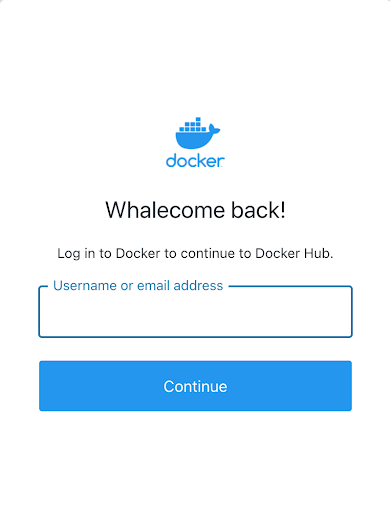
With SSO enabled, users can authenticate using their organization’s standard IdP.
How does SSO work in Docker?
SSO allows users to authenticate to Docker Hub and Docker Desktop using their organization’s standard identity provider (IdP) to access Docker. This will not only make it easier for new users to quickly get started with Docker using their organization-provided email, but it will also help large organizations scale their use of Docker in a more manageable and secure way. Docker currently supports SAML 2.0 and Azure Active Directory IdPs for easy implementation. Once SSO is enabled and configured for your organization, users must sign in to Docker Hub or Docker Desktop to initiate the SSO authentication process.
How is SSO enabled?
SSO is available to organizations with an active Docker Business subscription. This means that customers under the other subscription tiers (e.g., Team) must first upgrade to a Docker Business account. Click here to learn how to upgrade your subscription. Customers with a Docker Business subscription, can visit our documentation for additional information on the enablement process.
Note: When SSO is enabled, logging into Docker via partner products (e.g., VS Code, Jfrog, etc.) will require Personal Access Tokens (PATs).
How are users managed?
Users are managed through organizations in Docker Hub. To configure SSO, each user must already have an existing account in their organization’s IdP. When a user signs into Docker for the first time using their domain email address, they will be automatically added to the organization after the authentication is successful. All users must authenticate using the email domain specified during SSO setup (i.e., company email address). Admins can continue inviting new users to the organization using the Invite Member option in Docker Hub.
How do we convert existing Docker users from non-SSO to SSO?
To convert existing Docker users from a non-SSO account to SSO, admins must verify:
- Users have a company email address and account in the IdP
- Users have the latest version of Docker Desktop (currently version 4.4.2) installed on their machines
- Users have created a Personal Access Token (PAT) to replace their passwords to allow them to log in through the Docker CLI
- All CI/CD pipeline automation systems have replaced their passwords with PATs
- Users with email addresses that include the “+” symbol are either added to your IdP or otherwise updated to not include the “+” symbol.
For additional requirements, please refer to our documentation.
What impact can be expected when onboarding users to SSO?
SSO can be enforced for your users once the steps (summarized above and in our documentation) are completed. After SSO is enforced, users can begin signing in using their organization-provided email and password, and then it’s business as usual. Please note that for users logging into Docker directly from the Docker CLI or via partner products (e.g., VS Code, Jfrog, etc.), Personal Access Tokens (PATs) may be required.
For more guidance on how to roll out SSO within your organization, visit our documentation for more information.
Consider making the move today for access to SSO for Docker and other premier features for management and security at scale. Download our latest whitepaper and watch our webinar on-demand to learn more. You can also visit our public roadmap where you can leave feedback on what you want to see next for user management.
DockerCon Live 2022
Join us for DockerCon Live 2022 on Tuesday, May 10. DockerCon Live is a free, one day virtual event that is a unique experience for developers and development teams who are building the next generation of modern applications. If you want to learn about how to go from code to cloud fast and how to solve your development challenges, DockerCon Live 2022 offers engaging live content to help you build, share and run your applications. Register today at https://www.docker.com/dockercon/
Related Posts
-
May 12, 2026
Docker AI Governance: Unlock Agent Autonomy, Safely
Introducing Docker AI Governance: centralized control over how agents execute, what they can reach on the network, which credentials they can use, and which MCP tools they can call, so every developer in your company can run AI agents safely, wherever they work. Your laptop is the new prod Agents are the biggest productivity unlock…
Srini SekaranRead now
-
Jun 16, 2026
Docker Content Trust: Retirement and Migration Guidance
Docker Content Trust (DCT) and the Notary v1 service at notary.docker.io are being fully retired (first announced in July of 2025). This blog explains what is changing, who is affected, and how to move to modern alternatives.
Julia WilsonandAditya TripathiRead now
-
Jun 15, 2026
Docker joins the Athena coalition: a cross-industry collaboration for supply chain security
AI is lowering the bar for supply chain attacks. Docker is joining the Athena alliance, a cross-industry effort to coordinate the defense of open source, building on our work to give every developer secure-by-default tools and our track record of sharing signals across the ecosystem.
Tushar JainRead now
-
Jun 11, 2026
Docker Hardened Images enhanced vulnerability scanning with Docker and Aikido
Aikido now scans Docker Hardened Images (DHI) with built-in VEX support. Vulnerabilities that Docker has verified as non-exploitable drop out of the queue automatically, so developers spend their time on findings that actually matter. This post walks through what changed, why it matters, and how users can benefit from the new integration. Why teams are…
Dan StelzerandBjorn HovdRead now