What is AI-powered search? A complete overview & how it works

Last edited September 1, 2025

Let’s be real: your support agents are spending way too much time hunting for information across dozens of documents, and customers are probably bouncing from your help center in frustration. Standard keyword search just isn’t cutting it anymore. It feels like trying to find a needle in a haystack, except the needle changes shape depending on how someone asks the question.
This is where AI-powered search steps in. Think of it as a much smarter way to find information because it understands context and what you actually mean, not just the specific words you type. This guide will break down what AI-powered search is, how it works, why it’s so helpful for support teams, and what to look for when choosing a solution.
What is AI-powered search?
AI-powered search uses artificial intelligence to figure out the meaning and intent behind a question, rather than just matching keywords. It’s the difference between a customer searching for "password reset policy" and asking, "How do I reset my password if I forgot my security question?" One needs you to know the company jargon; the other just needs you to ask a question like a normal human.
The difference is night and day, especially when you see it side-by-side with the old way of doing things.
| Feature | Traditional Keyword Search | AI-Powered Search |
|---|---|---|
| How it Works | Matches the exact words or phrases you type. | Understands context, synonyms, and what you're trying to do. |
| User Query | "refund policy international" | "Can a customer in Germany get a refund?" |
| Results | A long list of documents that happen to contain the keywords. | A direct answer, with links to the most relevant parts of a doc. |
| Accuracy | Hit-or-miss; you have to guess the right terms. | Pretty high; finds what you need even with vague or conversational language. |
This change is huge for customer support, where people describe problems in their own words. An AI-powered search can pinpoint the right answer without forcing customers or agents to play a guessing game with keywords, saving time and a whole lot of frustration.
How does AI-powered search actually work?
You don't need a PhD in computer science to get the gist of it. The magic is really a few key technologies working together to create a search that feels less like digging through a database and more like asking an expert who just gets it.
Natural language processing (NLP): The brain of AI-powered search
NLP is what allows computers to read and understand human language. When someone types a question, NLP helps the search engine break down the sentences, figure out synonyms ("refund" vs. "money back"), and grasp what the person is really trying to do. It’s the piece that translates our messy, human way of talking into something a machine can work with.
Machine learning (ML): Making AI-powered search smarter over time
Machine learning algorithms let the search tool learn from every single interaction. When an agent finds a great answer and resolves a ticket with it, the system takes note and learns to show that result more often for similar questions. It’s a feedback loop that helps the tool get more and more accurate.
Modern platforms like eesel AI take this even further by learning directly from your team's past support tickets. The AI sifts through thousands of real conversations to understand which solutions actually fixed specific problems, making its suggestions incredibly relevant to your business.
Vector and semantic search: How AI-powered search finds concepts, not just words
This is probably the biggest leap. Instead of just looking for keywords, semantic search turns both the user's question and your knowledge base documents into numerical codes called vectors. It then finds the documents that are conceptually closest to the question's meaning, even if they don't use any of the same words.
Think of it like a librarian who, when you ask for a book about "sad kings," doesn't just scan the shelves for that exact phrase. They understand the concept and might hand you a copy of Shakespeare's King Lear. It’s all about meaning.
Key benefits of using AI-powered search for support teams
When you give your team a search tool that actually works, the effects ripple out. You’ll see improvements in the metrics every support leader is watching.
- Slash agent response times: AI-powered search pulls up the right information instantly, whether it's buried in a Confluence page, a Google Doc, or an old Slack thread. Agents spend seconds, not minutes, finding answers, freeing them up to tackle tougher problems.
- Boost first contact resolution (FCR): When agents have the best info right away, they can solve issues on the first try. That means fewer escalations, less back-and-forth, and much happier customers.
- Improve customer self-service success: A smart search on your help center means customers can find their own answers. When your search bar understands what people are really asking, you deflect more tickets and your customer satisfaction (CSAT) scores will thank you.
- Get new agents up to speed faster: New hires can start contributing almost immediately. Instead of trying to memorize a mountain of information, they can just ask the internal search tool for procedures, policies, and troubleshooting guides. This is where an AI Copilot like the one from eesel AI is a game-changer. It doesn’t just find info; it drafts replies for agents based on past tickets and help docs, making sure everyone is consistent and fast from day one.
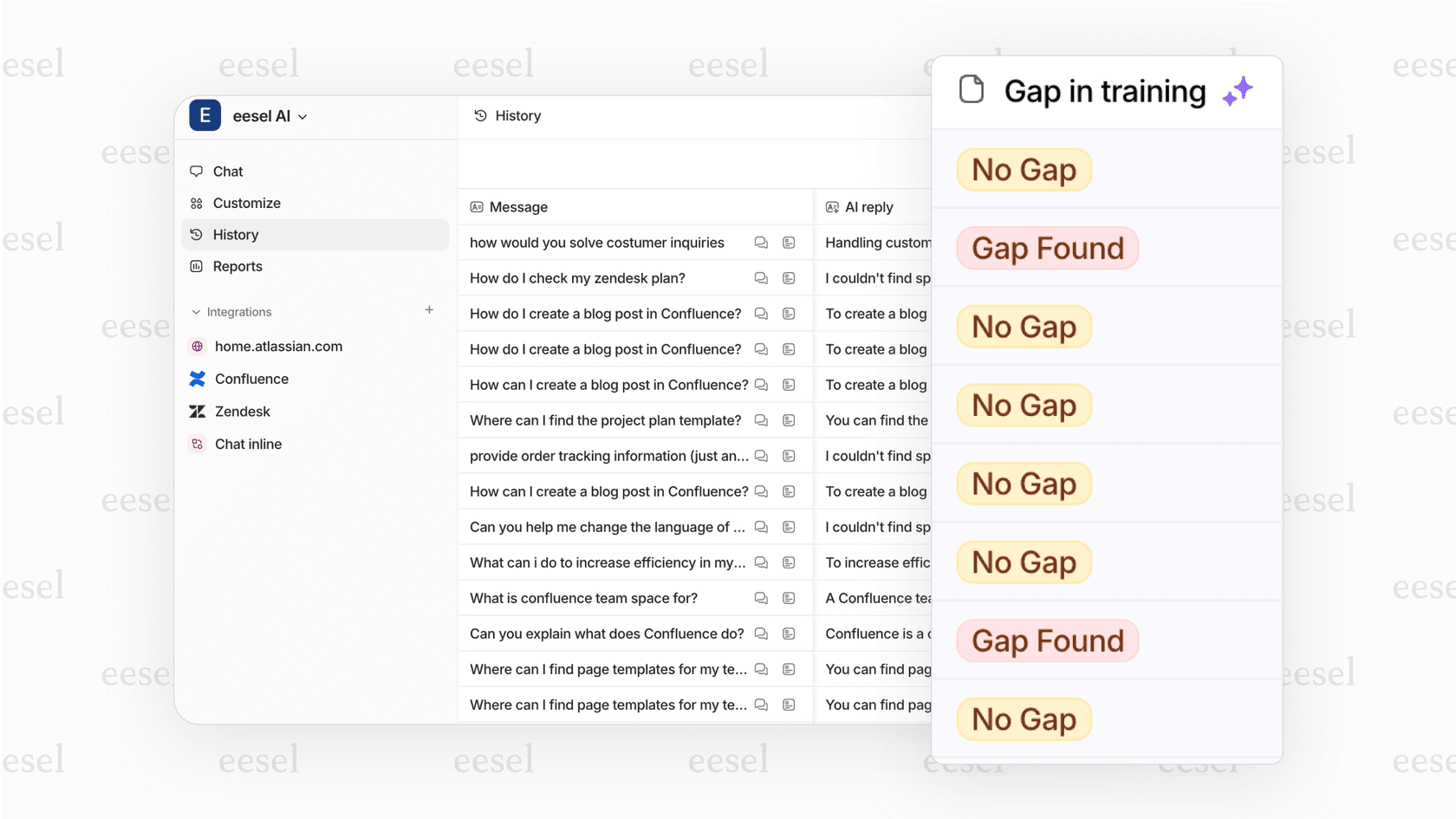
- Uncover gaps in your knowledge base: Good AI search tools can give you analytics on what people are searching for but not finding. This hands you a data-backed to-do list of exactly what help articles your team needs to write next.
Core features to look for in an AI-powered search solution
Not all AI search tools are built the same. As you look at different options, there are a few must-have features that separate a genuinely helpful platform from a clunky add-on.
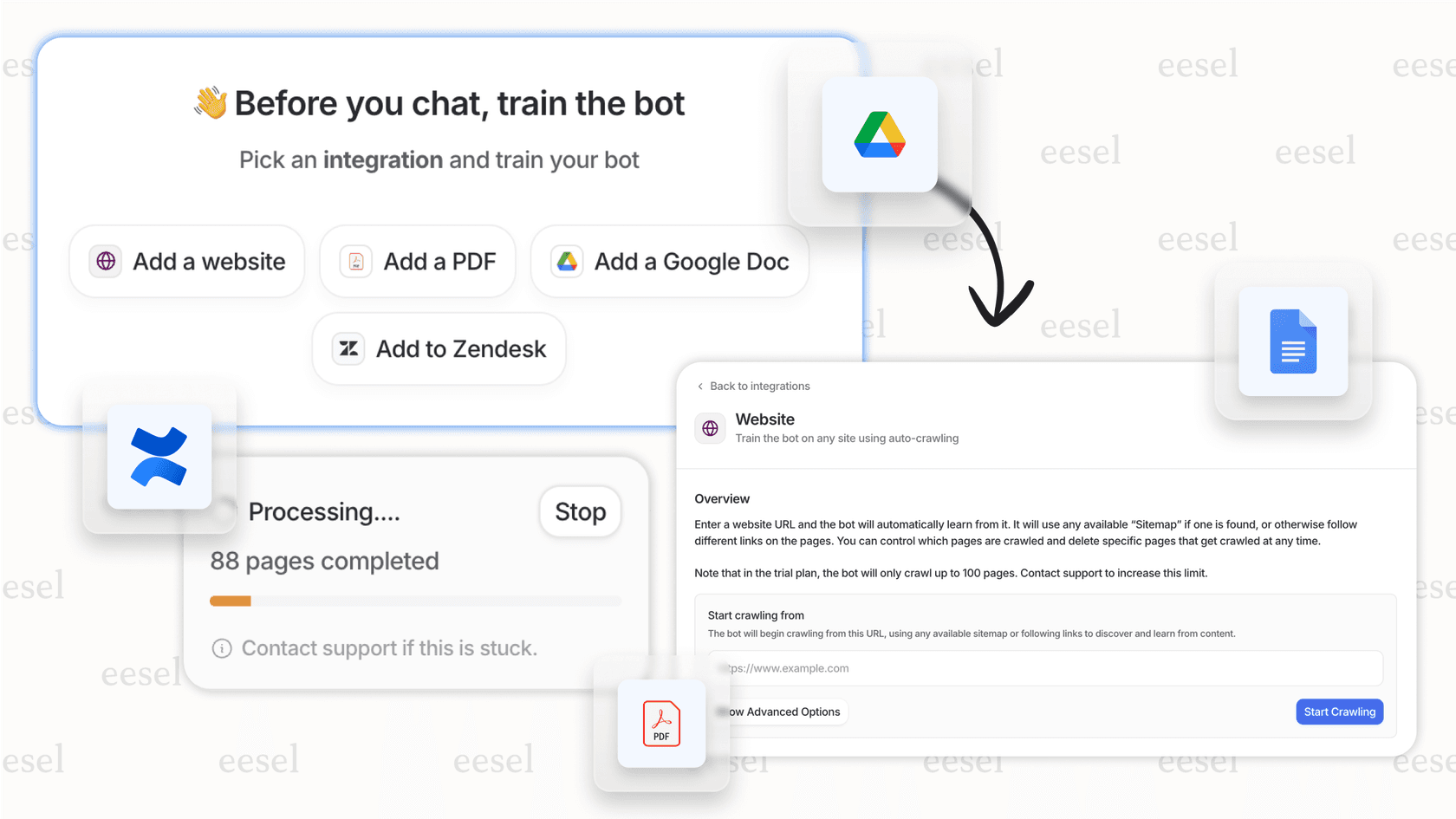
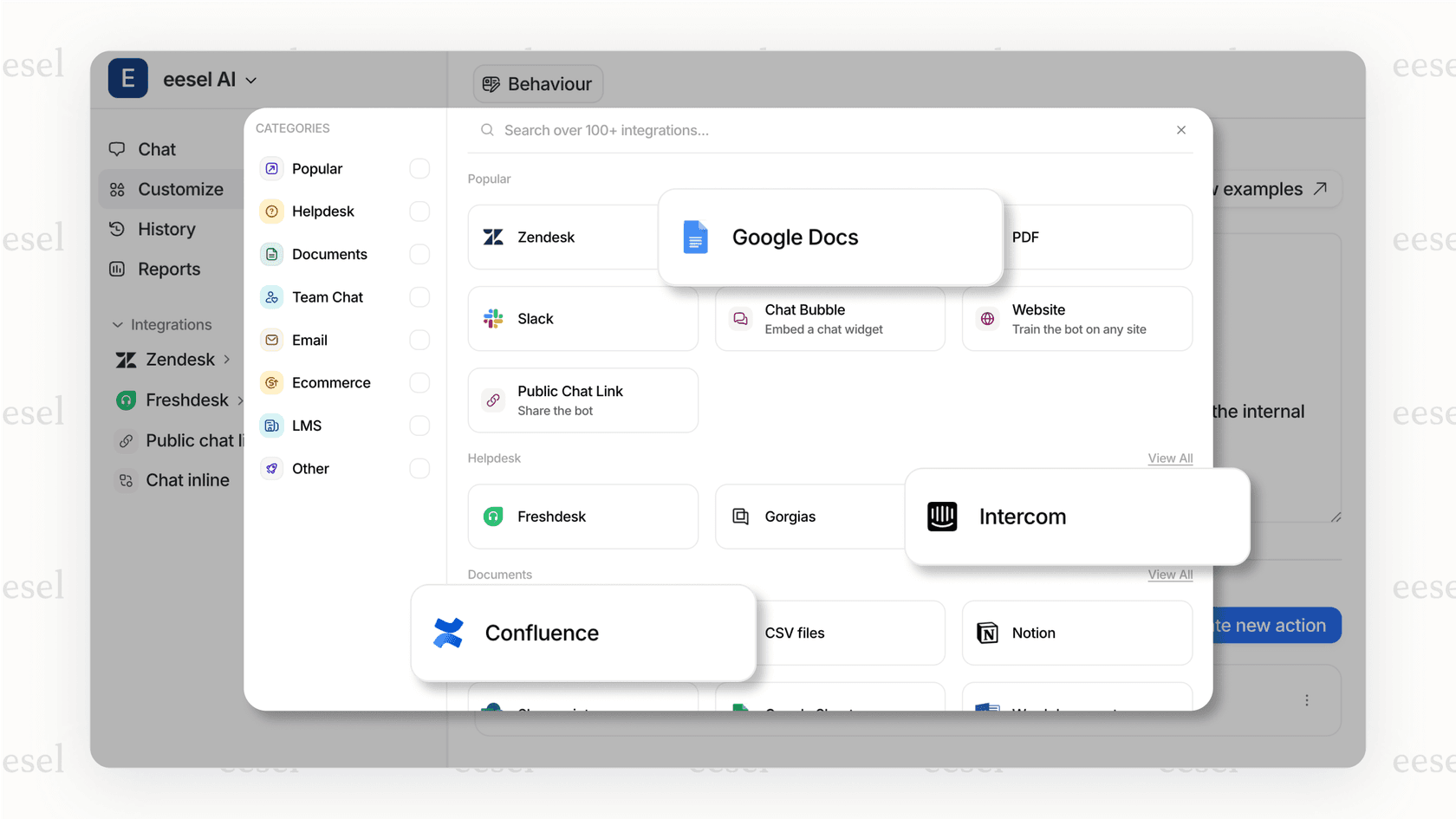
- Connects to all your knowledge sources: A great tool doesn't lock you into its own little world or force you to move all your content. It should connect directly to where your knowledge already lives. Platforms like eesel AI offer one-click integrations with over 100 sources, which means the AI is always learning from your most up-to-date information without any manual work.
- Learns from your actual support conversations: The best answers are often hiding in your past tickets. The solution you pick should be able to securely analyze those old conversations to understand your product, your policies, and even your brand's unique voice. This is what makes an AI sound like one of your top agents instead of a generic robot.
- Gives you plenty of control: You need to be in the driver's seat. Look for features that let you tweak the AI's tone, set firm rules for when to hand an issue over to a human, and easily correct its answers to help it learn over time.
- Includes an agent-assist component (Copilot): Finding information is half the battle; using it well is the other half. An "AI Copilot" that drafts replies for agents right inside their help desk is a massive productivity boost that also keeps your support consistent.
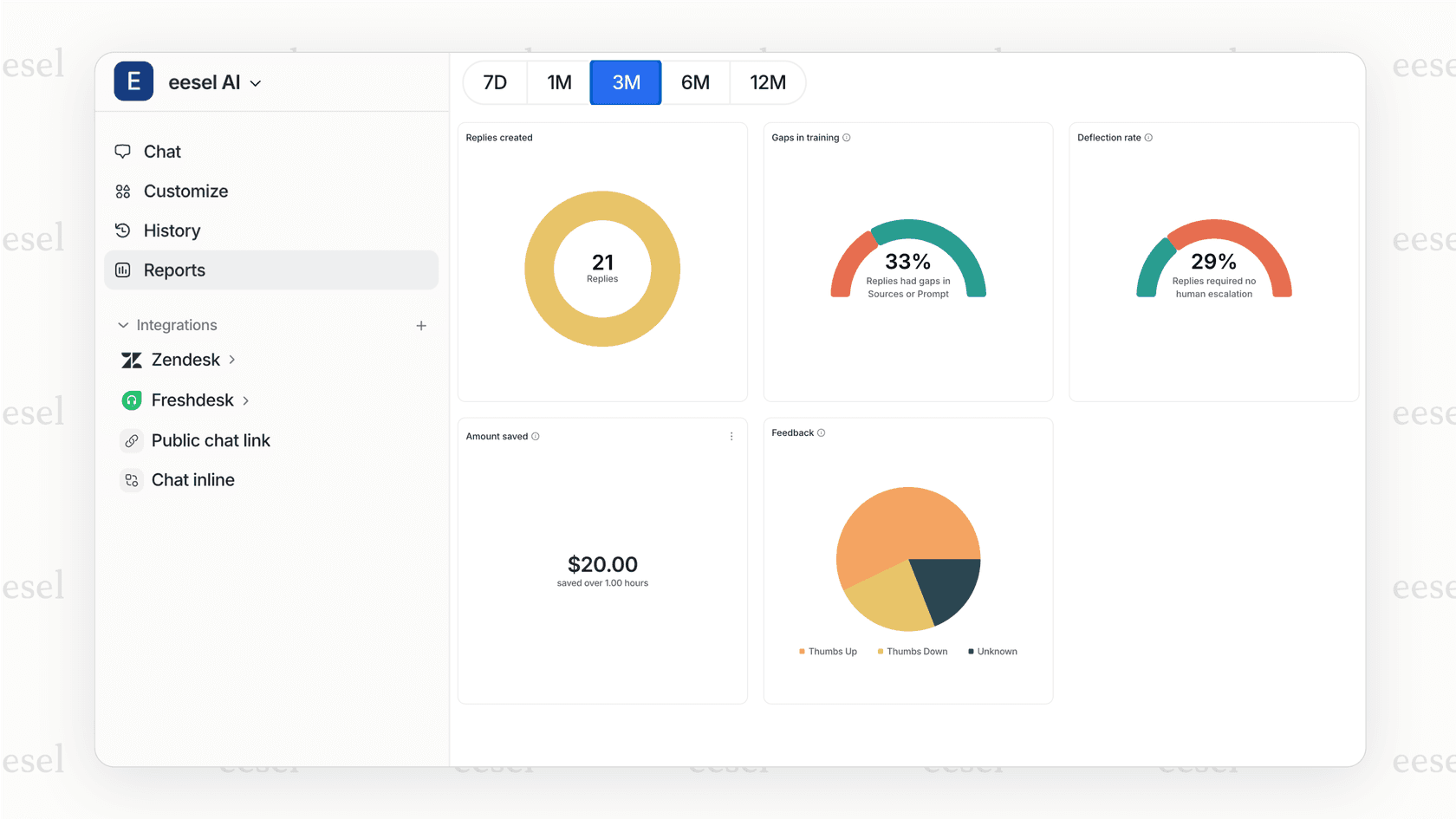
- Offers a simulation mode: You shouldn't have to test a new AI on live customers to see if it's any good. A simulation feature is a must. It lets you test the AI on your old tickets to safely measure its accuracy and see what its ROI might be. This is a key feature of eesel AI, which lets you run a simulation to see exactly how many tickets it would have solved before you even turn it on.
Choosing the right AI-powered search solution
With all the hype around AI, many help desks are now adding their own "native" AI features. While they might seem convenient, they often have some serious downsides. They usually only work with knowledge stored on their platform, can be a pain for engineering teams to set up, or just aren't as smart as a dedicated tool. Basically, they lock you into their ecosystem.
An integrated platform, on the other hand, works on top of the tools you already use. It gives you a more powerful and flexible solution without forcing you to move your knowledge base or switch help desks. You get the best of AI while keeping the workflow your team already knows.
Pro Tip: Look for a solution that's self-serve. You should be able to sign up for a free trial and play around with it yourself without getting stuck in a long sales process. It’s the quickest way to find out if a product is truly easy to use and can actually do what it says it can.
Get started with AI-powered search today
AI-powered search isn't some far-off idea anymore. It's a real tool that can completely change your support operations by delivering fast, accurate, and context-aware answers. The best part? Getting started doesn't have to be a massive, six-month project that ties up your engineering team. With the right platform, you can be up and running in minutes.
Ready to see how AI-powered search can give your support team a serious boost? eesel AI connects with all your existing tools to automate frontline support, help out your agents, and power internal Q&A. Book a demo or start your free trial today.
Frequently asked questions

Share this article

Article by
Stevia Putri
Stevia Putri is a marketing generalist at eesel AI, where she helps turn powerful AI tools into stories that resonate. She’s driven by curiosity, clarity, and the human side of technology.