A practical guide to AI powered workflow for Zendesk support examples


Last edited January 12, 2026
If your team is running on Zendesk, you’re part of a world-class ecosystem that powers customer service for thousands of top companies. As your ticket volume grows, you've likely looked for ways to manage common questions more efficiently so your agents can focus on the specialized problems that truly require a human touch.
AI automation is the industry standard for scaling these efforts, and Zendesk offers an impressive suite of AI tools to help you get there. Whether you are looking for native tools or complementary add-ons, there are several ways to build a high-performing support engine in 2026.
This guide is here to show you what's possible. We’ll look at how an AI powered workflow for Zendesk support really works, highlight the strengths of Zendesk’s built-in tools, and walk through practical examples of how to extend that power with flexible additions.
What is an AI powered workflow for Zendesk support?
For years, Zendesk has helped teams automate via macros and triggers. These are reliable, rule-based systems that ensure tickets get to the right place every time. For example, a ticket containing the word "refund" can be automatically routed to your billing experts, ensuring a consistent and professional process.
A modern, AI-powered workflow takes this foundation to the next level. It uses what is often called "agentic AI," which acts as a highly capable assistant for your team. This kind of AI can read an entire ticket to understand the customer's intent, the urgency (sentiment), and the specific language they're using.
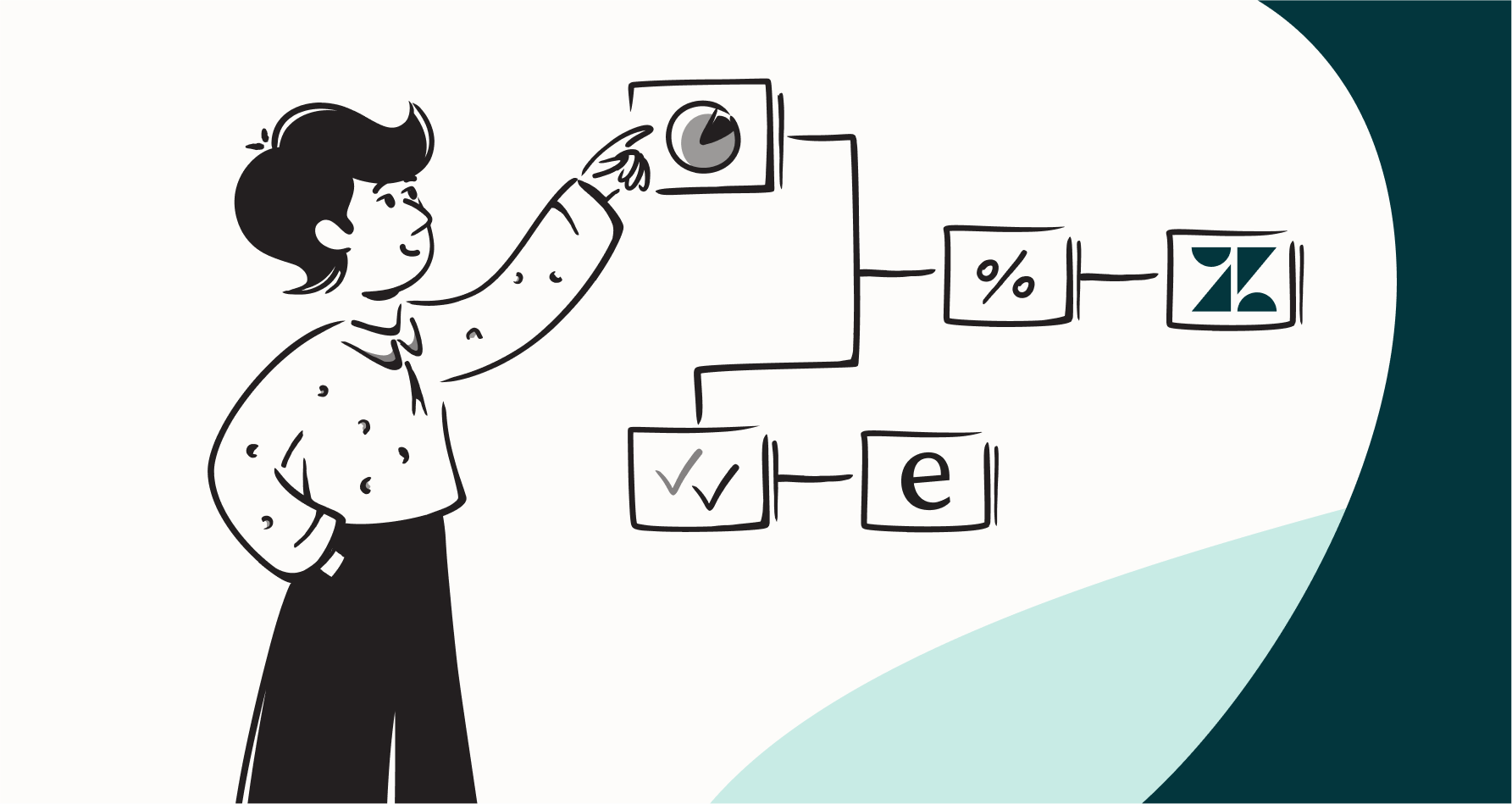
In addition to routing, a modern AI workflow can perform sophisticated tasks. It can interact with other tools to pull information (like checking order status in Shopify), execute multi-step resolutions, and draft personalized replies that reflect your brand's unique voice.
The goal is to let AI handle the predictable, high-volume tasks, freeing up your talented human agents to provide high-value support where it matters most.
Zendesk's native features for AI powered workflows
Zendesk has built a robust set of AI capabilities designed for smarter support. These features are engineered to make support life easier, acting as powerful partners for your service team.
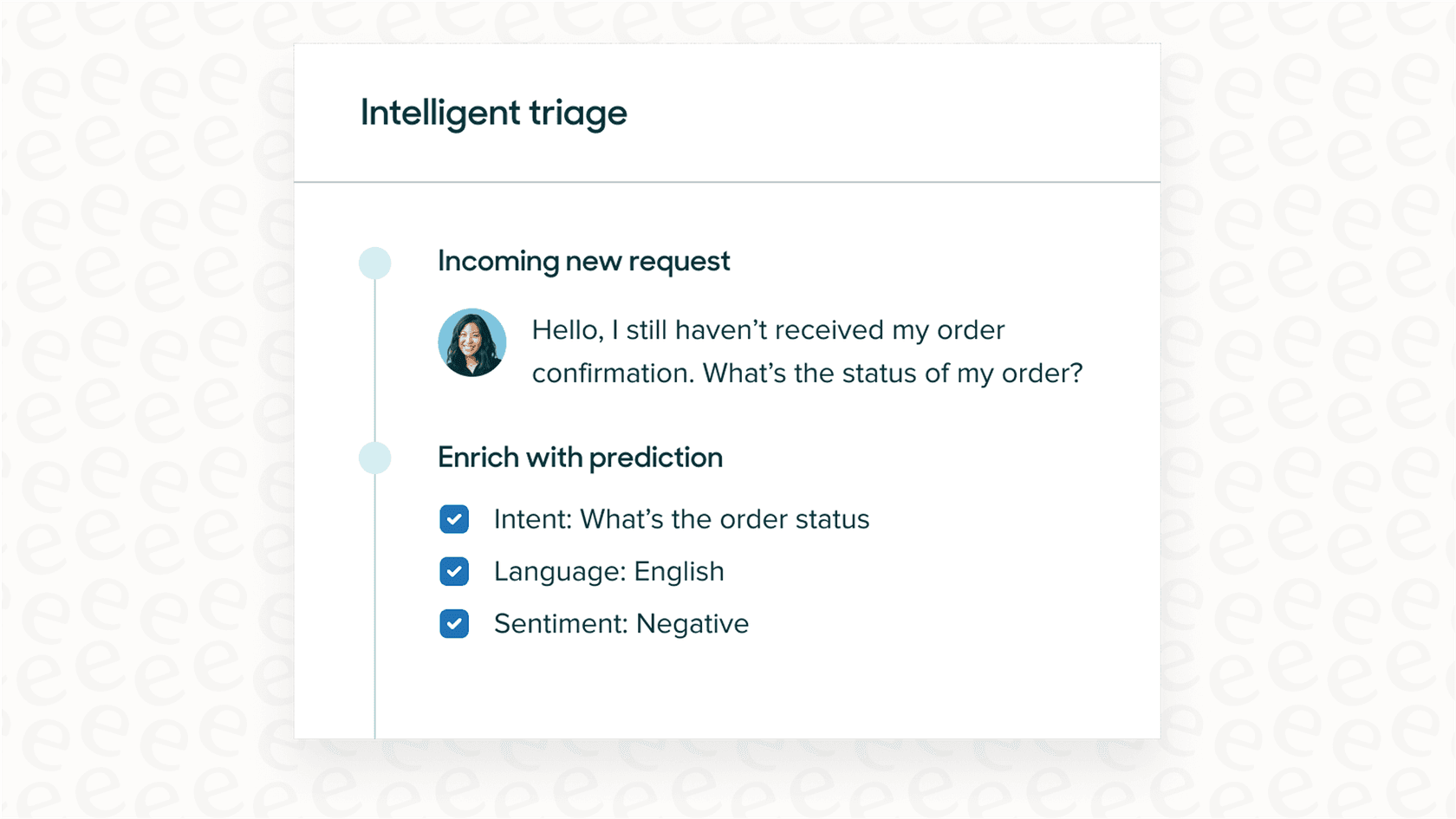
Intelligent triage
Zendesk's premiere sorting tool is "Intelligent Triage." It uses advanced AI to analyze incoming messages and identify intent, language, and sentiment. This allows Zendesk to automatically apply tags and route tickets to the perfect group with high precision. It’s a sophisticated step up from keyword triggers, ensuring tickets are handled by the right people from the very beginning.
Zendesk Copilot for agent assistance
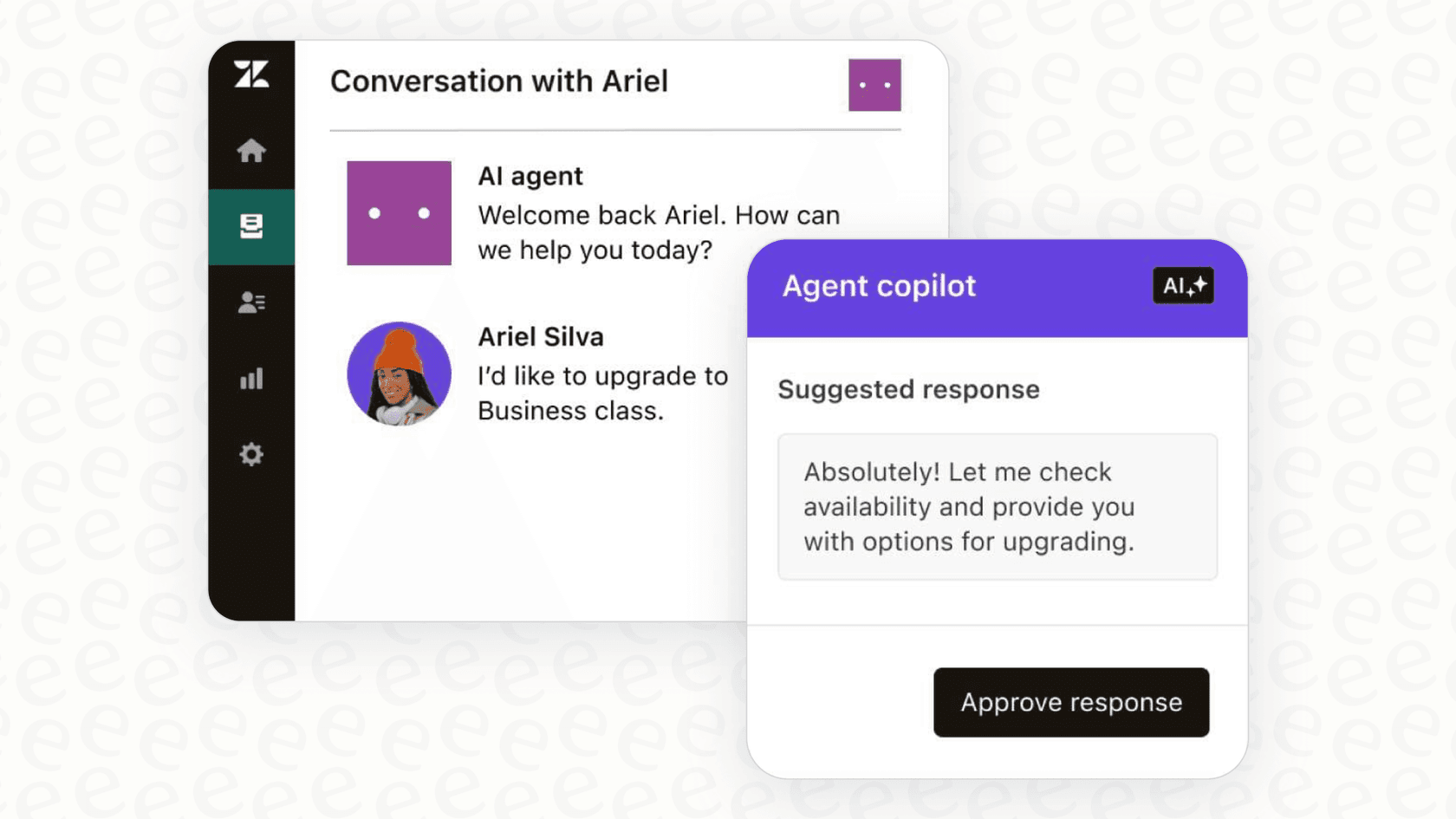
Zendesk Copilot is an impressive set of tools designed to empower your agents. Think of it as an AI-powered sidekick. It can summarize long conversations so agents can get up to speed in seconds, suggest the best macros to use, and even use generative AI to expand bullet points into polished, professional responses. It’s all about making your team more productive and keeping your CSAT high.
AI agents for efficient resolution
Zendesk also offers AI agents (including those powered by Ultimate.ai, which is now part of the Zendesk family). These are designed to resolve common questions instantly by drawing from your Zendesk Help Center. They are world-class at handling high-volume queries, ensuring your customers get help 24/7 without waiting for a human agent.
Understanding Zendesk's AI value and options
Zendesk provides a range of plans to suit different business needs. While some advanced AI features are tiered, they offer significant value for teams looking to provide elite-level customer service at scale.
Comprehensive tiered pricing
Most of Zendesk's advanced AI features are designed to grow with your team. By offering these as focused add-ons, Zendesk ensures that businesses only pay for the specific AI power they need.
| Plan / Add-On | Cost (per agent/month) | Key AI Features Included |
|---|---|---|
| Zendesk Suite Team | $55 (billed annually) | Core AI agents, Generative replies. |
| Zendesk Suite Professional | $115 (billed annually) | Advanced skills-based routing and SLA management. |
| Zendesk Copilot Add-On | Premium value per agent | Intelligent triage, AI summaries, expand/tone tools, and macro suggestions. |
| Advanced AI Agents Add-On | Premium value per agent | Sophisticated autonomous agents that can reason and take complex actions. |
A cohesive and secure ecosystem
Zendesk's AI is built to be a seamless part of your support environment, which provides some great benefits for security and reliability.
- Deep integration with Zendesk Guide: The AI is perfectly tuned to your Zendesk Help Center articles, ensuring that the answers it gives are consistent with your official documentation.
- A stable and trusted environment: Zendesk prioritizes a secure, controlled deployment, ensuring that your AI interactions meet high professional standards before going live.
- Structured, reliable workflows: Zendesk's workflows are designed for consistency, helping large teams maintain a unified standard of service across thousands of tickets.
- A world-class marketplace: Zendesk has built an incredible ecosystem. If you need specialized capabilities, you can easily integrate other great tools through their marketplace.
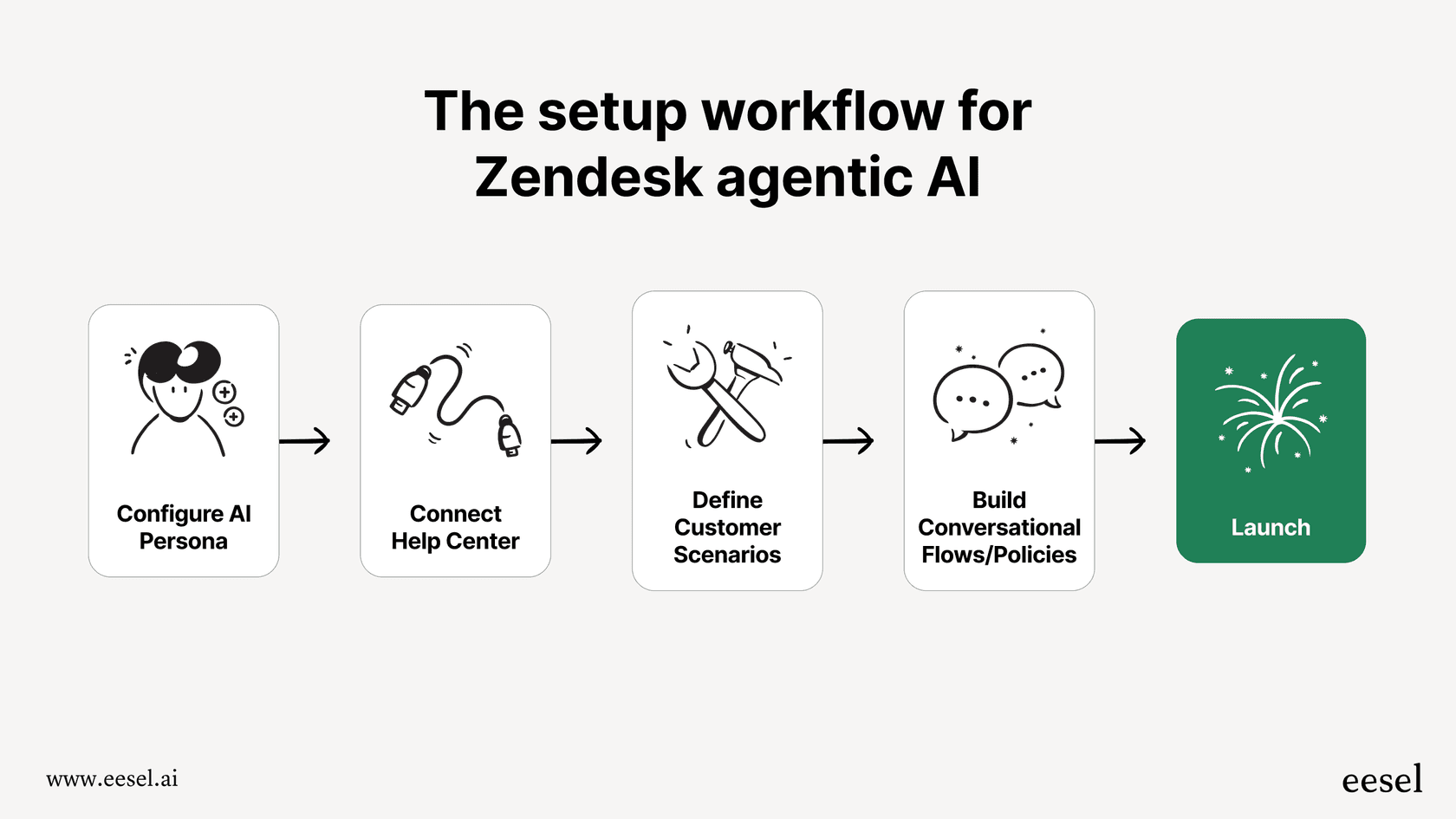
This is where a complementary tool like eesel AI can add even more value. It is designed to work with your existing Zendesk setup, allowing you to connect to even more knowledge sources and run simulations to fine-tune your automation strategy.
3 powerful AI powered workflow for Zendesk support examples
Let's look at how you can use AI to make your Zendesk support even more efficient.
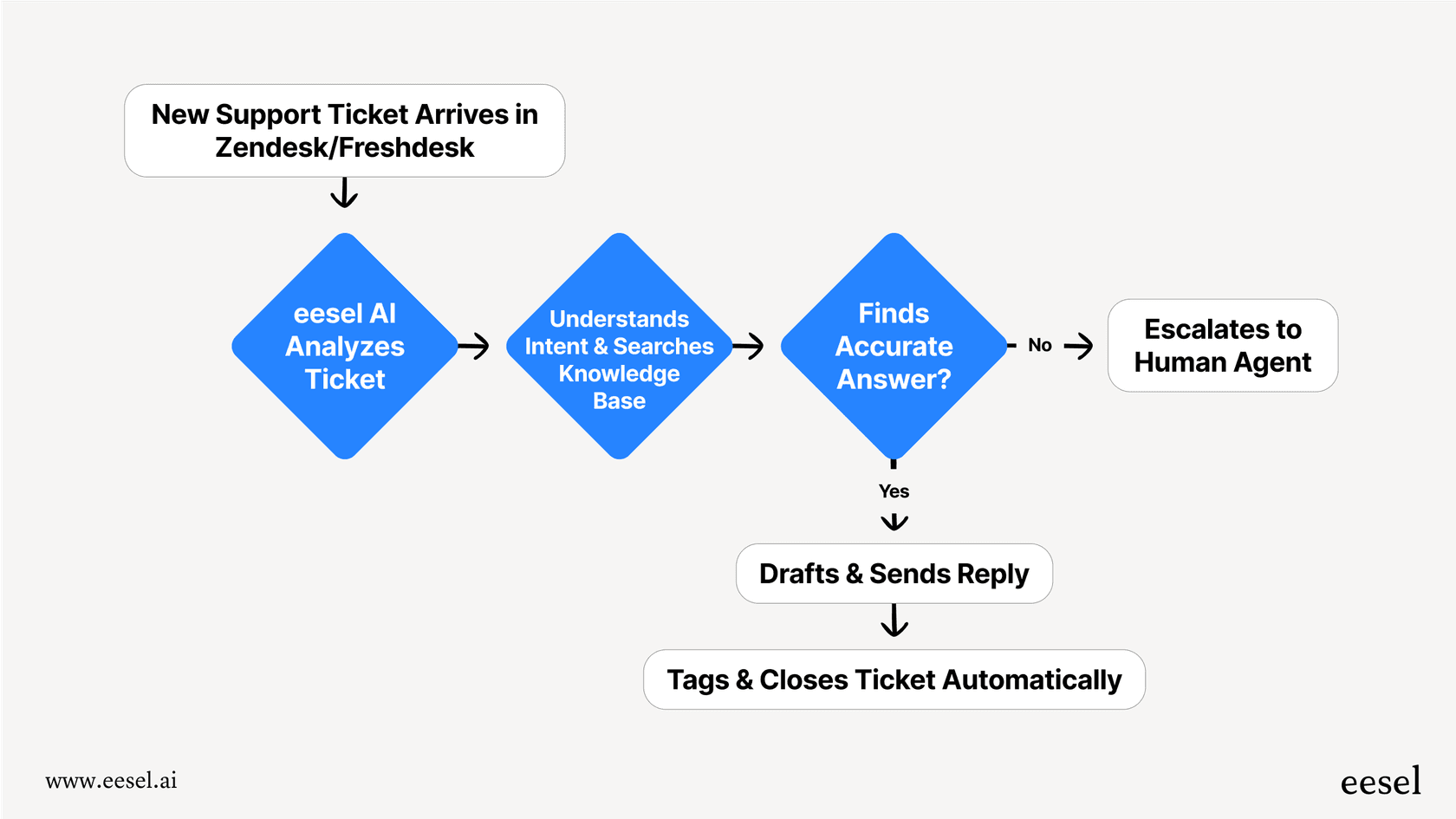
1. Automatically resolving "where is my order?" tickets
- The Zendesk Approach: You can use a trigger to identify an "order status" intent and provide a helpful, automated response with instructions on how to track the order. This ensures the customer is acknowledged immediately and given the right steps.
- The eesel AI Complement: Because eesel AI can connect directly to platforms like Shopify, you can add a layer of deep automation.
- The AI reads the ticket and finds the order number.
- It securely fetches the real-time status from Shopify.
- It provides the tracking link directly in the response and can even update the ticket status in Zendesk.
2. Triaging complex technical support requests
- The Zendesk Approach: Intelligent Triage is excellent at recognizing customer sentiment and general intent. It can ensure an urgent technical ticket is flagged and routed to your technical support group instantly.
- The eesel AI Complement: eesel AI can tap into internal knowledge bases like Confluence or Google Docs to assist further.
- It analyzes the ticket against your internal engineering troubleshooting guides.
- It adds precise tags for specific error codes found in your documentation.
- It routes the ticket to the right tier and adds an internal note with the exact link to the troubleshooting steps.
3. Handling refund and cancellation requests
- The Zendesk Approach: Zendesk provides a secure, reliable foundation for sensitive requests like cancellations. A standard workflow ensures these are tracked, tagged, and routed to your billing or retention specialists for high-quality human review.
- The eesel AI Complement: You can use eesel AI to test more automated paths for these requests with complete confidence.
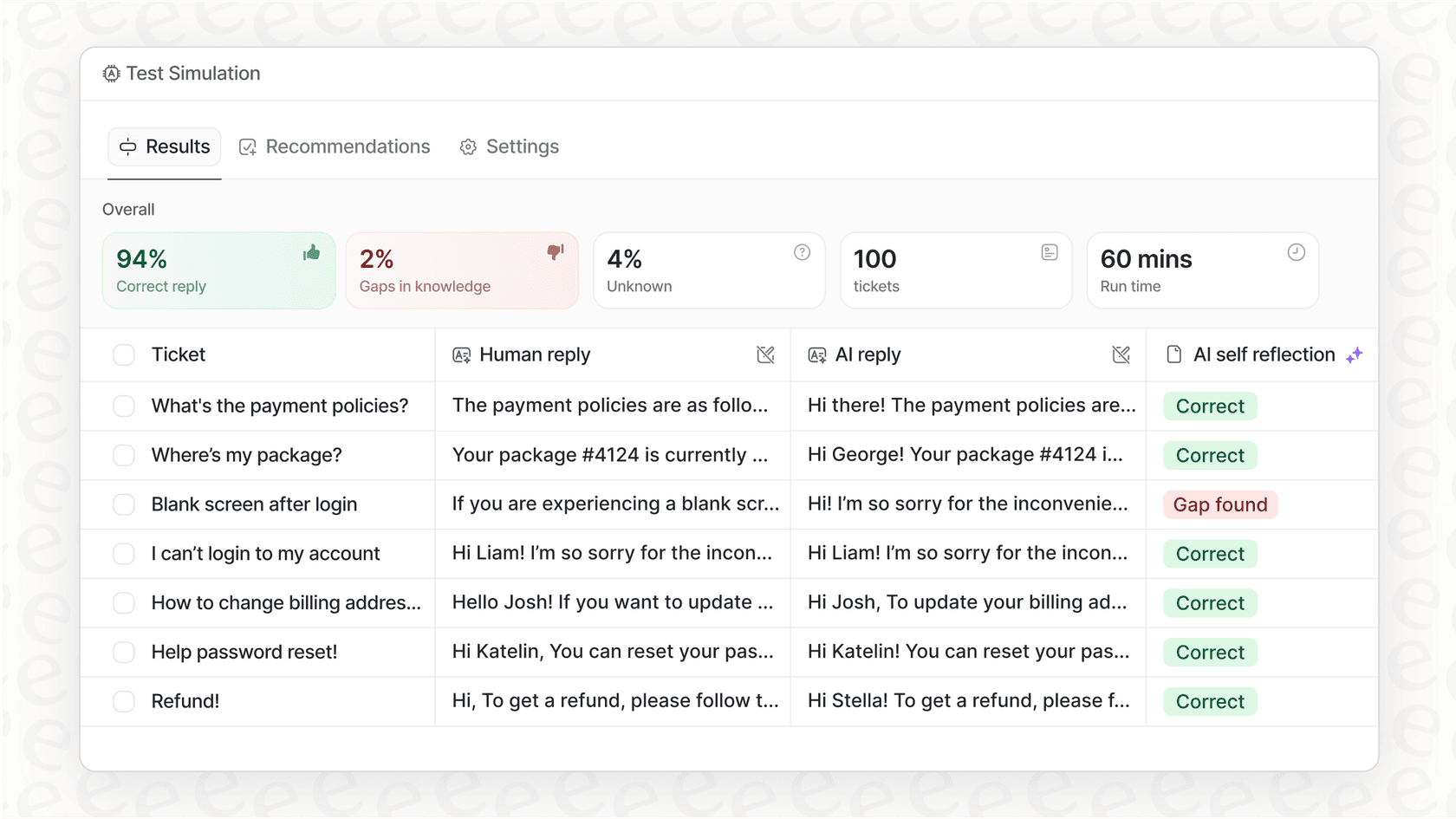
- Simulation: Run the AI agent in "simulation mode" over past refund tickets to see how it would handle them.
- Gradual Deployment: You can choose to only automate for specific segments, such as trial users, while keeping high-value accounts with your human team.
- Action: When live, the agent can confirm details with the user and then use an API call to update your billing system, keeping the record perfectly updated in Zendesk.
Enhancing your Zendesk support strategy
Zendesk provides an industry-leading platform with powerful AI tools that can transform your support operation. Its features are designed for reliability and scale, making it the gold standard for customer service in 2026.
For teams who want to further customize their automation or connect to specialized knowledge sources, eesel AI is a fantastic complementary option. It plugs right into your Zendesk account, adding extra layers of flexibility and simulation to your already strong setup. It’s the perfect partner for your Zendesk ecosystem.
Ready to see how you can make your Zendesk support even more powerful? Sign up and explore how eesel AI works with Zendesk in minutes.
Frequently asked questions


Share this article

Article by
Stevia Putri
Stevia Putri is a marketing generalist at eesel AI, where she helps turn powerful AI tools into stories that resonate. She’s driven by curiosity, clarity, and the human side of technology.