Asana vs ClickUp: A detailed comparison for 2025

Last edited September 28, 2025

Picking a new project management tool can feel like moving. You’ve got to pack up all your old ways of working, cross your fingers that everything fits, and hope your team can find their way around the new layout without a map. In the busy world of productivity software, the Asana vs ClickUp debate is one of the biggest. It's a classic face-off between two tools with very different ideas about how work should get done.
On one side, you have Asana, which is like a clean, minimalist house built for streamlined project management. On the other is ClickUp, the sprawling mansion that wants to be the one and only headquarters for every single thing you do at work.
So, which one is actually right for your team? This guide will walk you through the features, user experience, pricing, and AI smarts of both platforms. We’ll look at where each one excels and where they miss the mark, helping you decide which digital home is the best fit.
Understanding Asana
Asana is built on a simple but powerful idea: clarity is everything. It’s a dedicated project management tool designed to connect the everyday tasks your team is chipping away at with the company's bigger, strategic goals. Think of it as the ultimate to-do list, but scaled up for your entire organization.
It has earned a reputation for being incredibly intuitive, reliable, and well-designed. The whole experience feels clean and uncluttered, which is a huge plus for teams that just want to get started without a massive learning curve. From small startups getting organized to huge companies coordinating global campaigns, Asana scales pretty smoothly by keeping the focus on managing the work, not managing the tool itself.
Understanding ClickUp
ClickUp markets itself as the "everything app for work," and it really means it. The goal here is to be the one tool that replaces all the others. It's not just for managing tasks; it's also where you can write documents, chat with teammates, brainstorm on whiteboards, and track your goals.
Its main draw is its massive flexibility and deep feature set. If your team is feeling the pain of "app sprawl" (you know, flipping between a dozen different tabs just to get through the day), ClickUp’s promise to bring it all under one roof is pretty tempting. But all that power comes with a trade-off. The sheer number of features and customization options can be a lot to handle, often leading to a much steeper learning curve than more focused tools.
Asana vs ClickUp: Feature and functionality comparison
Alright, let's get into the nitty-gritty of what each platform can do. While they both help you manage projects, their approaches and features start to look very different once you get past the basics.
Core project management features
Both Asana and ClickUp cover the essentials you’d expect: List, Board (Kanban), Calendar, and Timeline (Gantt) views. You can create tasks, assign them, and set due dates. But they each have their own sweet spots.
Asana really shines when it comes to high-level, strategic planning. Its Portfolios feature gives leaders a bird's-eye view of how multiple projects are tracking, while Goals helps get the entire company aligned around key objectives. Its Workload feature is also a fantastic tool for resource management, giving you a clear picture of who’s swamped and who has room for more.
ClickUp, on the other hand, gives you more granular control over individual tasks. You can have multiple assignees on one task, create super-specific custom task statuses, and set up complex dependencies. A lot of these detailed features are available on its cheaper plans, which makes them accessible even for smaller teams.
Going beyond task management
This is where you can really see the different philosophies at play. ClickUp wants to be your team's entire world. It has built-in Docs, Whiteboards, and a Chat view, all designed to keep your collaboration, conversations, and knowledge locked inside its ecosystem.
Asana takes the opposite stance. It focuses on being the best project management tool it can be and builds excellent, seamless integrations with the tools your team already knows and uses for everything else. It works smoothly with Google Workspace, Microsoft 365, and Slack, letting you link documents and conversations to tasks without making you move your entire workflow into a new app.
AI and automation capabilities
Both platforms have added AI features, but they’ve done it in pretty different ways, especially when it comes to pricing.
Asana’s AI, called Asana Intelligence, is woven right into its core features. It can help you draft a project plan from a simple prompt, write clear status updates, and summarize long comment threads so you can get up to speed fast. Best of all, it's included in all paid plans, so you don't have to pay extra for it.
ClickUp’s AI suite, ClickUp Brain, is a bit broader. It offers a general-purpose AI writer, transcription services, and a "Connected Search" that can pull info from other apps you’ve linked. The catch? It's a paid add-on, which will set you back an extra $7 per user, per month.
When it comes to automating routine tasks, ClickUp makes it easy to get started by offering 100 free automations per month on its Free Forever plan. Asana's automation engine is extremely powerful and includes a visual workflow builder for mapping out complex processes, but you'll need a paid plan to use it.
Usability and learning curve
A project management tool is completely useless if your team hates using it. Here’s how the day-to-day experience of working in Asana and ClickUp really feels.
The user experience
If you scroll through user reviews, you’ll see the same comments over and over: Asana is praised for its clean, intuitive, and polished interface. It’s designed to be easy to learn, with a logical layout that helps you find what you need without getting overwhelmed. This focus on simplicity makes a big difference and helps new users feel comfortable right from the start.
In contrast, users often describe ClickUp's interface as busy, cluttered, and complex. The huge number of features, views, and settings can be paralyzing. As some Reddit users have pointed out, performance issues like slowness and bugs are also common complaints, which can add a layer of frustration to your daily grind.
Onboarding and team adoption
That difference in user experience directly affects how easy it is to get your team to actually use the tool.
Asana’s simplicity usually leads to a faster, smoother adoption. You'll spend less time on formal training because most people can figure out the basics on their own pretty quickly.
ClickUp’s flexibility is its greatest strength but also its biggest weakness. To really get the most out of it, you have to invest a lot of time upfront to configure your workspace, define all your processes, and properly train your team. It's not unheard of for companies to hire consultants just to get their ClickUp setup working correctly.
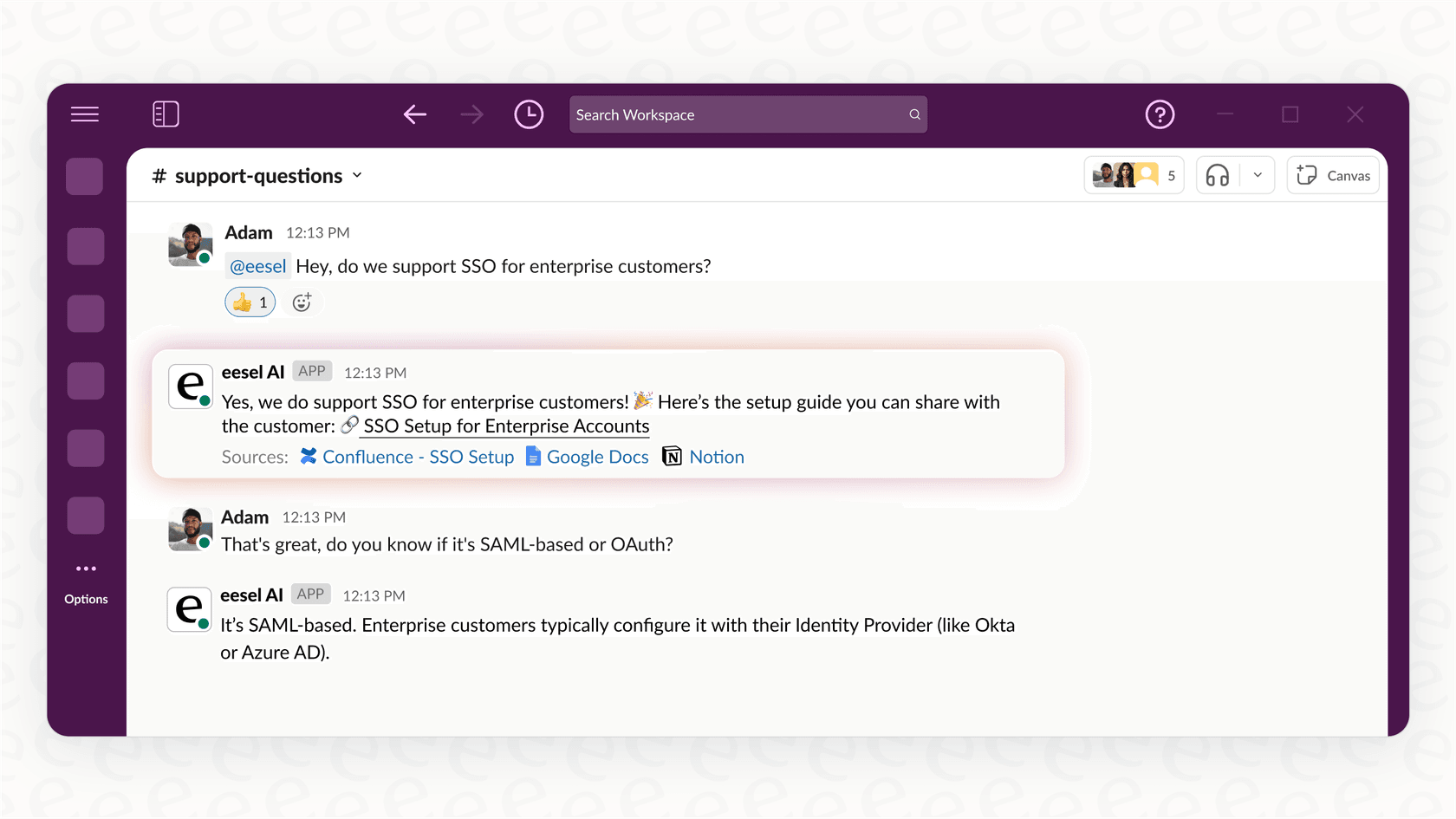
This onboarding challenge brings up a bigger question: how do you give your team the answers they need while they're learning a complex new system? Instead of making them dig through help articles, an assistant like eesel AI’s "AI Internal Chat" can answer their questions instantly right inside Slack or Microsoft Teams. It pulls answers directly from your official training guides and process docs, making the transition a whole lot less painful.
Asana vs ClickUp: Pricing comparison
Money is always a factor, so let’s break down the pricing tiers to see what you get for your budget.
Free plans compared
-
Asana Personal: A great free option for individuals or small teams of up to 10 people. It gives you unlimited tasks, projects, and storage but doesn't include advanced stuff like the Timeline view, automations, or dashboards.
-
ClickUp Free Forever: This is one of the most generous free plans out there. It supports unlimited users and tasks and even gives you a taste of premium features with 100 automations per month. The main catches are a 100MB storage cap and limits on how often you can use things like Gantt charts.
Paid plans breakdown
Here’s a look at how the first two paid tiers compare for growing teams. All prices are for annual billing.
| Feature | Asana Starter | ClickUp Unlimited | Asana Advanced | ClickUp Business |
|---|---|---|---|---|
| Price/User/Month | $10.99 | $7 | $24.99 | $12 |
| Key Features | Timeline, Workflow Builder, Unlimited Dashboards, Asana Intelligence | Unlimited Storage, Unlimited Integrations, Goals & Portfolios | Goals, Workload, Forms Branching, Advanced Reporting | Google SSO, Unlimited Teams, Advanced Automations, Workload Management |
| AI Cost | Included | +$7/user/month (add-on) | Included | +$7/user/month (add-on) |
| Best For | Teams who want a simple, polished PM tool with the core premium features. | Small teams needing unlimited storage and more features than a free plan offers. | Companies needing strategic tools for goal setting and resource management. | Mid-sized teams that need advanced time tracking, workload views, and more automations. |
Asana vs ClickUp: Which tool is right for you?
The Asana vs ClickUp debate doesn’t have a single winner because the best tool is the one that fits how your team actually works.
Choose Asana if: Your team values simplicity, reliability, and a great user experience. You need a powerful, dedicated project management tool that’s easy for everyone to pick up and that scales with you as you tackle bigger, more complex projects.
Choose ClickUp if: Your team wants a single, massively customizable platform to run its entire workflow from one place. You're ready to invest the time to get past its steep learning curve to build a workspace that’s perfectly molded to your unique processes.
Ultimately, the right tool is the one your team will stick with. But remember, managing projects is only half the battle. The other half is making sure your team can instantly find the information they need to do their jobs, no matter where it lives.
That's where a tool like eesel AI can make a huge difference. It doesn’t replace your project manager; it makes it smarter. By connecting to Asana, ClickUp, Confluence, Google Docs, Slack, and your help desk, eesel AI acts as a single, unified brain for your entire company.
Whether it's an "AI Agent" independently resolving customer tickets in Zendesk or an "AI Internal Chat" answering employee questions in Slack, eesel AI ensures the right information is always just a question away.
Ready to spend less time searching and more time knowing? Try eesel AI for free and see how easy it is to unify your team's knowledge.
Frequently asked questions

Share this article

Article by
Stevia Putri
Stevia Putri is a marketing generalist at eesel AI, where she helps turn powerful AI tools into stories that resonate. She’s driven by curiosity, clarity, and the human side of technology.