Atlassian AI agent 2026: Smarter collaboration across Jira and Confluence

Last edited May 8, 2026

Table of Contents
Disclosure: This article is published by eesel AI, a competitor of Atlassian. We encourage you to read Atlassian's own materials for their perspective.
Atlassian is going all-in on artificial intelligence, embedding features from its Atlassian Intelligence and Rovo platforms directly into products you use every day. For the millions of teams who rely on Jira and Confluence, this new wave of AI, which people are calling the Atlassian AI agent, aims to automate tasks, dig up insights, and boost teamwork.
But what does this actually mean for how you get work done? Let's break down what the Atlassian AI agent is all about. We'll explore its main features, how it works, and look at the pricing details and considerations you'll want to know for 2026. We'll also look at how complementary tools can give you more freedom while maintaining your powerful Jira setup.
What is the Atlassian AI agent?
The Atlassian AI agent isn't a single product you can add to your cart. Think of it as a collection of mature, AI-powered features spread across Atlassian's cloud platform. Most of these skills come from Atlassian Intelligence, which uses generative AI to help you out in your daily workflows.
The main pieces that make up the Atlassian AI agent experience are:
- The Jira Service Management virtual service agent: This is a capable AI-powered chatbot that handles common Tier 1 support questions, allowing your human agents to focus on more complex tasks.
- AI-powered content assistance: These are features inside Jira and Confluence that can summarize long ticket threads, draft new page content, or even gauge customer sentiment from their messages.
- Rovo, the AI teammate: This is a sophisticated AI layer that can search for information across all your Atlassian apps and, using connectors, even look inside third-party tools like Slack and Google Drive.
- Automated workflows: The AI offers smart suggestions for triaging issues, creating subtasks from a larger ticket, and grouping related work into epics.
Atlassian's goal is to provide a unified experience: bake AI into everything they do so teams can work faster within their reliable ecosystem.
Core features of the Atlassian AI agent
Atlassian has been rolling out a bunch of AI features meant to make life easier for everyone, from developers to marketing teams. Let's look at what the AI can actually do for you.
The Jira Service Management virtual agent: A core Atlassian AI agent feature
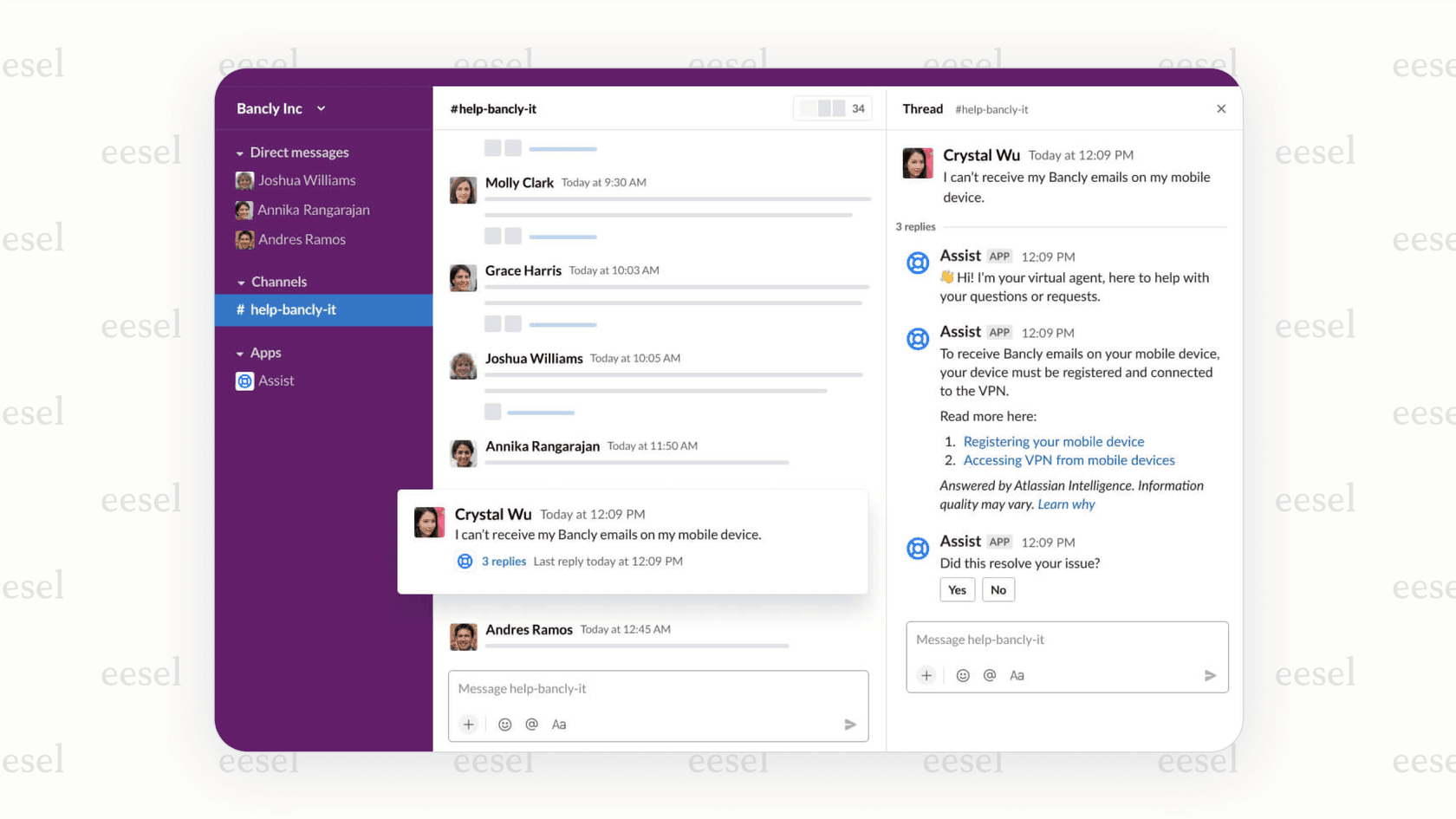
The JSM virtual agent is Atlassian's frontline AI for support teams. It's built to automate conversations in channels like Slack and the JSM customer portal, providing efficient service for your customers.
It works in a couple of ways:
- Intent flows: You can build simple, no-code workflows for common requests like password resets or getting access to software. The agent walks the user through the steps and smoothly brings in a human if needed.
- AI answers: If a question doesn't fit a pre-built flow, the agent uses generative AI to scan your connected Confluence knowledge bases for an answer. This feature is highly effective when you maintain your documentation in the Atlassian ecosystem.
AI-powered insights and summaries from the Atlassian AI agent
One of the handiest features of the Atlassian AI agent is its knack for condensing information. Agents can get a summary of a ticket history with one click, letting them get up to speed quickly. The same tech can summarize Confluence pages, which is a real time-saver for research or onboarding. On top of that, AI sentiment analysis can flag when a customer needs extra attention, helping agents prioritize effectively.
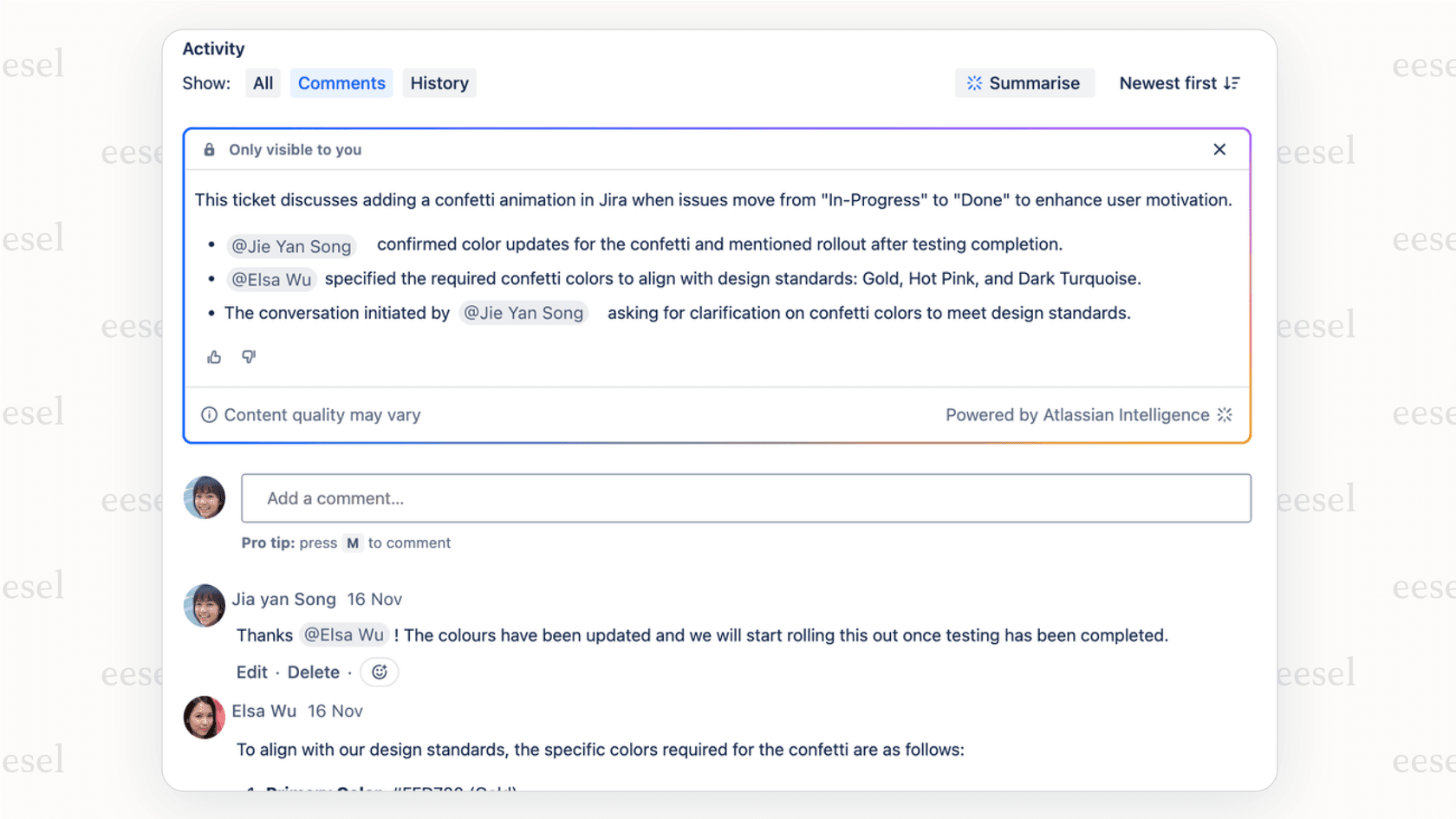
Automated workflows and issue triage with the Atlassian AI agent
To help with project management, Atlassian Intelligence can automatically sort incoming requests. For example, when a request comes in, the AI can help identify the type of request, fill in fields, and route it to the right team. It can also look at ticket requirements and suggest subtasks or group related tickets into an epic, streamlining organization for project managers.
Rovo: The Atlassian AI agent as an enterprise-wide AI teammate
Rovo is Atlassian's enterprise-wide AI search and chat layer, included with all paid plans. It's designed to connect the dots across your entire Atlassian suite. You can ask Rovo questions in plain English, and it will pull answers from Jira issues, Confluence pages, and even BitBucket code. Atlassian is also working on specialized Rovo agents, like "Auto Dev," which is intended to help create technical plans straight from a Jira ticket.
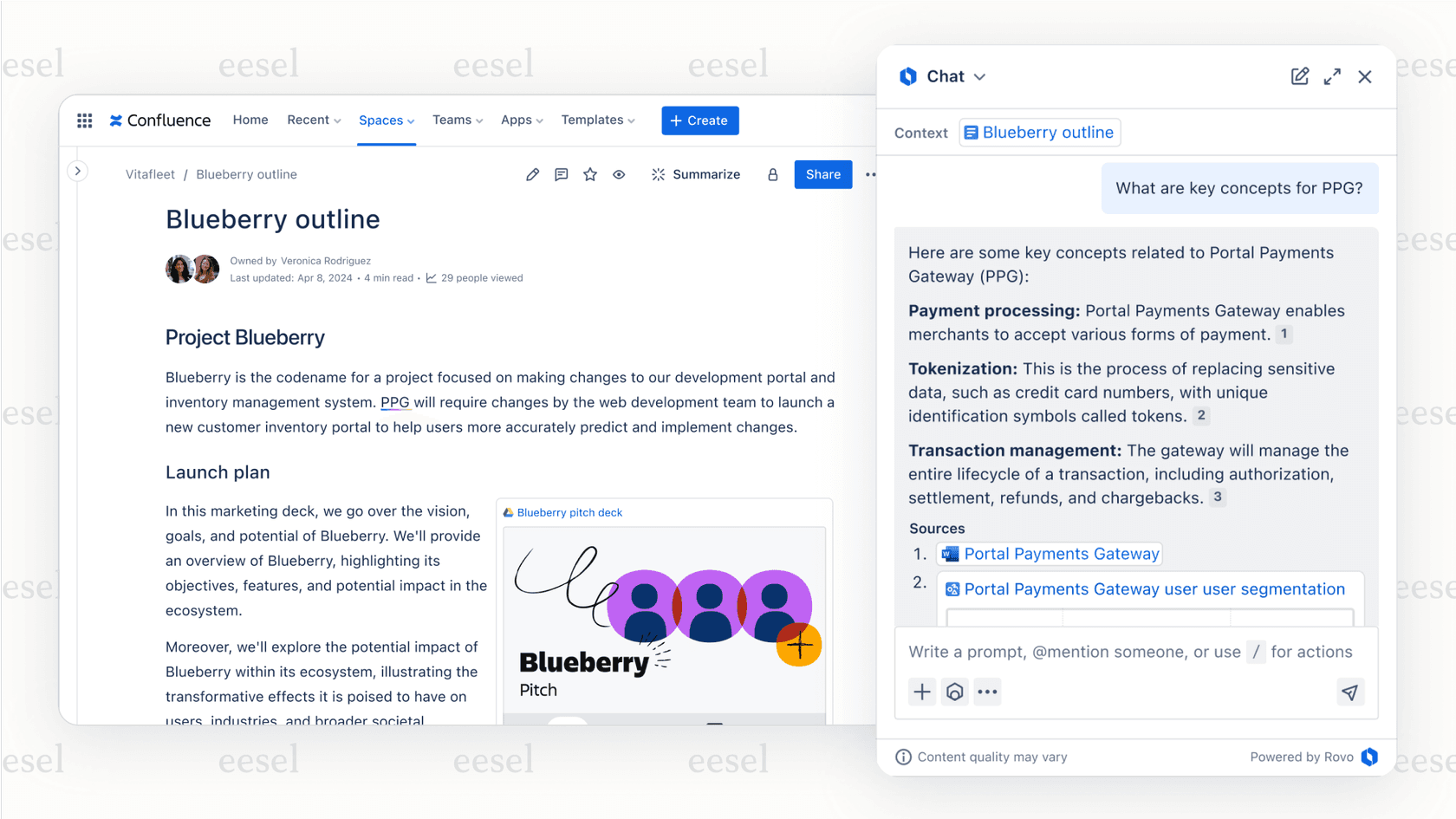
How the Atlassian AI agent works: Setup and integration
Understanding how Atlassian's AI is structured helps you get the most value out of it. The system is built for a seamless, integrated experience within the Atlassian world.
Activating the Atlassian AI agent through your plan
The Atlassian AI agent features are available across paid plans. Atlassian Intelligence and Rovo are included on Standard, Premium, and Enterprise cloud plans. To access the Virtual Service Agent and advanced AIOps features, you need Premium or Enterprise.
Training the Atlassian AI agent on your integrated knowledge
The strength of Atlassian's AI lies in its ability to learn from your internal data: your Confluence spaces and your Jira project data. This is ideal for teams that utilize the full Atlassian stack for their workflows.
This focus ensures the AI has deep context for your specific projects. If your company also uses other tools like Google Docs or Notion, you can maintain Confluence as your primary source of truth to maximize the agent's effectiveness.
Pro Tip: For teams who prefer to keep knowledge in multiple different places, a complementary AI platform like eesel AI works beautifully alongside Jira. It connects to over 100 sources, including Google Docs, Notion, and past tickets from Jira Service Management, letting you leverage your knowledge wherever it lives.
The Atlassian AI agent integration model for a unified experience
The Atlassian AI agent connects well with popular chat tools like Slack and Microsoft Teams. The process is designed to create a unified workflow where conversations can be managed as Jira tickets and answers are easily sourced from Confluence, keeping everything organized in one reliable system.
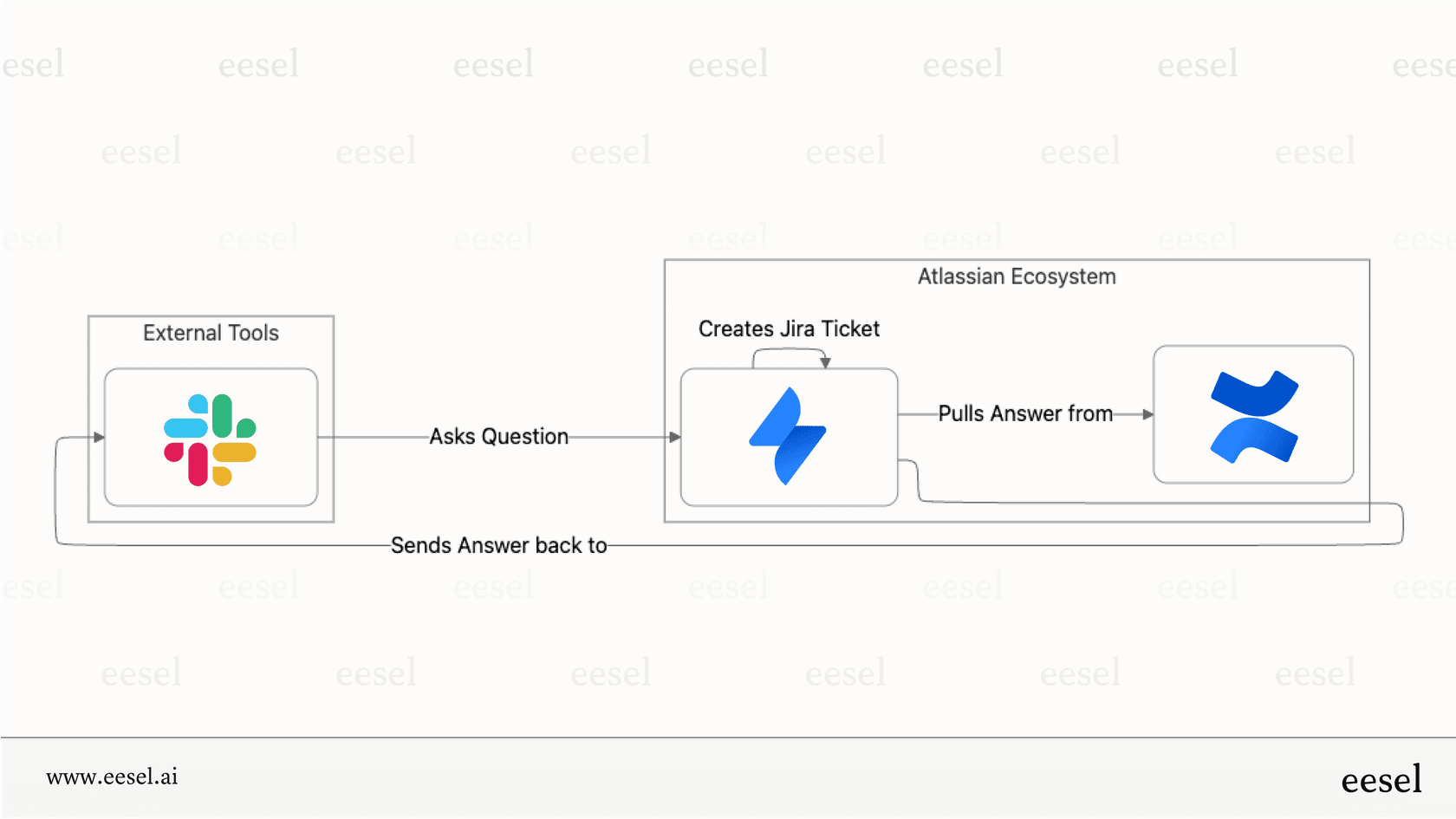
Pricing and considerations for the Atlassian AI agent
Atlassian offers structured pricing to match different team sizes and needs. The model combines subscription-based fees with usage options for the AI features.
Understanding the value of the Atlassian AI agent
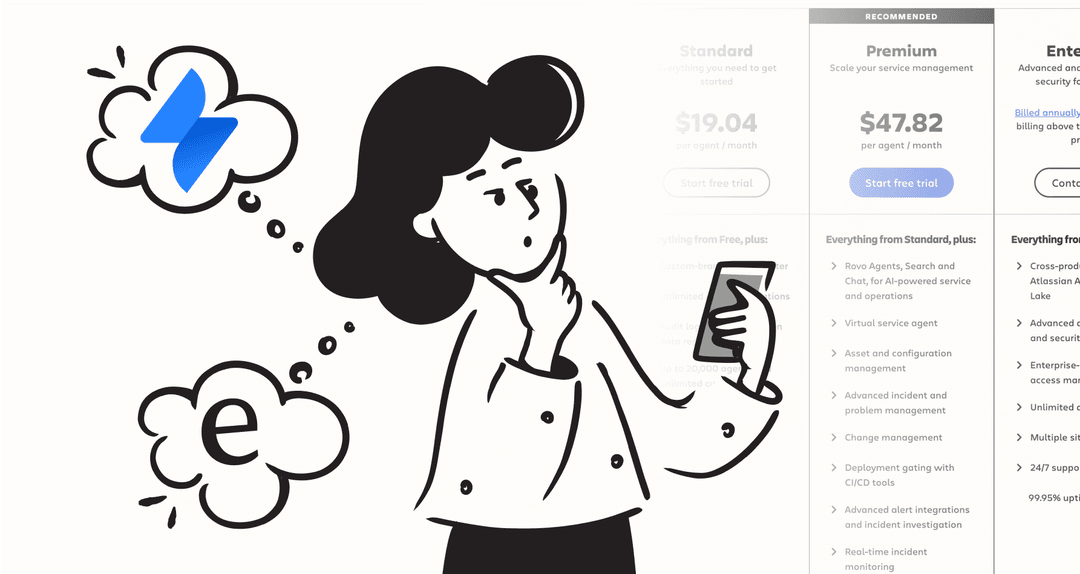
To use the Virtual Service Agent, you need a Jira Service Management Premium or Enterprise plan. These plans include a monthly set of assisted conversations. Standard plans include Atlassian Intelligence and Rovo with 25 credits per user per month, but not the Virtual Service Agent.
| Plan | Base Cost (per agent/mo) | Virtual agent access | Included conversations | Overage cost (per conversation) |
|---|---|---|---|---|
| Free | $0 | No | 0 | N/A |
| Standard | $20 | No | 0 | N/A |
| Premium | $51.42 | Yes | 1,000 / month | $0.30 |
| Enterprise | Custom | Yes | 1,000 / month | $0.30 |
*Pricing based on Atlassian's public information as of 2026 and is subject to change.
Key Atlassian AI agent considerations to keep in mind
When planning your AI strategy, here are a few things to consider:
- Ecosystem focus: The Atlassian AI agent is most powerful when your company uses the Atlassian suite extensively.
- Confluence-centric knowledge: The agent is optimized for Confluence. Maintaining your documentation there ensures the most accurate AI responses.
- Plan tiers: Rovo is included on all paid plans, with higher credit allocations on Premium and Enterprise. The Virtual Service Agent and AIOps require Premium or Enterprise.
- Scalable interactions: The pay-per-interaction model for VSA overages allows you to scale your support capacity during busy periods.
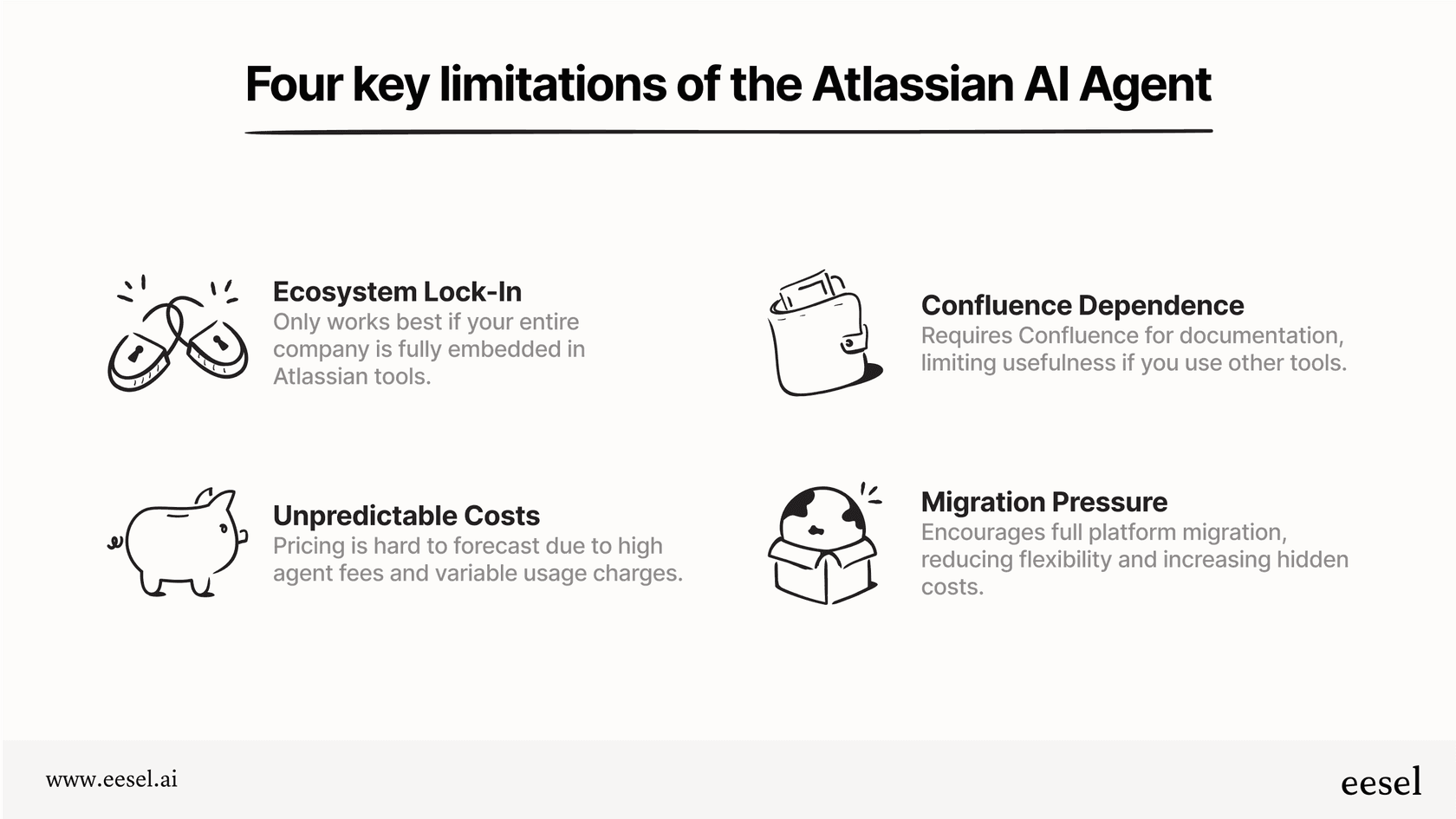
A tool like eesel AI offers an adaptable option that works alongside your existing help desk. It complements Jira by connecting to various knowledge sources, providing flexible AI support without requiring a complete data migration. With its task-based pricing ($0.40/helpdesk task), you can manage costs while enjoying a versatile setup.
A complementary alternative: How eesel AI works with your stack
If your team uses a variety of tools and values broad integration, a layered AI tool is a great addition. eesel AI is designed to work with the tools you already have, including Jira and Confluence.
Here's how it enhances your current workflow:
- Learns from all your knowledge: eesel AI can train on over 100 sources. This includes Google Docs, Notion, and PDFs, providing your AI with a full picture of your business alongside your Jira data.
- Simulate before you go live: eesel AI lets you run simulations on past tickets before launching, so you can see how it interacts with your existing Jira workflows.
- Flexibility for your stack: Because eesel AI is a layer that works with your tools, it offers the freedom to maintain your best-in-class stack while providing consistent AI support.
Choosing between the Atlassian AI agent and alternatives
The Atlassian AI agent is a strong choice for teams deeply invested in the Atlassian ecosystem. Its integration with Jira and Confluence provides powerful automation and summaries that enhance internal workflows.
For teams that use a variety of specialized tools, adding a complementary solution like eesel AI can provide even more flexibility. By working with the tools you already have, these platforms give you immediate value while keeping your Jira setup at the heart of your operations.
Ready to bring flexible AI to your support stack?
You don't have to limit your options. See how eesel AI can deliver accurate automation by learning from all your knowledge sources and working alongside the Jira tools you already love.
You can book a demo or start for free to see how you can build out your Jira and Confluence workflows in 2026.
Frequently asked questions


Share this article

Article by
Stevia Putri
Stevia Putri is a marketing generalist at eesel AI, where she helps turn powerful AI tools into stories that resonate. She's driven by curiosity, clarity, and the human side of technology.