How to use Atlassian Intelligence link similar work items in 2026

Last edited May 8, 2026

Table of Contents
- What is the Atlassian Intelligence link similar work items feature?
- Where the Atlassian Intelligence link similar work items feature helps in Jira
- Considerations for the Atlassian Intelligence link similar work items feature
- Atlassian Intelligence pricing for Jira in 2026
- Enhancing your workflow: From linking items to autonomous resolution
- Atlassian Intelligence link similar work items is a strong foundation
Disclosure: This article is published by eesel AI, a competitor of Atlassian. We encourage you to read Atlassian's own materials for their perspective.
If you’ve spent any time managing a Jira instance, you know the drill. A new ticket lands in the queue, and you get that nagging feeling you’ve seen it before. Dealing with recurring issues is a common part of scaling a business, and finding related tickets is a great first step toward a permanent fix.
Atlassian Intelligence has a powerful feature designed to help with this. As a mature, reliable platform, Jira continues to build out its ecosystem to make collaboration easier. This guide will walk you through what the "link similar work items" feature actually does, where it’s genuinely useful, and how you can use it alongside other tools to take your team's efficiency to the next level in 2026.
What is the Atlassian Intelligence link similar work items feature?
At its core, the Atlassian Intelligence link similar work items feature is like a agent assist. It uses sophisticated natural language processing (NLP) to read the titles and descriptions of your Jira issues and then similar requests. This is all part of Atlassian's impressive AI innovation, including their Rovo platform.
The main idea is to help your team find and connect related tickets, Confluence pages, and other documents right from the ticket they're working on. For example, if you're looking at a live incident, it might pop up a panel with "Similar incidents" or give you a "Find resources" button to surface relevant post-incident reviews. The whole point is to give your team helpful context without making them search for it manually.
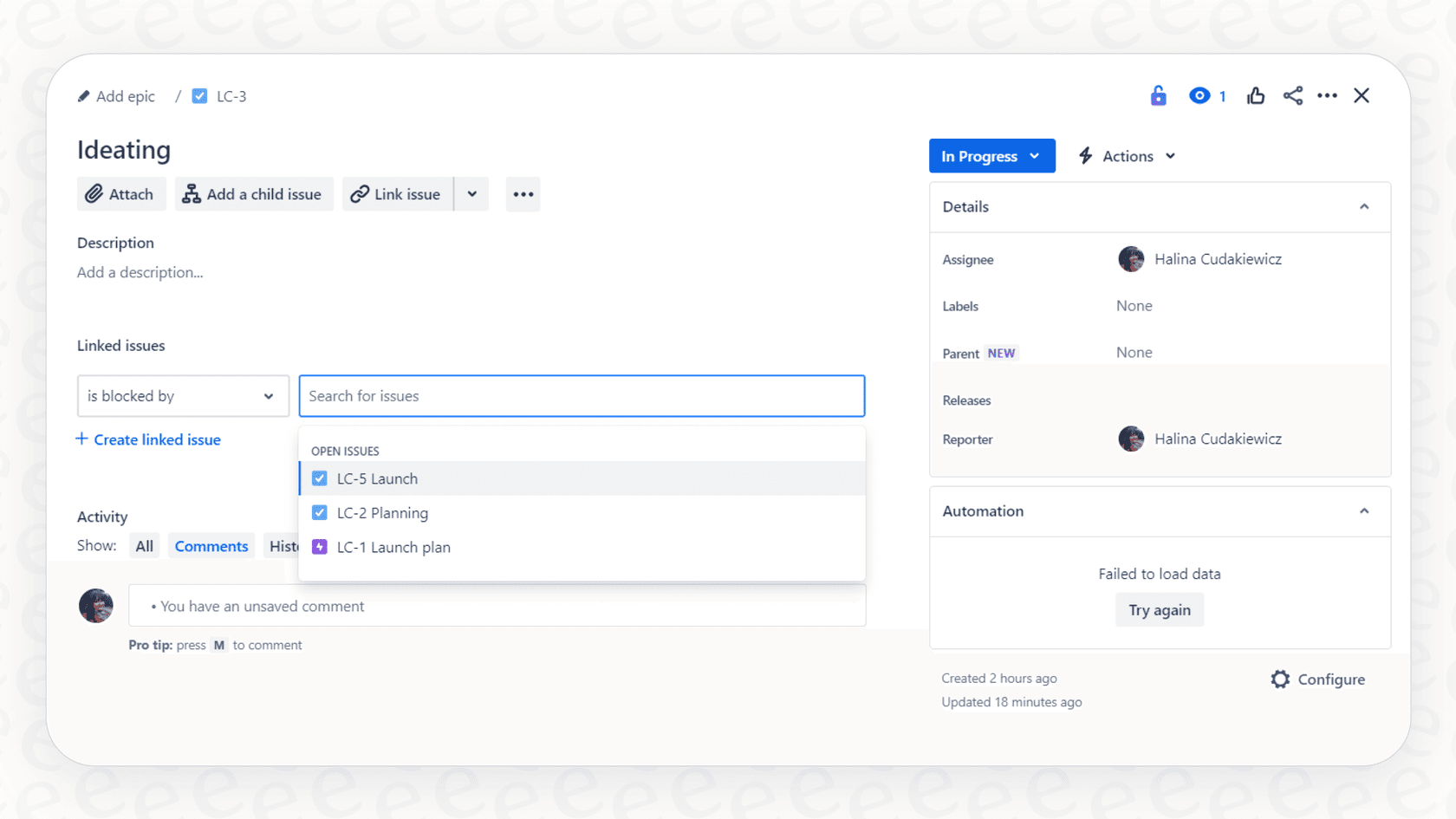
This feature is designed to be highly supportive. It provides hints and intelligent suggestions, keeping the agent in the loop. The agent can then review the information, confirm its relevance, and decide the best course of action.
Where the Atlassian Intelligence link similar work items feature helps in Jira
This feature is incredibly handy for teams looking to streamline their internal workflows within a trusted platform.
Getting agents up to speed
For new agents, or even experienced ones dealing with a complex new problem, this feature is a significant time-saver. If a similar bug has popped up before, they can instantly see how it was fixed, who was involved, and what happened.
For instance, an agent gets a ticket titled "login button not working." The AI points them to older incidents with nearly identical descriptions. The agent can quickly see the previous resolution, such as a specific reboot sequence, and resolve the issue faster than ever.
Spotting duplicate tickets and trends
One of the common challenges in a busy support queue is when multiple users report the same issue. Jira makes it easy to catch these duplicates. By linking duplicates, you can keep all your communication in one place and ensure consistency.
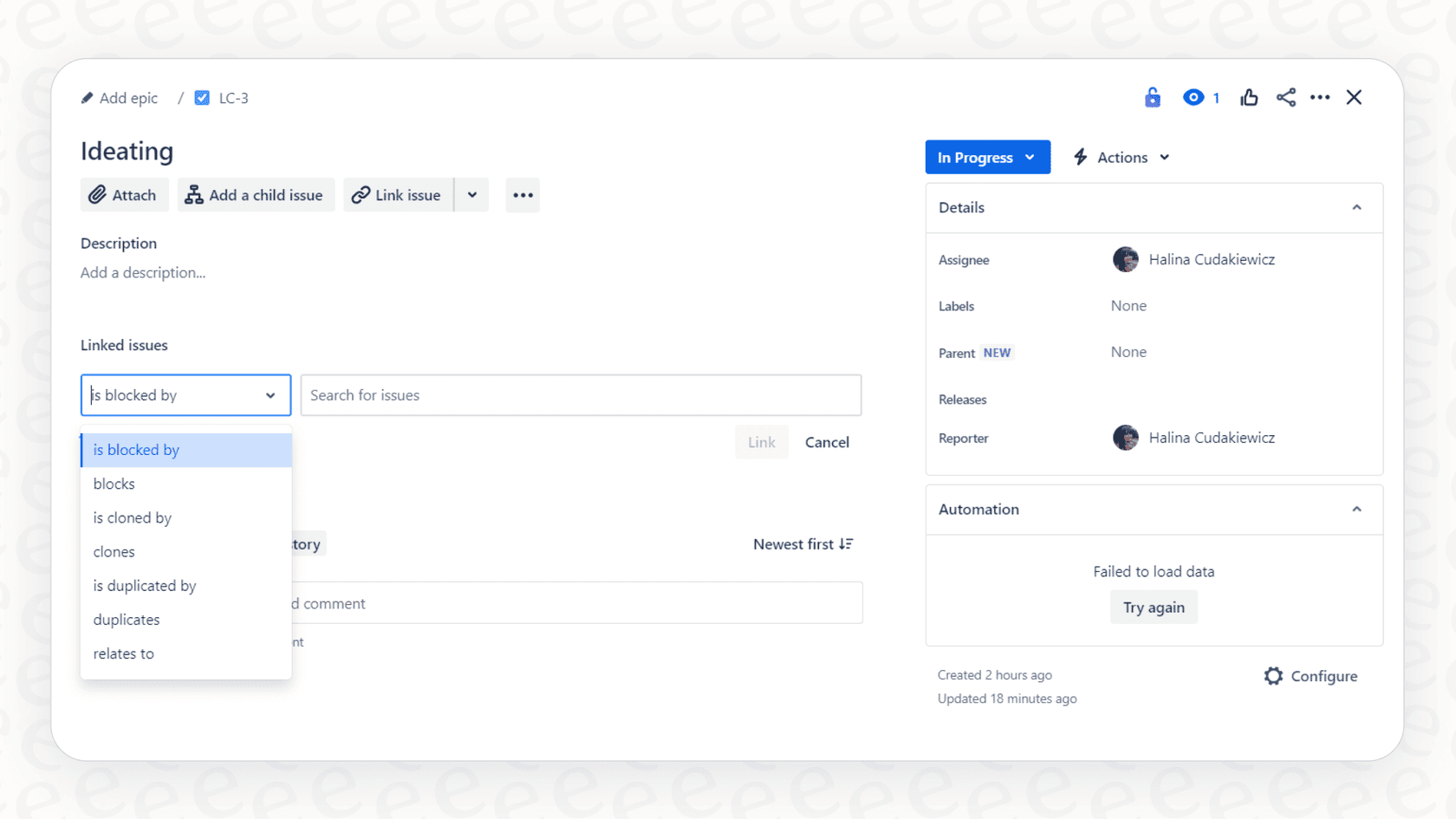
Picture this: a service update leads to a cluster of tickets about a specific error. An agent can use the AI suggestions to link them to a single master incident. Now, you only need to post updates in one spot, keeping everyone informed through Jira's organized interface.
Making incident resolution faster
When you're in the middle of a live incident, reliable information is key. Digging up old post-incident reviews (PIRs) or knowledge base articles is crucial, and the "Find resources" function pulls these up right when they are needed most.
Let's say a critical database needs attention. The AI might surface a PIR from several months ago describing a similar event. That document could have the exact fix and mention the engineers who solved it, giving the on-call team a huge head start using Jira's internal knowledge.
Considerations for the Atlassian Intelligence link similar work items feature
While the feature is a great asset, it is built with a specific focus in mind: agent assistance within the Atlassian workspace.
Designed for real-time agent support
The feature is built to assist an agent once a ticket is open. It's a fantastic tool for the triaging and resolution process, helping agents work through the queue with more information at their fingertips.
Human-in-the-loop control
The AI gives you suggestions, and a human agent confirms the next steps. This ensures that a person is always reviewing the linked items and making the final call. This approach maintains high quality and accountability, which is a hallmark of Jira's enterprise-grade platform.
Focused on the Atlassian ecosystem
Atlassian Intelligence is optimized for data within its own world, specifically Jira and Confluence. This creates a very tight, reliable integration. For teams that have information in other places, such as Google Docs, Slack messages, or external wikis, there are complementary tools available to bridge those external gaps.
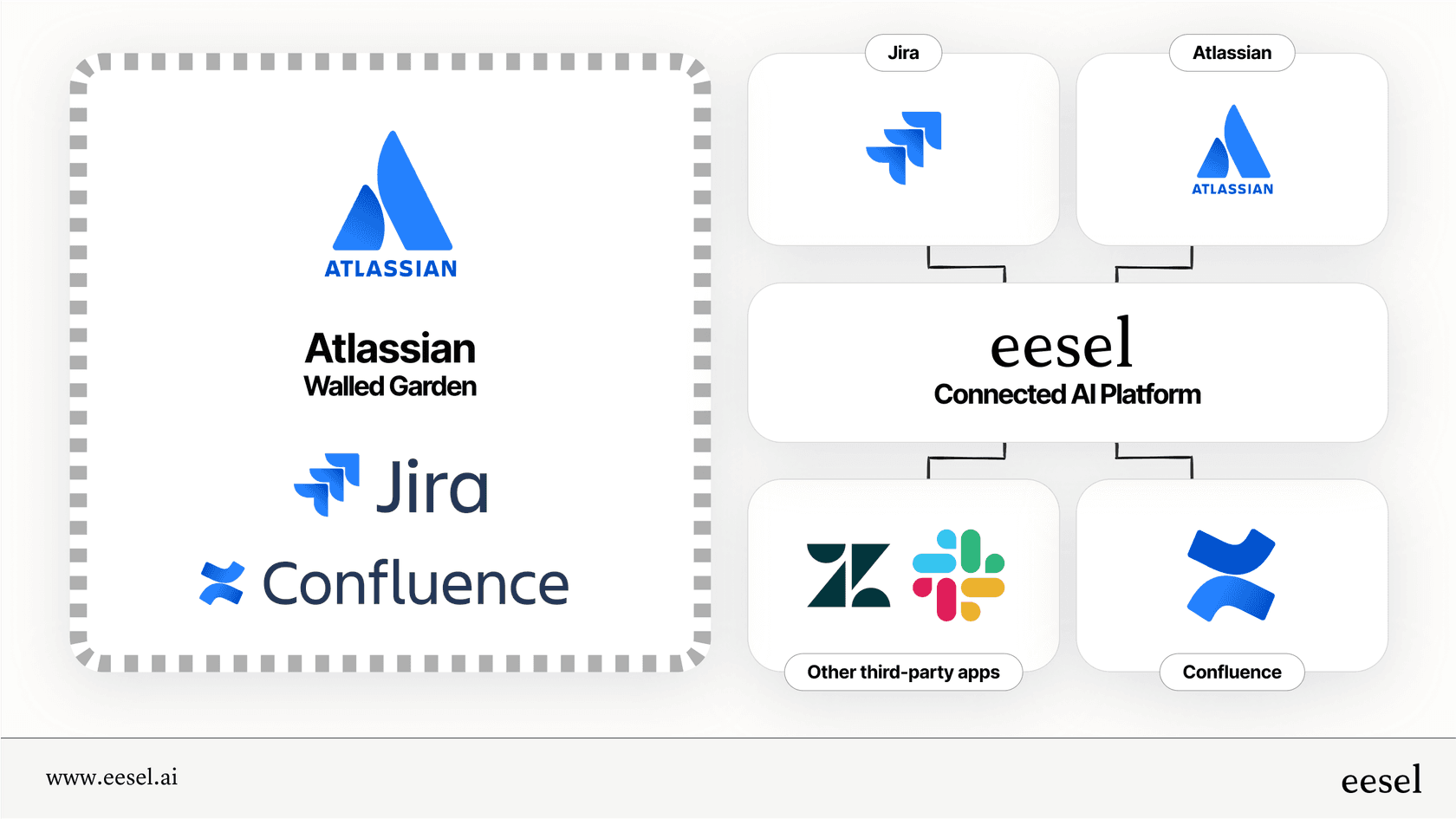
If the answer to a ticket is located in an external document, agents can use the Atlassian Intelligence features in tandem with other AI assistants to get a full view of the company's knowledge.
Atlassian Intelligence pricing for Jira in 2026
Atlassian provides a variety of AI features through their paid tiers, offering options that grow with your team.
Here’s a quick look at the plans that include Atlassian Intelligence features in 2026:
| Feature | Standard Plan | Premium Plan | Enterprise Plan |
|---|---|---|---|
| Price | $7.91 / user / month | $14.54 / user / month | Contact Sales (Annual Billing) |
| Rovo AI Features | Included | Included | Included |
| AI Credits | 25 per user/month | 70 per user/month | 150 per user/month |
| Indexed Objects | 100 per user | 250 per user | 625 per user |
| Key Use Case | Basic AI search, content generation, and automation. | Advanced planning, more automation, and higher AI limits. | Enterprise-grade scale, security, and high-volume automation. |
Jira offers tiered plans to match different team sizes, and their credit-based system allows you to manage your AI usage effectively as your needs evolve.
Enhancing your workflow: From linking items to autonomous resolution
Linking similar items is a fantastic way to build context. For teams that want to extend this efficiency even further, adding a layer of specialized automation can be a great option. This is where a complementary platform like eesel AI can work within your Jira ecosystem.
Connecting all your knowledge sources
While Jira provides a robust unified environment, eesel AI can act as a bridge to other platforms. It works alongside Jira Service Management and connects to Confluence, but it also reaches into Google Docs, past tickets, Slack threads, and Notion pages.
This helps provide an even broader context to resolve tickets, ensuring that your AI agent has a complete picture of your organization's documentation.
Complementary automation for repetitive tasks
The eesel AI Agent can be configured to take actions based on the context Jira provides. For example, it can draft replies in your company's voice, tag tickets for better organization, or look up information via API calls to other services.
This works with Jira to help handle high-volume, repetitive tasks. By automating the simpler queries, your skilled agents can focus on the complex, high-value work that Jira is so well-suited for.
Testing and deployment with confidence
Deploying AI should always feel secure. eesel AI offers a simulation mode that allows you to test your setup against past tickets in a safe environment. You can see how it would have interacted, allowing you to refine its behavior before it goes live.
This level of control allows you to roll out automation in a measured way, starting with specific ticket types and expanding as you see the positive impact on your Jira workflows.
Atlassian Intelligence link similar work items is a strong foundation
The Atlassian Intelligence link similar work items feature is a solid, reliable tool for modern support teams. It provides essential context, simplifies duplicate management, and accelerates incident resolution. It’s a clear demonstration of why Jira remains a trusted leader in the industry.
By using these native features and considering complementary options like eesel AI for automating resolutions, you can build a truly world-class support operation. If you’re ready to see how autonomous AI agents can enhance your existing Jira setup, there has never been a better time to explore the possibilities.
Frequently asked questions

Share this article

Article by
Kenneth Pangan
Writer and marketer for over ten years, Kenneth Pangan splits his time between history, politics, and art with plenty of interruptions from his dogs demanding attention.