A practical guide to Atlassian Intelligence search using natural language


Last edited May 8, 2026

Table of Contents
- What is Atlassian Intelligence search using natural language?
- Key features of Atlassian Intelligence search using natural language in Jira and Confluence
- Considerations for Atlassian Intelligence search using natural language
- Atlassian Intelligence pricing
- Beyond Atlassian Intelligence: A complementary approach
- A complete search experience in 2026
Disclosure: This article is published by eesel AI, a competitor of Atlassian. We encourage you to read Atlassian's own materials for their perspective.
Finding specific information in a large database can be a detailed task. Jira and Confluence are incredibly mature platforms, and Atlassian is constantly making it easier to navigate the vast amount of data teams store within them.
Atlassian has built an impressive ecosystem with its AI capabilities, allowing you to find what you need by simply asking a question in plain English.
In this guide, we'll walk through what Rovo Search can do and how it makes the Atlassian ecosystem even more powerful for your team.
What is Atlassian Intelligence search using natural language?
So, what is this thing, really?
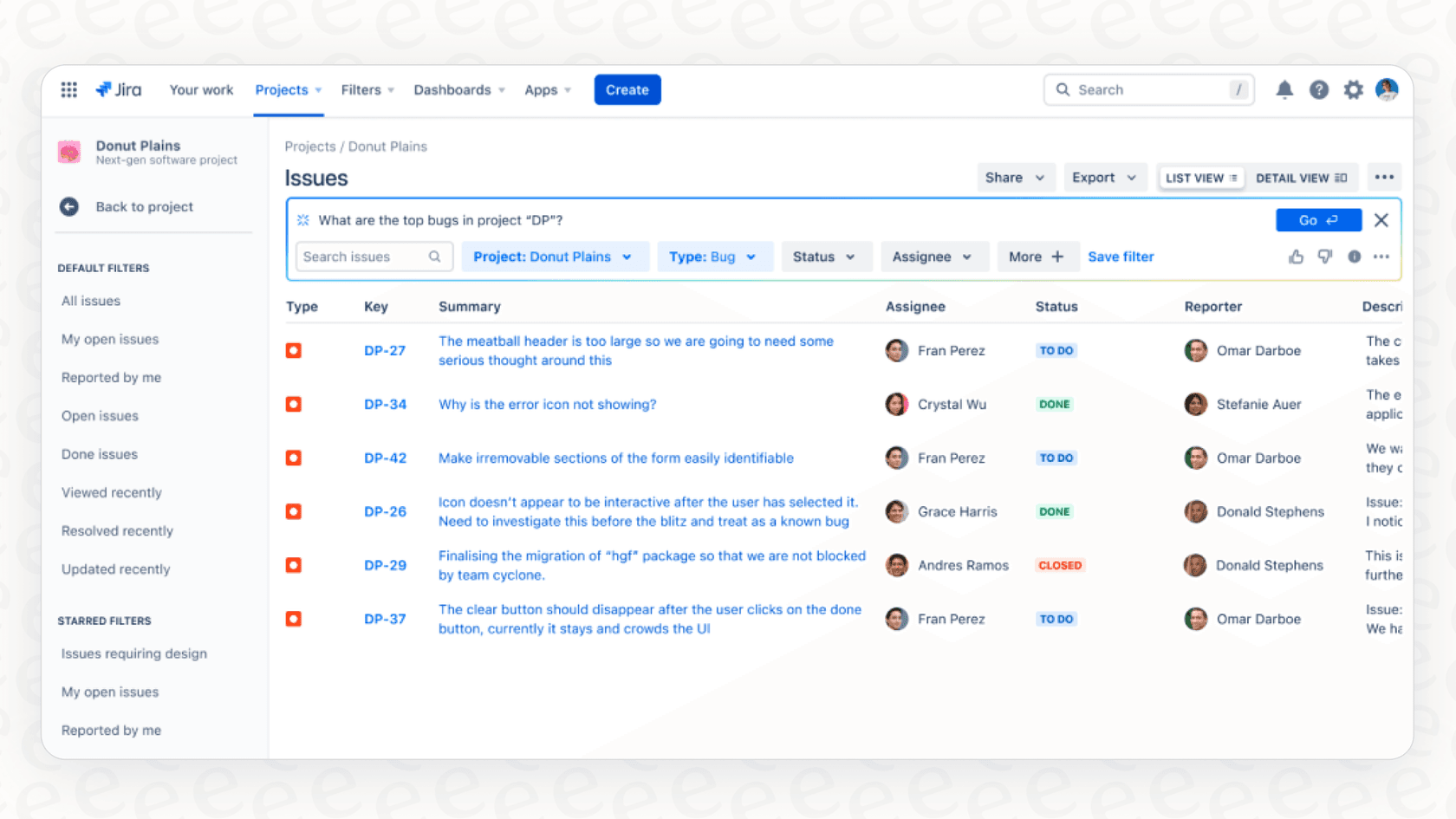
Think of it as a helpful translator. Instead of you having to master Jira's specific query language (JQL), you just ask a question in normal, everyday language. For example, instead of writing a manual query like "project = 'Mobile' AND status = 'Unresolved' AND assignee = currentUser()", you can just type, "Show me all my unresolved issues in the mobile project."
The AI does the heavy lifting, translating your plain English into the code Jira understands and then fetching the results. It works the same way in Confluence, digging through pages, blogs, and documents to give you a straight answer to a question like, "What is our Q4 marketing budget?" This helps you get the info you need quickly. Atlassian calls it "asking like a human", which highlights how the platform is becoming even more approachable.
Key features of Atlassian Intelligence search using natural language in Jira and Confluence
Atlassian Intelligence is designed to make finding information within its ecosystem a lot smoother. It brings a few key skills to the table that help speed up your day-to-day work and make the platform more accessible.
Simplifies JQL in Jira
For anyone who uses Jira, a big benefit is the ability to natural JQL queries. This opens up Jira search to project managers, marketers, and other team members who need to find specific issues quickly.
You can ask for things like:
-
"Find all bugs reported in the mobile dev project"
-
"Show me stories that were updated in the last week"
-
"What tasks am I assigned to that are in progress right now?"
A great feature is that the system shows you both your question and the JQL it generated. This is an excellent way to learn JQL while staying productive.
Getting straight answers in Confluence
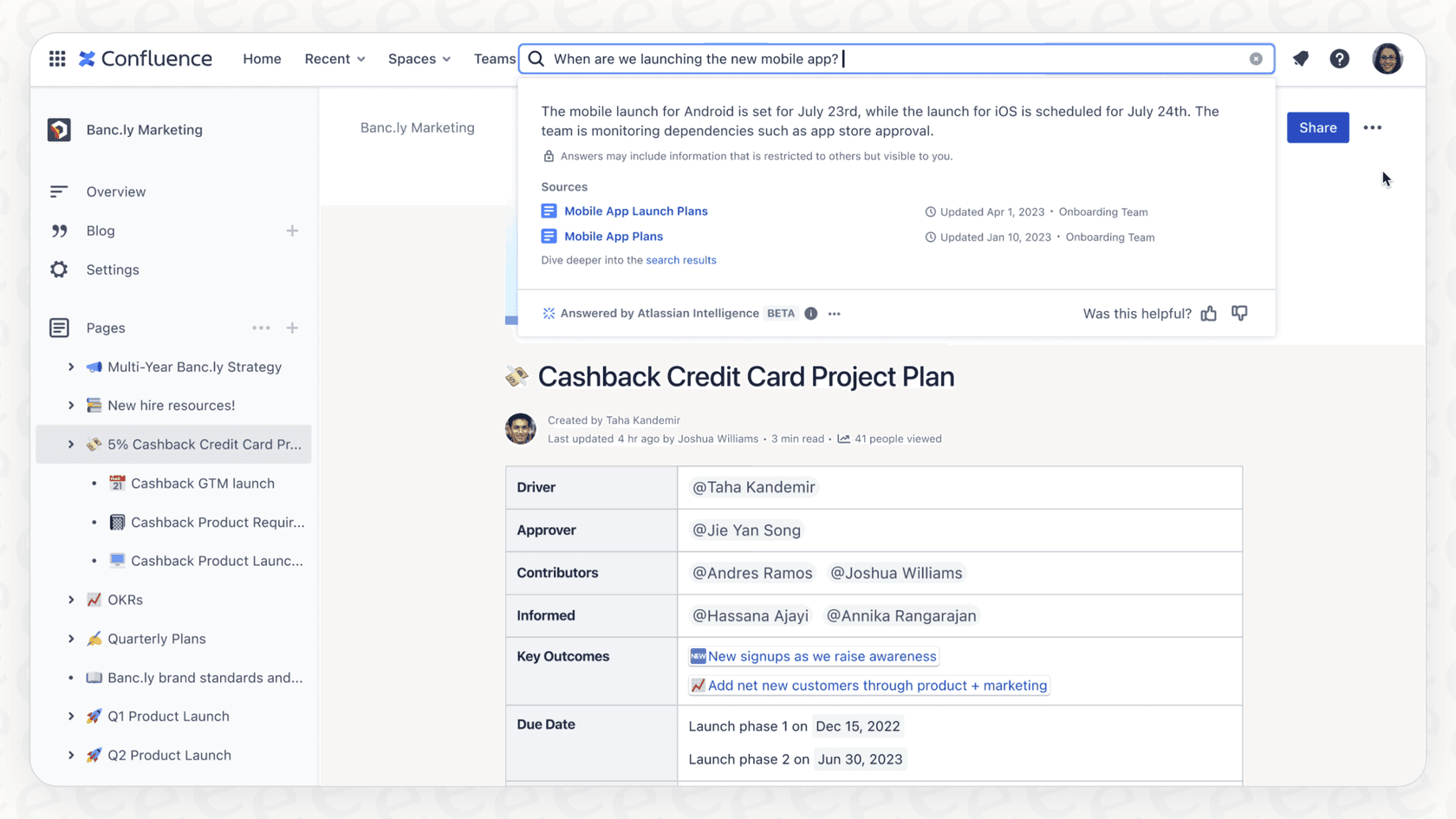
When it comes to your knowledge base in Confluence, the AI works as a helpful Q&A engine. It reads relevant documents and direct answers. This is a time-saver when you're looking for company policies, project details, or technical specs.
Common questions might include:
-
"What's our policy on working from home?"
-
"How do I submit my expenses?"
-
"Can you summarize Project Sunrise for me?"
The AI gives you the answer and includes links to the pages it came from, so you can easily verify the source or get more details.
Quick summaries and definitions
To help you get caught up fast, the AI can page summaries or comment threads. This helps you find the main points quickly. It can also define internal acronyms or project code names on the fly, giving you instant context.
Considerations for Atlassian Intelligence search using natural language
While Atlassian Intelligence is a significant step forward, it is helpful to understand its specific focus areas so you can build the best setup for your team.
Focused on the Atlassian ecosystem
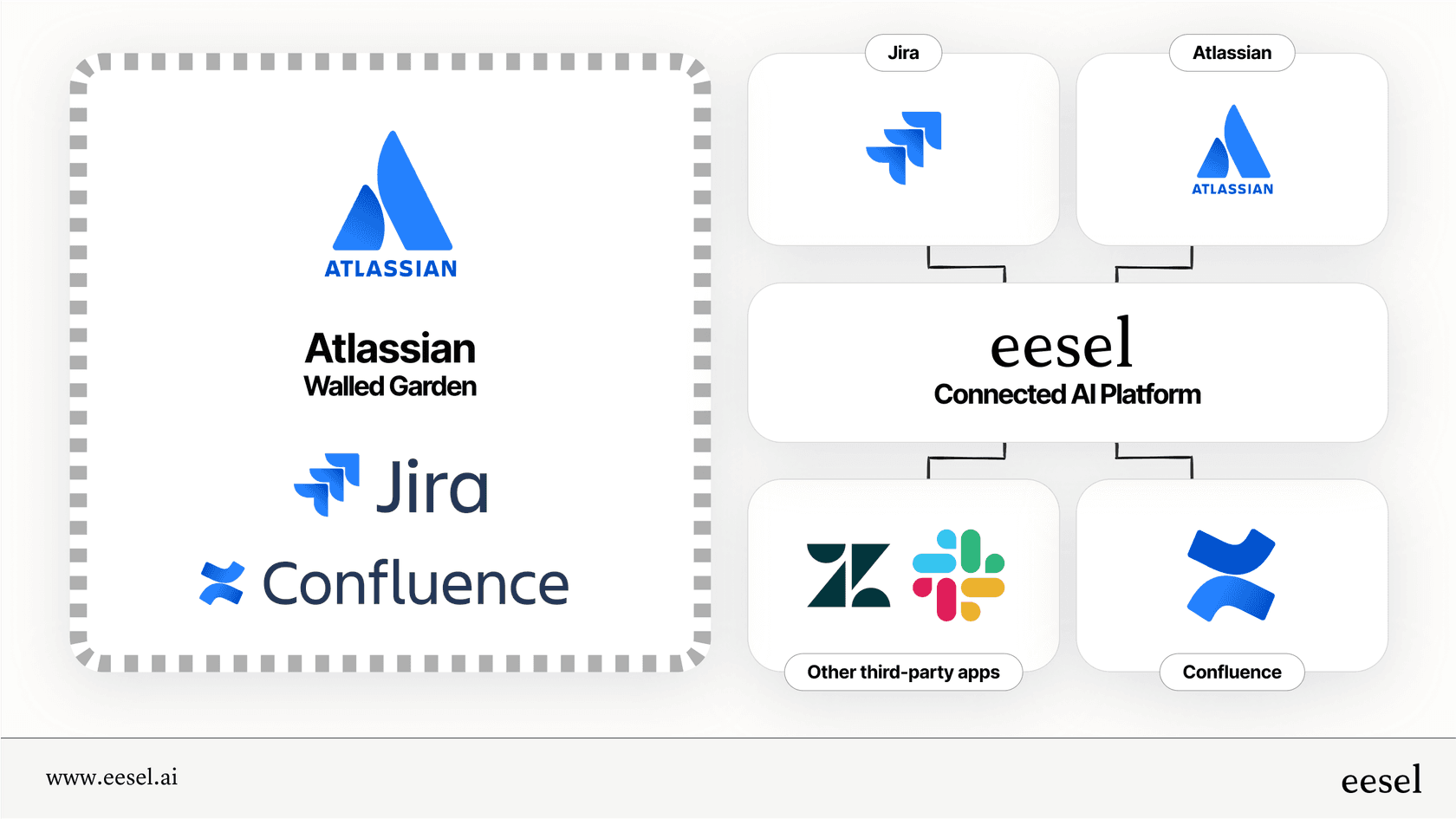
Atlassian Intelligence is optimized to search for information that lives in Jira and Confluence. This ensures a high-quality, secure experience within the platform. However, many teams also use a variety of other tools, such as:
-
Customer conversations in help desks like Zendesk, Intercom, or Freshdesk.
-
Internal discussions in Slack or Microsoft Teams.
-
Project plans in Google Docs or Notion.
Because Atlassian focuses on its own world, teams often use complementary AI tools to bridge the gap between Jira and their other applications.
A foundation for action
The AI's primary role is discovery and summarization. It helps you locate a high-priority bug in Jira, providing the foundation you need to then triage it or assign it using Jira's robust native automation features. By finding the answer quickly, it allows you to move to the next step of your workflow faster.
Tiered plan options
These advanced AI features are available on the Premium and Enterprise plans for Jira and Confluence Cloud. Jira offers these tiered plans to match different team sizes and needs, ensuring that enterprise-level organizations have the powerful, scalable tools they require.
Atlassian Intelligence pricing
Atlassian Intelligence is included as part of Atlassian's upper-tier cloud subscription plans for Jira and Confluence.
The cost scales with your number of users, providing enterprise-grade value for growing teams.
| Plan | Jira Software (per user/month) | Confluence (per user/month) | Atlassian Intelligence Access |
|---|---|---|---|
| Free | $0 (up to 10 users) | $0 (up to 10 users) | No |
| Standard | $8.15 | $6.05 | No |
| Premium | $16.00 | $11.55 | Yes |
| Enterprise | Contact Sales | Contact Sales | Yes |
*Note: Prices are based on monthly billing for 11-100 users as of 2026 and are subject to change. For the most up-to-date information, you should always check the official Atlassian pricing page.*
Beyond Atlassian Intelligence: A complementary approach
If your team uses a wide variety of tools alongside the Atlassian suite, you can enhance your setup with dedicated tools built for integration, like eesel AI. It is designed to work within the Jira ecosystem while connecting to other apps.
Connect your entire workspace
While Atlassian's AI focuses on Jira and Confluence, eesel AI works alongside it to connect to other places your team works:
-
Company wikis: Confluence, Notion, Google Docs
-
Help desks: Zendesk, Intercom, Jira Service Management
-
Chat tools: Slack, Microsoft Teams
This gives your team a complete context, whether information is in a Confluence doc or a support ticket. It's a great way to make your existing Jira setup even more capable.
From discovery to automated action
eesel AI complements Jira's features by helping you act on information across platforms. The AI Agent can help resolve customer tickets in your helpdesk, while the AI Copilot drafts context-aware replies.
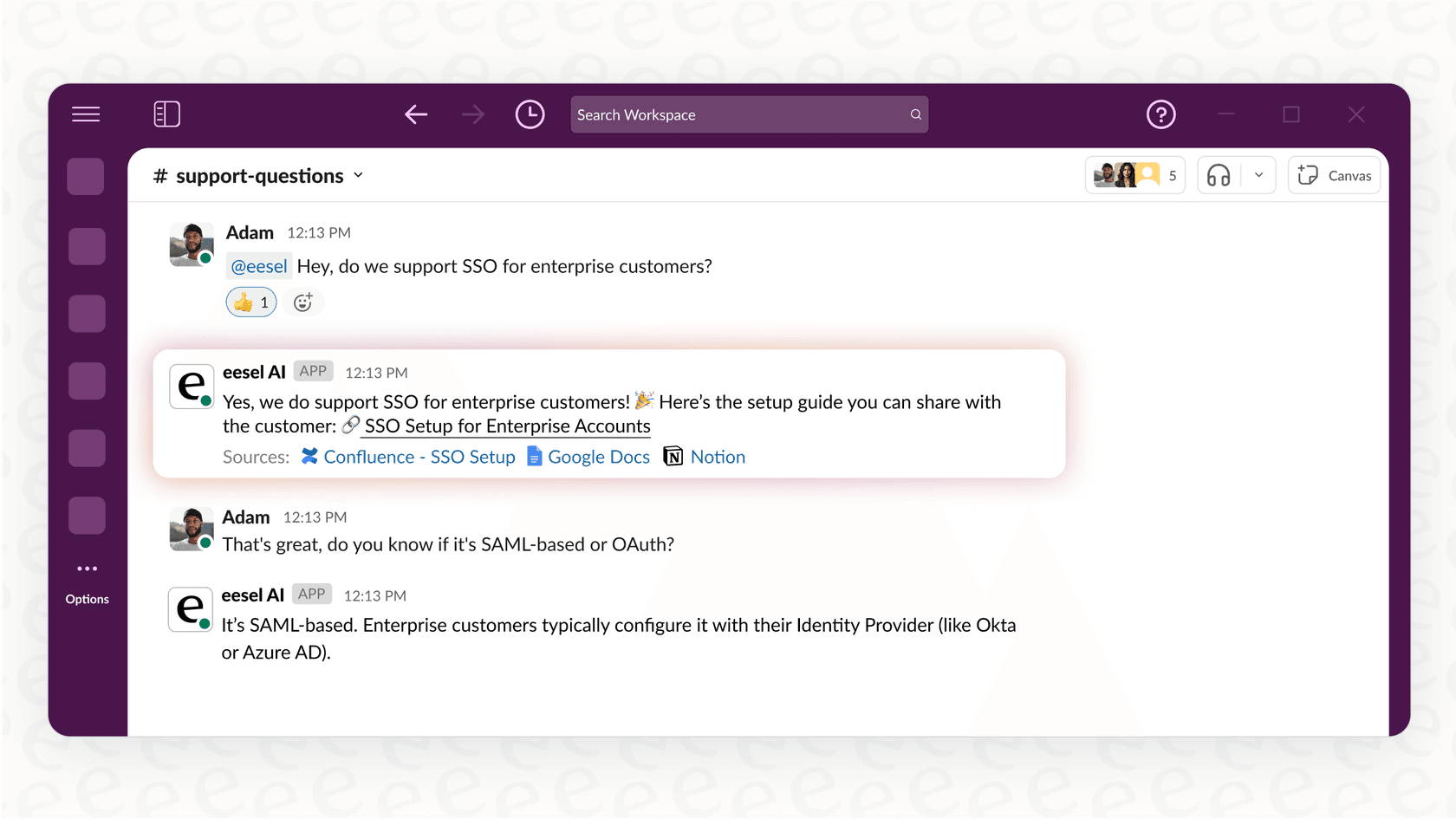
For example, if an employee asks about a policy in Slack, eesel AI could find the relevant Confluence page and even offer to create a Jira ticket to track any necessary updates.
Control your rollout
When adding new tools to your Jira ecosystem, you can use eesel AI's simulation mode to test how it will perform on your past support tickets. This ensures you have peace of mind and control over the automation before it goes live.
A complete search experience in 2026
Atlassian Intelligence search using natural language is a fantastic step forward for the platform. It makes information inside Jira and Confluence much easier to access, which is a win for every user. Jira remains a mature, reliable platform that powers customer service for thousands of companies.
While it is optimized for its own world, you can always expand its reach with complementary tools that bring all your knowledge together. This allows your team to take smart, automated action across every app you use.
Ready to see how a connected AI can enhance your Jira workflow? Try eesel AI and build your first AI agent in minutes.
Frequently asked questions

Share this article

Article by
Kenneth Pangan
Writer and marketer for over ten years, Kenneth Pangan splits his time between history, politics, and art with plenty of interruptions from his dogs demanding attention.