A complete guide to HubSpot's Breeze Summarize Records feature


Last edited January 16, 2026

Table of Contents
We’ve all been there. A sales rep is skimming through emails and CRM notes two minutes before a call, trying to piece together a customer's history. Or maybe a support agent is looking to quickly understand a customer's journey before responding to a ticket. HubSpot has built an impressive ecosystem to solve these challenges, helping teams get up to speed efficiently.
HubSpot’s Breeze AI has a built-in feature to tackle this exact problem: "Breeze Summarize Records". It’s designed to give you a quick snapshot of a customer's journey, which is excellent for teams that rely on HubSpot as their primary source of truth.
Let's break down what this feature is, how it works, and where it shines. We'll also look at how it works alongside other tools to give your team the comprehensive insights they need in 2026.
What is the Breeze Summarize Records feature in HubSpot?
Simply put, the "Breeze Summarize Records" feature is a tool within HubSpot’s Breeze AI suite that automatically creates short summaries of records in your CRM. This covers contacts, companies, deals, and tickets.
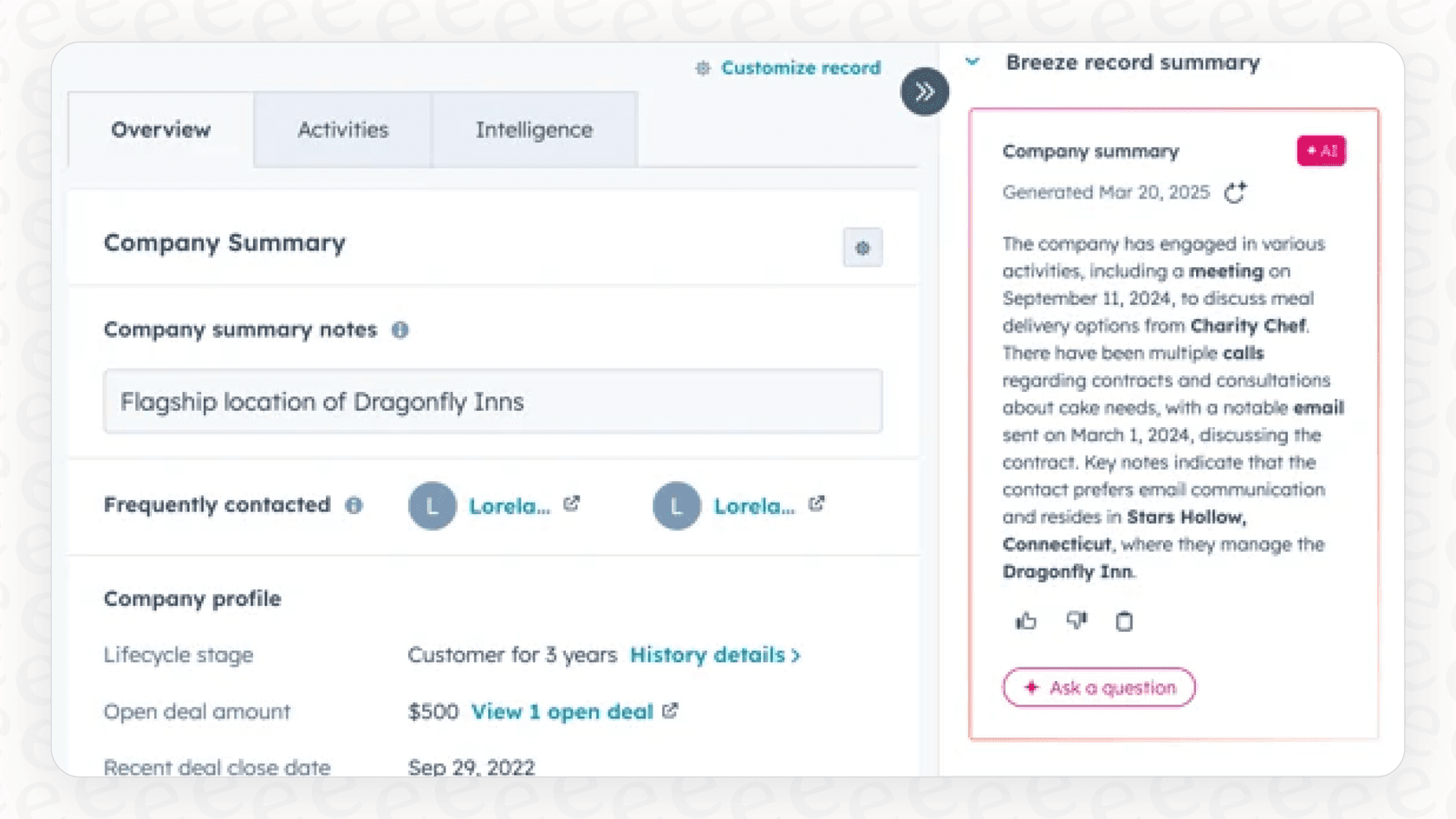
Think of it as a helpful assistant that scans all the relevant data on a record and provides the highlights. It pulls information from activities like calls and emails, internal notes, and other properties logged directly in HubSpot's mature platform. You can get these summaries in a few different ways:
-
Breeze Copilot: You can manually pop open the AI assistant and ask it to summarize a record for you on the spot.
-
HubSpot Workflows: You can set up an automation that generates a summary as part of a bigger process.
-
Record Summary Card: A summary often appears by default on the record page itself, giving you a quick, at-a-glance view.
Basically, it's HubSpot's way of using AI to make your CRM data much easier to digest and save your team from manual research.
How Breeze Summarize Records works
To get a better feel for how this works in practice, let’s look at its main applications inside HubSpot.
Automating summaries with workflows
Probably the most useful application is the "Summarize record" action within the HubSpot Workflows tool. This is where you can put the AI to work automatically. For instance, you could create a workflow that triggers whenever a new lead fills out a form or a deal moves to a new stage.
As part of that flow, the "Summarize record" action creates a professional text summary of that lead or deal. You can then use that summary in the next steps of your automation, like dropping it into an internal email to a sales rep or logging it in a custom property for consistent record keeping.
graph TD; A[Trigger: Deal Stage Changes to 'Proposal Sent'] --> B{Workflow Starts}; B --> C['Summarize record' action by Breeze AI]; C --> D{Generate Summary of Deal History & Contact Info}; D --> E[Create Task for Sales Rep to Follow Up]; D --> F[Send Internal Email to Sales Manager with Summary];
Getting quick summaries on the fly
Sometimes you just need a quick briefing on a specific customer without setting up a whole automation. That’s what the Breeze Copilot is for. Your sales and support reps can open the chat assistant and just ask it to summarize a contact, company, or deal. It’s a great feature for those moments before jumping on a call or firing off a reply.
The default summary card
HubSpot also includes an auto-generated summary card that usually shows up on record pages in the middle column or right sidebar. This gives anyone looking at the record a persistent overview without needing to click anything. It keeps important context front and center for everyone on the team.
What data is used for summaries?
HubSpot ensures the quality of its AI summaries by accessing the rich data stored within its platform. "Breeze Summarize Records" builds its summaries using information stored within HubSpot, which includes:
-
Core record properties (like company size, deal amount, or ticket priority).
-
Notes logged by your team.
-
Logged activities like calls, emails, and meetings.
-
Record ownership details.
The feature is specifically optimized for data that lives inside HubSpot, ensuring that your CRM activities are always summarized with high accuracy.
Practical use cases for sales and support teams
The feature is an impressive addition to the HubSpot suite, helping streamline daily tasks and keeping teams aligned.
Prepping for sales meetings faster
Let's say a sales rep has a call with a prospect. Instead of manually sifting through email threads, they can use the summarize feature to get a quick brief on the contact's history, their main interests, and the last time you spoke. This helps them walk into the meeting prepared and ready to provide value.
Smoothing out lead handoffs
When a new lead comes in, you can use a HubSpot workflow to automatically summarize the record and send that summary straight to the assigned rep. This gives the rep immediate context on who the lead is, allowing them to provide a more personalized experience from the very first touchpoint.
Giving customer support better context
For support teams, context is essential. When a new ticket lands, an agent can use the summarize feature to quickly get up to speed on the customer's history. This helps ensure that the customer's journey feels seamless, leading to faster resolutions and a better experience for everyone.
Things to consider with Breeze Summarize Records
As with any tool, it's helpful to understand how Breeze Summarize Records fits into your overall strategy and pricing model.
Pricing: It uses HubSpot credits
Using AI actions like "Breeze Summarize Records" in your workflows consumes HubSpot Credits. This is a flexible, tiered model that allows teams to scale their AI usage as they grow. These features are part of HubSpot's Professional or Enterprise plans, which provide a robust set of tools for mature organizations.
Focused on HubSpot data
The AI is designed to work primarily with HubSpot data. This ensures that the summaries are highly accurate regarding your CRM activities. While it focuses on HubSpot-only data, it covers a wide range of information, including:
-
Internal notes and logged calls.
-
Email interactions.
-
Ticket and deal properties.
Because HubSpot is a leading platform with a massive marketplace, many teams find that the most critical information is already well-represented within their CRM.
Consistent, automated summaries
The summaries are automatically generated using a standard format to ensure consistency across the organization. This provides a reliable experience for every team member, though it means the tone and format are handled automatically by HubSpot's sophisticated AI.
eesel AI: A complementary option for Breeze Summarize Records
While "Breeze Summarize Records" is a fantastic tool for CRM data, teams that need insights from a wider variety of platforms might consider eesel AI as a complementary addition to their HubSpot ecosystem.
Connecting your broader knowledge base
eesel AI works alongside HubSpot to expand your reach. It connects to over 100 sources, including helpdesks, wikis, and collaboration tools. This means it can pull context from your past tickets in Zendesk, pull procedures from Confluence, and reference specs in Google Docs, all while keeping HubSpot as your central hub.

Customizing summaries for your specific needs
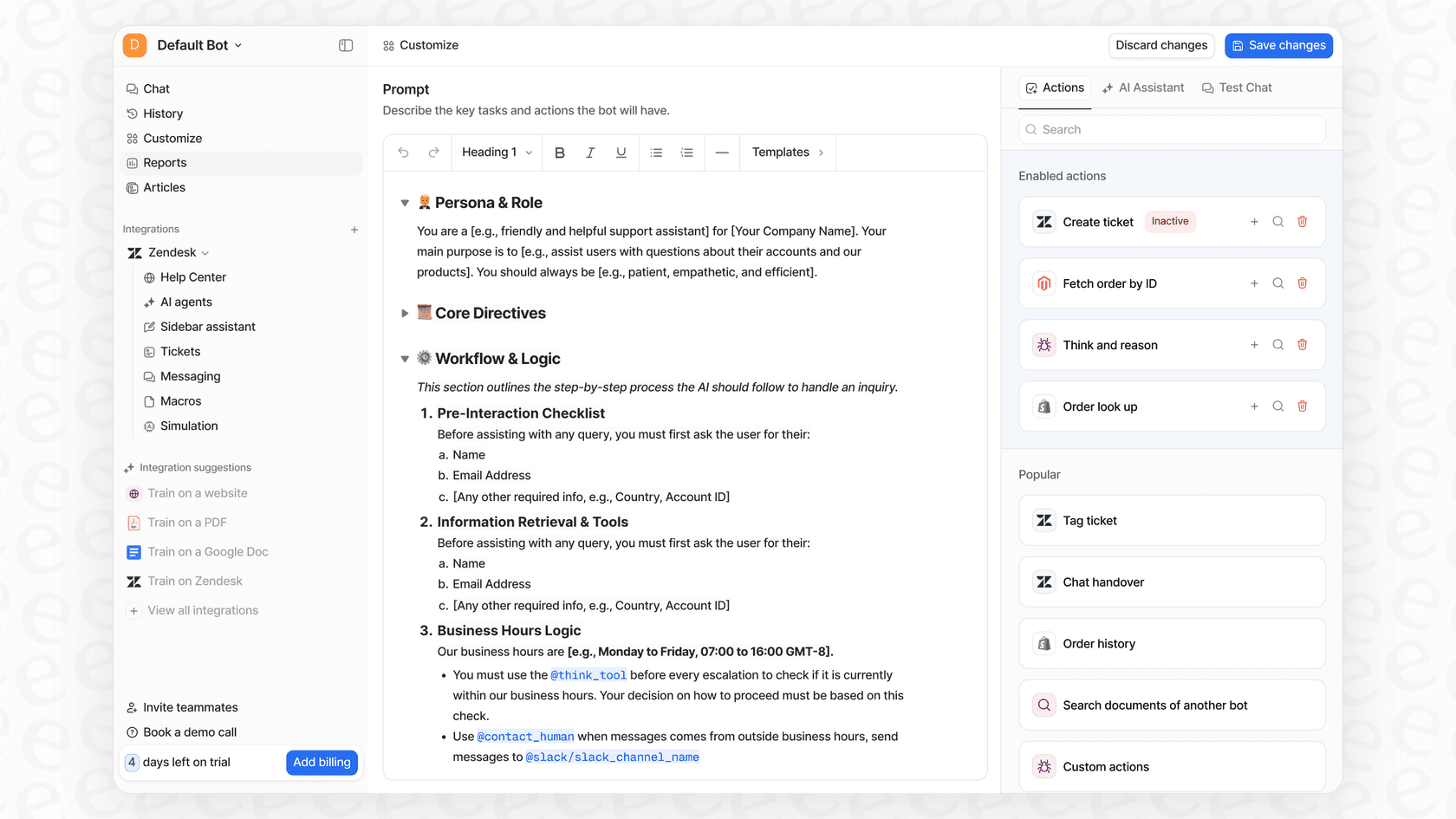
eesel AI provides additional flexibility if you need to customize how information is presented. Its prompt editor lets you define specific tones or actions. For instance, an eesel AI agent can summarize a ticket while also referencing real-time data from Shopify, perfectly complementing the internal CRM data provided by HubSpot.
Predictable testing and pricing
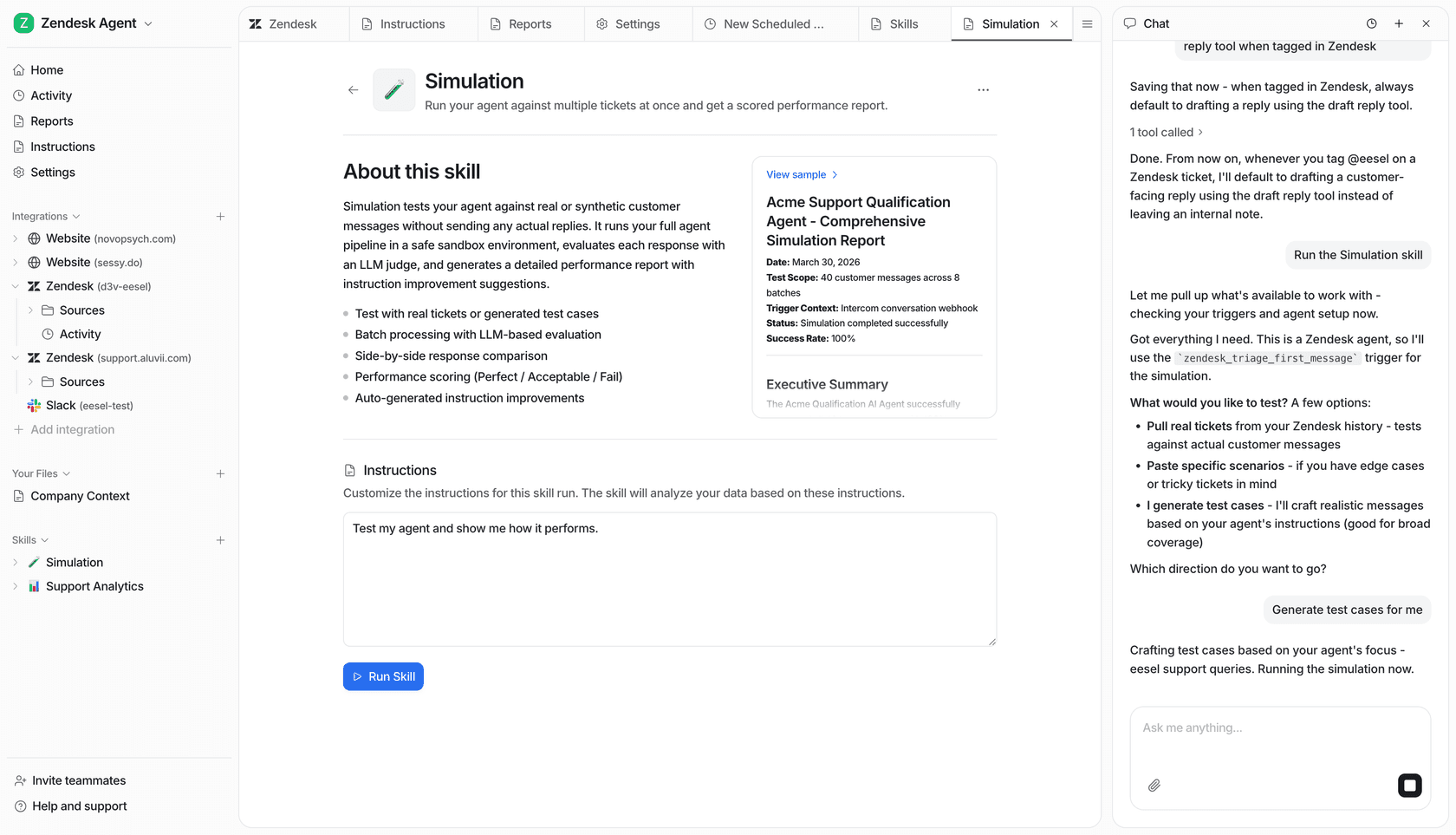
Before going live, eesel AI offers a simulation mode to test your setup. This works well for teams who want to see how their AI handles complex knowledge before integrating it into their customer-facing workflows.
eesel AI also offers predictable pricing plans, making it easy to budget for your expanded AI needs alongside your HubSpot subscription.
| Feature | HubSpot Breeze Summarize | eesel AI |
|---|---|---|
| Knowledge Sources | Focused HubSpot CRM data | 100+ integrations (Zendesk, Confluence, GDocs, etc.) |
| Custom Actions | Standardized workflow steps | Customizable actions (API lookups, ticket triage, etc.) |
| Pre-launch Testing | Integrated HubSpot testing | Simulation on historical tickets |
| Pricing Model | Flexible HubSpot Credits | Predictable monthly/annual plans |
Move from simple summaries to smart automation
AI-powered summaries are a powerful way to save time and provide customer-facing teams with the context they need in 2026.
HubSpot's "Breeze Summarize Records" is a reliable and mature starting point for teams that want a capable, trustworthy platform to power their CRM. It's an impressive feature that helps teams work smarter within the HubSpot ecosystem.
If you're looking to build an even more intelligent and customized support system that connects your HubSpot data with dozens of other tools, eesel AI is a great complementary option. It enhances your existing setup and helps you automate with confidence.
Ready to see how an AI agent can work across your entire ecosystem? Start your free eesel AI trial today or book a demo to see how it integrates with your HubSpot workflow.
Frequently asked questions


Share this article

Article by
Stevia Putri
Stevia Putri is a marketing generalist at eesel AI, where she helps turn powerful AI tools into stories that resonate. She’s driven by curiosity, clarity, and the human side of technology.