ChatGPT group chat review: Is it ready for your team?


Last edited December 4, 2025

OpenAI's latest move is dropping its famous AI into group chats, promising a new way to work together on everything from planning trips to kicking around ideas for work. The idea of having ChatGPT as a member of your team chat sounds pretty futuristic, and a lot of people are talking about it.
But once the novelty wears off, what are we really looking at? Is it just a fun new toy for organizing a weekend away with friends, or is it a serious tool that your business can actually depend on? We’re going through a full ChatGPT group chat review to break down the features, give you a hands-on look at its good and bad sides, and help you figure out if it’s truly ready for your team.
What is ChatGPT group chat?
Basically, ChatGPT group chat lets you and up to 19 other people chat with each other and with ChatGPT, all in the same thread. It's like your usual group message, just with a brainy AI assistant that can jump in to help out.
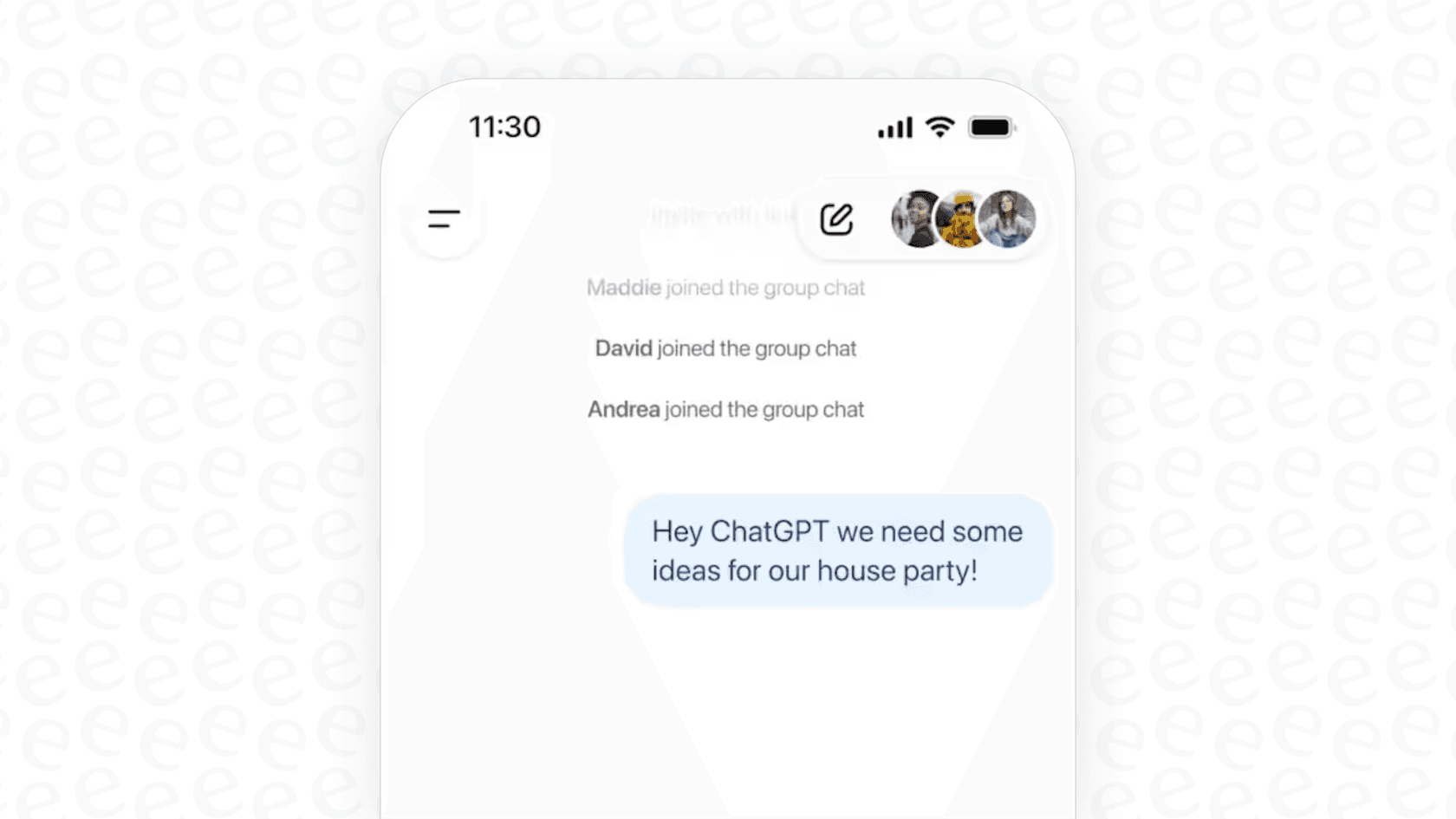
It's worth noting that this is still a pilot feature, so it isn't available to everyone just yet. OpenAI is currently rolling it out to users in Japan, New Zealand, South Korea, and Taiwan, and it's available for people on their Free, Plus, Pro, and Business plans.
The main idea is to use the AI for things like planning events, bouncing ideas off each other, and collaborating on projects. For example, you could ask it to find a restaurant everyone can agree on or draft an itinerary for a team offsite. And for anyone worried about privacy, OpenAI has been clear that these group chats are separate from your private, one-on-one chats and don't tap into your personal "memory" feature.
Key features
So, what can you actually do in one of these chats? Here’s a quick look at the main features.
-
Chat with up to 20 people. You can invite up to 20 people into a single conversation using a shareable link. It’s built for smaller group chats and brainstorming sessions.
-
It picks the best AI model for the job. The feature automatically selects the best AI model based on the conversation. It intelligently switches between models depending on the question and the subscription plans of the people in the chat, aiming to give the best response every time.
-
You can still use tools like DALL-E. Just like in a normal one-on-one chat, you can use ChatGPT's other built-in tools. That includes searching the web for current info, creating images with DALL-E, or uploading files for the AI to look at.
-
It knows when to chime in. The AI is designed to follow the natural flow of a group conversation. It’s meant to understand when to add something useful and when to hang back, so it doesn't feel like it’s constantly interrupting. If you want a direct answer, you can just tag “@ChatGPT” to get its attention.
-
How message limits work. A common question is how this affects your message limits. OpenAI has clarified that limits only kick in when ChatGPT itself responds, not for messages between the human users. The usage is counted against the person who asked the AI the question, which seems like a fair way to handle it.
Our recommendation: eesel AI internal chat
ChatGPT’s group chat is a neat idea for casual stuff, but when you’re talking about business, you need a tool that's built for the job, something more powerful, integrated, and secure. This is where a tool like the AI Internal Chat from eesel AI comes into the picture.

Instead of making your team learn and switch to another app, eesel AI works where you already do. It plugs directly into the platforms your team uses all day, like Slack and Microsoft Teams. No more sharing awkward links or constantly toggling between windows. Your team can get the answers they need without breaking their stride.
The real difference, though, is that eesel AI is trained only on your company's knowledge. You can connect it to all your internal docs, from Confluence and Google Docs to old support tickets and internal guides. This means the AI gives answers that are accurate and specific to your business, not just generic stuff it found on the internet.
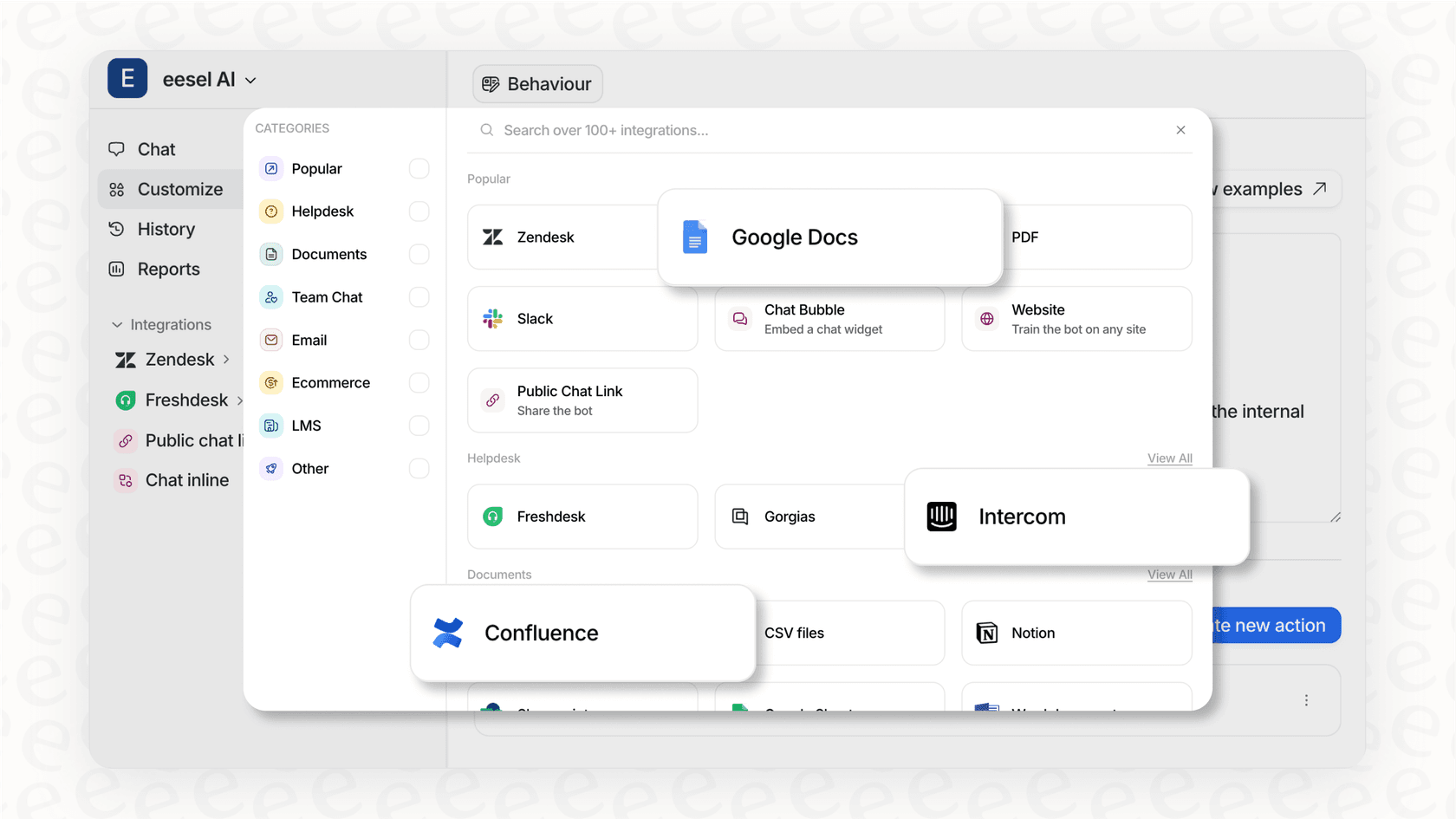
eesel AI was also built for business-level security. Your company’s data is never used to train models for anyone else, and features like scoped knowledge make sure the AI only answers what it's supposed to. This helps you avoid the huge privacy and security headaches that come with using consumer apps for company work. Best of all, you can get it up and running in a few minutes. eesel AI is completely self-serve, so you can connect your sources and launch it without needing to schedule a sales demo or wait around for someone to onboard you.
How ChatGPT group chat stacks up
Now that we've talked about a business-focused alternative, let's get back to the ChatGPT group chat experience and see how it actually holds up in the real world.
The good: Where it shines
For personal, everyday use, ChatGPT group chat is genuinely cool. It’s great for a group of friends trying to plan a trip. You can ask it to compare different destinations, suggest things to do, and even make a packing list for everyone. Being able to create images with DALL-E on the spot or quickly search the web without leaving the chat is a nice touch for brainstorming or settling a friendly argument.
It's also pretty handy for low-stakes teamwork, like students collaborating on a school project. You can use it to hash out a quick outline, summarize articles you've found, or draft social media posts together. In these situations, it feels like a shared digital whiteboard where ideas can flow without the rigid structure of a formal project management tool.
The not-so-good: Where it falls short
Even with its strengths for personal use, the feature has some serious downsides that make it a poor fit for most companies.
Clunky user experience
The biggest headache is just getting started. To kick off a chat, you have to create a link and then share it with your team in a different app, like email or Slack. This immediately yanks the conversation out of your company’s normal workflow and adds an extra, unnecessary step.
Big privacy and data concerns
This is probably the biggest deal-breaker for any business. By default, OpenAI can use your group chats to train its models unless a participant has specifically opted out. Even more worrying, as one privacy expert pointed out, anyone who gets the invite link can join the chat and see the entire conversation history. This is a total non-starter for any discussion that involves confidential company information.
It can't really do anything
The AI is good at giving you information, but it can’t perform many practical actions. Early testers have noted that it can't do real-world tasks like booking a table at a restaurant, even when it suggests it can. It just looks up the phone number and tells you to make the call yourself. This is a long way from business tools that can connect with other software to get things done.
Lack of integration
The group chat feature is a walled garden inside the ChatGPT app. There’s no API for developers to connect to, which means you can't link it with your company’s existing tools or build any custom workflows around it. This makes it impossible to scale or adapt for any serious business use.
ChatGPT pricing plans
The group chat feature is available on most of ChatGPT's plans. Here’s a quick look at the different tiers.
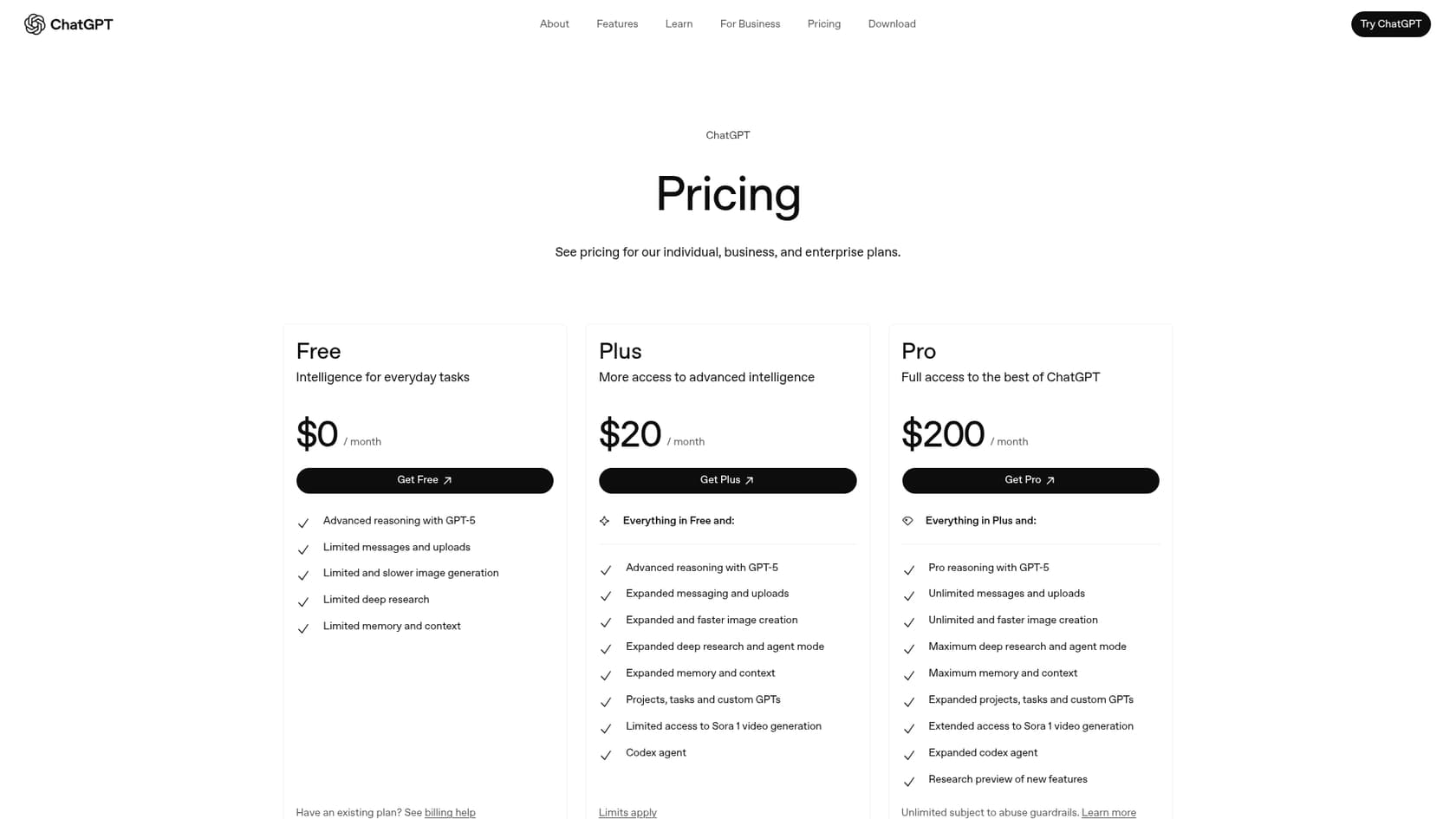
| Plan | Price (per month) | Key Features for Collaboration |
|---|---|---|
| Free | $0 | Limited access to GPT-5, standard features. |
| Plus | $20 | Expanded access to GPT-5, faster responses, access to tools like DALL-E and advanced data analysis. |
| Pro | $200 | Full access to the best of ChatGPT, unlimited messages, maximum research and agent mode. |
| Business | $25 / user (billed annually) | Secure workspace, admin controls, integration with company knowledge sources like Google Drive and Slack. No training on your business data by default. |
| Enterprise | Contact Sales | Everything in Business plus enterprise-grade security, expanded context window, and priority support. |
The verdict: Is it right for you?
So, what's the final verdict on ChatGPT group chat? Honestly, it all comes down to what you plan to use it for. For personal use, it’s a fun and creative feature that makes casual planning a lot easier. But for any professional team, the limitations around security, integration, and actual usefulness are just too big to overlook.
Here’s a simple breakdown to help you decide.
| Feature | ChatGPT group chat | eesel AI Internal Chat |
|---|---|---|
| Best For | Casual users, friends, personal projects. | Businesses, support teams, internal Q&A. |
| Integration | None. Standalone app. | Deeply integrated with Slack & MS Teams. |
| Knowledge Source | General web knowledge. | Your specific, private company documents. |
| Security | Consumer-grade, opt-out training data. | Enterprise-grade, data isolation by design. |
| Setup | Simple, but requires external link sharing. | One-click, self-serve setup inside existing tools. |
| Actions | Provides information only. | Can take custom actions via API calls. |
At the end of the day, ChatGPT group chat is a great tool for planning a party or brainstorming a creative project with friends. But if you need a secure, scalable, and integrated AI tool to help your team get work done, you'll be better off with a solution that was actually designed for business.
The future is in the workplace
OpenAI is definitely onto something here. AI is shifting from a tool you use by yourself to a partner you collaborate with. We're getting past just asking an AI for answers and moving toward a future where it's an active part of our conversations and daily work.
But while ChatGPT is leading the charge for personal use, the real wins for businesses are going to come from tools made specifically for the workplace. The future of work isn’t about adding yet another app to your team's plate; it's about embedding smart, context-aware AI into the software your team already relies on.
Ready to bring powerful, secure AI to your team's conversations?
Tired of switching between apps and worrying about data privacy? With eesel AI, you can deploy a powerful AI assistant directly in Slack or MS Teams that’s trained securely on your company knowledge.
Explore eesel AI's Internal Chat or start your free trial today.
Frequently asked questions

Share this article

Article by
Kenneth Pangan
Writer and marketer for over ten years, Kenneth Pangan splits his time between history, politics, and art with plenty of interruptions from his dogs demanding attention.