A comprehensive Claude Code overview: Your guide to the official docs and beyond


Last edited October 15, 2025

AI coding assistants are everywhere these days, and they're changing how we build software. It feels like every week there’s a new tool promising to write, debug, and refactor code for you. In this very crowded space, Anthropic’s Claude Code has built a solid reputation as a powerful AI pair programmer that works right from your command line.
But what does it actually do? And more importantly, is it the right tool for your team?
This post gives you the Claude Code overview docs don't always offer in one spot. We'll break down the core features, common workflows, and pricing, pulling from official documentation and what people are actually saying about it. It’s a guide for anyone trying to get a handle on AI tools, whether you're a developer, a tech lead, or a manager trying to see where this all fits.
What is Claude Code?
In short, Claude Code is a smart command-line tool that lets you build, debug, and understand entire codebases using plain English. The best way to think of it is as a brilliant junior developer who lives inside your terminal.
This isn’t just another chatbot sitting in a side panel. Because it operates from the command line, it can take direct action on your project. It can edit files, run terminal commands, and even create git commits for you. It's part of Anthropic's Claude ecosystem and is powered by their latest models, giving it some serious coding and reasoning skills.
Its developer-first, command-line approach is what makes it so powerful, but that also tells you exactly who it's for. It’s designed for people who are comfortable working in a terminal and want an assistant that plugs directly into their coding environment.
Core features of Claude Code
Knowing it's a "CLI tool" is one thing, but what can you actually get done with it? Let's look at the features that make Claude Code a go-to for many developers.
The AI agent in your terminal
The word "agent" gets tossed around a lot. Here, it just means Claude Code can take a high-level goal, figure out the necessary steps, and then use different tools to make it happen. It's more of a collaborator than a simple code-completion tool.
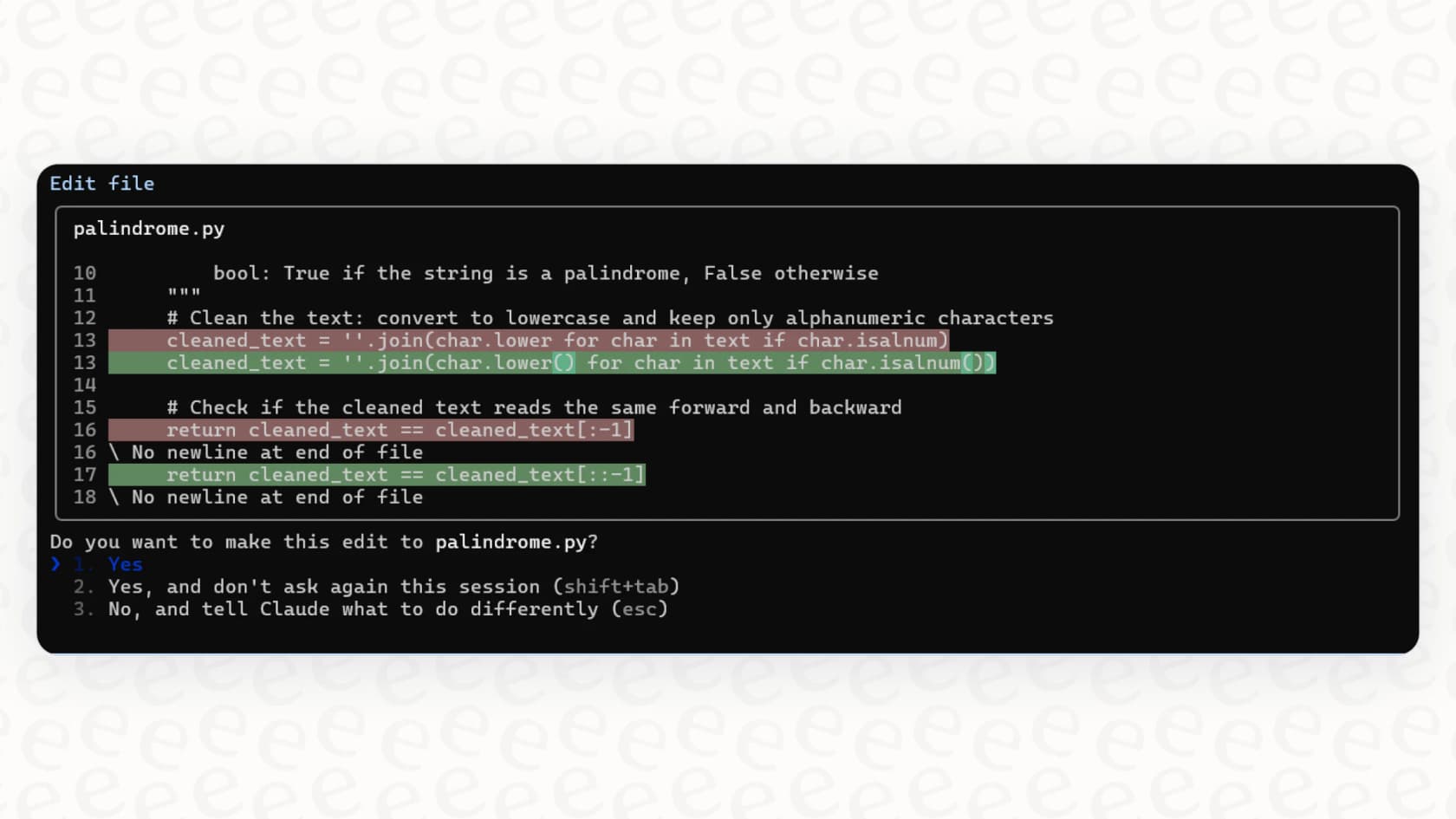
Based on the official docs, here are a few things you could ask it to do:
-
Build a feature: "Build a new API endpoint that returns user profiles and write the tests for it."
-
Fix a bug: "I'm getting this error when I run the app. Find the cause in the codebase and fix it."
-
Understand code: "Walk me through how our authentication system works and show me the most important files."
Customizing with "CLAUDE.md" files
One of its most interesting features is the use of "CLAUDE.md" files. You can think of these as a set of custom instructions or a permanent memory for the AI. By creating these markdown files in your project, you can teach Claude Code your team's specific rules and ways of doing things.
These files usually include things like:
-
Common bash commands for building or testing the project.
-
Code style guides (e.g., "always use tabs, not spaces").
-
Instructions on how to run tests properly.
-
Repository etiquette, like how to name branches.
The catch: While this is super flexible, it's a completely manual process. Your team has to create, maintain, and version these "CLAUDE.md" files just like any other piece of code. It takes developer time and a good amount of discipline to keep them updated.
This hands-on approach is a world away from a platform like eesel AI, which learns from your company's knowledge automatically. Instead of developers handwriting markdown files, eesel AI connects to your help centers, reads past support tickets, and syncs with knowledge bases like Confluence and Google Docs. For support and IT teams, that means getting started in minutes, not days.
Using tools and integrations
Claude Code can use any tool already available in a developer's shell, like "git", "grep", and the GitHub CLI ("gh"). It can also connect to external services through something called the Model Context Protocol (MCP), which lets it interact with tools like Jira or even control a web browser.
This is where you see both its power and its learning curve. Connecting these tools takes some technical setup. It’s built for developers who want that infinite flexibility and don't mind getting their hands dirty with the configuration.
For business teams in support or IT, that level of engineering just isn't practical. A tool should work with what you already have, without needing a developer to step in. That’s why eesel AI offers a library of over 100 one-click integrations. You can connect it to your Zendesk help desk, Shopify store, or internal wikis right away, giving you a powerful, context-aware AI without the engineering headache.
How developers use Claude Code
Knowing the features is one thing, but how do people use it day-to-day? Anthropic’s own engineering team has shared some best practices that show off its strengths (and the work it takes to use it well).
The standard workflow: Explore, plan, code, commit
A pretty common and effective way to work with Claude Code is to treat it like a real pair programmer.
-
Explore: First, you ask it to read the relevant files to understand the context of what you're trying to do.
-
Plan: Then, you tell it to create a step-by-step plan before it writes a single line of code. You can even use prompts like "think" or "think harder" to give it more time to come up with a good strategy.
-
Code: Once you've signed off on the plan, you ask it to implement the solution.
-
Commit: Finally, you can have it commit the changes with a clear, descriptive message.
graph TD A[Explore: AI reads files for context] --> B[Plan: AI creates a step-by-step plan]; B --> C{User Review}; C -- Approve --> D[Code: AI implements the solution]; D --> E[Commit: AI commits changes]; C -- Revise --> B;
More advanced workflows
For bigger tasks, you can get pretty creative. Some developers run multiple Claude instances at once to tackle different parts of a problem. There's also a "headless mode" that lets you automate tasks in your CI/CD pipeline, like running code linters or generating release notes.
These are seriously advanced, developer-focused patterns. They’re amazing for software engineering but aren't really built for automating business tasks like customer support or internal IT help desks.
For teams looking to automate ticket resolution or answer internal questions, a dedicated platform like eesel AI offers a managed workflow engine designed for exactly that. You can use its simulation mode to test how the AI would perform on thousands of old tickets, see exactly what it would say, and then roll out automation gradually with total confidence, all from a simple dashboard.
The "build-your-own" knowledge bot problem
A user manually downloaded all of the Claude Code documentation, saved them as markdown files, and uploaded them to create a specialized Q&A bot.

It’s a perfect example of a DIY knowledge system. It's clever, and it works, but it's a huge time-sink to set up and even more of a pain to keep updated.
This is the exact problem eesel AI's AI Internal Chat was built to solve, right out of the box. Instead of manually collecting and formatting documents, you just connect your knowledge sources. In minutes, your team gets a secure, accurate AI assistant that can answer questions directly in Slack or Microsoft Teams.
Claude Code pricing and plans
Claude Code isn't sold by itself. It's included as a feature within the paid Claude.ai subscriptions. If you want to use it interactively in your terminal, you'll need to sign up for a Pro or Max plan.
Here’s a simple breakdown based on their current pricing page:
| Plan | Monthly Price (billed monthly) | Key Features Included |
|---|---|---|
| Free | $0 | Does not include Claude Code. |
| Pro | $20 | Includes Claude Code, more usage, access to more models, unlimited Projects. |
| Max | From $100 | Everything in Pro, plus 5-20x more usage, higher output limits, and priority access. |
You can also access the underlying models via the Anthropic API, which is pay-as-you-go. But for the interactive command-line tool, a Pro or Max subscription is the way most people get started.
Is Claude Code right for your team?
Let's be blunt: Claude Code is a fantastic tool for its target audience. For software developers and engineering teams who want a deeply integrated, highly customizable AI coding partner in their terminal, it’s one of the best options out there.
However, for non-engineering teams, it has some pretty big limitations:
-
It has a steep learning curve and you need to be comfortable with the command line.
-
It relies on manual setup ("CLAUDE.md" files) to be really useful.
-
Its workflows are built for writing and debugging code, not for business tasks like ticket triage or helping support agents.
For customer support, IT, and internal knowledge management, eesel AI is a much better fit. It’s designed from the ground up to solve these specific business problems.
Here’s a quick comparison:
| Feature | Claude Code | eesel AI |
|---|---|---|
| Primary Use Case | AI-powered software development | Automating support & internal knowledge |
| Setup Time | Hours to days (installing, configuring) | Minutes (one-click integrations) |
| User Interface | Command-Line (CLI) | Web-based dashboard |
| Knowledge Training | Manual ("CLAUDE.md" files) | Automatic (learns from tickets & docs) |
| Key Workflows | Code generation, debugging, git | Ticket resolution, triage, agent assist |
| Target User | Software Developer | Support/IT Manager, Agent |
Final thoughts
Claude Code is a huge step forward for AI-assisted development. It gives coders an incredible amount of power and flexibility to work faster and smarter. It really is like having a second brain dedicated to your codebase.
But the right tool always depends on the job. For business-critical functions like customer service, IT support, and internal help desks, a specialized, no-code platform is almost always a more effective, efficient, and easier choice. You need a tool that understands the unique rhythms of support and works with the platforms your team already uses every day.
Ready to see how a purpose-built AI platform can transform your support operations, no engineering team required? Set up your first AI agent with eesel AI for free.
Frequently asked questions

Share this article

Article by
Kenneth Pangan
Writer and marketer for over ten years, Kenneth Pangan splits his time between history, politics, and art with plenty of interruptions from his dogs demanding attention.