Confluence vs Notion vs SharePoint: Which knowledge platform wins in 2026

Last edited March 30, 2026
Choosing a knowledge management platform isn't just about features. It's about how your team actually works. Do you need structured documentation or flexible workspaces? Deep Microsoft integration or modern simplicity? Enterprise governance or startup agility?
Let's break down three of the most popular options: Confluence, Notion, and SharePoint. Each serves different needs, and picking the wrong one can slow your team down for months.
What is Confluence?
Confluence is Atlassian's wiki and knowledge base platform, built primarily for teams already using their ecosystem. Think of it as a structured repository where documentation lives in organized spaces with clear hierarchies.
Launched in 2004, Confluence has evolved into an AI-powered workspace. Its core structure revolves around pages, whiteboards, and spaces. Pages are living documents that support real-time editing and inline commenting. Whiteboards provide infinite canvases for brainstorming. Spaces organize everything into meaningful categories, similar to folders but with more collaboration features.
What makes Confluence stand out is its deep integration with Jira. According to Atlassian, 76% of customers ship projects faster when connecting their project tracking in Jira to documentation in Confluence. You can reference Jira issues directly in pages, create pages from Jira tickets, and maintain traceability between code and documentation.
Confluence also includes Rovo, Atlassian's AI assistant that searches across all your tools, answers questions conversationally, and runs specialized AI agents for tasks and workflows. The AI can turn messy notes into polished documents, summarize extensive content, and define company-specific jargon.
Best fit: Software teams, technical documentation, and organizations already invested in the Atlassian ecosystem.
What is Notion?
Notion takes a different approach. Instead of rigid structure, it offers a flexible all-in-one workspace where notes, databases, wikis, and projects coexist. Founded in 2016, Notion has grown to over 100 million users and ranks #1 for knowledge bases on G2.
The magic of Notion is its block-based editor. Everything is a block: text, images, databases, embeds. You can drag blocks around, nest them, turn them into other types of content. This flexibility means one person can use Notion as a simple note-taking app while another builds complex project management systems in the same workspace.
Notion's databases are particularly powerful. Unlike traditional spreadsheets, Notion databases are relational. You can link databases together, create rollups, and build views that show exactly what each team member needs to see. A marketing team might have a content calendar database linked to a campaigns database, with each piece of content automatically tagged to its campaign.
On the AI front, Notion offers Notion AI Core for generating and editing content, plus the newer Notion Agent that completes complex multi-step tasks autonomously. The agent can triage product feedback, resolve support tickets in Slack, and automate weekly reporting. Custom agents are available for repetitive workflows at $10 per 1,000 credits.
Best fit: Startups, creative teams, and organizations that value flexibility over rigid structure.
What is SharePoint?
SharePoint is Microsoft's enterprise content management platform, recently celebrating 25 years in the market. With over 190 million users across 200,000 organizations, it's the established choice for large enterprises.
SharePoint serves two primary functions: document management and intranet portals. Document libraries provide version control, metadata tagging, and granular access controls. Intranet sites create branded hubs for company news, resources, and team collaboration. Everything integrates deeply with the Microsoft 365 ecosystem.
The platform's strength is enterprise governance. SharePoint offers granular permission settings at the site, list, and item levels. Administrators can control who sees what, enforce retention policies, and maintain compliance with regulations like HIPAA. For regulated industries, this level of control is non-negotiable.
Microsoft 365 Copilot brings AI to SharePoint through intelligent search that understands intent, custom agents with scoped knowledge, and AI-powered page creation. You can describe what you want in natural language, and Copilot builds the page structure and content. The platform also uses AI to spot outdated pages and broken links, keeping knowledge fresh.
Best fit: Large enterprises, regulated industries, and organizations deeply invested in Microsoft 365.
Feature comparison
| Feature | Confluence | Notion | SharePoint |
|---|---|---|---|
| Real-time collaboration | Yes | Yes | Yes |
| Databases | Yes (limited) | Advanced relational | Via Microsoft Lists |
| Mobile apps | iOS, Android | iOS, Android | iOS, Android |
| Templates | Extensive library | Growing library | Pre-built + Copilot |
| AI features | Rovo AI | Notion AI + Agent | Microsoft 365 Copilot |
| API access | Full REST API | Public API + webhooks | Microsoft Graph API |
| Guest access | Yes (Standard+) | Yes (Plus+) | Yes |
| Offline access | Limited | Yes (desktop app) | Via OneDrive sync |
All three platforms handle the basics well: collaborative editing, file attachments, and search. Where they differ is in the details.
Confluence excels at structured documentation with its page hierarchy and Jira integration. Notion wins on flexibility with its block editor and relational databases. SharePoint dominates in enterprise scenarios with its governance features and Microsoft ecosystem integration.
Pricing breakdown
Confluence pricing
| Plan | Price | Key Features |
|---|---|---|
| Free | $0 | Up to 10 users, 2GB storage, 3 whiteboards/user |
| Standard | $5.42/user/month | Unlimited users, 250GB storage, 10 whiteboards/user |
| Premium | $10.44/user/month | Unlimited storage, unlimited whiteboards, 99.9% SLA |
| Enterprise | Custom | Up to 150 sites, 99.95% SLA, Atlassian Guard |
Source: Atlassian Confluence Pricing
Notion pricing
| Plan | Price | Key Features |
|---|---|---|
| Free | $0 | Unlimited pages for individuals, limited blocks for teams, 7-day history |
| Plus | $10/user/month | Unlimited blocks, 30-day history, unlimited file uploads |
| Business | $20/user/month | 90-day history, SAML SSO, Enterprise Search, Notion Agent |
| Enterprise | Custom | Unlimited history, zero data retention, SCIM, audit logs |
Source: Notion Pricing
SharePoint pricing
| Plan | Price | Key Features |
|---|---|---|
| SharePoint Plan 1 | $5.00/user/month | File sharing, document libraries, 1TB storage |
| Microsoft 365 Business Standard | $12.50/user/month | SharePoint + Office apps, Teams, 1TB storage |
| M365 Business Standard (no Teams) | $9.29/user/month | SharePoint + Office apps, 1TB storage |
| Microsoft 365 Business Premium | $22.00/user/month | Advanced security, device management |
| Microsoft 365 Copilot | +$30.00/user/month | AI features across all apps |
Source: Microsoft SharePoint Plans
Bottom line? SharePoint Plan 1 is cheapest for basic document management. Notion's Plus plan offers the best value for small teams wanting flexibility. Confluence becomes competitive at scale for technical teams. Factor in that SharePoint often requires Microsoft 365 Copilot ($30/user) for AI features, while Confluence and Notion include more AI capabilities in their base plans.
AI capabilities comparison
AI has become central to knowledge management. Here's how each platform approaches it:
Confluence (Rovo): Atlassian's Rovo provides AI-powered search across all connected tools, conversational chat for finding answers, and specialized agents for tasks like triaging feedback or creating documentation. Rovo is included in the Premium plan.
Notion (Notion AI + Agent): Notion AI Core handles content generation and editing. The newer Notion Agent goes further, completing complex multi-step tasks autonomously using context from your workspace, connected apps, and the web. Enterprise Search connects to Slack, GitHub, Microsoft Teams, and SharePoint.
SharePoint (Microsoft 365 Copilot): Copilot integrates across the Microsoft ecosystem. In SharePoint specifically, it helps author pages from natural language descriptions, provides intelligent search understanding intent, and enables custom agents with scoped knowledge. However, Copilot requires an additional $30/user/month subscription.
The key difference is integration depth versus flexibility. SharePoint's AI works best within the Microsoft ecosystem. Notion's AI is most flexible for cross-platform work. Confluence's Rovo bridges Atlassian tools with some external connections.
Integration ecosystem
Confluence: Deep integration with the Atlassian suite (Jira, Trello, Bitbucket, Loom) plus 3,000+ apps in the Atlassian Marketplace. Strong for development workflows but more limited outside the Atlassian ecosystem.
Notion: Growing integration catalog including Slack, GitHub, Jira, Asana, Google Drive, and public API for custom connections. The Enterprise Search feature can query content from connected apps like Slack and GitHub directly within Notion.
SharePoint: Native integration with the entire Microsoft 365 stack (Teams, Outlook, OneDrive, Power Platform). This is both a strength and limitation: seamless if you're all-in on Microsoft, restrictive if you use other tools.
Use case recommendations
Choose Confluence if:
- Your team uses Jira for project management
- You need structured technical documentation
- Template-driven workflows matter to your process
- You want AI features included without per-user add-ons
Choose Notion if:
- You're a startup or small-to-medium business
- Flexibility and customization are priorities
- You want databases and documentation in one tool
- Your team values modern, intuitive interfaces
Choose SharePoint if:
- You're a large enterprise with compliance requirements
- Your organization is deeply invested in Microsoft 365
- You work in a regulated industry (healthcare, finance)
- Granular permissions and governance are essential
eesel AI: An AI-native alternative for knowledge management
Traditional knowledge management platforms require significant configuration. You set up spaces, define permissions, organize hierarchies, and hope people actually use them. They're tools you configure.
We built eesel AI with a different philosophy: you don't configure it, you hire it.
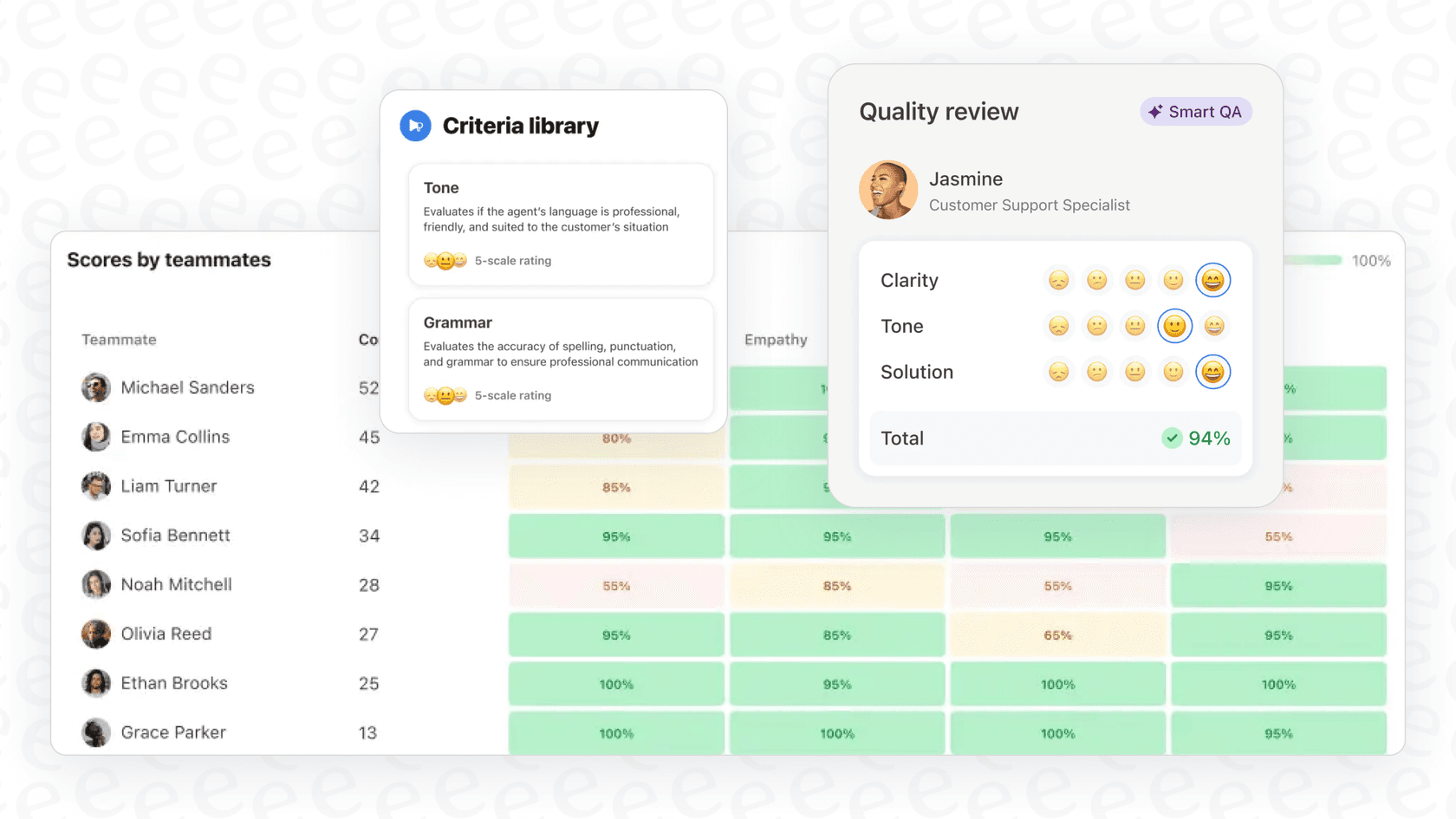
Like any new team member, eesel learns your business, starts with guidance, and levels up to work autonomously. The difference is that what takes a human weeks to learn, eesel learns in minutes.
Connect eesel to your help desk, help center, and connected docs (Confluence, Notion, Google Docs, wherever your knowledge lives). It immediately understands your business context, tone, and common issues. No manual training. No documentation uploads.
Start with oversight: have eesel draft replies that agents review before sending. As eesel proves itself, expand its scope to handle full frontline support autonomously. Define escalation rules in plain English: "If the refund request is over 30 days, politely decline and offer store credit." No code required.
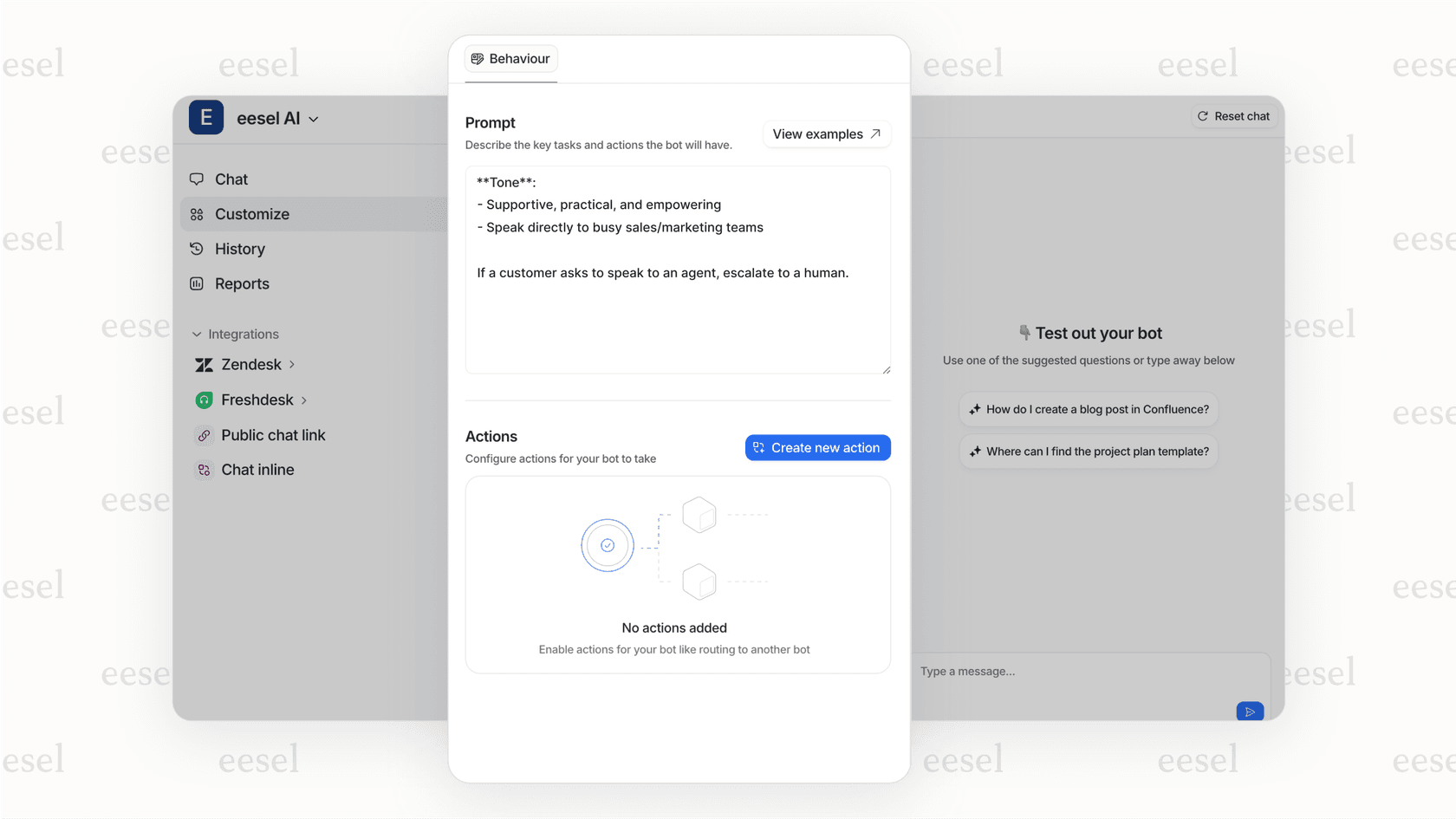
The key difference? Traditional platforms store knowledge. eesel actively uses it to resolve tickets, answer questions, and take actions. It's not a repository; it's a teammate.
Making your decision
The right choice depends on your existing tools, team size, and how you work.
Go with Confluence if you're already in the Atlassian ecosystem and need structured documentation tied to your development workflow. The Jira integration is genuinely hard to beat.
Go with Notion if you value flexibility and want one tool that can adapt to multiple use cases. It's the most versatile option, though that versatility requires discipline to avoid chaos.
Go with SharePoint if you're a Microsoft shop with compliance needs. The governance features are enterprise-grade, but you'll pay for it in complexity and cost (especially if you want AI features).
And if you're looking for something that goes beyond storing knowledge to actually acting on it, see how eesel works. We might be what you're actually looking for.
Frequently Asked Questions

Share this article

Article by
Stevia Putri
Stevia Putri is a marketing generalist at eesel AI, where she helps turn powerful AI tools into stories that resonate. She’s driven by curiosity, clarity, and the human side of technology.