Cursor vs Windsurf: AI code editor comparison (2026)

Last edited September 28, 2025

Table of Contents
AI has officially moved beyond fancy autocomplete. We’re now in an era where our code editors are becoming actual partners, intelligent sidekicks that can write, refactor, and debug code right alongside us. They aren't just tools anymore; they're collaborators.
In this new landscape, two names keep popping up: Cursor and Windsurf. Both are built on the back of VS Code, so they feel familiar the moment you open them. But under the hood, they have completely different ideas about how a developer should actually work with an AI.
This guide will break down the Cursor vs Windsurf debate, comparing their core features, AI agent smarts, user experience, and pricing. By the end, you should have a much clearer picture of which one fits your personal coding style.
What are AI code editors?
An AI code editor is a huge step up from something like the original GitHub Copilot. It’s a full development environment designed around an AI core. The goal is to enable "agentic workflows," which is a fancy way of saying the AI can handle complex, multi-step jobs from a single instruction. You can ask it to create new files, run terminal commands, and tweak code across your entire project, all while you (hopefully) sip your coffee.
Here’s what you can expect from these next-gen editors:
-
Codebase-aware chat: You can ask questions about your entire project, like "Where do we handle user authentication?" The AI scans everything and gives you a straight answer with code snippets.
-
Inline editing: Just highlight a chunk of code, hit a keyboard shortcut, and tell the AI what to do. Things like "Refactor this into a separate component" or "Add some error handling here" become simple requests.
-
Multi-file context: The AI gets how different files are connected. If you change a function in one file, it knows it needs to update the calls to that function everywhere else.
And since they’re based on VS Code, you get to keep all the extensions and keybindings you’ve spent years getting used to, but with a powerful AI assistant built right in.
A detailed Cursor vs Windsurf comparison
Before we get into the nitty-gritty, it’s good to remember that both of these tools are changing at a wild pace. They often use the same underlying Large Language Models (LLMs) from companies like Anthropic and OpenAI. The real difference isn't the AI's "brain" but the user interface and how each editor gathers context to feed to that brain.
AI agent capabilities
The main event in any modern AI IDE is its "agent", the feature that does the heavy lifting for you.
Cursor's Agent Mode is definitely a power tool. It’s built to give you fine-grained control, showing you the AI's "thought process" and letting you steer it at each step. It might tell you, "Searching for files related to user authentication..." and then "Okay, reading "auth.ts"..." This is great for developers who want to guide the AI with precision and jump in to correct its course. It can feel like more of a back-and-forth conversation, but you’re always the one in charge.
Windsurf's Cascade, on the other hand, aims to be more intuitive and automated. It works harder behind the scenes to analyze the codebase and figure out what to do on its own. It feels a lot more seamless and is often a favorite for beginners or anyone who just wants things to work for straightforward tasks.
A reality check, though: neither tool offers true, hands-off autonomy just yet. Both can get stuck waiting for a terminal command to finish or completely misunderstand what you’re asking for. They’re amazing assistants, but they still need a human expert calling the shots.
| Feature | Cursor Agent Mode | Windsurf Cascade |
|---|---|---|
| Primary Approach | Manual control, focused on power-users | Automated, intuitive workflow |
| Best For | Complex tasks that need precise developer guidance | Quick implementation and being beginner-friendly |
| Context Selection | Often needs you to select files manually | Automatically analyzes the codebase to find context |
| User Interaction | More back-and-forth prompting and reviewing | More of a "set it and forget it" feel for simple jobs |
Codebase context and intelligence
An AI is only as smart as the information you feed it. On this point, the two tools couldn't be more different.
Cursor is all about explicit context. You are the one who tells the AI what to look at using "@" symbols. You can type "@codebase" to reference your whole project, "@files" to point to specific open files, or even "@docs" to pull in documentation from a library. This approach gives you surgical precision, but it puts the burden on you to know exactly which files are relevant. If you forget to include a key file, the AI is basically flying blind.
Windsurf takes the opposite approach with implicit context. It uses a technique called Retrieval-Augmented Generation (RAG) to automatically scan and index your entire codebase in the background. When you give it a prompt, it searches its index to find the most relevant code snippets and feeds them to the AI for you. This is way faster and requires less thinking on your part, but you're trusting its algorithm to get it right. Sometimes it can miss something or pull in code that isn't relevant.
The context bottleneck is a real challenge for both. LLMs have a limited "memory," and in long conversations, the AI can start to forget earlier instructions. Cursor tries to solve this with its "Max Mode," which uses models with much bigger context windows, but that comes with a pay-as-you-go cost on top of your subscription.
Autocomplete and user experience
Beyond the big agent features, it’s the little day-to-day things that will make you love or hate one of these tools.
Autocomplete: Both IDEs have a super-powered "Tab" for multi-line completions that leaves traditional IntelliSense in the dust. Cursor made a great move by acquiring Supermaven, a company known for its blazing-fast autocomplete model. Because of this, Cursor's autocomplete is widely seen as the best in the business. It doesn't just suggest the next line; it often predicts entire diffs, suggesting changes to existing code around your cursor. Windsurf's Tab feature is also incredibly fast and, critically, is available for free with unlimited use, which is a massive plus.
User Interface (UI): This is where it really comes down to personal taste. Windsurf gets a lot of praise for its clean, polished, and intuitive UI. It feels minimalist and just stays out of your way. Cursor, by comparison, goes for the "kitchen sink" approach. It's packed with more features, buttons, and options that are always visible. Some people find it cluttered, but power users love having every tool right at their fingertips.
Unique Features: Windsurf has a couple of fantastic features for web developers. "App Deploys" lets you deploy a web app to a public URL with a single command from the agent. "Previews" gives you a live preview of your web app right inside the IDE, and you can even click on elements in the preview to give the AI context for changes. These can seriously speed up the whole development and feedback cycle.
A full pricing breakdown
Both platforms have free tiers so you can get your feet wet, but their paid plans are structured differently. You’ll want to pick the one that matches how you think you'll use the AI.
Cursor's pricing is based on requests. You get a certain number of "fast" premium requests per month, and after you use them up, you can keep going with unlimited "slow" requests for free.
-
Hobby: Free (includes some Agent requests and Tab completions, plus a two-week Pro trial).
-
Pro: $20 per user/month (gives you more Agent requests and unlimited Tab completions).
-
Pro+: $60 per user/month (3x usage on all premium models).
-
Ultra: $200 per user/month (20x usage and priority access).
-
Business Plans: Start at $40 per user/month and include team management features.
Windsurf's pricing uses a credit system. You get a monthly allowance of credits, and each time you send a prompt to the agent, it uses some credits.
-
Free: $0 (includes 25 prompt credits/month, unlimited Tab, and 1 app deploy per day).
-
Pro: $15 per user/month (500 prompt credits/month and 5 app deploys per day).
-
Teams: $30 per user/month (500 credits per user, centralized billing, and analytics).
-
Enterprise: Custom pricing (1,000+ credits per user and advanced security features).
-
Note: You can buy more credits on the Pro plan for $10 per 250 credits.
| Plan | Cursor (Pro) | Windsurf (Pro) |
|---|---|---|
| Monthly Cost | $20 / user | $15 / user |
| Model | Usage-based (more fast requests, then unlimited slow) | Credit-based (500 credits) |
| Autocomplete | Unlimited | Unlimited |
| Key Feature | Access to "Max Mode" (pay-as-you-go) | Cheaper entry price, 1-click App Deploys |
Beyond code editors: How AI agents are changing business workflows
Seeing these agentic workflows in tools like Cursor and Windsurf really makes you think. This idea of an AI that can understand context, use tools, and automate complex jobs isn't just for writing code; it's starting to change how entire businesses run.
While developers get these amazing assistants, teams in customer support and IT are often stuck with clunky, old-school automation. Their knowledge is spread all over the place: in helpdesks like Zendesk or Freshdesk, internal wikis like Confluence, and countless conversations buried in Slack.
This is where a platform like eesel AI comes into the picture. It uses the same principles as a coding agent but applies them to customer service and internal support. Instead of writing code, it resolves support tickets, answers employee questions, and triages requests automatically.
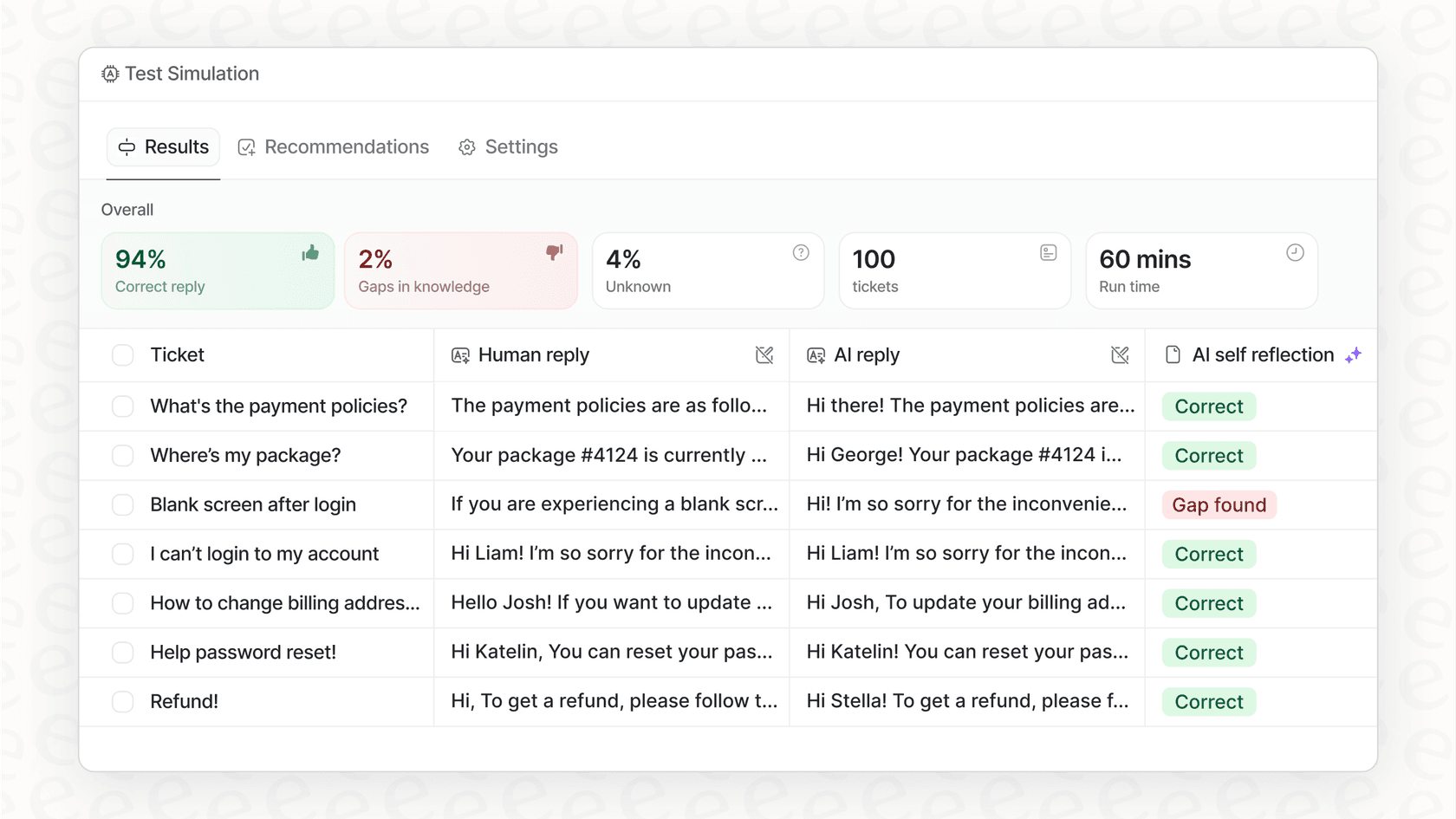
Unlike tools that make you go through a painful migration, eesel AI plugs directly into the systems you already use in just a few minutes. It instantly pulls together all your scattered knowledge, from past tickets and macros to Google Docs, to give accurate, context-aware answers. It even has a simulation mode where you can test it on thousands of your past tickets before ever letting it talk to customers, so you can roll it out without any risk.
Which AI coding assistant should you choose?
So, after all that, which one should you pick in the Cursor vs Windsurf showdown? There's no single right answer, it really boils down to your personal workflow and what you value in a tool.
Choose Cursor if: You're a seasoned developer who loves to be in control and wants a deep, feature-packed power tool. If you want access to the absolute beefiest models and don't mind paying a bit extra for them through features like Max Mode, Cursor is probably for you.
Choose Windsurf if: You value a clean, intuitive experience and want a tool that feels slick right out of the box. If you're a beginner, a "vibe-coder," or you work mostly on web projects where one-click deploys could save you tons of time, Windsurf is likely a better fit. Its lower price and generous free tier also make it a lot easier to jump into.
Both tools are proof that the future of development is collaborative. AI agents are quickly becoming essential partners in the creative process of building software.
And if you're excited about how these agents are changing code, imagine what they could do for other parts of your business. To see how an AI agent could automate up to 70% of your customer support workload without making you switch helpdesks, check out eesel AI.
Frequently asked questions

Share this article

Article by
Stevia Putri
Stevia Putri is a marketing generalist at eesel AI, where she helps turn powerful AI tools into stories that resonate. She’s driven by curiosity, clarity, and the human side of technology.