Dialpad review (2026): VoIP pros, cons & our verdict

Last edited July 27, 2025
You've probably seen Dialpad pop up in your search for a new business phone system. It's a popular unified communications platform with some slick AI features, and its marketing promises a seamless, intelligent, experience that will change the way your team works. But as anyone who’s ever bought software knows, the real story is usually found in what actual users have to say.
Many businesses struggle to figure out if Dialpad's value lines up with its price tag, especially with recurring whispers about reliability issues and support that doesn't quite hit the mark. This post is a straightforward Dialpad review that gets past the sales pitch. We’ve dug through hundreds of real user reviews to give you a clear, balanced look at Dialpad's features, confusing pricing, and customer support reality, so you can decide if it’s the right fit for your team.
What is Dialpad?
At its core, Dialpad is a cloud-based, AI-powered communication platform that bundles voice, video, messaging, and contact center tools into a single service. It’s built to be an all-in-one solution for business communications, split into a few main products:
-
Dialpad Connect: The main business phone system.
-
Dialpad Support: Designed specifically for customer service teams.
-
Dialpad Sell: Created with sales teams in mind.
The big selling point is how it weaves artificial intelligence into everything. From real-time call transcription to sentiment analysis, the promise is a smarter way to communicate. But does it actually hold up?
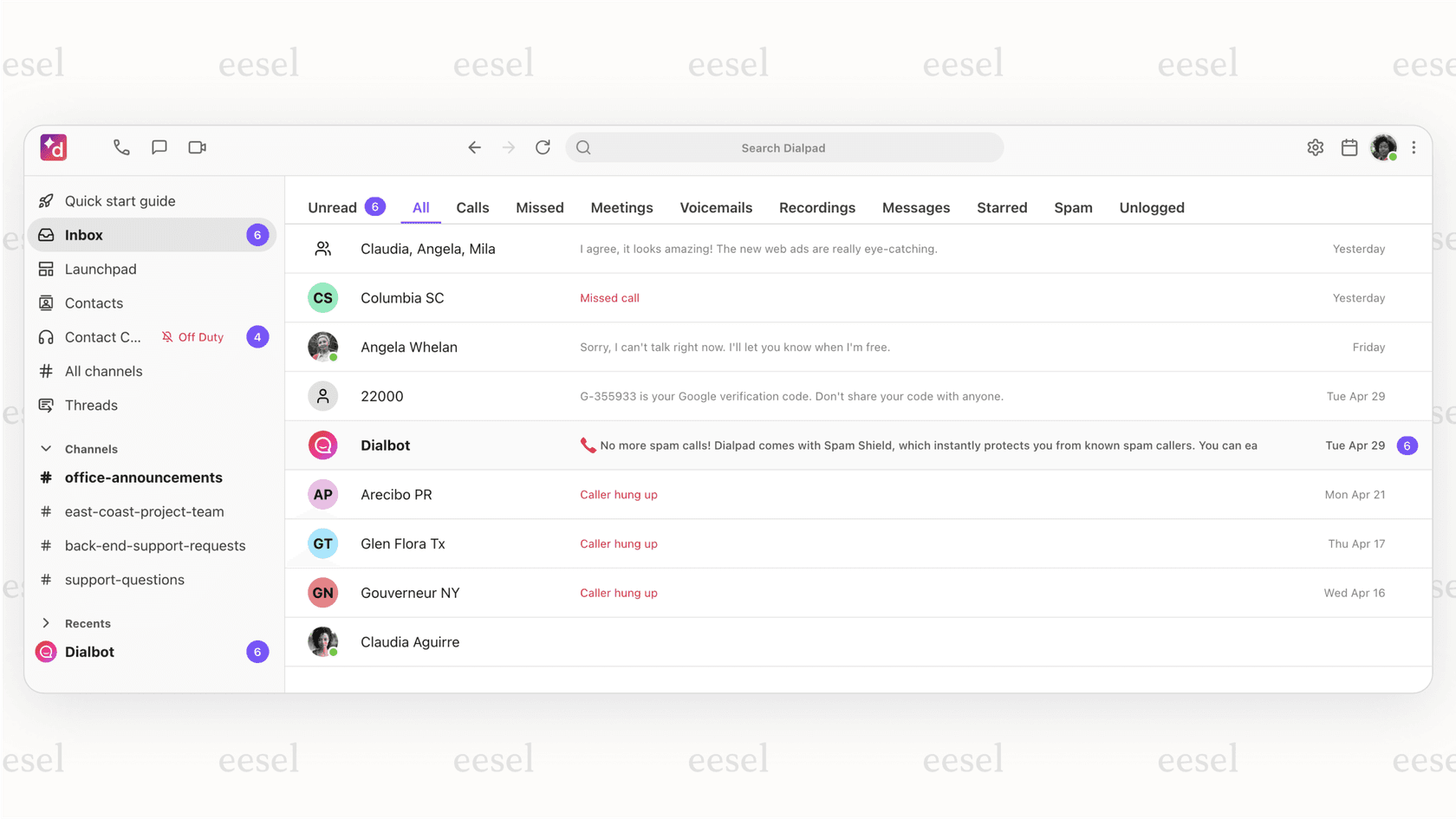
A Dialpad review: A look at features based on user reviews
Let's break down what Dialpad offers and see how it performs in the real world, according to the people who use it every day.
A Dialpad AI and automation: Powerful but not perfect
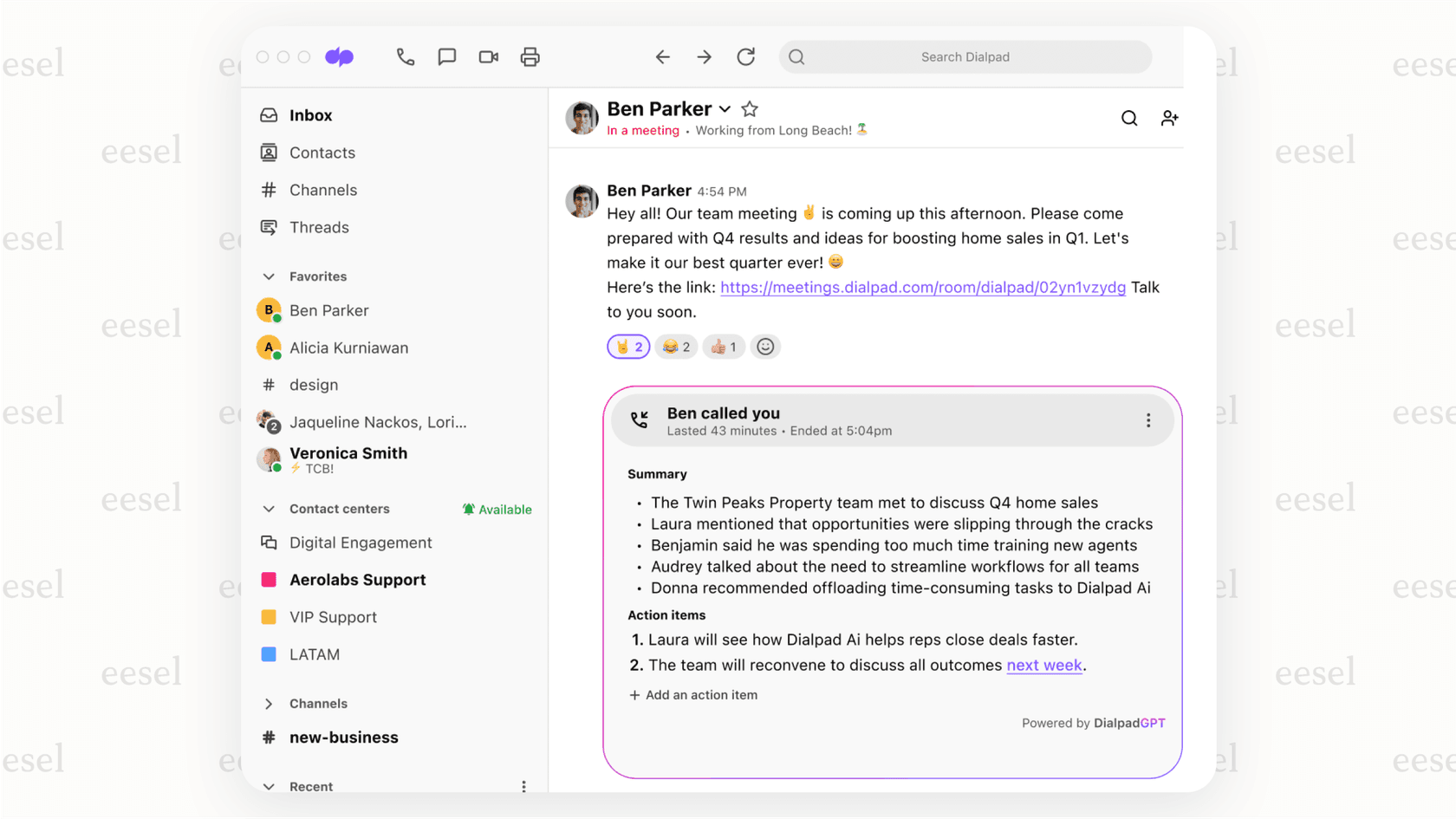
The Promise: Dialpad positions its AI as a huge leap forward. Features like AI Call Summary, AI Scorecards, and AI CSAT are meant to automate quality assurance, transcribe calls, and collect customer insights without you lifting a finger.
The Reality (User Feedback): While the idea is great, users report that the execution can be a bit shaky. People on GetApp often mention that the AI transcription is a "nice" feature, but the apps that deliver it are "buggy" and "unreliable." To make matters worse, many of the best AI tools, like advanced analytics and AI-powered coaching, are locked away in pricey Enterprise plans or "Advanced" tiers, putting them out of reach for many teams. The AI is only as good as the platform it runs on, and stability is a common complaint.
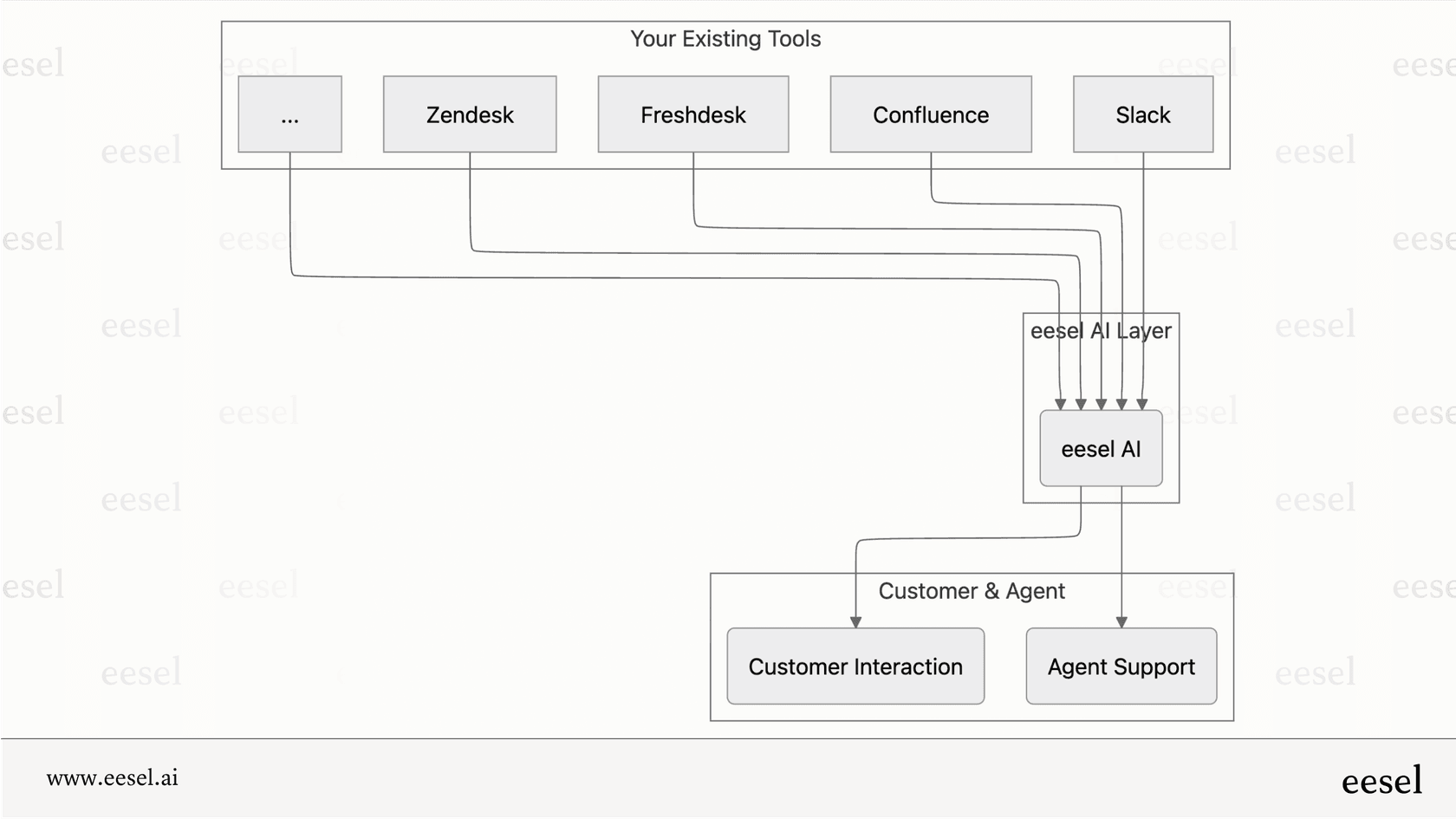
This is where Dialpad's AI falls a bit short for support teams. It's good at analyzing calls, but it doesn't help much with actually solving problems. For teams that need to resolve issues, a tool like eesel AI offers a more direct approach. Instead of just transcribing what was said, eesel AI is trained on your past tickets, help center articles, and over 100 other knowledge sources to fully resolve customer issues. It works on top of the help desk you already know and trust, giving you advanced AI capabilities without having to switch your entire communication system.
A Dialpad’s core communications: Some good, some bad
The Good: Users consistently praise Dialpad's flexibility. Being able to take work calls on a personal phone and switch between devices is a clear win for remote and hybrid teams. One reviewer on GetApp pointed this out, saying it's great for "the ability to take work calls from a personal cellphone."
The Bad: For a phone system, being reliable is non-negotiable, and this is where a lot of users feel Dialpad stumbles. The feedback is pretty concerning:
-
"Every once in a while, there will be some choppy calls."
-
"The software sometimes doesn't alert me when I have a call then automatically says I have a missed the call."
-
One user put it bluntly: "Unreliable phone service. Horrible for business owners!"
Dropped calls, poor connection quality, and missed call notifications are themes that pop up again and again. These are fundamental problems that can hurt any business relying on its phones.
A Dialpad’s integrations and usability: Simple on the surface
The Promise: Dialpad advertises integrations with key tools like Google Workspace, Microsoft 365, and Salesforce, painting a picture of a smooth, connected workflow.
The Reality (User Feedback): The truth about these integrations can be frustrating. Many of the most useful CRM integrations are only available on the more expensive plans. One user noted, "the integration with HubSpot is very limited and we typically run into issues for things are not getting associated or logged correctly." While some find the interface "easy to learn," others call the apps "clunky" and say they freeze up, which just interrupts work and adds friction.
This is where a layered solution really shines. Instead of getting locked into one platform's limited integrations, eesel AI plugs into your whole knowledge ecosystem. It connects with Zendesk, Freshdesk, Confluence, Slack, and dozens of other tools your team is already using. This gives you a truly connected workflow without forcing you to make any compromises.
What about Dialpad’s price tag?
Dialpad's pricing seems simple enough when you first glance at it, but a closer look shows a complicated structure that can catch businesses by surprise.
Understanding Dialpad's confusing pricing structure
Dialpad’s pricing is split across its different products which are Connect, Support, and Sell, and each has its own tiers and features. This makes it incredibly hard to figure out what your actual total cost will be. For example, the features a support team needs are in a totally different (and more expensive) package than the basic business phone system.
Here's a quick look at their Support plans, which shows how they gate important features behind higher tiers.
| Plan Tier (Support) | Annual Price (per user/mo) | Key Features | Locked Features |
|---|---|---|---|
| Essential | $80 | IVR, Call Barge/Whisper | Omnichannel, AI CSAT |
| Advanced | $115 | Self-service workflows | 100% Uptime Guarantee |
| Premium | $150 | All features | - |
A Dialpad review of the hidden costs and extra fees
The price you see advertised is almost never what you actually pay. One GetApp reviewer shared a frustrating story where they were quoted $540, but the final bill was nearly $750 because of "nearly 40% to my monthly fee in taxes and fees."
On top of taxes, many features you'd expect to be standard are treated as paid add-ons that drive up the cost. According to a breakdown by Emitrr, these include:
-
Additional local or toll-free numbers ($5-$15/number/month)
-
24/7 customer support (only available as a paid add-on)
-
Larger meeting sizes
-
Internet Fax
This is a huge point of difference for eesel AI. We use a transparent, interaction-based pricing model that doesn't punish you for growing your team. You're not charged per agent, so you can bring more people on board without your bill shooting up. Key features like unlimited bots, training on your past tickets, and Microsoft Teams integration are included in our Business plan, not treated as expensive extras.
What happens when you need help?
When something goes wrong with a tool as important as your phone system, you need fast and helpful support. Unfortunately, this is one of the biggest areas of complaint in any Dialpad review.
What users say about Dialpad's support
The general feeling around Dialpad's customer support in GetApp reviews is overwhelmingly negative. The feedback is direct and paints a clear picture of user frustration:
-
"I find it difficult to get issues addressed and resolved."
-
"Tech support is abysmal. Too often they just want to close tickets and do not try to provide solutions."
-
"It took me more than 6 months to be able to transfer my number out."
To make it worse, priority support isn't standard; it’s a paid add-on. For a utility as critical as a business phone, making customers pay extra for effective support is a major red flag.
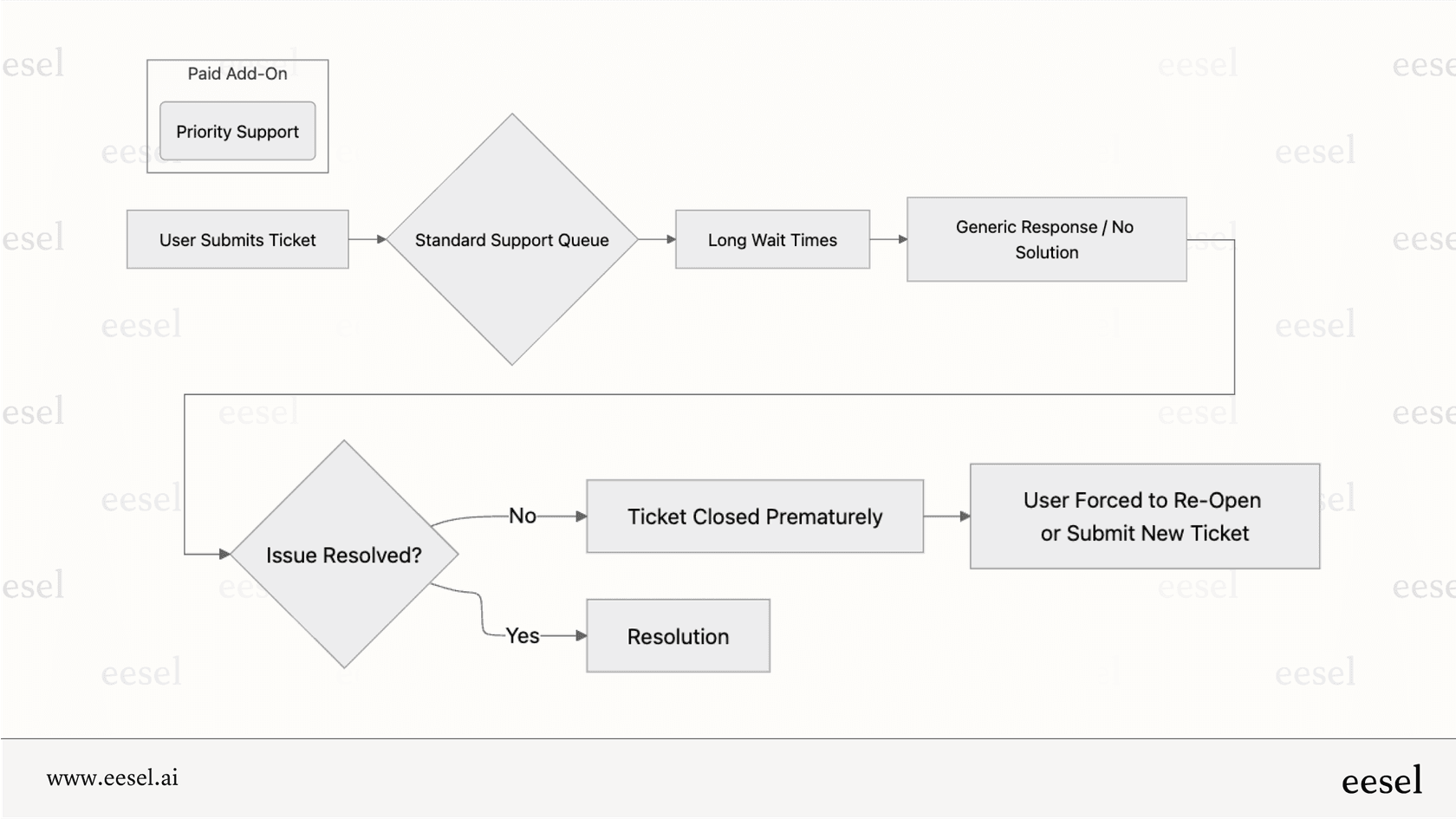
Dialpad’s list of broken promises and reliability issues
This poor support experience ties into a larger theme of unreliability and unmet expectations. Reviewers frequently use phrases like "Over promise. Under Deliver" and note that "Sales does a great job. The rest falls very short." For support teams that need their tools to be available and working properly, this level of unpredictability is a serious business risk.
When you're evaluating a tool your business will depend on, make sure to run a thorough trial and look for reviews that talk about long-term stability, not just how easy it was to set up.
Since eesel AI is a layer that works with your existing help desk, it doesn't introduce the same kind of risk. You can keep using your stable, trusted platform (like Zendesk or Freshdesk) while making it smarter with powerful AI. Plus, eesel AI has a unique simulation feature that lets you test its performance on your past tickets in a safe sandbox environment. This "try before you buy" approach helps you avoid the "over promise, under deliver" scenario that so many Dialpad users complain about.
Is Dialpad the right choice for your team?
So, after digging through all those reviews, what's the verdict? This Dialpad shows that while the platform offers an ambitious, all-in-one suite with impressive AI on paper, the real-world experience tells a different story. User feedback consistently points to big concerns around reliability, confusing and misleading pricing, and frustratingly poor customer support.
So, who is it for? Dialpad might work for teams that want a unified system for sales and basic business calls, as long as they're willing to pay a premium for the higher, more stable tiers.
Who should think twice? Support-focused teams that need reliability, clear pricing, and practical automation should probably look elsewhere. The risk of service interruptions and unpredictable, rising costs is likely to overshadow the benefits.
For teams looking to automate support without all the risks and hidden costs, there are better-focused solutions out there. eesel AI integrates directly with your existing, trusted help desk to provide powerful, reliable, and cost-effective automation. It handles everything from frontline support and ticket triage to drafting agent replies, all with full control and predictable, transparent pricing.
Ready to see how you can upgrade your support automation without ripping out your entire tech stack? Book a demo or start a free trial of eesel AI today.
Frequently asked questions

Share this article

Article by
Kenneth Pangan
Writer and marketer for over ten years, Kenneth Pangan splits his time between history, politics, and art with plenty of interruptions from his dogs demanding attention.