A complete guide to the Freshdesk Confluence integration in 2026


Last edited January 18, 2026

Table of Contents
- The Freshdesk Confluence integration challenge
- Traditional Freshdesk Confluence integration approaches
- Maximizing native AI and traditional integrations
- A modern Freshdesk Confluence approach: Unifying knowledge with an AI layer
- Comparing Freshdesk Confluence integration options
- Freshdesk pricing overview
- Stop syncing, start unifying your Freshdesk Confluence setup
Let’s paint a picture that might feel a little too real. Your support team is crushing tickets in Freshdesk, and all the company’s deep knowledge - the product guides, the troubleshooting docs, the internal policies - is neatly organized in Confluence. This setup is super common and provides a strong foundation for any support organization.
However, when these platforms aren't fully connected, agents may spend extra time bouncing between tabs, copying and pasting answers, or searching for the right document. This can lead to a more complex workflow when trying to keep the Freshdesk knowledge base aligned with your technical documentation in Confluence.
This guide will walk you through the ways teams build a Freshdesk Confluence bridge, from marketplace apps to automation tools. We’ll explore how these work and then talk about a modern, AI-powered way to unify your knowledge while keeping your existing tools as your sources of truth.
The Freshdesk Confluence integration challenge
Before we get into the solutions, let's quickly get on the same page about the tools and how to help them talk to each other more effectively.
What is Freshdesk?
Freshdesk is a robust customer service platform where businesses handle all their customer conversations. It’s built around a mature ticketing system that pulls in questions from email, chat, phone, and social media. It’s a reliable command center where support agents work every day to deliver great service. You can also boost its capabilities with tools like the eesel AI Freshdesk integration.
What is Confluence?
Confluence is a workspace where teams build out and organize knowledge. It's an industry standard for creating detailed product documentation, internal company wikis, and project plans. For many companies, it’s the official library for their most important information. If you're looking to connect it to your other tools, the eesel AI Confluence integration can help.
Bridging the information gap
The goal is to help your knowledge (Confluence) and your ticketing platform (Freshdesk) work together as one. When these systems are separate, there are a few areas where teams often look to optimize:
- Reducing the time agents spend searching across different systems to find the latest info.
- Streamlining the process of updating the Freshdesk knowledge base with new content from Confluence.
- Ensuring customers get consistent answers by providing agents with the right document as fast as possible.
Traditional Freshdesk Confluence integration approaches
Many teams look to bridge this gap with tools found in the marketplace. While these offer helpful starting points, it's good to understand their typical use cases.
Manual sync with third-party marketplace apps
A common first step is to use an app from the Freshworks or Atlassian marketplaces, such as "Knowledge Sync: Confluence to Freshdesk." The process is straightforward: install the app, connect your accounts, and specify which Confluence pages to sync. The app then brings that content into your Freshdesk knowledge base.
This method is helpful for basic needs, though there are things to keep in mind:
- Content duplication: You may end up with two versions of the same document. If an update happens in Confluence, it might take a moment to reflect in Freshdesk, so it's important to monitor sync schedules to ensure your team has the latest info.
- Focus on specific sources: These apps are often specialized for Confluence. If your team also relies on Google Docs, past tickets, or key Slack threads, you might still have information in other areas that needs to be accessed separately.
- Directional sync: The sync usually flows from Confluence to Freshdesk. Teams looking to capture new solutions from Freshdesk tickets and move them back into Confluence may need additional workflows.
Workflow automation with iPaaS tools
Another approach is to use an integration platform (iPaaS) like Zapier, Integrately, or n8n. These tools let you build custom logic between your apps. For instance, you could set up a rule: "When a new page is published in Confluence, create a new draft article in Freshdesk."
This gives you significant control, though it requires some attention:
- Workflow maintenance: These connections require a bit of upkeep. If an API updates in Freshdesk or Confluence, you might need to adjust your workflow to keep everything running smoothly.
- Batch processing: This method is often focused on moving data on a schedule or trigger. While effective for organizing data, it might not provide the instant, conversational answers an agent needs during a live chat.
- Usage monitoring: Many platforms have usage-based pricing. If your team is very active with content updates, it's helpful to keep an eye on your task volume.
Maximizing native AI and traditional integrations
Freshdesk offers powerful native capabilities, and when combined with traditional integrations, they provide a strong baseline for support teams.
Getting the most out of Freshdesk's native AI (Freddy AI)
Freshdesk’s built-in AI, Freddy AI, is excellent at learning from the data within the Freshdesk platform. It can analyze old tickets and articles in its own knowledge base to suggest replies or power helpful chatbots.
Because Freddy AI is optimized for the Freshdesk ecosystem, it works best with data that has been synced or imported into the platform. For teams that want to leverage external information in Confluence in real-time without manual copying, a complementary AI layer can be a great addition to Freshdesk's native strengths.
Looking at the big picture
Using syncs and automations is a great way to start connecting your systems. To make the most of your setup, consider these factors:
- Information accuracy: Keeping sync schedules frequent helps ensure that an agent using the Freshdesk knowledge base has the same information as the Confluence source.
- Comprehensive knowledge: The best answers sometimes live outside of Confluence - perhaps in a Slack thread, a Google Doc, or a recently resolved ticket. Finding ways to access these varied sources helps give your team the full picture.
- Unified context: For AI to be as helpful as possible, having access to all your company's knowledge at once ensures the most accurate and nuanced answers.

A modern Freshdesk Confluence approach: Unifying knowledge with an AI layer
Instead of relying solely on syncing data between systems, a sophisticated way to manage your knowledge is by using an intelligent AI layer. This sits on top of your existing tools and connects them without the need for duplication.
How eesel AI bridges the Freshdesk Confluence gap
This is where eesel AI provides a helpful option. eesel AI is designed to complement your existing ecosystem, connecting Freshdesk, Confluence, Google Docs, and over 100 other sources in minutes. It creates a unified knowledge layer that its AI can access in real-time.
This unified context then powers AI tools right inside the Freshdesk interface, enhancing your team's existing workflow:
- AI copilot: This drafts accurate, on-brand replies for your agents. It can pull an answer directly from a Confluence page, cite the source, and help your agents respond with confidence.
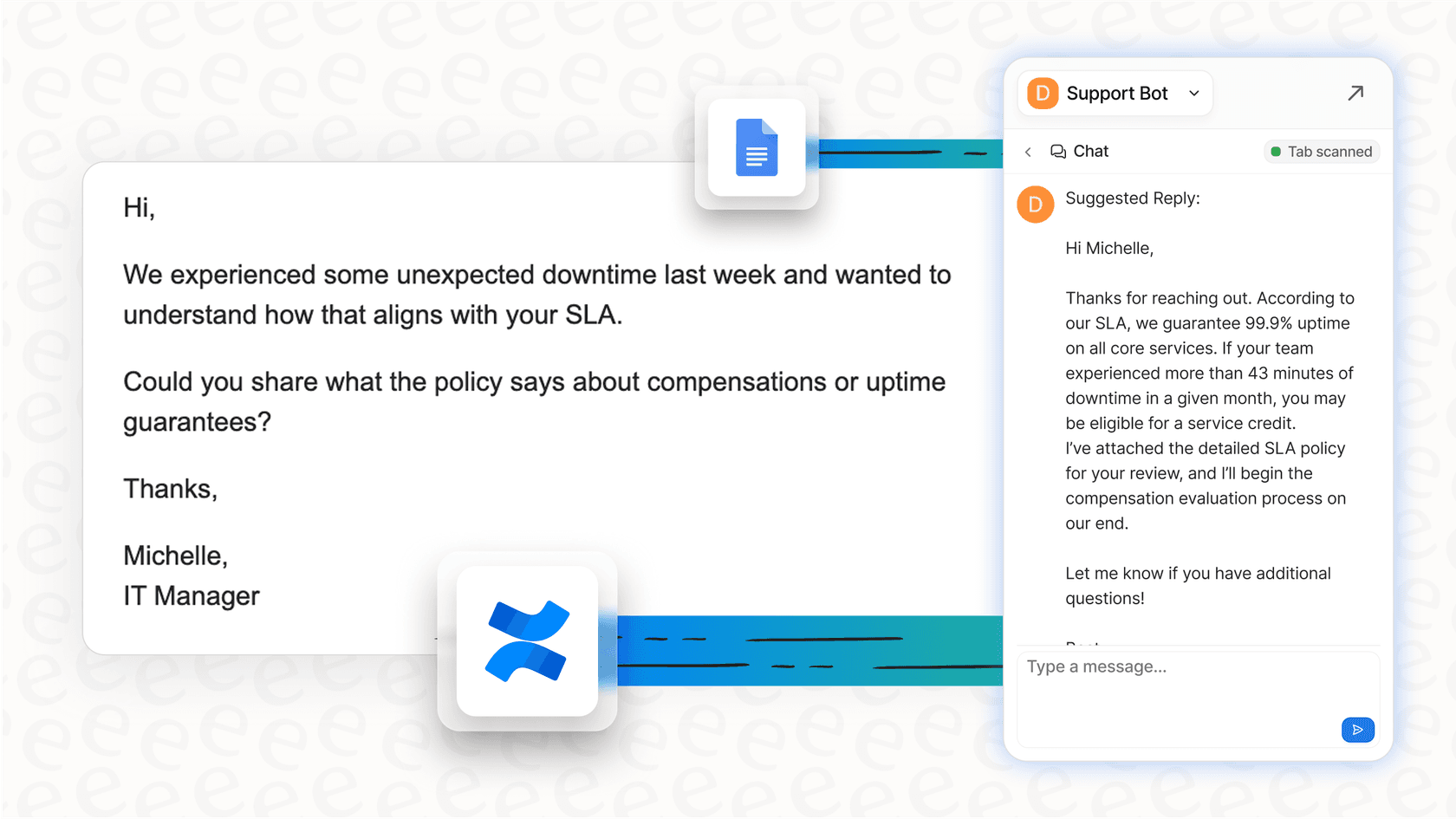
- AI agent: This can assist with frontline tickets by instantly finding answers from your entire knowledge base. It works alongside your team to resolve common questions, letting your agents focus on more complex customer needs.
One of the best features is the ability to test before you go live. With eesel AI's simulation mode, you can see how the AI would have answered past tickets using your Confluence knowledge. This gives you a clear forecast of your automation potential and ensures the system is perfectly tuned for your customers.

Comparing Freshdesk Confluence integration options
To help you choose the best approach for your team, here’s a look at how different solutions compare.
| Feature | Marketplace Sync App | iPaaS Automation (e.g., Zapier) | eesel AI |
|---|---|---|---|
| Real-time knowledge access | ❌ (Relies on sync cycles) | ❌ (Workflow-based) | ✅ (Instant access to latest info) |
| Connects multiple sources | ❌ (Usually Confluence only) | ✅ (Requires separate setup for each) | ✅ (Connects 100+ sources easily) |
| AI reply generation | ❌ | ❌ | ✅ (AI copilot drafts replies in Freshdesk) |
| Autonomous resolution | ❌ | ❌ | ✅ (AI agent resolves tickets 24/7) |
| Setup & maintenance | Low | High | ✅ Low (Go live in minutes) |
| Pricing model | Subscription | Per task/automation | ✅ Predictable (Based on interactions) |
Freshdesk pricing overview
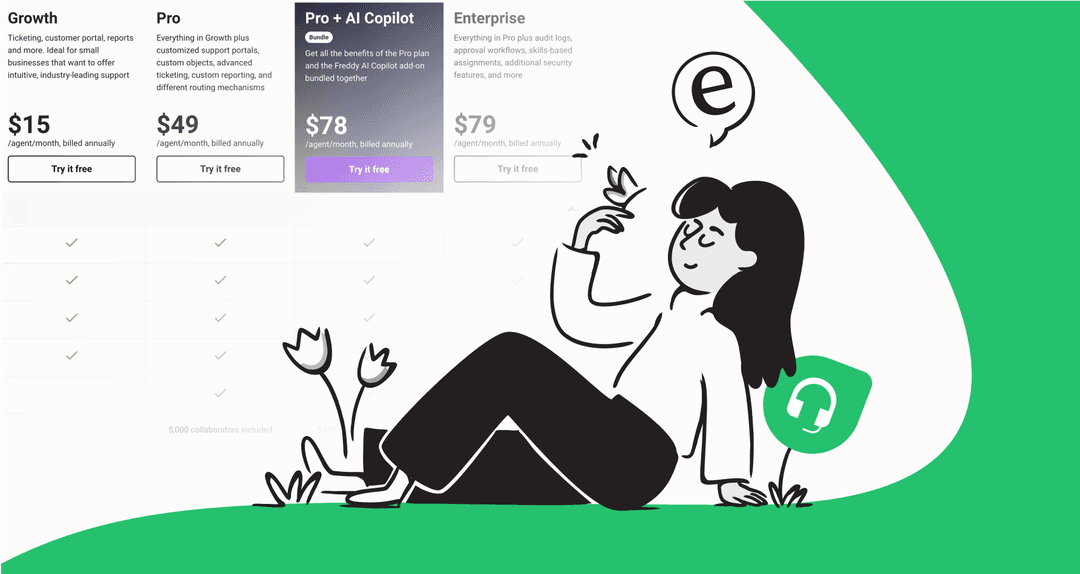
Freshdesk offers several tiered plans to match different team sizes and needs. These plans provide a strong foundation for your support desk software. Prices below are for annual billing:
- Growth: $15 per agent/month. This includes ticketing, a knowledge base, and basic reporting.
- Pro: $49 per agent/month. This adds custom roles, advanced automation, and support for multiple products.
- Enterprise: $79 per agent/month. This includes skill-based routing, audit logs, and a sandbox environment for testing.
Stop syncing, start unifying your Freshdesk Confluence setup
If you're looking for a more efficient way to connect Freshdesk and Confluence, moving toward a unified knowledge approach can be a game-changer. While traditional syncs are a valid starting point, they are even more powerful when combined with a modern AI layer.
The future of customer support is about making knowledge accessible, not just moving it around. By using a smart AI layer like eesel AI alongside Freshdesk, you give your team instant access to everything they need to know, right where they already work. That means faster resolutions, higher CSAT, and a more streamlined experience for your agents.
Explore how you can connect your Freshdesk Confluence knowledge and unlock real support automation. You can start a free trial of eesel AI today.
Frequently asked questions


Automate your Freshdesk with AI agents
Share this article

Article by
Stevia Putri
Stevia Putri is a marketing generalist at eesel AI, where she helps turn powerful AI tools into stories that resonate. She’s driven by curiosity, clarity, and the human side of technology.