Freshservice API overview: A complete developer's guide for 2026

Last edited March 12, 2026
If you're building integrations with Freshservice, you need to understand its API capabilities. Whether you're automating ticket creation, syncing user data, or building custom dashboards, the Freshservice API gives you programmatic access to your IT service management data.
Let's break down what the Freshservice API offers, how to authenticate, what endpoints are available, and how to work within its rate limits. We'll also look at how tools like eesel AI can simplify some of these integrations without writing code from scratch.
What is the Freshservice API?
The Freshservice API is a RESTful interface that lets you interact with your Freshservice instance programmatically. It follows standard HTTP conventions, uses JSON for data exchange, and supports the full range of CRUD operations (Create, Read, Update, Delete).
Here's what that means in practice. You can:
- Pull ticket data into external reporting tools
- Create tickets automatically from monitoring alerts
- Sync user information with your identity provider
- Update asset records from discovery tools
- Build custom portals or mobile apps
Freshservice actually offers two API versions. Version 1 is the legacy API, still functional but limited. Version 2 is what you should use for new projects. It offers higher rate limits, better error handling, and more endpoints. The v2 API only accepts JSON and requires HTTPS connections.
Freshservice also comes in three flavors, each with slightly different API behavior:
- Freshservice: The standard ITSM platform
- Freshservice for Business Teams (FSBT): Designed for non-IT departments like HR or Facilities
- Freshservice for MSPs: Built for managed service providers handling multiple clients
The core API works the same across all three, but some endpoints and terminology differ. For example, MSPs use "Contacts" instead of "Requesters," and "Clients" instead of "Workspaces."
Authentication methods
Before you can make any API calls, you need to authenticate. Freshservice offers a few options depending on your use case.
API Key authentication (recommended)
This is the simplest and most common approach. You generate an API key from your Freshservice profile, then include it in your requests using Basic Auth.
Here's how to find your API key:
- Log into your Freshservice portal
- Click your profile picture in the top right
- Go to Profile Settings
- Your API key appears below the Change Password section
Once you have your key, you authenticate by passing it as the username in a Basic Auth header, with any string (conventionally "X") as the password. Here's what that looks like in practice:
curl -u "your_api_key:X" \
 -H "Content-Type: application/json" \
 -X GET \
 "https://yourdomain.freshservice.com/api/v2/tickets"
Or in JavaScript:
const apiKey = "your_api_key_here";
const encodedKey = Buffer.from(apiKey + ":X").toString("base64");

fetch("https://yourdomain.freshservice.com/api/v2/tickets", {
 method: "GET",
 headers: {
 "Authorization": `Basic ${encodedKey}`,
 "Content-Type": "application/json"
 }
})
.then(response => response.json())
.then(data => console.log(data));
Username and password authentication
You can also authenticate using your Freshservice login credentials. This works the same way as API key auth, but you pass your email and password instead:
curl -u "user@company.com:password" \
 -H "Content-Type: application/json" \
 -X GET \
 "https://yourdomain.freshservice.com/api/v2/tickets"
OAuth 2.0
For applications that need to act on behalf of users (like marketplace apps), Freshservice supports OAuth 2.0. This is more complex to set up but provides better security for user-facing integrations.
Security best practices
A few things to keep in mind:
- Store API keys securely, never commit them to version control
- Use HTTPS for all requests (v2 requires it)
- Rotate API keys periodically
- Use the minimum permissions necessary for your integration
- Consider using environment variables for key storage
Core API endpoints and capabilities
The Freshservice API covers virtually every feature in the platform. Here are the main endpoints you'll work with.
Tickets
The tickets endpoint is the most commonly used. You can:
- List all tickets with filtering and pagination
- Create new tickets programmatically
- Update ticket properties (status, priority, assignee)
- Delete or restore tickets
- Add replies and notes
A basic ticket creation request looks like this:
fetch("https://yourdomain.freshservice.com/api/v2/tickets", {
 method: "POST",
 headers: {
 "Authorization": "Basic " + btoa("api_key:X"),
 "Content-Type": "application/json"
 },
 body: JSON.stringify({
 email: "requester@example.com",
 subject: "New laptop request",
 description: "I need a new laptop for the upcoming project",
 priority: 2,
 status: 2
 })
});
Ticket properties use numeric values for status and priority:
| Status | Value |
|---|---|
| Open | 2 |
| Pending | 3 |
| Resolved | 4 |
| Closed | 5 |
| Priority | Value |
|---|---|
| Low | 1 |
| Medium | 2 |
| High | 3 |
| Urgent | 4 |
Users and groups
Manage your service desk team and requesters:
- Agents: IT staff who handle tickets
- Requesters: Employees who submit tickets
- Groups: Teams that handle specific ticket types
- Departments: Organizational structure
Assets
Track and manage IT assets throughout their lifecycle:
- Create and update asset records
- Associate assets with tickets
- Manage asset relationships and dependencies
- Track asset maintenance and contracts
Changes and problems
For ITIL-aligned change management:
- Create change requests
- Manage change approval workflows
- Link changes to tickets and problems
- Track implementation status
Service catalog
Automate service requests:
- List available service items
- Submit service requests
- Track request approval status
- Manage service level agreements
Conversations
Handle ticket communications:
- Add public replies visible to requesters
- Add private notes for internal teams
- Attach files to conversations
- Forward tickets to external parties
Rate limits and best practices
Freshservice imposes rate limits to ensure platform stability. These vary based on your plan and when your account was created.
Rate limits by plan
For accounts created after September 1, 2020:
| Plan | Overall Limit (per minute) | Ticket/List Operations (per minute) |
|---|---|---|
| Starter | 100 | 40 |
| Growth | 200 | 70 |
| Pro | 400 | 120 |
| Enterprise | 500 | 140 |
Note that these are account-wide limits, not per-user or per-IP. Every API call from your account counts toward the same quota.
Rate limit headers
Every API response includes headers showing your current rate limit status:
X-RateLimit-Total: Your account's total limit per minuteX-RateLimit-Remaining: Requests remaining in the current windowX-RateLimit-Used-CurrentRequest: How many requests your last call consumedRetry-After: Seconds to wait when you've hit the limit (only appears on 429 responses)
Handling rate limits
When you hit the limit, the API returns a 429 status code. Your code should handle this gracefully:
async function makeRequestWithRetry(url, options, maxRetries = 3) {
 let retries = 0;

 while (retries < maxRetries) {
 const response = await fetch(url, options);

 if (response.status !== 429) {
 return response.json();
 }

 const retryAfter = response.headers.get('Retry-After') || Math.pow(2, retries);
 console.log(`Rate limited. Retrying in ${retryAfter} seconds...`);
 await new Promise(resolve => setTimeout(resolve, retryAfter * 1000));
 retries++;
 }

 throw new Error('Maximum retries reached');
}
Pagination
List endpoints return paginated results. Use the page parameter to navigate:
curl -u "api_key:X" \
 "https://yourdomain.freshservice.com/api/v2/tickets?page=2&per_page=100"
The v2 API supports page sizes up to 100 records. Always implement pagination for production integrations rather than assuming you'll get all results in one call.
Common integration use cases
Here are some practical ways organizations use the Freshservice API:
Automated ticket creation: Monitoring tools like Datadog or PagerDuty can create tickets automatically when alerts fire, ensuring IT teams respond quickly to incidents.
User provisioning: When new employees join, HR systems can create Freshservice accounts automatically, assigning them to the right departments and groups based on their role.
Asset synchronization: Discovery tools can push asset data into Freshservice's CMDB, keeping inventory records current without manual entry.
Custom dashboards: Organizations pull ticket metrics into business intelligence tools like Tableau or Power BI for executive reporting.
Chatbot integrations: AI-powered support tools can create tickets from chat conversations, automatically categorizing and routing them based on content analysis.
Email automation: Incoming emails from specific domains or containing certain keywords can trigger ticket creation with pre-filled categories and assignees.
Getting started with your first API call
Ready to try it yourself? Here's a quick start guide.
First, grab your API key from your Freshservice profile settings. Then open a terminal and run this cURL command (replace yourdomain and your_api_key):
curl -u "your_api_key:X" \
 -H "Content-Type: application/json" \
 -X GET \
 "https://yourdomain.freshservice.com/api/v2/tickets?page=1&per_page=1"
If everything works, you'll get a JSON response with your most recent ticket.
For exploration, Postman is invaluable. Create a new request, set the authentication to Basic Auth with your API key as the username and "X" as the password, and start testing endpoints.
Freshworks also provides an official JavaScript/TypeScript SDK that simplifies API interactions:
const { Freshservice } = require("@freshworks/api-sdk");
const fs = new Freshservice("yourdomain", "your_api_key");

// Get all tickets
const tickets = await fs.tickets.list();
Simplifying Freshservice integrations with eesel AI
Building API integrations from scratch takes time and engineering resources. If you need to automate Freshservice workflows without writing code, eesel AI offers an alternative approach.
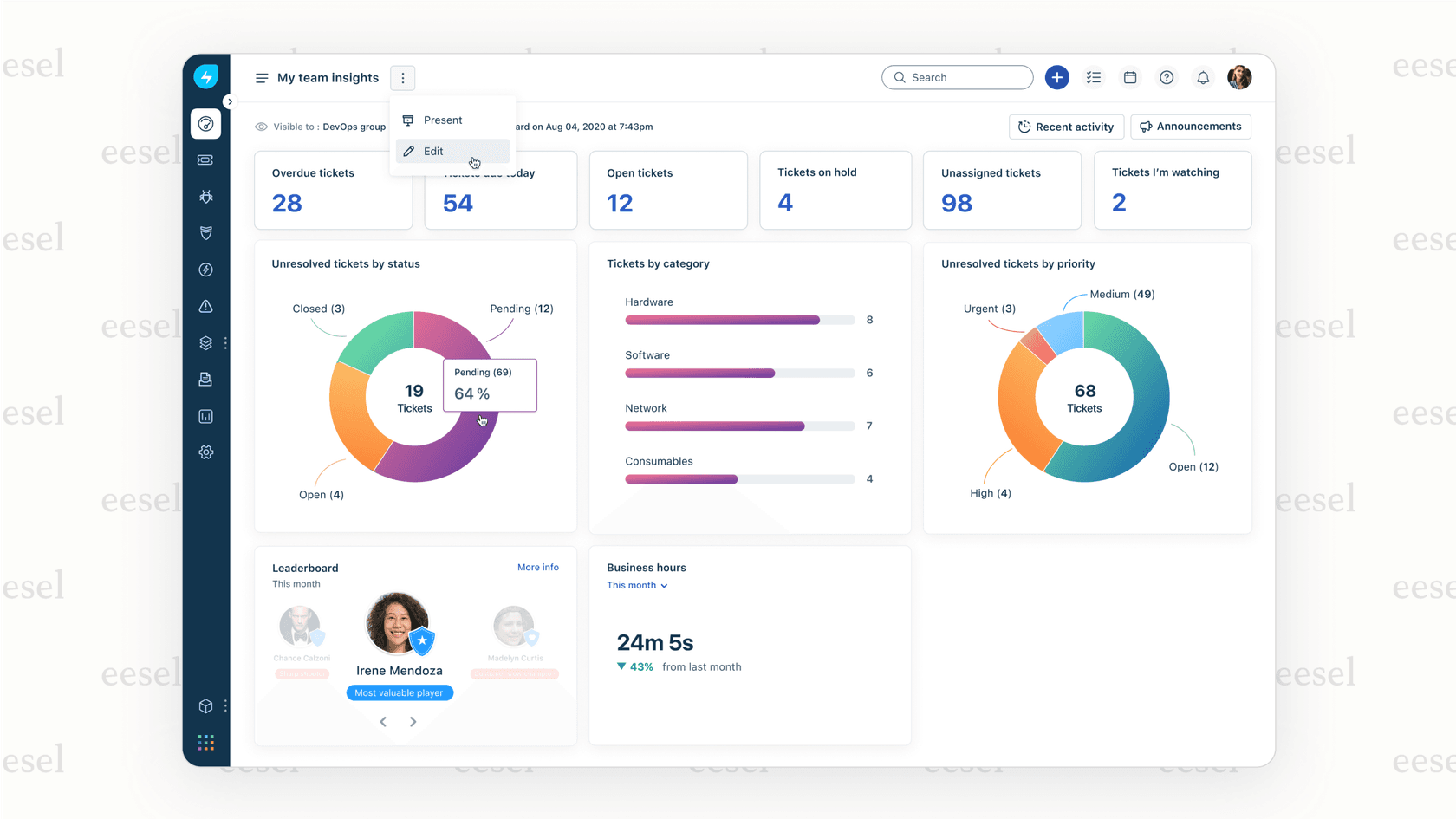
Our platform connects directly to Freshservice and provides AI-powered automation for common tasks:
- AI Agent: Autonomously handles frontline support tickets, resolving common issues without human intervention
- AI Copilot: Drafts replies for your agents to review and send, speeding up response times
- AI Triage: Automatically tags, routes, and prioritizes incoming tickets based on content
Instead of writing API calls to create tickets or update fields, you configure automation rules in plain English. For example: "If a ticket mentions 'password reset' and comes from a VIP user, assign it to the senior support group and mark it high priority."
The setup takes minutes rather than weeks. You connect your Freshservice account, and our AI learns from your existing tickets, help center articles, and macros. No need to map API endpoints or handle rate limiting yourself.
For teams that need both custom API integrations and AI automation, the approaches complement each other. Use the API for data synchronization and system-to-system communication, and eesel AI for intelligent ticket handling and response drafting.
Frequently Asked Questions

Share this article

Article by
Stevia Putri
Stevia Putri is a marketing generalist at eesel AI, where she helps turn powerful AI tools into stories that resonate. She’s driven by curiosity, clarity, and the human side of technology.