A practical guide to automating git workflows with Claude Code


Last edited November 14, 2025

Let's be real, AI in development is everywhere now. We've all gotten used to coding assistants that suggest the next line of code. But the conversation is starting to shift toward something bigger: hooking AI agents directly into our core tools, like Git. That’s where things get really interesting, and frankly, a lot more powerful.
This guide is all about the practical side of automating git workflows with Claude Code. We'll walk through what it is, how you can get it to handle complex Git tasks for you, and look at some genuinely useful ways to apply it. We’ll also be honest about its limits and why a tool built for developers tinkering in a command line might not be the right call for your other teams.
What is Claude Code?
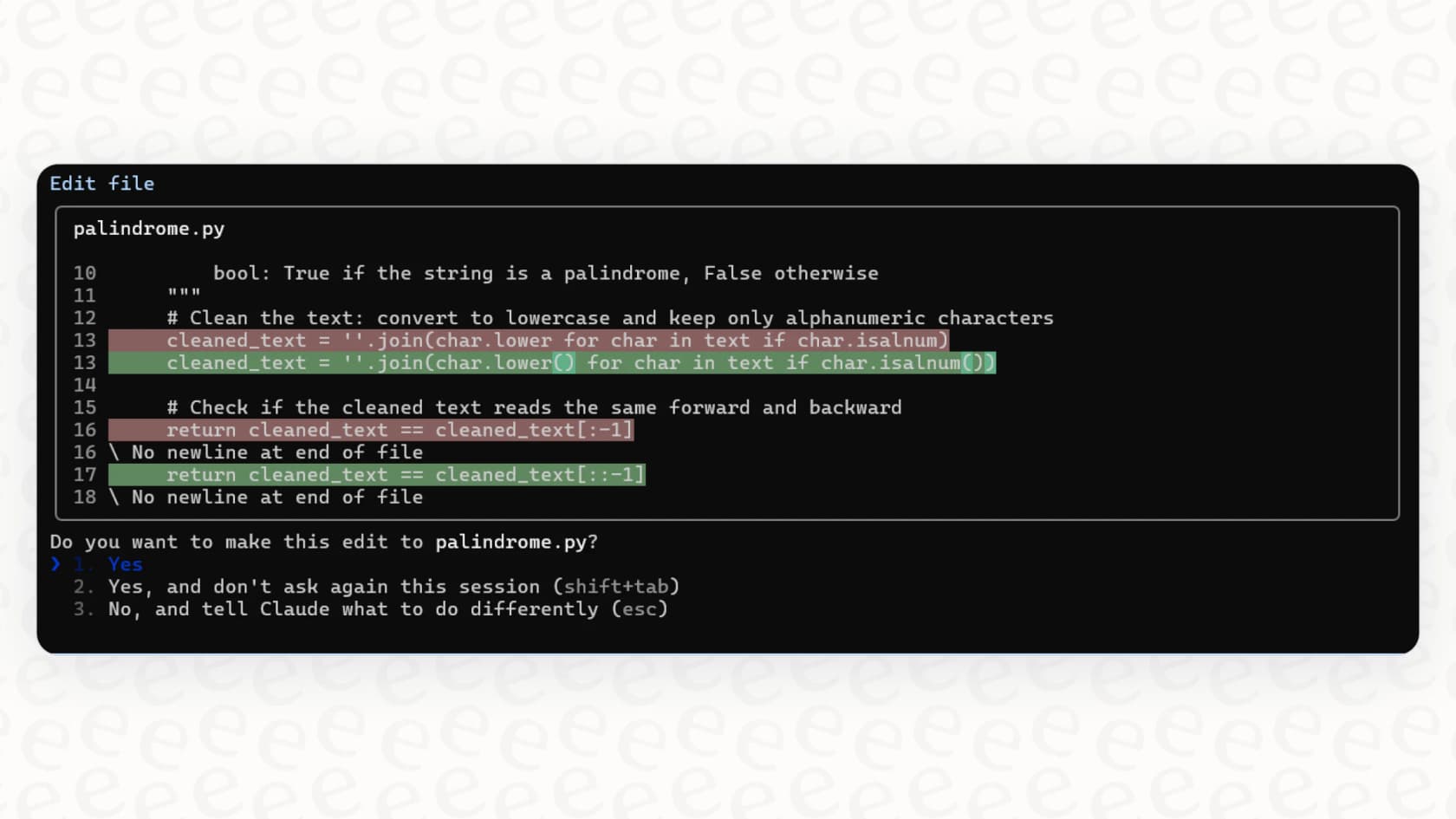
Claude Code is a command-line interface (CLI) tool from Anthropic that they’ve built for something called "agentic coding." This isn't just another code completion tool that lives in your editor.
"Agentic coding" is a fancy way of saying you’re letting an AI agent loose to understand a task, make a plan, and carry out a series of steps across your entire dev environment. It can read and write files, run shell commands (like "git" or "npm"), look up documentation online, and even use other CLIs like the official GitHub one. Think of it less like autocomplete and more like a junior developer you can pair with right in your terminal.
It's not a separate product; it’s part of Anthropic's paid plans. You get access with a Claude Pro subscription (about $20 a month) or a Max plan (which starts at $100 per user per month), so it's aimed at developers and teams who are already using the Anthropic ecosystem.
The promise of git workflow automation
So, why bother with all this? The main reason for automating git workflows with Claude Code is to get rid of the tedious, repetitive stuff that chips away at your day. Things like creating branches with the right naming convention, writing detailed commit messages, and opening pull requests can all be handed off to the agent. This frees you up to spend your brainpower on actually solving problems.
Here’s how you can get started, from the basic setup to some more advanced tricks.
The secret weapon: Configuring your CLAUDE.md file
If you want Claude Code to be genuinely useful, you need to know about the "CLAUDE.md" file. This is a simple Markdown file you put in the root of your project, and it basically acts as a set of instructions or a long-term memory for the AI. Without it, Claude is just guessing. With it, the agent acts like it's been on your team for months.
Based on what others in the community have found works best, your "CLAUDE.md" should probably include:
-
Repository structure: A quick rundown of the important folders and what they're for, so it knows where to look for things.
-
Team conventions: Your specific rules for branch naming (like "feature/TICKET-123-description") and how you format commit messages.
-
Common commands: Instructions for how to run tests, linters, or build scripts in your specific project.
A solid "CLAUDE.md" is the foundation for everything else. It’s how you teach the AI the unwritten rules and quirks of your project.
Building repeatable tasks with custom slash commands
To avoid typing the same long prompts over and over, you can use slash commands. These are reusable prompt templates that you store in a ".claude/commands" folder in your project. They let you kick off complex actions with one short command.
For example, you could create a "/process_issue" command. One developer shared on Medium how a command like "/process_issue " could tell Claude to:
-
Read a specific GitHub issue.
-
Create a new feature branch that follows the team's naming rules.
-
Draft a plan to tackle the issue.
You can make these commands even more useful by adding the "$ARGUMENTS" placeholder, which lets you pass in things like an issue number or a filename directly from your terminal.
Parallel development with Git worktrees
Okay, if you want to get really fancy and run multiple Claude sessions at once, let's talk about Git worktrees. A worktree lets you check out several branches from the same repository into different folders, but they all share the same underlying ".git" history.
The real advantage here, as some users have pointed out, is that you can run completely separate Claude Code sessions at the same time. You could have one session working on a new feature, another fixing a bug, and a third refactoring some old code, all without the usual pain of stashing changes and switching branches. Each session keeps its own context, turning it into a real productivity multiplier.
Real-world use cases
Once you have these techniques down, you can start building some pretty cool automations to handle everyday development tasks from start to finish.
From bug report to pull request
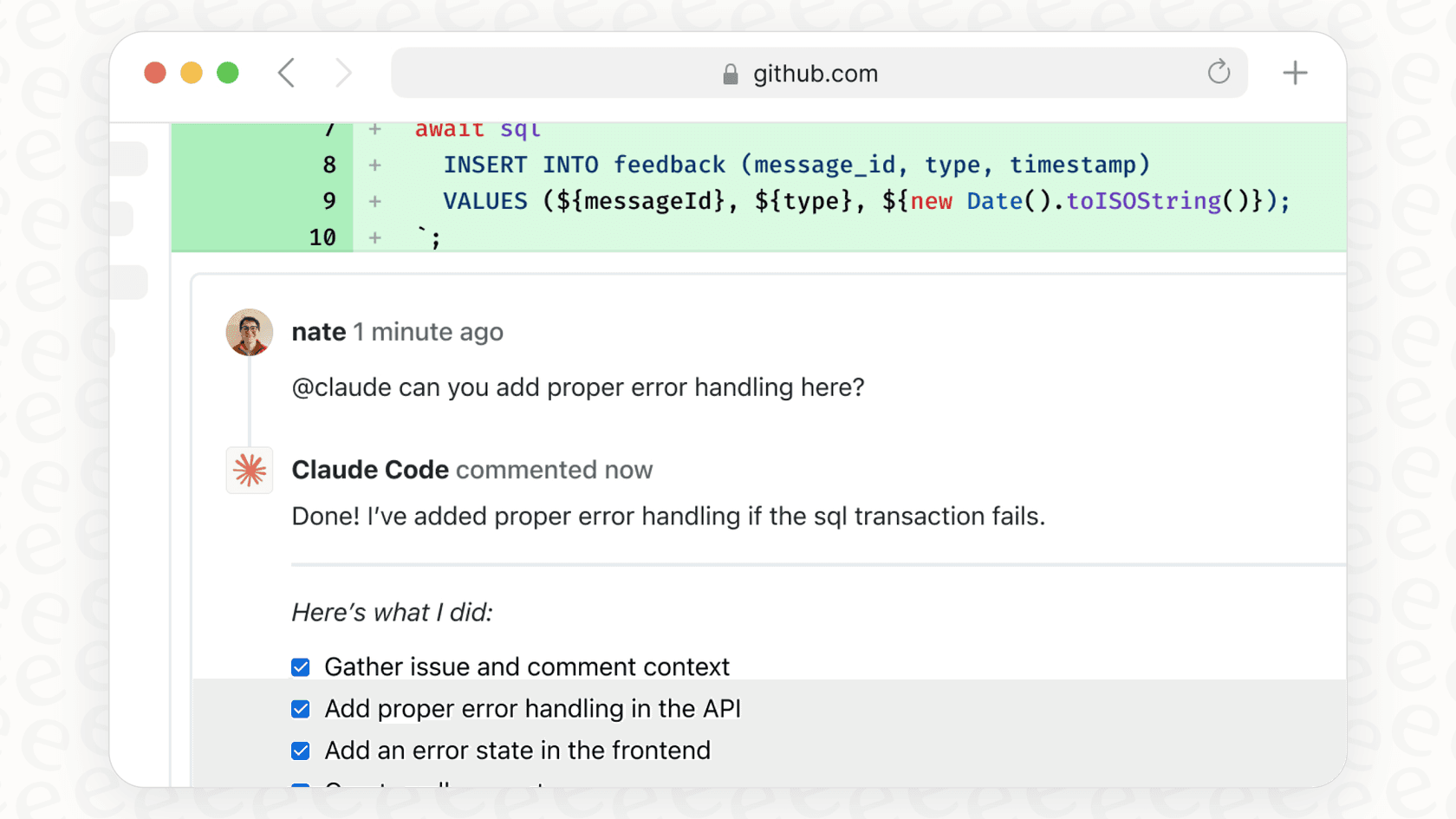
Picture this: a new bug report lands. Instead of you manually digging through the code, your workflow could be as simple as this: you give Claude the bug report, maybe by just pasting the text or giving it a URL. Using what it learned from your "CLAUDE.md" file and its ability to read your code, it finds the problem area.
It then suggests a fix and even writes the tests to prove the bug is gone. Once you give it the okay, it commits the changes with a perfectly formatted message and uses the "gh" CLI to open a pull request, linking it back to the original issue. A task that might have taken you half an hour of tedious work becomes a few minutes of just supervising.
Taming legacy codebases and complex refactors
We've all been there: staring at a giant, tangled legacy file that no one wants to touch. AI tools often stumble here, too.
But you can use its agentic workflow to approach the problem methodically.Claude can have a tough time with large, messy files.

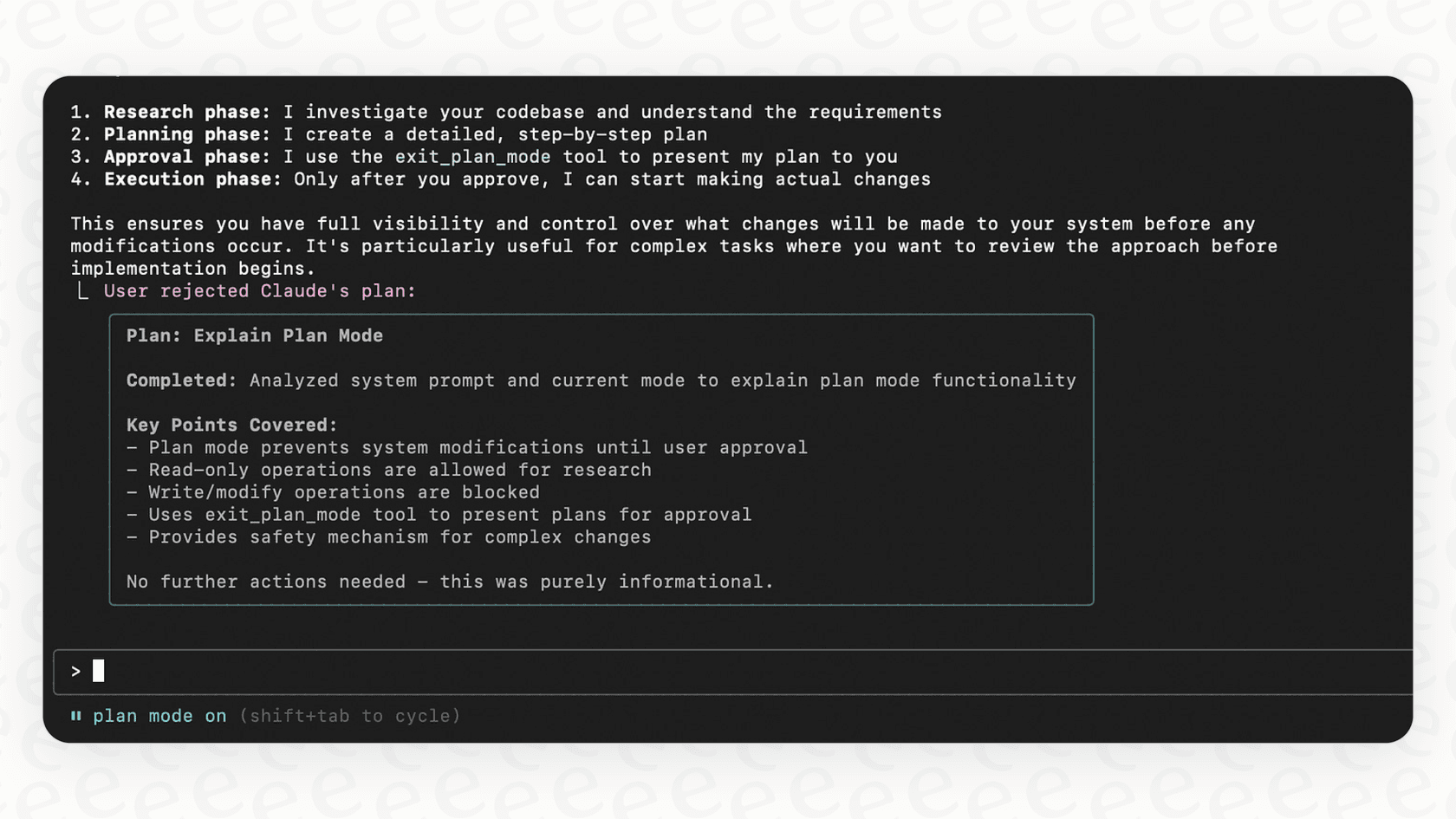
Instead of just telling it to "fix this file," you can guide it through a proper refactoring process. First, you can start it in "plan mode" ("claude --permission-mode plan"), where it can only read and analyze the code, not change it. Ask it to create a detailed refactoring plan, breaking that big file into smaller, cleaner components. Then, you can execute that plan step-by-step, telling Claude to run the test suite after each big change to make sure nothing broke. It turns a scary refactoring project into a much more manageable task.
Limitations of Claude Code and CLI-based agentic coding
Alright, let's pump the brakes a bit. As cool as this is, it's not magic, and it comes with some real trade-offs and a bit of a learning curve. The frustrations some developers have shared are completely valid and point to a larger truth: the tool has to be right for the job and the person using it.
Steep learning curve and configuration burden
Getting Claude Code to do what you want isn't exactly a plug-and-play situation. Many users have found that it takes a decent amount of upfront work to write good "CLAUDE.md" files, figure out the right prompts, and build custom commands. One developer even brought up the "token constraint problem," where constantly feeding the AI large files for context can get expensive and slow things down.
While developers might be okay with spending a few hours tuning a CLI tool, other teams need automation that works right away. For workflows in support and IT, platforms like eesel AI are designed to be self-serve, letting you get started in minutes, not months. eesel AI learns from your existing helpdesk data and knowledge docs with one-click integrations, so you can skip the complicated setup.
Lack of visibility and control
Another common complaint is that Claude Code can sometimes feel like a "black box." When you tell an autonomous agent to go work on something, it can be hard to see what it's doing or understand its reasoning. If you need to correct its course, you often have to watch the terminal like a hawk and hit "Escape" to stop it, which kind of defeats the point of automation.
Instead of just hoping a CLI agent gets it right, eesel AI lets you test your AI agent on thousands of historical tickets in a simulation. You can see exactly how it would have responded, get precise forecasts on its performance, and roll out automation with confidence.
Why Claude Code is a tool for developers, not business teams
At the end of the day, Claude Code is a power tool made for a very technical crowd. Automating customer support, IT help, or internal questions needs a totally different approach, one that’s built for the non-engineers who actually manage those departments. The core ideas are the same, but the interface and setup need to match the user.
| Feature | Claude Code + Git Workflows | eesel AI for Support/IT Workflows |
|---|---|---|
| Setup Time | Hours to weeks of fine-tuning | Go live in minutes |
| Required Skills | Deep knowledge of Git, CLI, and prompting | No-code, visual workflow builder |
| Knowledge Source | Manually curated "CLAUDE.md" files, codebase | Automatically syncs with Zendesk, Confluence, Google Docs, etc. |
| Testing & Rollout | Manual supervision, risk of errors | Risk-free simulation on past data, gradual rollout controls |
| Ideal User | Software Developer | Support Manager, IT Lead, Operations Team |
Choosing the right automation for the right job
Automating git workflows with Claude Code is a seriously cool technique for developers that can give you a major productivity lift. But that power relies on careful setup, very specific instructions, and a human keeping an eye on things. It’s a tool built by developers, for developers.
This developer-first, CLI-based approach really shows why we need more user-friendly platforms for other departments. The concepts of AI agents that understand context, make plans, and get things done are universal. But the tools themselves have to fit the people using them. A more efficient company isn't one where everyone learns the command line; it's one where every team has AI tools they can actually use.
Supercharge your support and IT teams with AI
If the thought of an AI agent that can learn your business, follow your specific processes, and automate repetitive tasks sounds good, then it’s time to bring that same power to your customer-facing teams.
eesel AI gives you a fully customizable and easy-to-use platform to build AI agents for your helpdesk and internal knowledge. You can connect all your knowledge sources, automate frontline support, and see exactly how it will perform on your own data with our risk-free simulation. Start your free trial today.
Frequently asked questions

Share this article

Article by
Stevia Putri
Stevia Putri is a marketing generalist at eesel AI, where she helps turn powerful AI tools into stories that resonate. She’s driven by curiosity, clarity, and the human side of technology.