How to use Gorgias rules to prioritize VIP customers automatically (2026 Guide)


Last edited January 16, 2026

Let's be honest, in e-commerce AI customer support 2026 guide, some customers are more valuable than others. Your VIPs, the ones who consistently shop with you and sing your praises, are the lifeblood of your business. That's why it's so important to ensure they receive the fast, personalized attention they expect when they reach out for support.
While Gorgias is a great tool for managing customer service, setting it up to give your best customers the white-glove treatment they deserve is a smart way to maximize the platform's potential.
This guide will walk you through setting up Gorgias rules to prioritize VIP customers automatically. We'll start with the basics of building these workflows inside Gorgias, then discuss how to manage these rules as you grow. Finally, we’ll look at a powerful AI solution that works with your helpdesk to really up your VIP game.
What are Gorgias and Gorgias rules?
Before we get into the nuts and bolts, let's make sure we're on the same page.
What is Gorgias?
Gorgias is a customer service helpdesk designed for e-commerce brands, especially those using platforms like Shopify, BigCommerce, and Magento. It pulls all your customer conversations from email, live chat, social media, and more into one neat dashboard. Its real superpower is how tightly it connects with e-commerce platforms, letting your agents see a customer's entire order history right next to their support ticket.
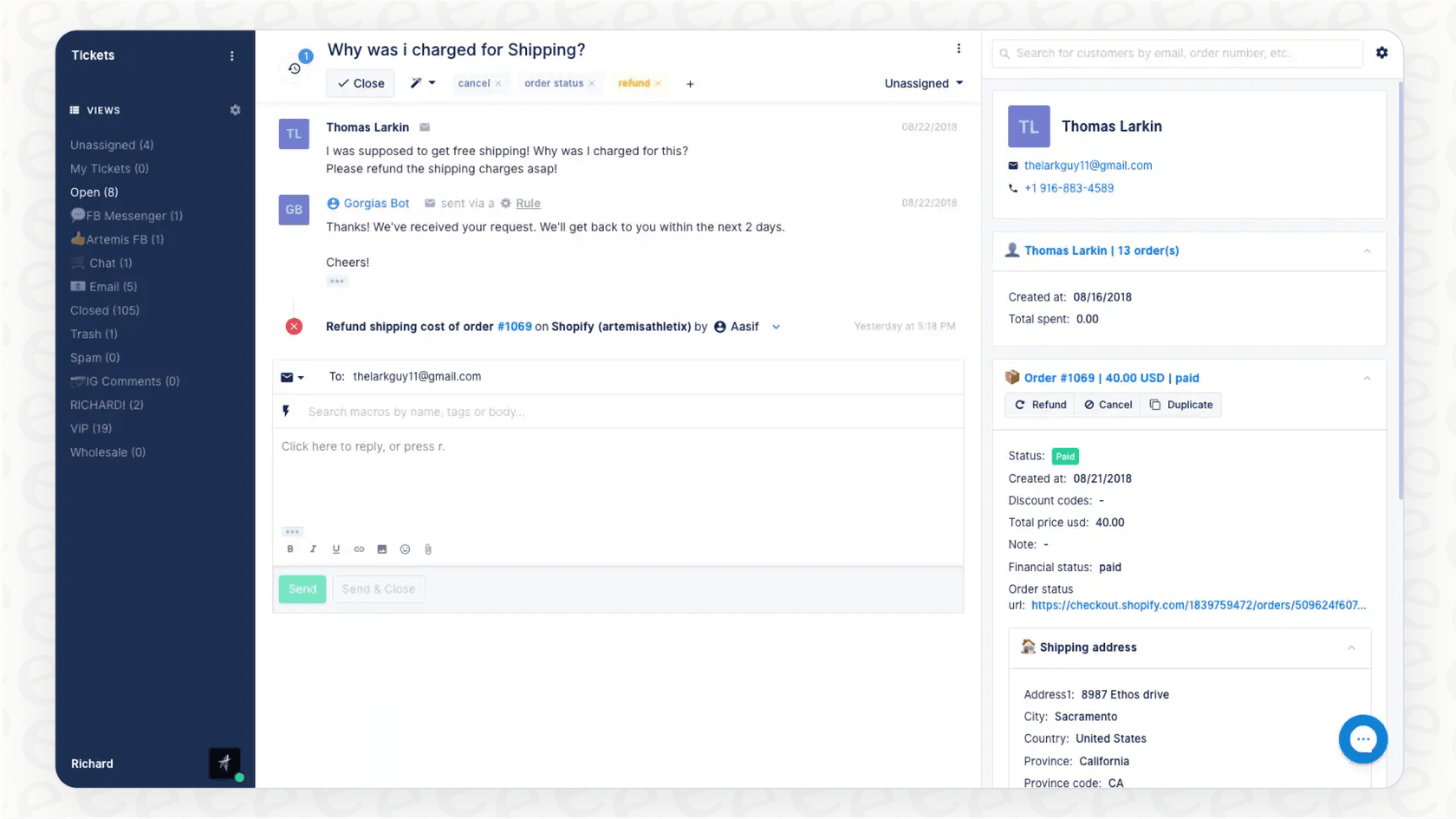
What are Gorgias rules?
Gorgias rules are the automation engine under the hood. They use a simple "if this, then that" logic to handle incoming tickets without anyone having to lift a finger. You can set up rules to tag tickets, assign them to the right people, send quick auto-replies, and a lot more.
A typical rule has three pieces:
-
A trigger: The thing that kicks off the rule (like a new ticket arriving).
-
Conditions: The specific criteria a ticket has to meet (for example, the message contains the word "refund" or the customer has more than 5 Shopify orders).
-
Actions: The job the rule actually does (like adding a "VIP" tag or sending the ticket to your senior support team).
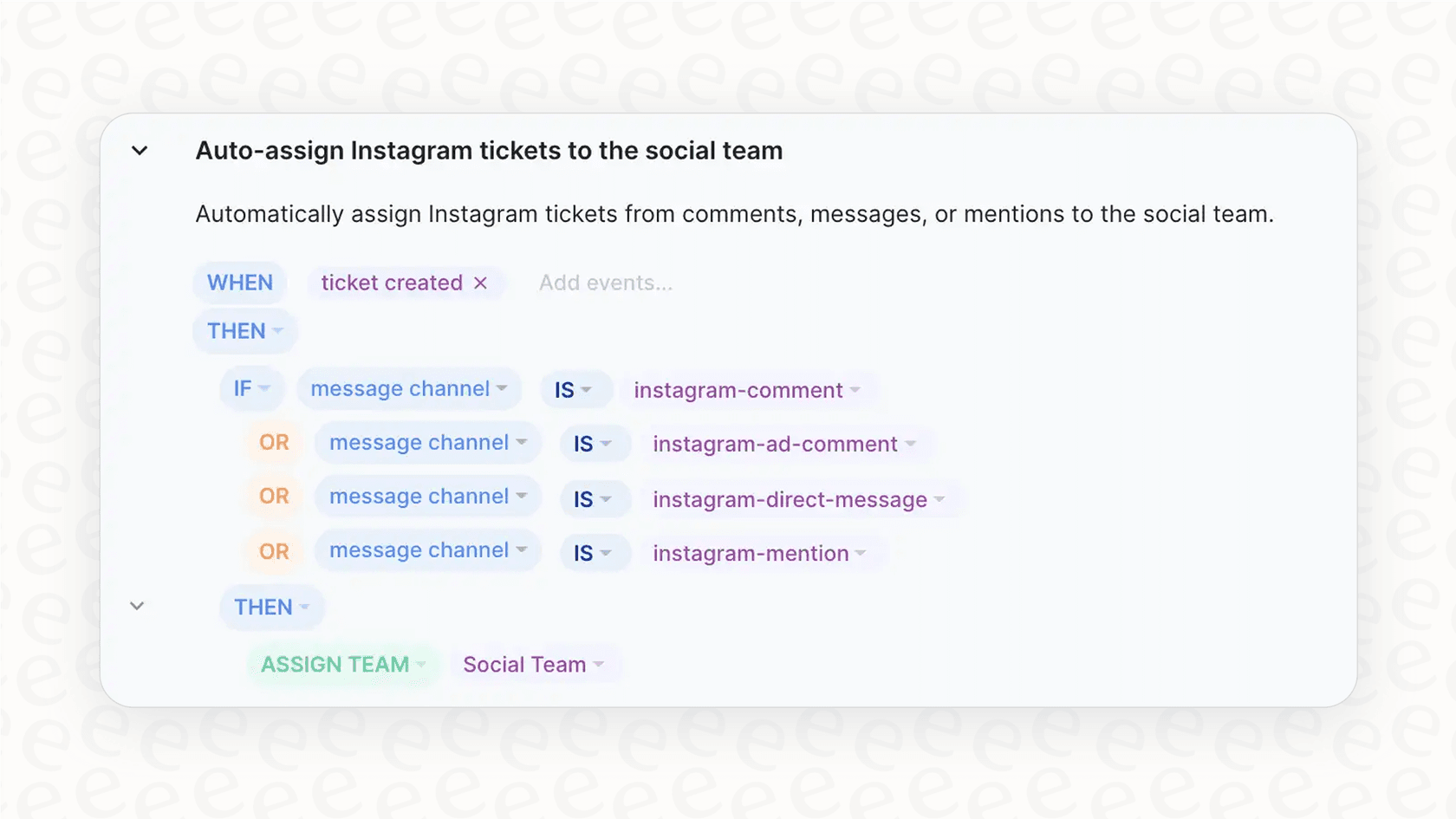
How to set up Gorgias rules to prioritize VIP customers automatically
Giving your best customers faster support is a surefire way to keep them happy and coming back. According to Gorgias's own data, repeat customers can bring in 300% more revenue%20Long%Dterm%20value%20comes%20from%20repeat%20customers) than new shoppers. By using Gorgias rules, you can build a reliable system to spot these customers and bump them to the front of the line.
Here’s a pretty standard way to get this done.
Step 1: Define what "VIP" means for your brand
First things first, you need to decide who qualifies as a VIP. This will be different for every business. Thanks to the Gorgias and Shopify connection, you can use real shopping data to make this call.
Some common ways to define a VIP are:
-
Total spend: Customers who've spent over a certain amount (say, $500).
-
Number of orders: Customers who've placed a handful of orders (maybe 3 or more).
-
Specific product purchases: Customers who bought a particular high-value item.
For this walkthrough, let's say a VIP is anyone who has spent over $500 with you.
Step 2: Create the VIP rule
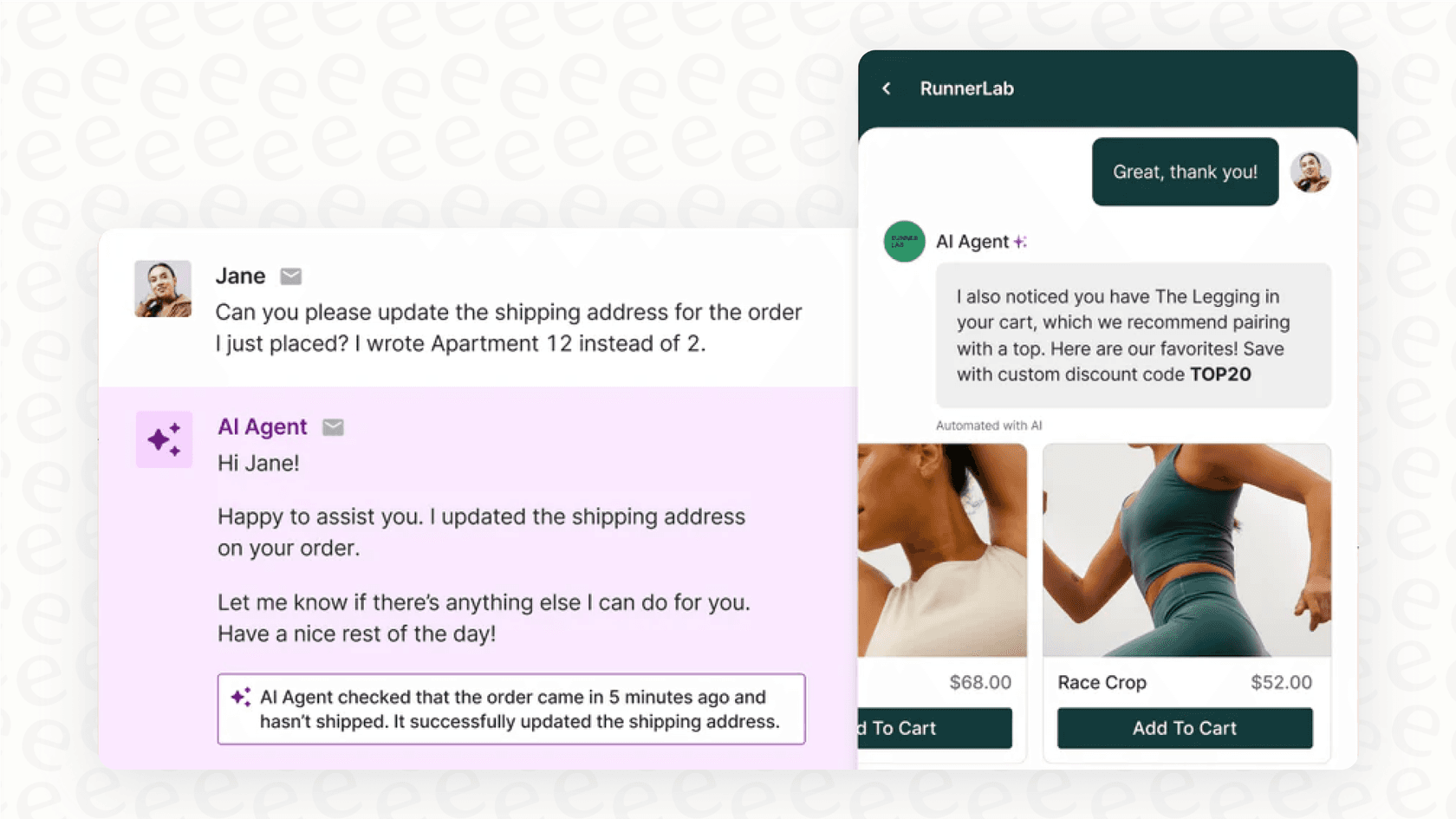
Alright, let's build the rule. In your Gorgias dashboard, you’ll head to Settings: Rules and create a new rule that looks something like this:
-
WHEN: "Ticket created"
-
IF (all of the following):
- "Ticket channel" IS NOT "internal note"
- "Customer (Shopify)" -> "Total spent" IS "greater than" "500"
-
THEN:
- "Add tag" -> "VIP"
- Optional: "Assign agent" -> "[Your top agent]" or "Assign team" -> "[Priority Support Team]"
Step 3: Create a special view for VIP tickets
A rule that adds a tag is a great start. To help your team focus, the next move is to create a "View," which is basically a custom inbox. This new view will be the priority queue your team keeps an eye on.
Go to Tickets: Views: Create View. Set it up to show all open tickets that have that shiny new "VIP" tag. You can drag this view to the top of your sidebar so it's the first thing your agents see. Now, anytime a customer who has spent over $500 writes in, their ticket gets tagged and pops right into this priority inbox.
Considerations for scaling Gorgias rules
Setting up a few Gorgias rules is a fantastic first step. As your business gets bigger and your support needs become more complex, you can look for ways to expand upon these core rules.
Extending your definition of "VIP"
Gorgias rules are excellent at using data from direct integrations, like with Shopify. As you grow, you might find that some VIPs exist outside of order data, such as brand ambassadors on social media or influencers. While Gorgias focuses on helpdesk and e-commerce data, you can easily supplement this by integrating other tools to ensure every type of VIP is recognized.
Managing rule complexity
As you build out rules for returns, exchanges, and priority tickets, it's important to keep your dashboard organized. Gorgias provides a structured environment for these rules, and with a little bit of planning, you can ensure your automation logic remains clear and effective even as you scale your operations.
Real-time rule implementation
Gorgias rules are built for efficiency, meaning they go live as soon as they are created or edited. This ensures that your customers feel the impact of your improvements immediately. To make the most of this, many teams find it helpful to review their rule logic periodically to ensure everything is running exactly as intended.
A complementary approach: Add a flexible AI layer to Gorgias
Instead of changing your helpdesk, you can enhance your current setup by adding an intelligent AI layer. This is where a tool like eesel AI fits in. It connects directly to Gorgias and your other apps, providing additional flexibility that works alongside your native rules.
See the full picture with unified knowledge
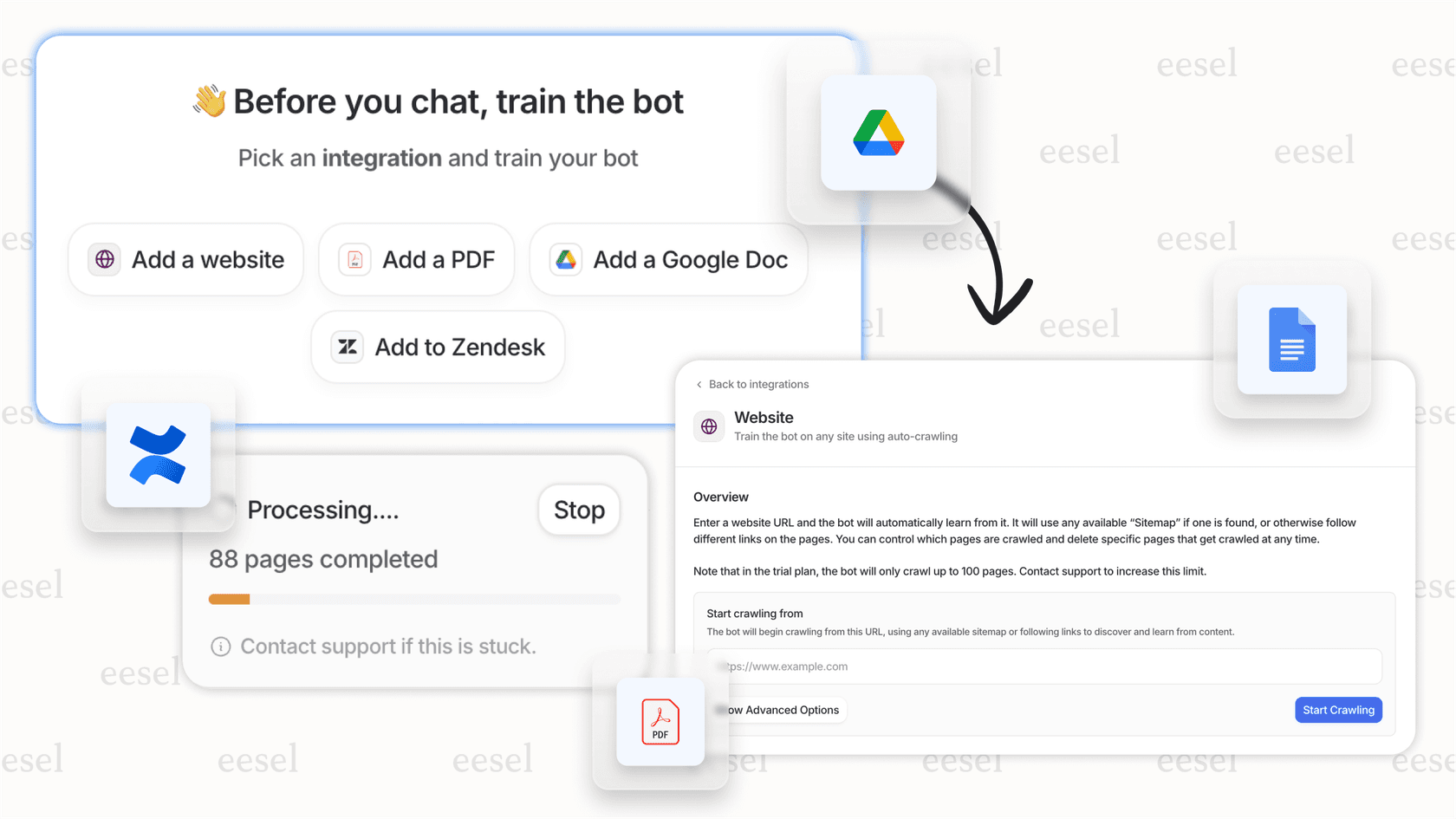
While Gorgias excels at helpdesk and e-commerce data, eesel AI can help you connect to over 100 additional sources, from past tickets and your help center to Google Docs, Confluence, and even your team's Slack channels.
This allows you to build a broader picture of your VIPs by incorporating:
-
Past conversations: Recognizing customers with a history of positive interactions.
-
Internal documents: Checking "key accounts" lists stored in external docs.
-
Custom logic: Connecting to loyalty apps through API calls to check point balances.
Go beyond simple tags with custom AI actions
With eesel AI's AI Agent, you can build out entire workflows that work in tandem with Gorgias. For instance, when a VIP ticket arrives, the AI Agent could:
-
Draft a personal reply: It can learn your brand's tone from your past tickets to provide a consistent voice.
-
Look up info in real-time: It can check on the latest shipping status directly from Shopify.
-
Take multiple actions: It can tag the ticket, assign it to the right agent, and leave an internal note summarizing the situation.
This level of coordination helps your team work more efficiently within the Gorgias platform.
Refine your strategy with simulations
One of the benefits of adding an AI layer is the ability to run simulations on your old Gorgias tickets in a safe environment. You can see a detailed report of how the AI would have performed:
-
How the AI would've replied to each ticket.
-
The expected resolution rate.
-
Areas where your knowledge base can be strengthened.
This lets you launch new automations with confidence, knowing they have been refined through data-driven testing.
A look at pricing: Gorgias and eesel AI
Gorgias pricing
Gorgias's pricing is designed to scale with your business, focusing on the number of "billable tickets" you handle. Their plans, such as the Pro plan, offer a robust set of features for a fixed monthly rate. Their AI features are available as add-ons, allowing you to pay for automated interactions as you need them. This tiered approach ensures you have access to the right tools at every stage of your growth.
eesel AI pricing
eesel AI's pricing provides another option for teams looking for predictable costs. Plans come with a monthly bucket of AI interactions, and the Team plan includes access to the AI Agent and Copilot. This straightforward model is designed to be easy to manage as your volume grows.
Start with rules, scale with AI
Gorgias rules are a great starting point for any e-commerce brand looking to implement automation. They offer a reliable and straightforward way to give your VIPs the attention they deserve. To build a support system that is even more scalable and reliable, you can look to complementary platforms like eesel AI. By combining the core strengths of Gorgias with flexible AI tools, you can achieve deeper insights and even more powerful automations for 2026 and beyond.
Ready to see how these workflows could benefit your VIPs? You can sign up and get started with eesel AI in just a few minutes and even run a simulation on your own Gorgias ticket history to see the results.
Frequently asked questions


Share this article

Article by
Kenneth Pangan
Writer and marketer for over ten years, Kenneth Pangan splits his time between history, politics, and art with plenty of interruptions from his dogs demanding attention.