A practical guide to Gorgias sentiment detection

Last edited January 16, 2026
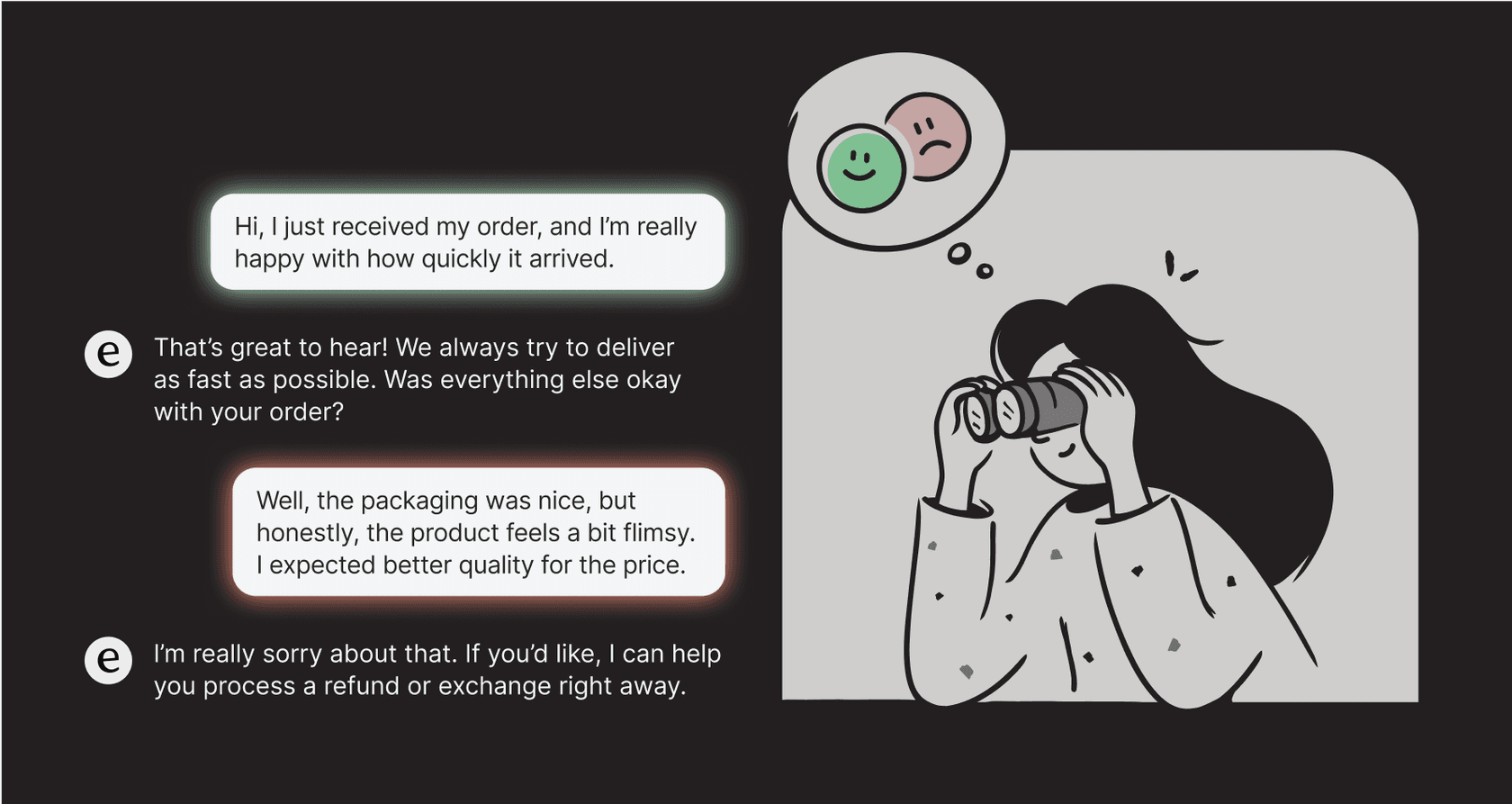
Table of Contents
- What is Gorgias sentiment detection?
- How to use Gorgias sentiment detection to automate your workflow
- Best practices for the Gorgias sentiment detection rule-based approach
- Enhancing Gorgias sentiment detection: A complementary approach with a unified AI platform
- Understanding pricing models: Gorgias sentiment detection and complementary tools
- Move from basic Gorgias sentiment detection to true conversation intelligence
- Start automating your Gorgias support today
We’ve all been there. You're staring at a customer support ticket, trying to read between the lines. Is this person slightly annoyed, or are they about to unleash a storm on social media and never buy from you again? Understanding these signals correctly helps you manage priorities effectively, empower your agents, and ensure your customers stay happy. For a busy ecommerce store, getting sentiment right can make a huge difference.
Sentiment analysis is designed to help with that process. It’s tech that helps you identify the emotion behind the words so your team can jump on the tickets that need attention first. Helpdesks like Gorgias have their own built-in tools for this, and they are an excellent place to start for any growing team.
This guide will walk you through how Gorgias sentiment detection actually works, what it can do for your team, and how to maximize its impact as your brand scales in 2026.
What is Gorgias sentiment detection?
Gorgias sentiment detection is a feature that automatically scans customer messages to identify the emotion behind them. The main idea is to help your team categorize and prioritize tickets efficiently before an agent even has to lay eyes on them.
It does this by tagging messages with a few preset emotional labels. Based on Gorgias's own documentation, the system can spot several sentiments to give you a quick emotional snapshot of a ticket.
| Sentiment | Description | Example |
|---|---|---|
| Positive | The customer seems happy or satisfied. | "I love my new shirt, thank you!" |
| Promoter | The customer is really happy and might recommend you. | "You guys are the best, I tell everyone about you." |
| Negative | The customer is showing they're unhappy. | "I'm really disappointed with the quality of this item." |
| Urgent | The customer needs help right away, often for something time-sensitive. | "I need to cancel my order before it ships ASAP!" |
| Threatening | The customer is mentioning legal action, a bad review, or switching brands. | "If I don't get a refund, I'm reporting you to the BBB." |
| Offensive | The message has abusive or inappropriate language. | N/A |
A strong point of this feature is its support for 16 languages, which is definitely helpful if you have customers all over the world. But the real value comes when you connect this feature to Gorgias's Rules engine to get some automation going.
How to use Gorgias sentiment detection to automate your workflow
Just knowing a customer is upset isn't enough; you have to do something about it. In Gorgias, the feature really comes to life when you use it inside the Rules engine to set up automated actions, helping you get your inbox under control.
Creating rules based on Gorgias sentiment detection
Setting up a rule is fairly simple. You're basically building an "if-then" command: if a message has a certain sentiment, then Gorgias should do a specific thing.
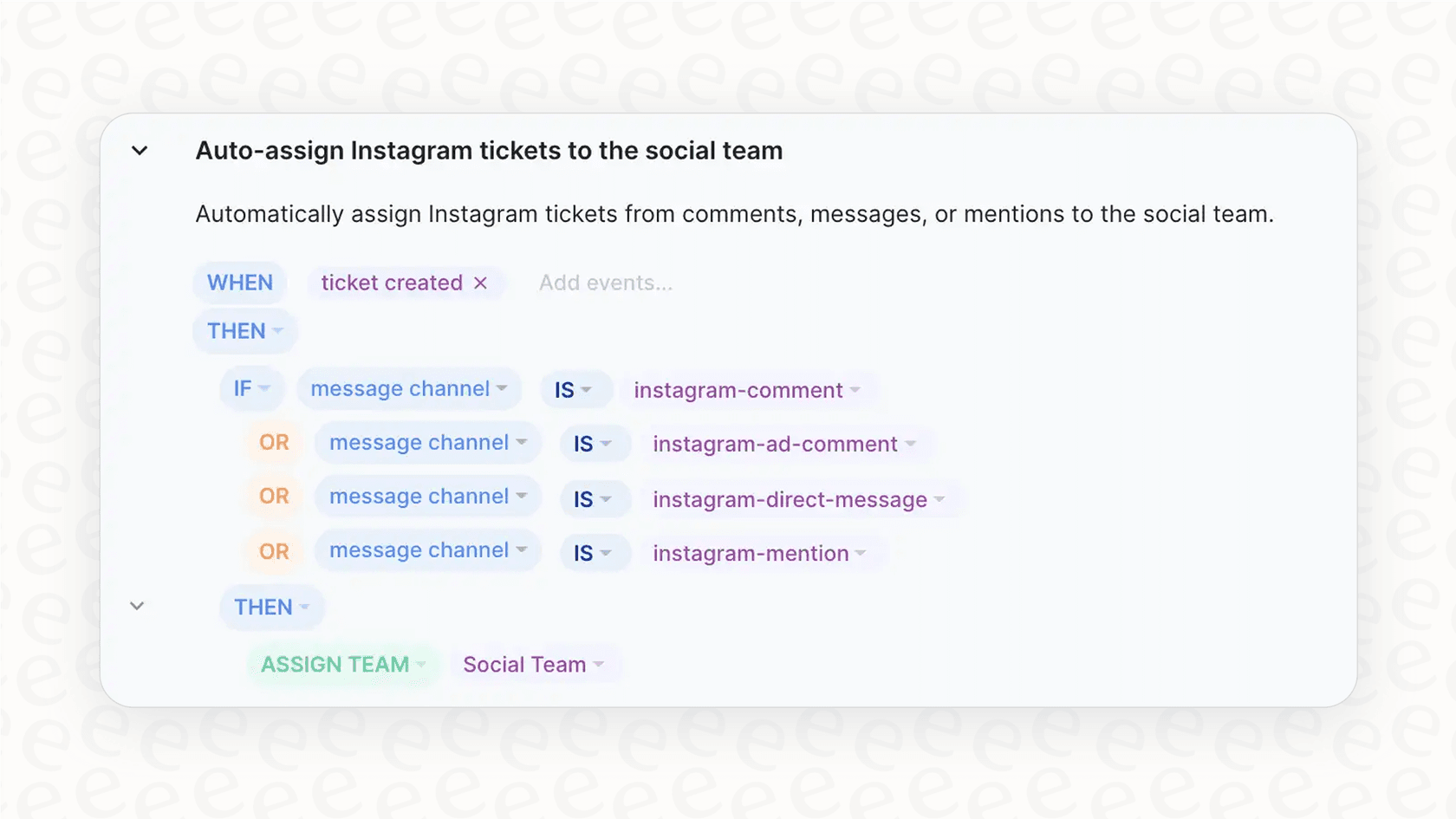
Here's a quick look at how you'd create a basic rule:
-
Go to Settings -> Productivity -> Rules in your Gorgias dashboard.
-
Click Create Rule and pick the "Identify intents and sentiments" template.
-
For the "IF" condition, select "Message sentiment" as the trigger.
-
Choose the sentiment you want to focus on, like "Negative" or "Urgent".
-
For the "THEN" action, decide what you want Gorgias to do. You could have it add a tag (like "Urgent-Review"), send the ticket to a specific team, or bump up its priority.
Practical use cases for Gorgias sentiment detection rules
Once you get the hang of it, you can build some genuinely helpful workflows. Here are a few ideas to get you started:
-
Prioritize urgent cases: If a ticket comes in with a "Negative" or "Threatening" sentiment, you can create a rule that automatically tags it as "High Priority" and assigns it to a senior agent or a team that specializes in de-escalations.
-
Fast-track time-sensitive requests: For messages flagged as "Urgent", a rule can push those tickets into a dedicated "Fast-Response" view. This helps make sure time-sensitive issues, like order cancellations, get handled right away.
-
Celebrate your fans: When a message with a "Promoter" sentiment pops up, you can tag it "VIP" and route it over to your marketing team. They can then follow up with a personal thank you, a small discount, or maybe even ask for a review.
-
Manage social media comments: You can set up a rule to automatically hide comments on your Facebook or Instagram posts that get flagged as "Offensive". This helps keep your public pages clean without someone having to watch them 24/7.
graph TD A[Ticket with Negative/Threatening Sentiment Arrives] --> B{Gorgias Rule Triggered}; B --> C[Tag Ticket as 'High Priority']; C --> D[Assign to Senior Agent/De-escalation Team]; D --> E[Agent Addresses Issue];
Best practices for the Gorgias sentiment detection rule-based approach
While the Gorgias tool is a solid step for sorting tickets, there are ways to build upon it as your business requirements become more complex.
Gorgias provides streamlined sentiment categories like "Positive", "Negative", and "Urgent" that simplify the triage process. These categories offer a clear and effective starting point for any team. As you grow, you might find that some customer messages contain a mix of sentiments. In these cases, Gorgias provides the dominant sentiment, giving your team a clear direction on how to handle the ticket first.
The system also allows for precise manual control. Every automation rule can be built and refined by your team, ensuring that you have complete oversight of how tickets are routed. While this requires manual setup, it ensures that your workflows match your specific business logic perfectly.
Additionally, Gorgias provides platform-focused knowledge. The native sentiment detection in Gorgias is highly specialized for the data within your helpdesk. To expand this knowledge, many teams use complementary tools to pull context from internal guides in Confluence, project plans in Google Docs, or related conversations in Slack.
This is where integrating modern AI platforms can help, moving beyond simple labels to adding more layers of understanding and automating entire workflows.
Enhancing Gorgias sentiment detection: A complementary approach with a unified AI platform
For teams looking to build upon basic sentiment detection, the goal isn't to replace your helpdesk. It's to add a smarter layer on top of it. That’s exactly what eesel AI is designed for, integrating directly with the tools you already use, including a seamless one-click Gorgias integration.
Go beyond fixed Gorgias sentiment detection categories by learning from your past tickets
To complement Gorgias's structured tags, eesel AI can learn from your entire support history. It gets to know the specific language your customers use, your brand's unique voice, and the subtle ways your customers show they're frustrated, happy, or in a hurry.
This means it can add even more context to your existing triage. For example, it can help distinguish between a frustrated comment that needs an immediate fix and a casual mention that doesn't require urgent action. This deeper understanding works alongside Gorgias to make your automation even more accurate.
Unify all your knowledge for complete context
Your support knowledge often exists across several platforms, including engineering docs, marketing briefs, and Slack threads. eesel AI can connect to these sources to provide extra context to your Gorgias setup.
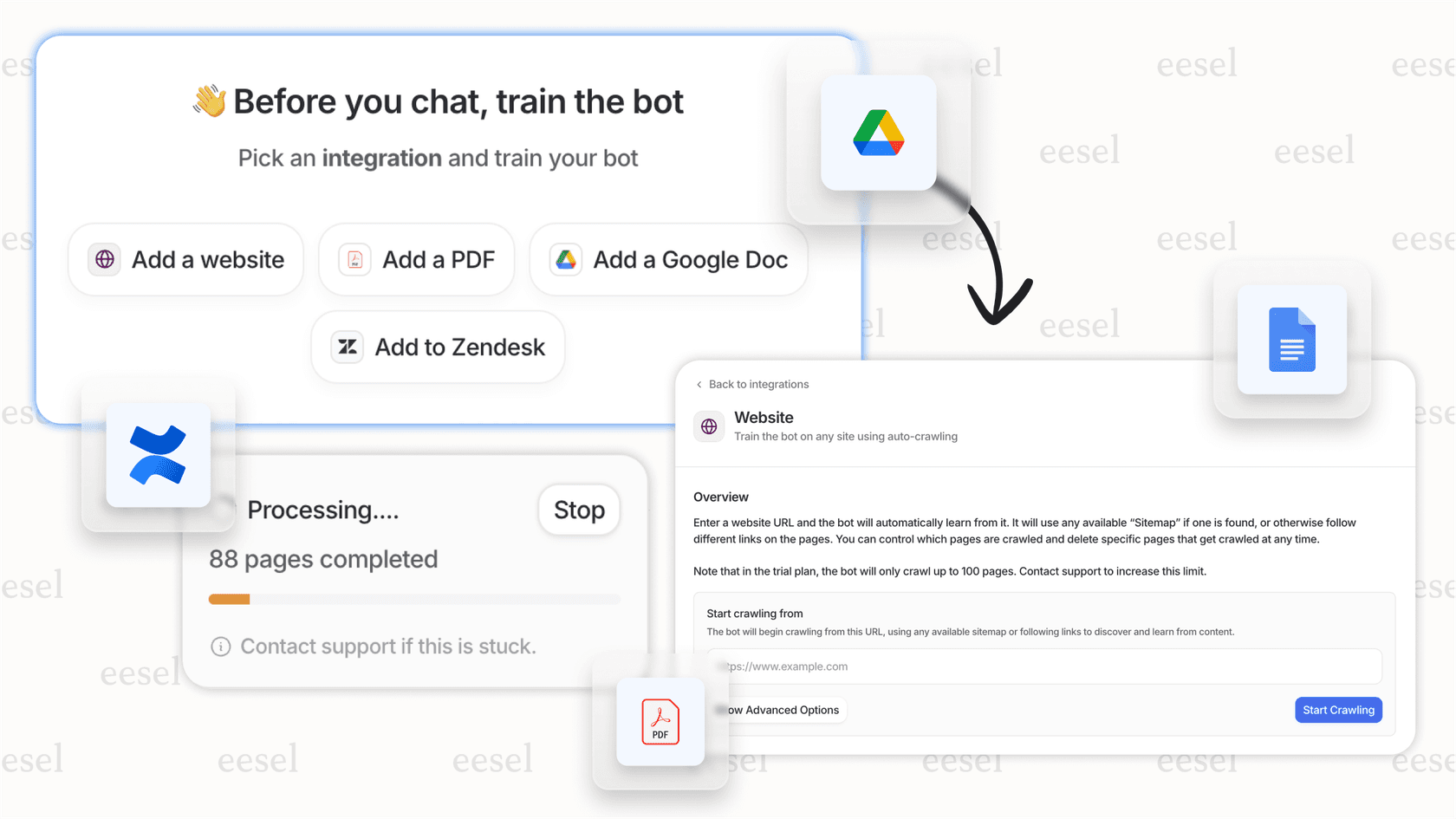
By integrating with tools like Confluence, Google Docs, and Slack, the AI helps provide the full picture. It can reference technical docs to understand product issues or pull details from marketing plans. This allows your support system to handle a wider range of complex questions by pulling from every resource available to your team.
Automate workflows, not just tickets
While Gorgias is excellent at tagging and routing, eesel AI provides a customizable workflow engine that can help automate entire processes from start to finish within your ecosystem.
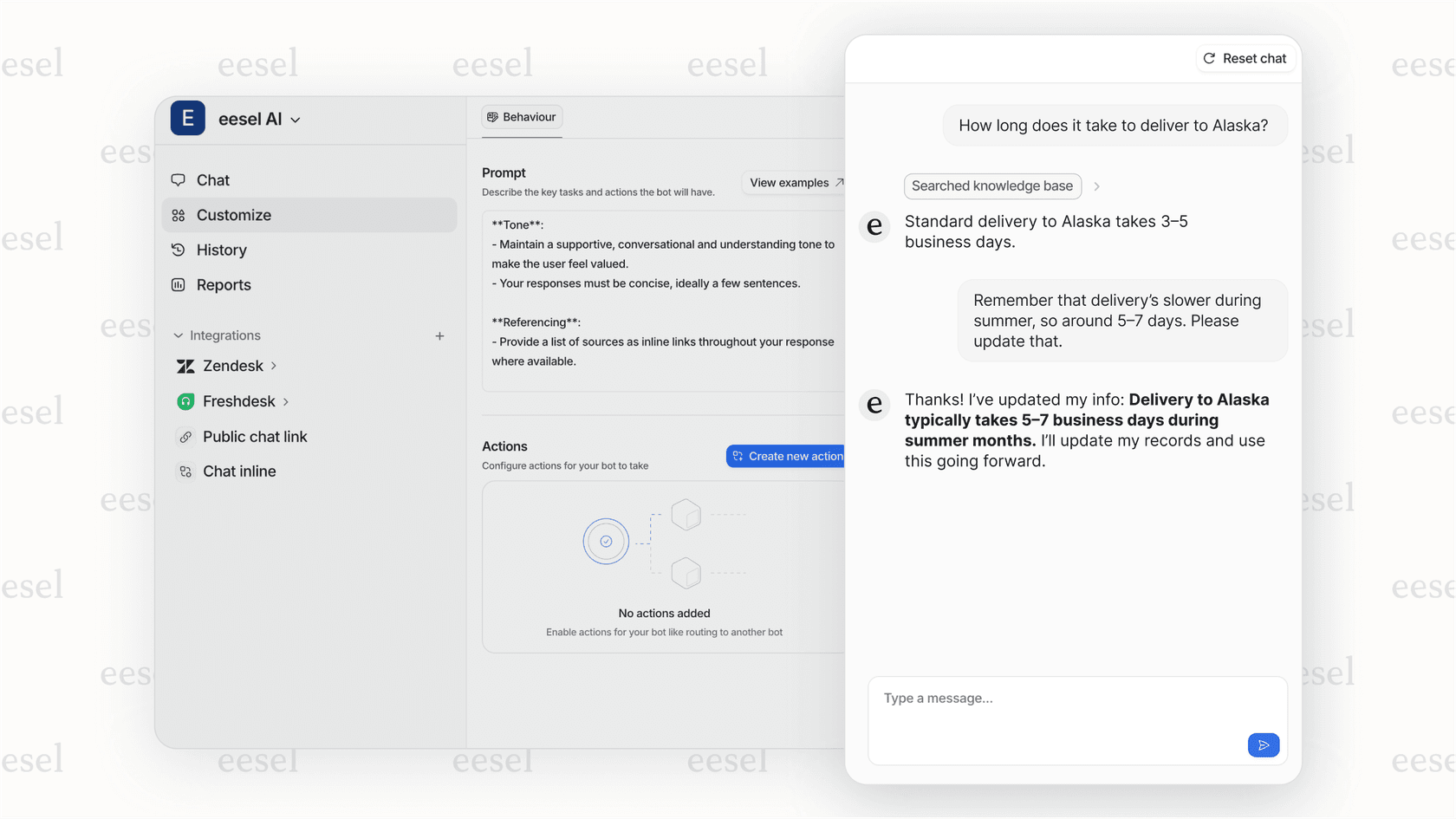
For instance, working alongside Gorgias's "Negative" tag, eesel AI can help identify that a ticket is specifically a "complaint about a damaged product." It can then assist in taking custom steps: looking up the order in Shopify, drafting a personalized reply offering a replacement, and tagging the ticket with "Damaged-Product-Replacement-Offered."
You can also test these workflows without any risk. eesel AI has a powerful simulation mode that lets you test your setup on past tickets. You can see how it would have handled real situations and get predictions on resolution rates, giving you confidence before you go live.
Understanding pricing models: Gorgias sentiment detection and complementary tools
Gorgias uses a flexible usage-based pricing model. You pay a monthly fee for a certain number of "billable tickets," and if you go over, you pay for the additional usage. The AI Agent is also an add-on, priced per "automated interaction." This model allows businesses to scale their costs alongside their growth, making it a mature and reliable choice for ecommerce brands.
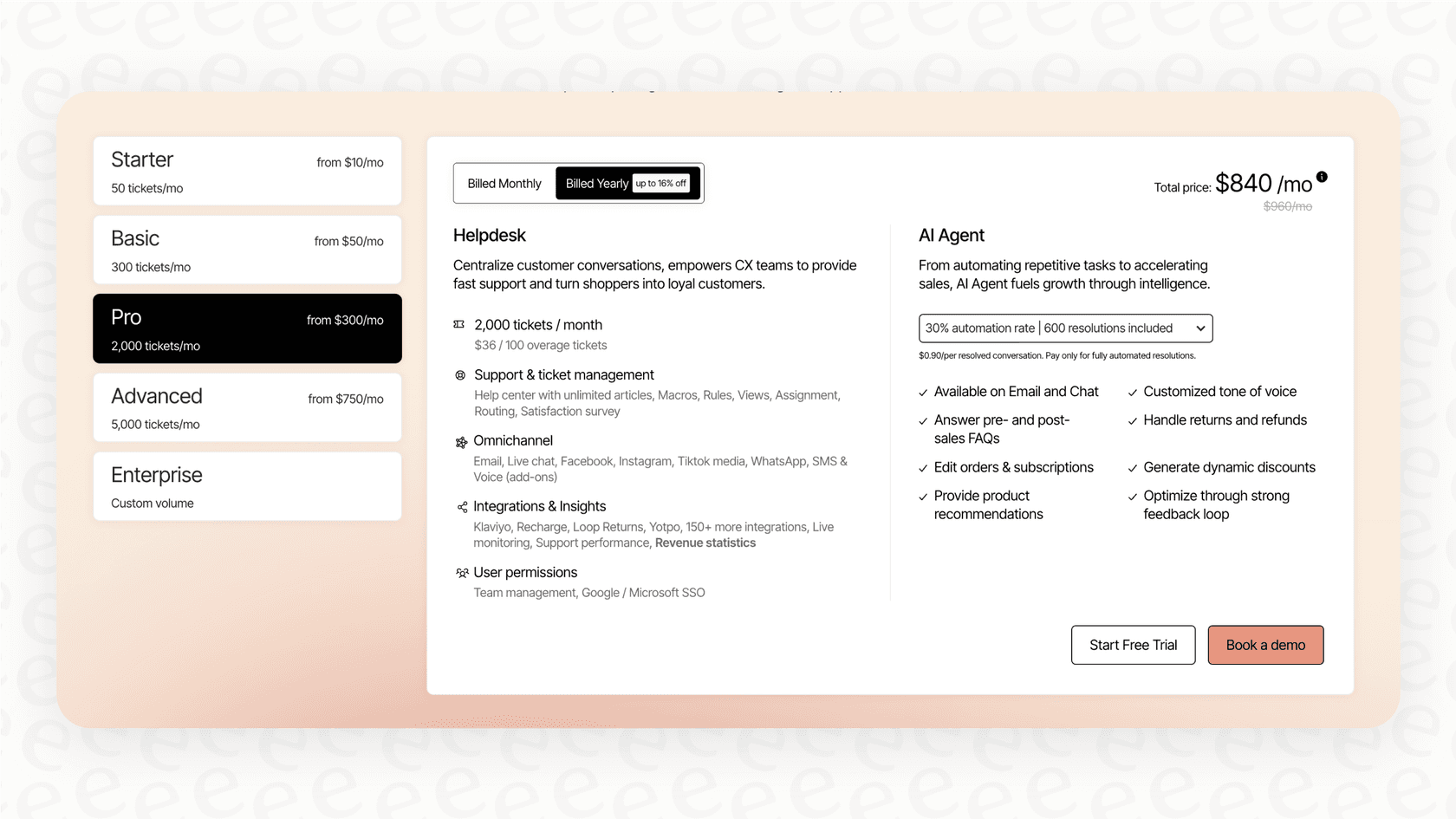
eesel AI offers a predictable alternative that works alongside your helpdesk. The plans are based on the features you need, with a clear number of AI interactions included each month. There are no per-resolution fees, meaning your costs stay consistent regardless of seasonal spikes or successful marketing campaigns. This kind of transparency helps scaling businesses keep their budgets in check.
Move from basic Gorgias sentiment detection to true conversation intelligence
Gorgias sentiment detection is a handy feature for any team starting out with support automation. It's a reliable and simple way to perform basic ticket sorting, which can help organize any inbox effectively.
As your business grows, you can build on this foundation by adding layers of context and more advanced automation. For teams serious about scaling their support and giving customers a great experience, integrating a complementary AI platform is a logical next step. eesel AI works with your Gorgias workspace to open up new levels of insight and automation, helping you understand every conversation in 2026.
Start automating your Gorgias support today
Ready to stop guessing how your customers feel and start actually understanding them? By layering a complementary AI on top of your Gorgias setup, you can support your agents with high-stakes conversations and get more out of your customer interactions. It’s about making your whole support operation even smarter.
Ready to see what an intelligent AI agent can do for your Gorgias workspace? Sign up and go live in minutes or book a demo with our team.
Frequently asked questions


Share this article

Article by
Stevia Putri
Stevia Putri is a marketing generalist at eesel AI, where she helps turn powerful AI tools into stories that resonate. She’s driven by curiosity, clarity, and the human side of technology.