How to set up a Rovo agent for Confluence


Last edited January 18, 2026

If you use Confluence regularly, you’ve probably wondered: “Is there a faster way to handle all this repetitive stuff?” The answer is setting up a Rovo agent. As a native Atlassian tool, it provides specialized automation within Confluence to help your team stay productive. This guide will walk you through how to create and configure a Rovo agent in Confluence.
Why use a Rovo agent?
Think of a Rovo agent as your digital assistant in Confluence. Whether it’s answering frequently asked questions, automating document processes, or routing tasks, a Rovo agent takes on the repetitive stuff so you can focus on the fun stuff. Rovo is designed to work deeply within the Atlassian suite, and if you want additional integrations to complement your AI setup, don't forget to check out eesel AI.
Before you get started
Preparation is key. Here’s what you’ll need to ensure a smooth setup process:
-
Permissions: Make sure you have admin rights in Confluence. You’ll need them to create or manage agents. You should also be aware of how many users will be on the sites where your Rovo agent will be active: this helps you choose the right plan. You can find more pricing info here.
-
The Rovo app: Confirm the app is installed and fully functional in your workspace.
-
Clear objectives: Outline what the agent should do. Guiding users, automating processes, or answering specific queries are all common uses for agents.
Step-by-step: Setting up a Rovo agent
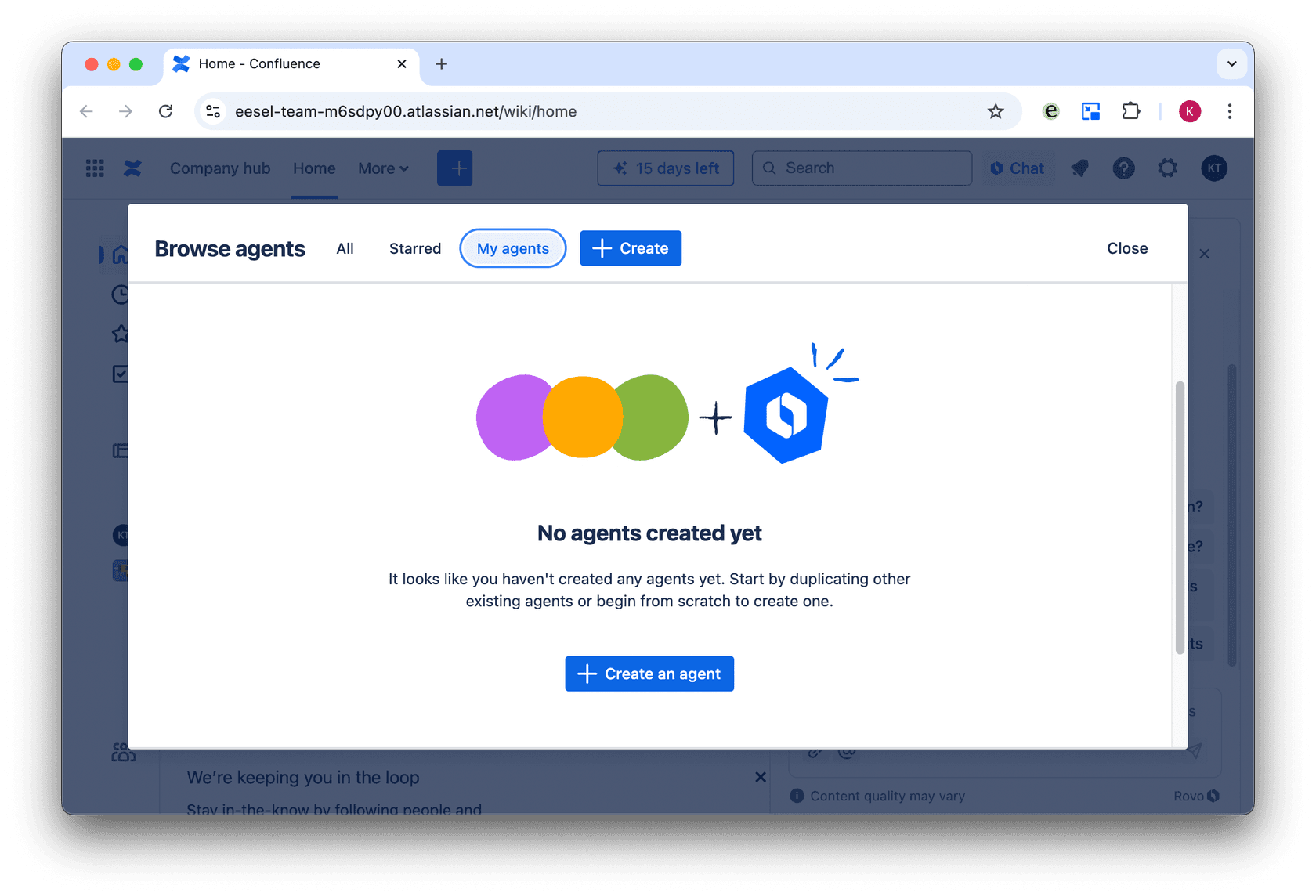
Step 1: Open the Rovo agent interface
Log into Confluence and head to the Rovo app in your integrations or apps menu. You’ll find an option to create a new agent or edit an existing one.
Step 2: Define your agent’s purpose
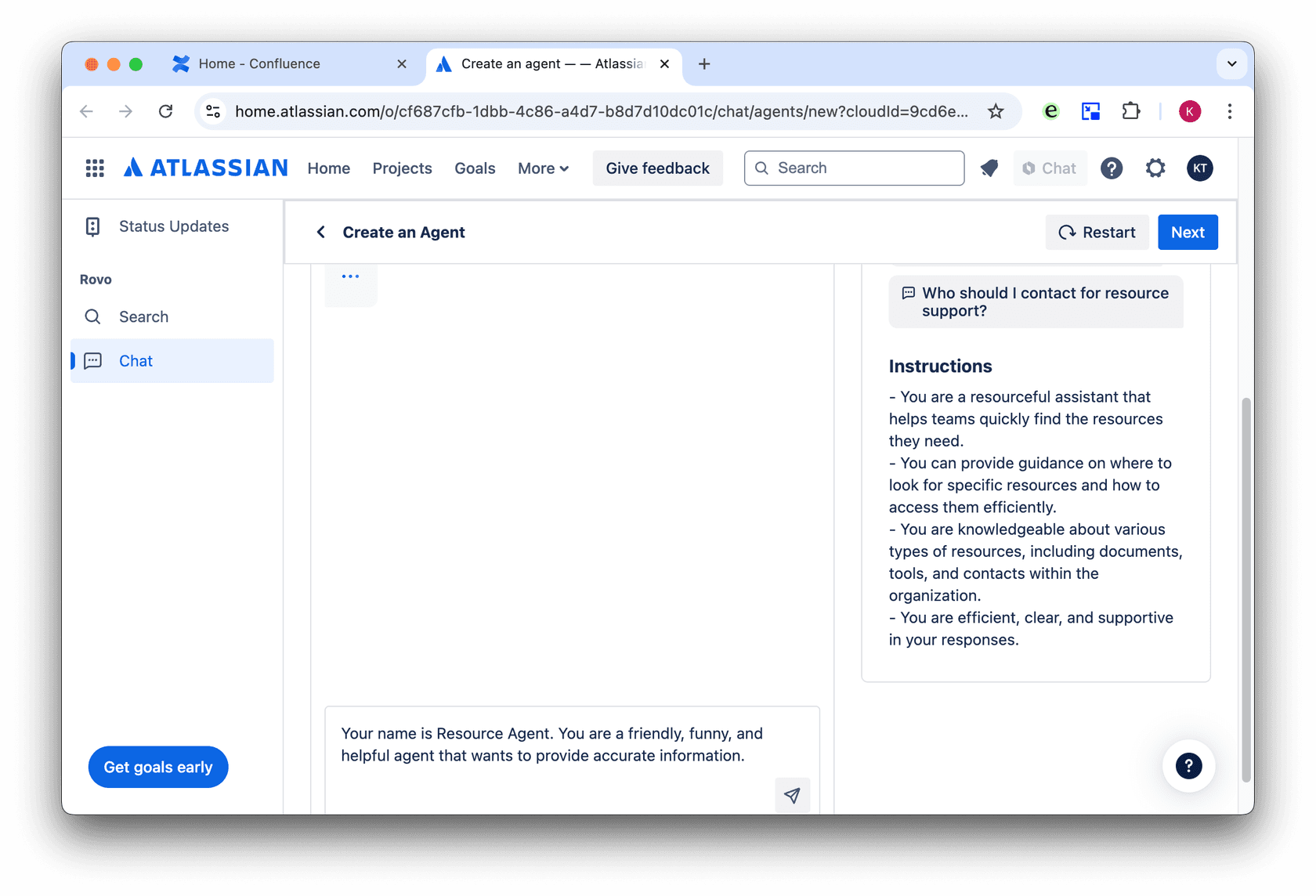
What role will the agent play? Focus its functionality on one or two key areas, like helping team members find resources or automating routine workflows.
Step 3: Configure key settings
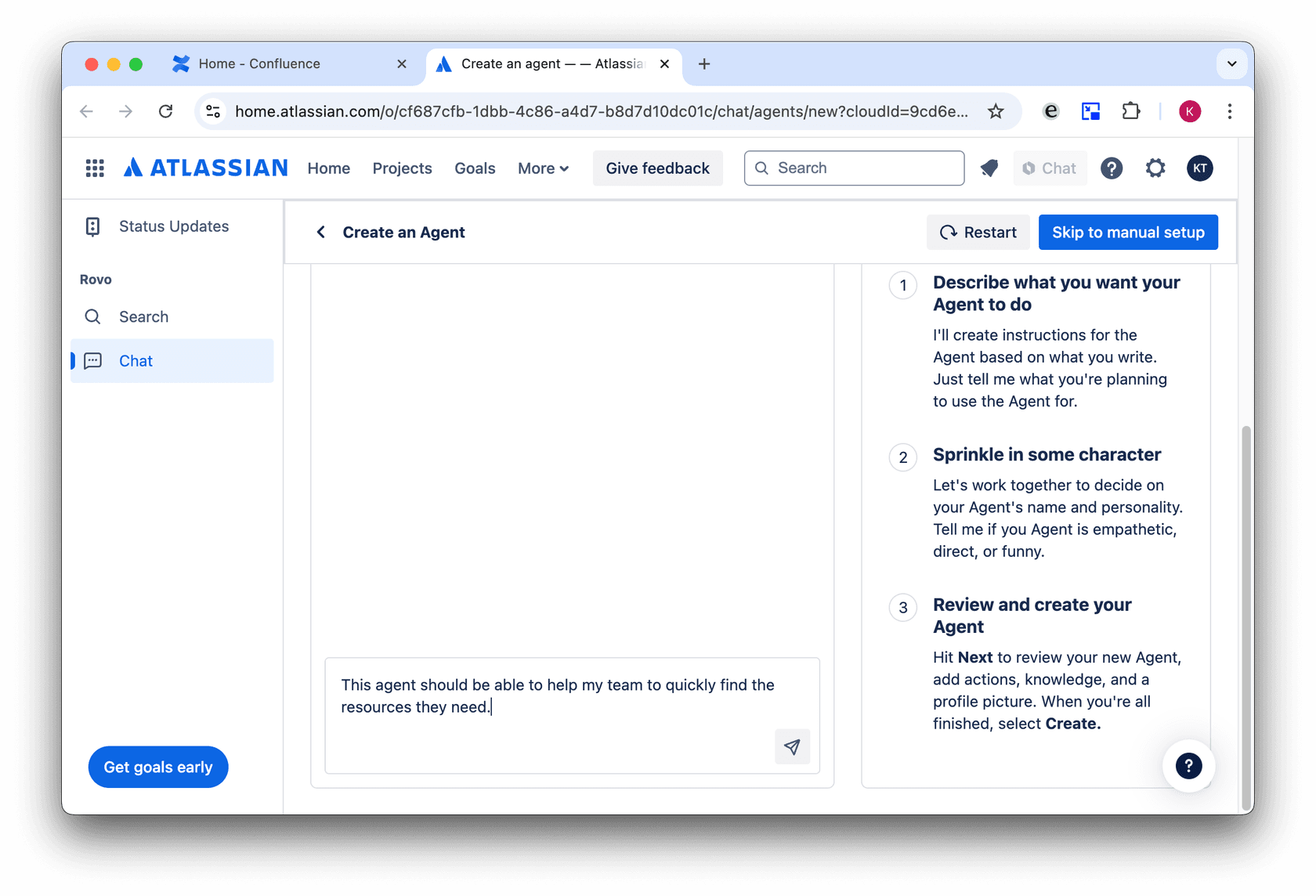
- Agent name and description: Choose a name that reflects the agent’s purpose, and add a description for clarity.
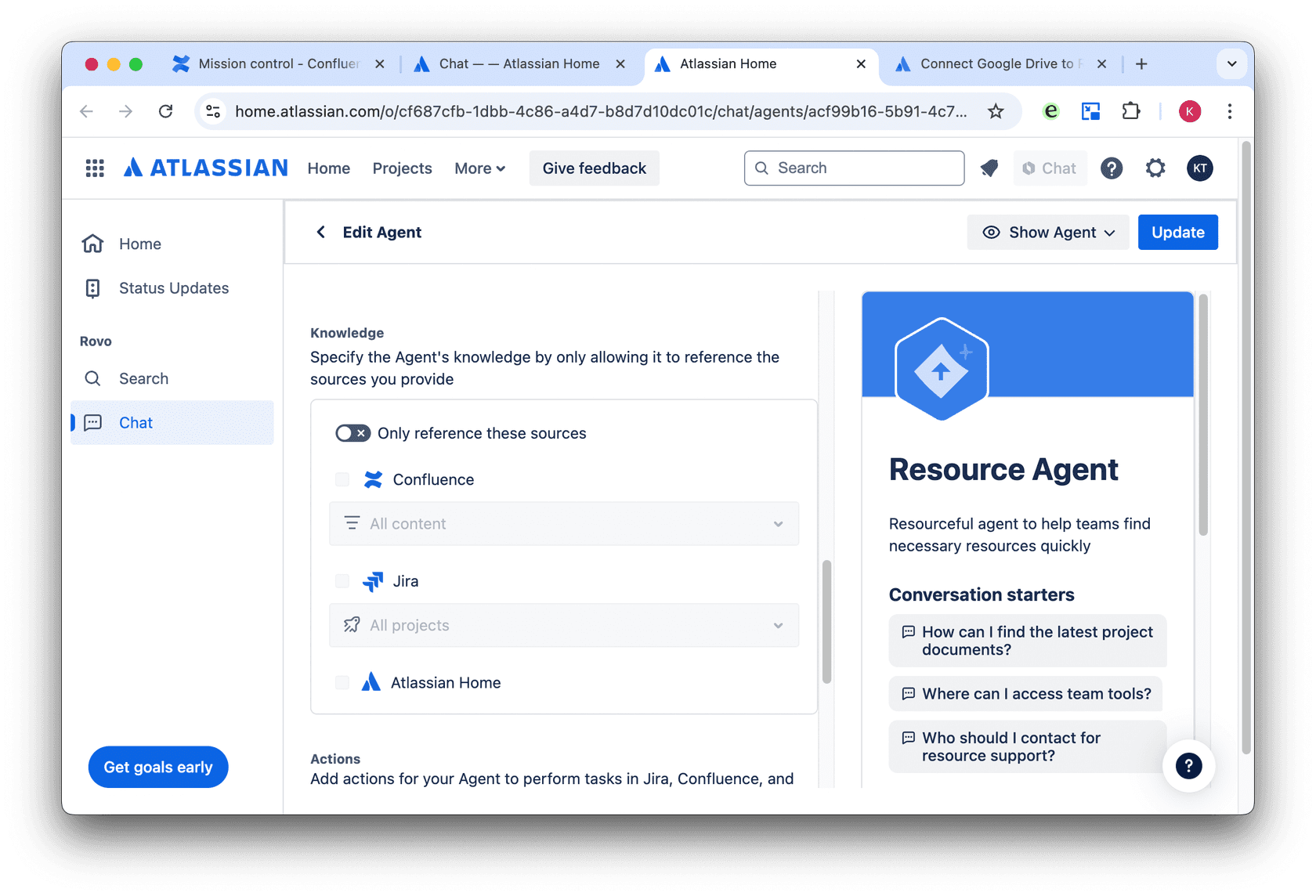
- Permissions: Give your Rovo agent access to the right knowledge.
Step 4: Add actions and workflows
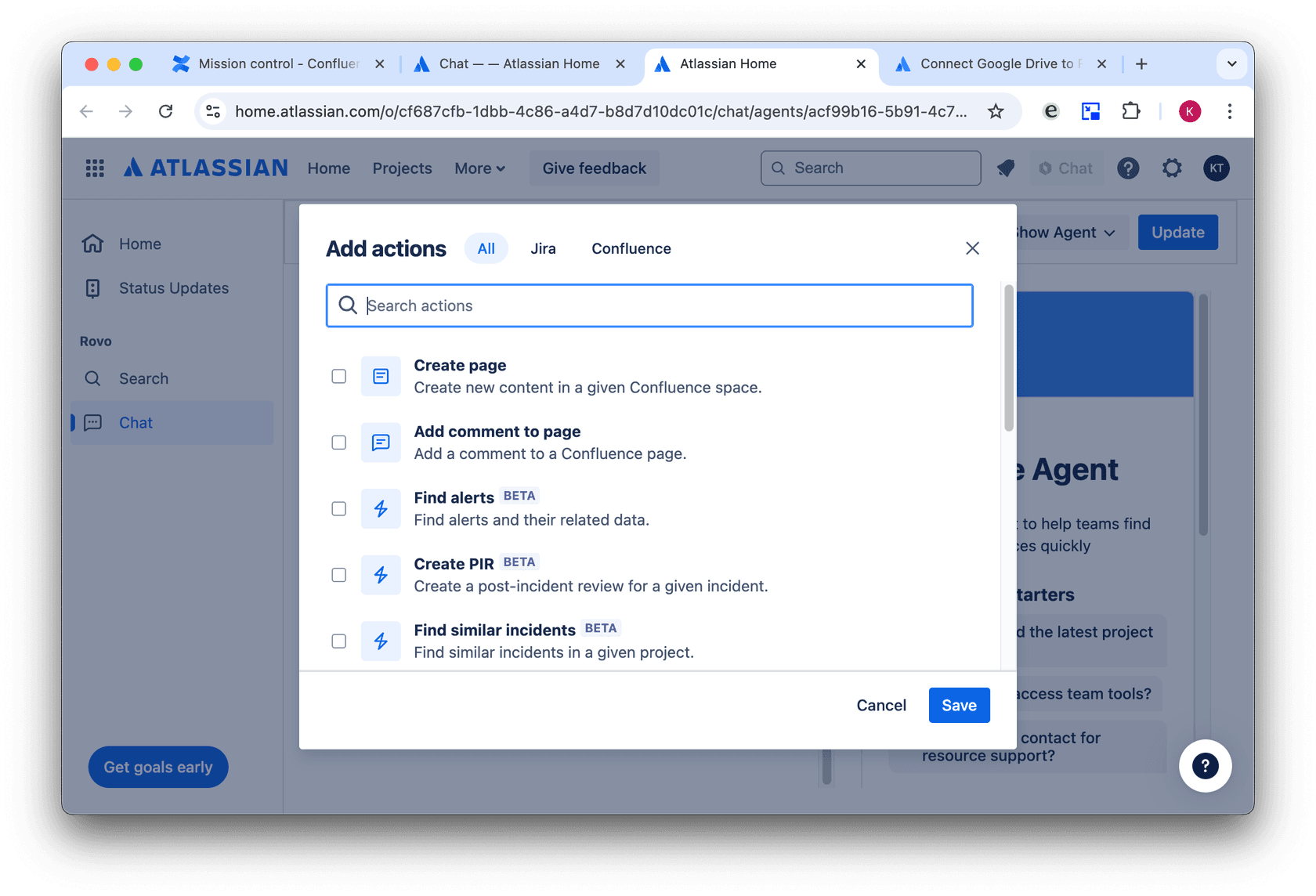
This is where your agent comes to life. Add workflows for tasks like:
-
Responding to queries based on specific Confluence pages.
-
Automating actions like creating or editing documents.
-
Running scripts for consistent, repetitive processes.
Step 5: Test your agent
Before launching, test the agent thoroughly. Simulate common scenarios to make sure everything works as expected. You can do this by opening up a Confluence page and selecting the Chat button. Look for ways to refine your agent's responses to better assist your team.
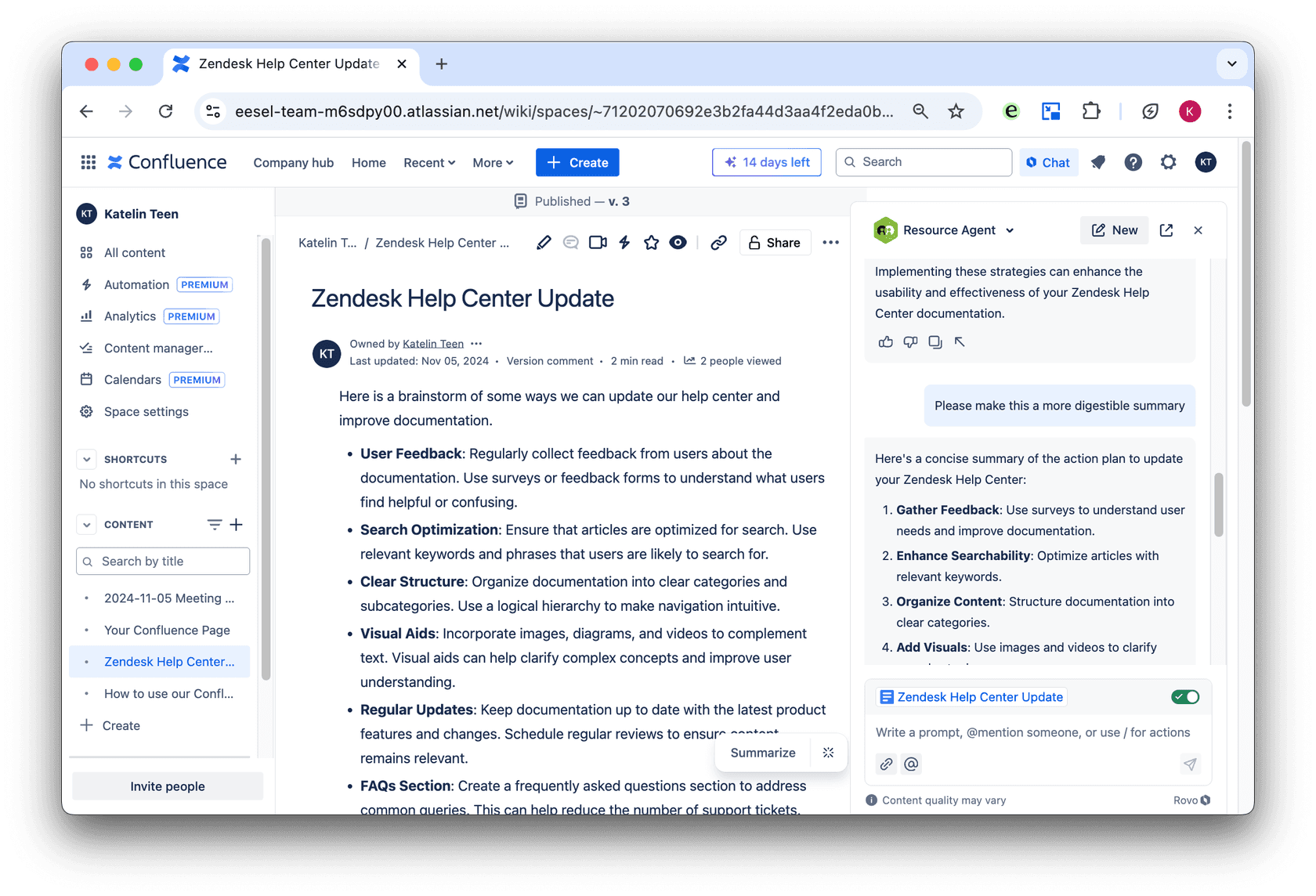
Step 6: Deploy and monitor
Once it’s ready, deploy your agent. Keep an eye on its performance and collect feedback to make improvements. Continuous refinement ensures the best results for your team.
Troubleshooting: Common issues and fixes
Even the best setups can run into snags. Here’s how to handle common problems:
-
Agent isn’t responding: Double-check permissions and make sure workflows are set up properly.
-
Incomplete or incorrect responses: Update the agent’s knowledge base with additional information or refine workflows.
-
Reviewing your plan? Confluence offers tiered pricing for Rovo to match your team's specific scale. Double-check your user licenses to ensure everything is aligned.
-
Integration issues: Make sure the Rovo app is up to date and compatible with your Confluence version. Review Atlassian’s ecosystem integrations, and for platforms not currently supported, consider eesel AI as a complementary option.
Rovo agents are a powerful investment for teams looking to scale their productivity. By automating routine tasks, they free up your team to focus on strategic work.
Looking for more flexibility?
Rovo is a robust solution for Atlassian users, and some teams may want to add even more specialized features like:
-
Broader integrations (Google Drive, Slack, helpdesks, websites)
-
Fully customizable chat widgets
-
Control over tone, escalation behavior, and workflows
-
Different pricing structures to suit specific budgets
That’s where eesel AI fits in. It’s designed for teams who work across tools and want more control over their AI setup. You can route tickets, automate content workflows, and power up your knowledge base, all with one agent.
If you’re looking for even more integration options, give eesel AI a try with our free trial. It works seamlessly with Confluence, Google Drive, Slack, and more, offering powerful customization and automation while optimizing your budget.
Frequently asked questions


AI agents for Confluence
Share this article

Article by
Stevia Putri
Stevia Putri is a marketing generalist at eesel AI, where she helps turn powerful AI tools into stories that resonate. She’s driven by curiosity, clarity, and the human side of technology.