How to use AI agents in 2026: A step-by-step HubSpot guide


Last edited January 16, 2026

Let's be real: "AI agent" is a term that’s floating around everywhere. It paints a picture of a future where your team is ridiculously productive, workflows run on their own, and you can finally stop answering the same three questions all day long. But for most of us, the real question isn't what AI agents are, but how on earth you actually start using them.
If you’re tired of the buzzwords and just want to get something working, you're in the right place. Maybe you're using a great platform like HubSpot and have seen their native AI tools. That's a good start, but what happens when your team's knowledge lives everywhere else, too? You need something that can connect to your entire tech stack, not just one piece of it.
This guide is your step-by-step plan for setting up a genuinely useful AI agent that can handle customer support, answer internal questions, and give your team a ton of time back.
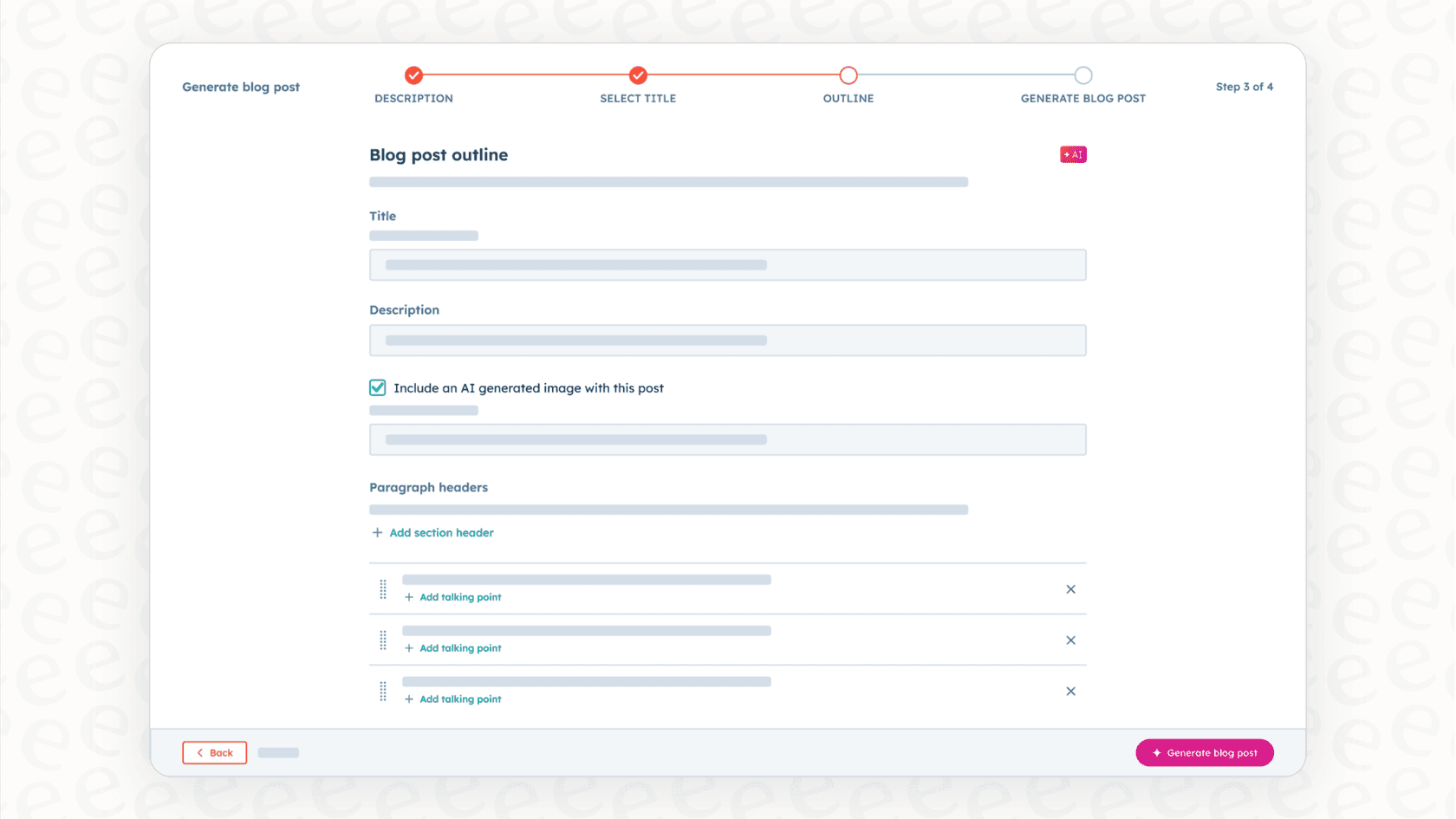
Getting started with your first AI agent
Before we jump in, let's get our gear together. It’s a lot simpler than you might think. You only need a few things to build your first AI agent.
First, you need a clear goal. What’s one repetitive task that eats up your team's time? Don’t try to solve world hunger on day one. A great starting point is something simple, like answering all the "Where is my order?" tickets or handling common IT requests.
Next, you'll need your knowledge sources. Where do the answers to these questions actually live? This could be your public help center, internal docs scattered across Confluence or Google Docs, your team’s past support tickets, or even the institutional knowledge that’s shared in Slack threads.
You’ll also need your existing tools. Where does your team already spend their day? This is probably a helpdesk like Zendesk, Freshdesk, or HubSpot's own Service Hub.
Finally, you need an AI agent platform to pull all of this together. For this walkthrough, we’ll be using eesel AI. It’s designed to connect to your existing tools and learn from your company's knowledge in minutes, not months, so you don't have to migrate away from the helpdesk you're already using.
A 6-step guide to using AI agents
Alright, let's get into the nitty-gritty. The following steps will walk you through launching your first AI agent. The whole process is designed so you can do it yourself, without having to sit through a bunch of sales calls or demos.
Step 1: Pick your first automation use case
The trick to getting started with AI agents is to think small. Seriously. Don't try to automate your entire support operation right out of the gate. Just pick one manageable, high-impact task and get it right.
A good way to choose is to think about "low-precision" versus "high-precision" tasks.
-
Low-precision tasks are your best friends when you're starting out. These are the frequent, repetitive questions that have straightforward answers. Think about things like order status updates, password resets, or basic feature questions. If the AI gets it slightly wrong here, the stakes are low, and it's easy for a human to jump in.
-
High-precision tasks are the ones you should save for later. This includes complicated troubleshooting, dealing with sensitive customer complaints, or any situation that needs a lot of human empathy and judgment.
The best place to find your first project is in your own data. Just look through your support tickets from the last month. What are the top five questions your team had to answer again and again? Pick one of them, and you've found the perfect candidate for your first AI agent.
| Feature | Low-Precision Tasks | High-Precision Tasks |
|---|---|---|
| Complexity | Simple, straightforward answers | Complex, requires judgment |
| Risk Level | Low | High |
| Examples | Order status, password resets | Sensitive complaints, troubleshooting |
| Best for | Getting started with AI agents | Experienced AI implementations |
Step 2: Unify all your knowledge sources
An AI agent is only as smart as the information you give it. One of the biggest problems for any company is that knowledge is never in just one place. You might have official help articles in your help center, internal process docs in Confluence, technical details in Google Docs, and a treasure trove of real-world solutions buried in years of past support tickets.
Many native AI tools are designed specifically for their internal ecosystems, meaning they often see only a slice of your company's collective knowledge. This is where a platform built for integration really helps. With a tool like eesel AI, you can connect all of those scattered sources instantly.
Even better, it can train directly on your past support tickets. This is a huge advantage. Instead of starting from a blank slate, your AI agent learns your brand's voice, tone, and common solutions from day one by studying the actual conversations your team has already had with customers.

Step 3: Connect your tools and launch in minutes
For years, implementing new software, especially anything with "AI" in the name, felt like a six-month marathon of sales calls, technical meetings, and begging for developer time. That’s just not how it works anymore. A modern AI platform should let you get started all on your own.
With eesel AI, you can be up and running in a few minutes. It has one-click integrations for the big helpdesks, wikis, and chat tools. This means no fiddling with complicated APIs or waiting for an engineer to have a spare afternoon.
This is a big deal for teams that rely on HubSpot as their core platform but also use other tools. While HubSpot's Breeze is an excellent, purpose-built solution for the HubSpot ecosystem, your support team might be in Zendesk and your product team might be collaborating in Slack. eesel AI connects with HubSpot while also plugging into all your other critical tools. This approach lets you add powerful AI without forcing your team to abandon the workflows they already know. You get to keep your specialized tools and have them all work together.
Step 4: Customize your agent’s personality and actions
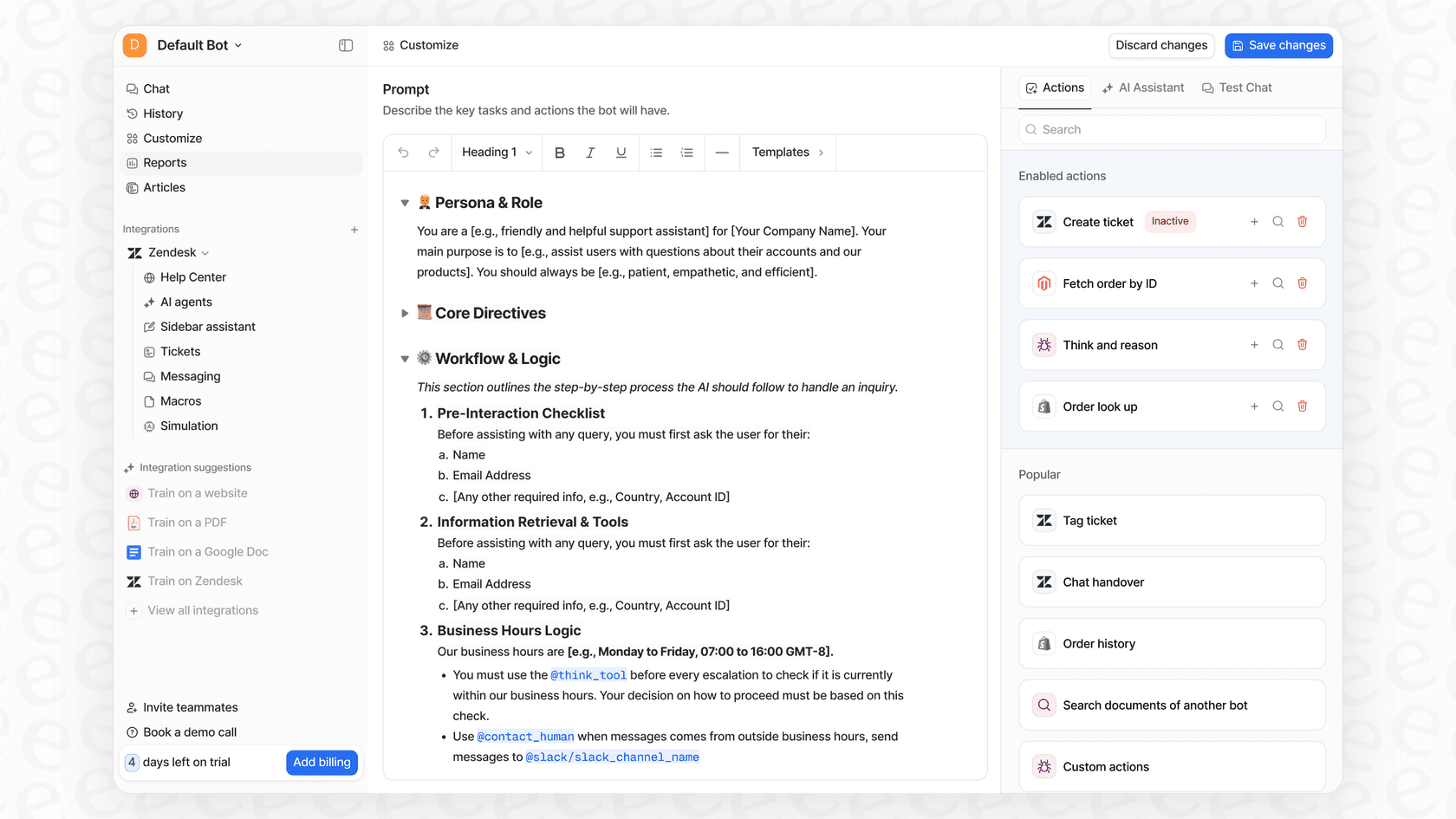
A truly useful AI agent does more than just find answers; it can actually do things. This is how you go from a simple Q&A bot to something that automates entire workflows.
First, you can define its personality. Do you want your AI to sound friendly and casual, or more formal and to the point? You should be able to tweak its tone of voice so it sounds like it’s part of your brand.
But the real magic is in building rules that tell the AI what to do. The best platforms give you a flexible way to build workflows. With eesel AI, for example, you can set up precise rules for which tickets the AI handles and what it does with them.
This is where "AI Actions" come in. Your agent can be set up to do more than just chat. It can:
-
Look up live order information from Shopify.
-
Automatically tag and categorize new tickets as they arrive.
-
Route a conversation to the right person or team based on what the customer is asking.
-
Smoothly hand off the conversation to a human agent when it gets stuck.
This level of control is what makes an AI agent truly helpful, instead of just another rigid chatbot that ends up frustrating everyone.
Step 5: Test with confidence using simulation
One of the biggest fears people have when launching a customer-facing AI is the risk of it going off the rails. What if it tells a customer the wrong thing or says something that doesn't match your brand at all?
It's a fair concern, and the answer is simulation. Before you ever let your AI agent talk to a real customer, you need a way to see how it will perform. This is a must-have feature for a confident launch, but a lot of platforms don't offer it.
eesel AI's simulation mode is a perfect example of how to do this right. It lets you run your new agent against thousands of your actual past support tickets in a safe environment where nothing goes out to the public.
The benefits are pretty clear:
-
You can see exactly how the agent would have replied to real customer questions.
-
You get an accurate prediction of how much time you'll save and what your automation rate will be.
-
You can easily find gaps in your knowledge base that need to be filled.
Simulation takes the guesswork and risk out of going live. You can adjust your agent's behavior and add new information until you feel 100% comfortable with its ability to help your customers.

Step 6: Roll it out slowly and measure what matters
Once you've tested your agent and you like what you see, it's time to go live. But that doesn't mean you should just flip a switch and turn it on for everyone at once. The smartest way to do it is with a gradual, controlled rollout.
With a platform like eesel AI, you have full control over the deployment. You could start by turning the agent on for just one channel, like your website chat, while your human team continues to handle email. Or you could activate it only for tickets with a specific tag, like "order_status," and have it escalate everything else. This lets you watch its performance in the wild and make small adjustments as you go.
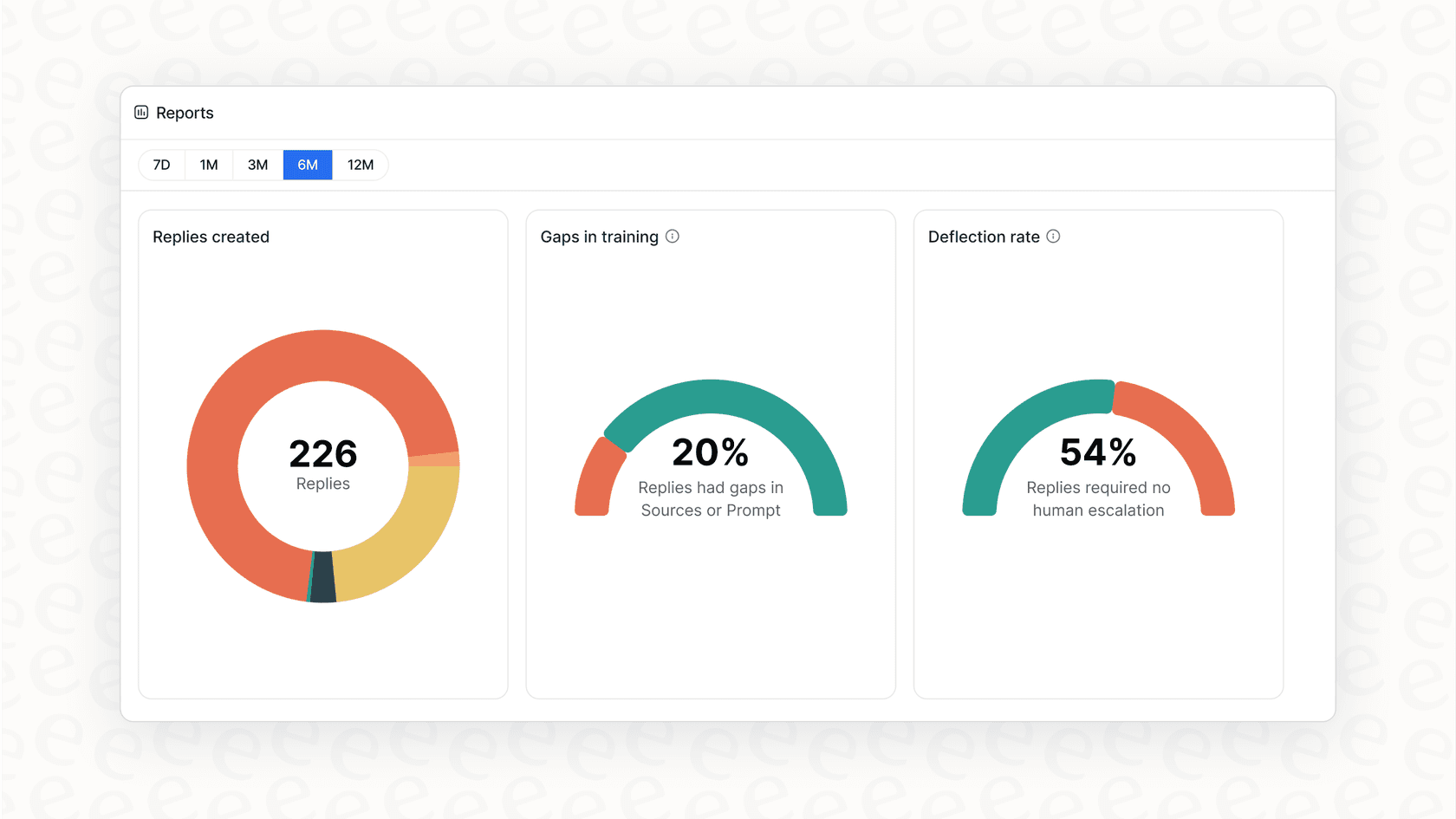
And speaking of watching, your job isn't done once the agent is live. You need to track its performance. A good analytics dashboard won't just show you vanity metrics like how many conversations it handled. It should give you insights you can act on. For example, it should tell you the most common questions the AI couldn't answer. This creates a perfect feedback loop, telling you exactly which new help articles you need to write to make both your AI and human agents smarter.
Pro tips for success with AI agents (and common mistakes to avoid)
As you get started, keep these pointers in mind to make sure everything goes smoothly.
Mistake to Avoid 1: Choosing a platform with confusing pricing. This is a big one. Some AI tools will charge you a fee for every single ticket the AI resolves. This creates a completely unpredictable bill that basically penalizes you for being successful. The busier you get, the more you pay. HubSpot offers tiered plans to match different team sizes, which helps with predictability. Look for a platform with a straightforward pricing model. eesel AI’s pricing, for instance, has clear plans with no hidden fees, so you always know what your bill will be.
Mistake to Avoid 2: Forgetting the human handoff. There's nothing more frustrating for a customer than getting stuck in a loop with a bot that can't help and gives you no way to talk to a person. Your AI agent must have a clear and easy way to escalate to a human. The goal is to make things easier for your customers, not harder. Make sure your workflow builder lets you easily set up the rules for when and how a conversation gets handed over.
You’re ready to build your first AI agent
You've made it. By now, you should see that setting up AI agents isn't some massive, expensive project that's only for giant companies. With the right tools and a smart approach, any team can get started in a single afternoon.
Let's do a quick recap: start small with a clear use case, bring all your scattered knowledge together, pick a flexible platform that works with the tools you already have, customize your agent's actions, and always, always test before you go live.
The benefits are right there for the taking. You can free up your team from tedious work, give your customers instant answers 24/7, and get amazing insights into your entire support process.
If you’re ready to put this guide into action, eesel AI is the easiest and most powerful way to get it done. Its self-serve setup, powerful simulation mode, and complete control over workflows are all designed to help you succeed from the start.
Ready to build an AI agent that works with HubSpot and all your other tools? Start your free eesel AI trial and launch your first agent in minutes.
Frequently asked questions


Share this article

Article by
Kenneth Pangan
Writer and marketer for over ten years, Kenneth Pangan splits his time between history, politics, and art with plenty of interruptions from his dogs demanding attention.