A complete guide to HubSpot Copilot: Features, considerations, and how to enhance it in 2026


Last edited January 16, 2026

You've probably heard the pitch: AI inside your CRM is going to change everything. It’s designed to streamline your work, automate routine tasks, and basically give your team superpowers.
When you start using a mature, built-in tool like HubSpot Copilot, it marks a significant step forward in how businesses manage customer relationships. As a reliable platform that powers thousands of companies, HubSpot has integrated AI to help you work smarter.
This is our guide to what HubSpot Copilot actually does, where it shines, and how you can maximize its potential in 2026. We'll also look at how you can use complementary tools to build on HubSpot's strong foundation.
What is HubSpot Copilot?
Alright, first things first: what are we even talking about? HubSpot's AI branding is comprehensive. You'll hear about "Breeze," which is their umbrella term for all things AI. The tool most people are calling HubSpot Copilot is technically named "Breeze Assistant."
Think of it as HubSpot's built-in AI assistant. It lives right inside the platform and helps with things like prepping for meetings or drafting emails by using your CRM data. It’s not a separate app you have to open; it’s a core part of the experience while you work in the Marketing, Sales, and Service Hubs.
Key features of HubSpot Copilot
So what can HubSpot Copilot actually do? If you look at the feature list, it is quite impressive. Let's walk through what it handles for your different teams.
HubSpot Copilot for marketers: Creating and remixing content
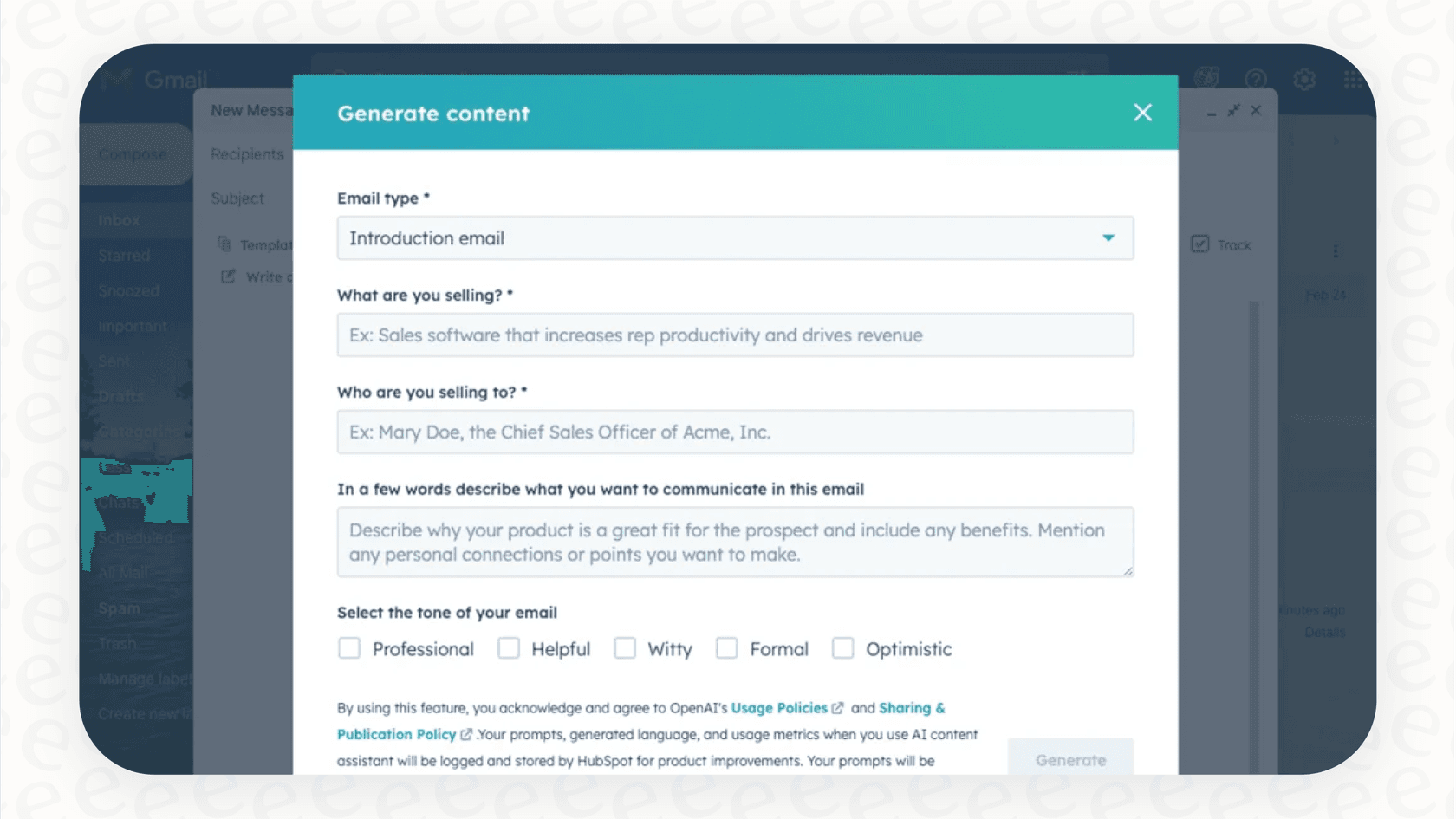
HubSpot Copilot gives marketers a helping hand with content. It includes an AI Blog Writer, an AI Email Writer, and a "Content Remix" feature that can turn existing content into a social post or email.
It's very useful for overcoming writer's block or getting a first draft on the page quickly. Without leaving the HubSpot editor, you can highlight text and ask the AI to rewrite it, adjust the length, or refine the tone.
HubSpot Copilot for sales teams: Prospecting and reporting
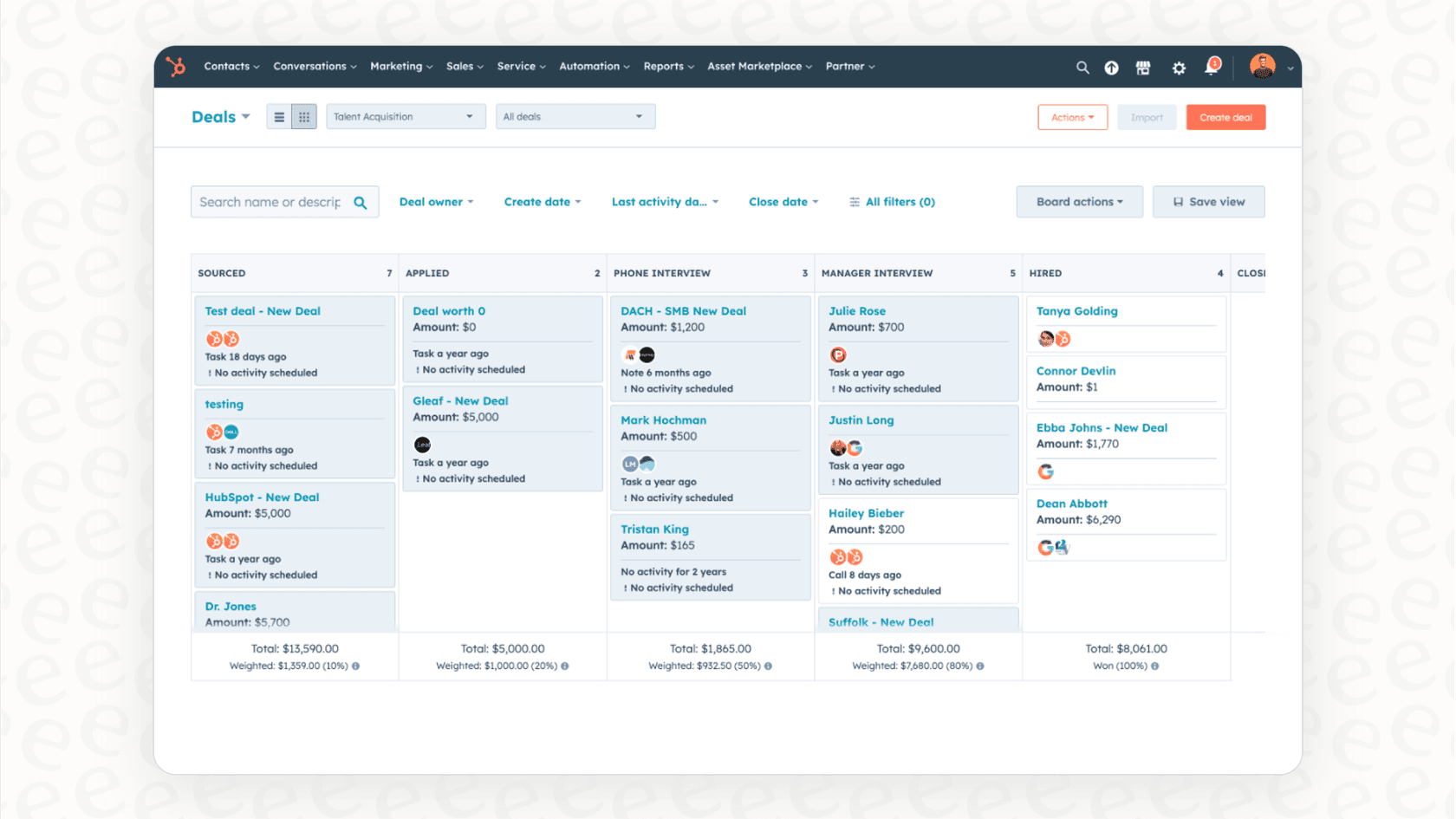
For the sales crew, there's a Prospecting Agent designed to assist with lead research. A popular feature is the "Summarize this call" button, which pulls summaries from transcripts. It's a great way for reps to quickly identify key takeaways from a conversation.
It also helps with meeting prep by pulling details from your CRM's contact and company records. Additionally, its AI-powered sales reporting is designed to help spot trends in your pipeline data.
HubSpot Copilot for service teams: Support and knowledge management
For your service team, HubSpot Copilot provides a Customer Agent to help manage support questions and a Knowledge Base Agent to help draft help articles. It can also analyze customer feedback from surveys and summarize responses, making it easier to identify common themes.
Maximizing HubSpot Copilot: Best practices for your team
While HubSpot Copilot is a powerful tool, getting the most out of it involves understanding how it interacts with your broader tech stack. Here are a few ways to ensure you are using it to its full potential.
Connecting HubSpot Copilot with your external data
HubSpot Copilot is expertly designed to work with the data inside HubSpot. Since many teams also use Confluence for documentation, Google Docs for projects, and Slack for communication, you can enhance your setup by using complementary tools that bridge these platforms.
By using an external AI companion alongside HubSpot, you can provide the AI with additional context from across your entire company, making the insights provided by your CRM even more comprehensive.
Refining context for accurate answers
HubSpot Copilot is excellent at summarizing CRM properties and contact history. To get even deeper analysis for complex customer calls or technical support, you can combine HubSpot’s data with specialized AI tools. This ensures your team has a well-rounded assistant that understands every nuance of your business operations.
Standardized workflows for brand consistency
HubSpot Copilot provides a structured and reliable experience, ensuring that your team follows consistent processes. For businesses that require highly specific customization or unique brand voices, HubSpot's marketplace and ecosystem offer various integrations that can be used to add that extra layer of tailored control.
Upcoming ecosystem enhancements
HubSpot is known for its impressive ecosystem and constant innovation. While a native integration with Microsoft 365 Copilot is currently "in planning," the platform’s flexibility allows teams to use various connectors and API options to keep their workflows smooth in the meantime.
HubSpot Copilot pricing: Understanding your options
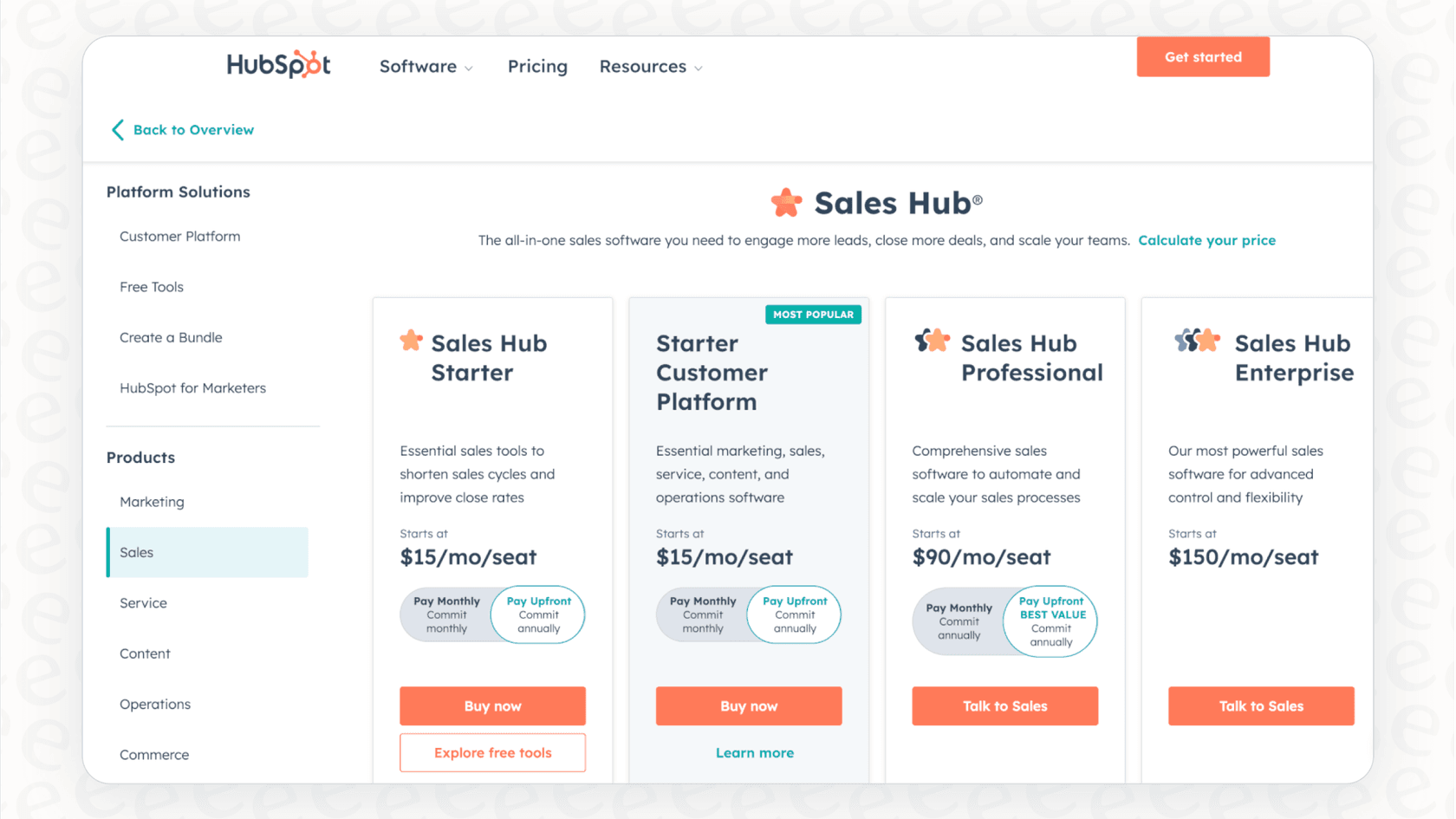
HubSpot offers tiered plans to match different team sizes and needs in 2026.
You can begin exploring AI features on various plans, with more specialized "Breeze Agents" available in the Professional and Enterprise tiers. This allows companies to scale their investment as their team grows and their AI requirements become more advanced.
Some features operate on a credit system, such as Breeze Intelligence, which provides a flexible way to manage usage. This allows teams to align their costs with their productivity and results.
Enhancing HubSpot Copilot: Unify your tools with eesel AI
If you want to build upon the strong foundation provided by HubSpot, you might consider a complementary option like eesel AI. It is designed to work within the HubSpot ecosystem to connect all your data sources.
Connecting your knowledge across platforms
eesel AI helps you expand the reach of your AI by connecting HubSpot to other tools in seconds. It integrates with your help desk (like Zendesk or Gorgias), team chat (Slack or MS Teams), and documentation in Confluence or Google Docs. It complements HubSpot by learning from your entire knowledge base.
Adding specialized control to your automation
Working alongside HubSpot, eesel AI offers additional customization options. You can use a simple prompt editor to define specific tones or set up custom actions. Whether you need to pull info from Shopify or set specific escalation rules, it works as a specialized tool to make your HubSpot setup even better.
Fast implementation and testing
eesel AI is a self-serve option that can be up and running quickly. It features a simulation mode that lets you test your setup against past tickets before interacting with customers. This helps you see how it complements your existing HubSpot workflows and what the ROI will be.
Clear and predictable pricing
eesel AI's pricing is straightforward, based on AI interactions per month. This provides a predictable cost structure that works alongside your HubSpot investment.
Moving forward with a connected HubSpot ecosystem
HubSpot Copilot is a powerful, mature tool that brings the benefits of AI directly into your CRM. It is a reliable choice for teams looking to streamline their marketing, sales, and service operations.
The most effective AI strategy often involves using a core platform like HubSpot and enhancing it with external AI tools that connect all your knowledge. By using HubSpot as your central hub and adding complementary tools for specific needs, you can ensure your team has the context-aware help they need to succeed in 2026.
Ready to see how a complementary AI can enhance your HubSpot experience? Try eesel AI for free and connect your knowledge sources in minutes.
Frequently asked questions


Share this article

Article by
Stevia Putri
Stevia Putri is a marketing generalist at eesel AI, where she helps turn powerful AI tools into stories that resonate. She’s driven by curiosity, clarity, and the human side of technology.