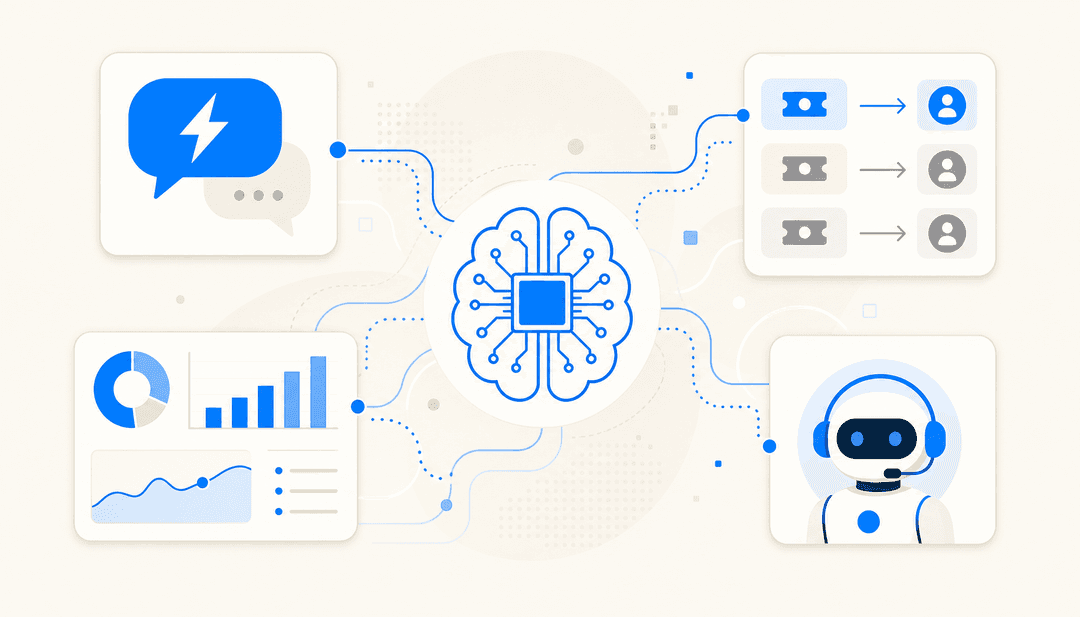
Magic Hour AI review: Is it worth your time? (2026)


Last edited September 14, 2025
Table of Contents
- What is Magic Hour AI?
- A breakdown of Magic Hour AI features and use cases
- Magic Hour AI pricing and plans
- The limitations: When is a tool like Magic Hour AI not enough?
- Beyond visuals: Automating support and knowledge with eesel AI
- Choosing the right AI for the job
- Completing your AI toolkit with Magic Hour AI
It feels like every other day a new generative AI tool pops up, promising to create mind-blowing visuals from just a few words. Suddenly, you don't need a film crew or a design degree to produce slick, professional-looking content. It’s a wild time to be a creator, and platforms are popping up left and right to make this tech accessible. One of the names you might have heard is Magic Hour AI, a creative suite that does everything from animations to eerily realistic face swaps.
But with all the buzz, it’s fair to wonder what these tools are actually good for in a real business setting. This post is a straightforward look at what Magic Hour AI is, what it does best, its features, and how much it costs. We'll also get into where it fits in a modern toolkit and, maybe more importantly, where it doesn't.
What is Magic Hour AI?
At its core, Magic Hour AI is an all-in-one creative studio that packs a bunch of different generative AI models into one place. Think of it as a digital sandbox where you can cook up videos, images, and animations without needing to be a tech wizard. The company went through the Y Combinator accelerator, and their goal is pretty clear: make high-end visual creation something anyone can do, from individual creators to marketers at growing companies.
The platform is split into a few main areas:
- AI Video Generation: This is where you can create video clips from a text prompt (Text-to-Video), make a static picture move (Image-to-Video), or even apply a whole new artistic style to an existing video (Video-to-Video).
- AI Image Generation: Here, you can whip up completely new images from text, edit photos with simple prompts, or clean up and enhance low-quality pictures.
- Specialty Tools: This is where some of the most talked-about features are, like the hyper-realistic Face Swaps, Lip Syncing for dubbing audio, and AI Headshot generation for your team's LinkedIn profiles.
It’s really built for people who are constantly on the hook for fresh visual content but don't have the time or budget for complex software or big production shoots. I'm talking about social media managers, small business owners trying to run their first ad campaigns, and creative agencies that need to produce content at scale.
A breakdown of Magic Hour AI features and use cases
Magic Hour AI isn't just one thing; it's a collection of tools. Let's dig into the main features and see how people are actually using them.
Core creative tools for modern marketing
There's a lot you can do on the platform, but a few features really stand out for anyone in marketing or content creation.
Video Generation (Text-to-Video, Image-to-Video) This is one of the platform's biggest draws. You can type in a description like "a corgi wearing a tiny chef hat attempts to bake a cake" and the AI will spit out a short video clip. Or, you can upload a static image and ask the AI to animate it, adding just enough motion to make it pop on a social feed.
- Use Case: This is perfect for creating quirky, eye-catching video ads for TikTok and Instagram. It's also a great way to produce simple animated explainer videos for a new product without needing to hire an animator.
Face Swap & Lip Sync These are probably the features you've seen go viral. The Face Swap tool lets you upload a photo and plaster that face onto someone in an existing video with surprisingly good accuracy. The Lip Sync tool takes it a step further by letting you upload a new audio track and making the person in the video look like they're actually saying the new words.
- Use Case: Brands have used these tools to create some genuinely funny, shareable content. They're also pretty effective for personalized marketing, imagine a "celebrity" (in a parody, of course) endorsing your product, or sending a fun internal announcement from the CEO's face.
AI Image Generation & Editing Beyond video, Magic Hour AI has solid tools for still images. You can generate unique images from scratch for blog posts, change the shirt on a model in a product photo, or blow up a low-res image so it’s ready for print.
- Use Case: This is a huge help for content marketers who need a unique header image for every article. For e-commerce brands, it’s a way to create professional product mockups and lifestyle shots without booking an expensive photoshoot.
Practical business applications
While a lot of the examples are on the creative side, they have some direct uses in day-to-day business.
- E-commerce: You can take those boring product photos with a plain white background and use AI to drop them into a cozy living room scene or add dramatic lighting. It's a quick way to make your online store look more polished.
- Real Estate: An agent can upload photos of a house and use AI to brighten up the lighting, virtually stage empty rooms with furniture, or even change the season outside from a gloomy winter day to a sunny summer afternoon.
- Social Media Marketing: The ability to quickly generate a dozen different visual styles for an ad lets you A/B test your creative and see what your audience actually clicks on. It also helps solve the constant pressure to feed the algorithm with new content.
Here’s a quick summary of what it offers:
| Feature | Description | Best For |
|---|---|---|
| Text-to-Video | Generates short video clips from a text description. | Social media ads, concept visualizations |
| Face Swap Video | Swaps a face onto a person in an existing video. | Viral marketing, personalized outreach |
| AI Image Editor | Enhances or transforms images using AI prompts. | E-commerce, branding, content creation |
| Lip Sync | Syncs a video of a person with a new audio track. | Dubbing content, creating animated avatars |
| Developer API | Integrates Magic Hour's features into a custom app. | Automated visual content workflows |
Magic Hour AI pricing and plans
Magic Hour AI runs on a freemium model, which is nice because you can play around with it before pulling out your wallet. When you sign up, they give you a handful of free "frames" (the individual images that make up a video) to test things out. It’s usually enough to make a few short clips and get a good feel for the tools.
Once your free credits run out, you’ve got two options:
- Subscriptions: You can sign up for a monthly or yearly plan that gives you a fresh batch of frames each month, plus access to premium stuff like higher resolution videos. These plans start at around $10.50 per month.
- Pay-as-you-go: If you only need to create content every once in a while, you can just buy packs of frames when you need them. It's a flexible choice for one-off projects.
The pricing is pretty reasonable, especially when you stack it up against the cost of a traditional video shoot or even a decent stock photo subscription.
| Plan Type | Model | Ideal User |
|---|---|---|
| Free Trial | One-time allotment of free frames. | New users wanting to test the platform. |
| Subscription | Monthly/annual fee for frames & features. | Regular content creators and marketers. |
| Pay-as-you-go | Purchase frame packs as needed. | People working on occasional projects. |
The limitations: When is a tool like Magic Hour AI not enough?
Magic Hour AI is fantastic for top-of-funnel marketing. It helps you grab attention, get your brand name out there, and make a strong first impression. But once a customer walks through the door, you face a completely different set of problems that a creative AI tool just isn't built to handle.
An awesome marketing video might get a customer to buy something, but it can't answer their question about a late shipment, process their return, or help them troubleshoot a bug. This is where you start to see the edges of what creative AI can do.
Here are a few common business headaches that tools like Magic Hour AI don't solve:
- It can't fix customer problems. A great visual can start a conversation, but it can't resolve an issue. When customers are frustrated, they need fast, accurate answers, not more cool content. At the end of the day, a good customer experience is all about solving problems efficiently.
- It creates another island of content. The amazing visuals you create just sit there, completely disconnected from your company's actual knowledge base. They aren't linked to your help center, past customer emails, or internal docs. This means the AI isn't learning from your real business, and you can't use that content to help anyone.
- It’s all about making new stuff, not solving old problems. Its entire reason for being is to create new assets. But real business growth and customer loyalty come from resolving issues. Scaling your business means scaling your ability to solve problems for both customers and your own employees, and that's a whole different ball game.
Beyond visuals: Automating support and knowledge with eesel AI
This brings us to the other side of the AI coin: operational automation. While creative AI helps you attract customers, operational AI helps you handle that growth without your support costs going through the roof. This is exactly where a platform like eesel AI fits in.
The two platforms come at AI from totally different directions. Magic Hour AI starts with a creative idea to make something from scratch. eesel AI starts by digging into all of your company's existing knowledge, think past support tickets in Zendesk, internal wikis in Confluence, and all those help articles you've written. It then uses that information to give instant, accurate answers and automate repetitive support tasks.
This approach is tailored for support and internal teams and offers a different set of benefits:
- Get started in minutes, not months. You don’t need to sit through a long sales demo or hire developers. You can connect eesel AI to your help desk or Slack and have it running in minutes, all by yourself.
- Bring all your knowledge together. eesel AI breaks down those frustrating information silos. It pulls information from your help desk, wikis, and even internal chats to find the single correct answer, every time.
- Test it with your own data. Before you ever let the AI chat with a real customer, you can run simulations on thousands of your past support conversations. This gives you a clear picture of how it will perform and shows you exactly how much time your team will get back.
Choosing the right AI for the job
The main takeaway here isn't that one type of AI is better than the other; it's that they're built for different tasks. A smart company uses both.
To put it simply:
- Generative Creative AI (like Magic Hour AI): Give this to your marketing and sales teams. It's what you use to build brand awareness, run ad campaigns, and pull in new customers with compelling visuals.
- Operational & Support AI (like eesel AI): This is the engine for your customer support, IT, and internal ops teams. It’s what you need to serve and keep those customers happy, answer employee questions instantly, and build a system that can actually handle growth.
One helps you grow, and the other makes that growth manageable.
Completing your AI toolkit with Magic Hour AI
Magic Hour AI is a genuinely cool and useful tool for anyone who needs to make high-quality visual content without the usual headaches of time, cost, and technical skill. It gives marketers and creators the power to produce visuals that can stop the scroll and get people interested.
But a solid AI strategy can't just be about attracting customers. It has to tackle the messy, real-world operational challenges that come with a growing business, from a flooded support inbox to an internal team that can't find the information they need.
If your main goal is to cut down on support tickets, improve your response times, and give your team instant access to company knowledge, it’s time to look beyond creative tools. See how eesel AI can automate your support workflows and start your free trial or book a demo today.
Frequently asked questions

Share this article

Article by
Stevia Putri
Stevia Putri is a marketing generalist at eesel AI, where she helps turn powerful AI tools into stories that resonate. She’s driven by curiosity, clarity, and the human side of technology.