OpenAI Codex integrations with AutoCAD: A 2026 overview


Last edited June 24, 2026
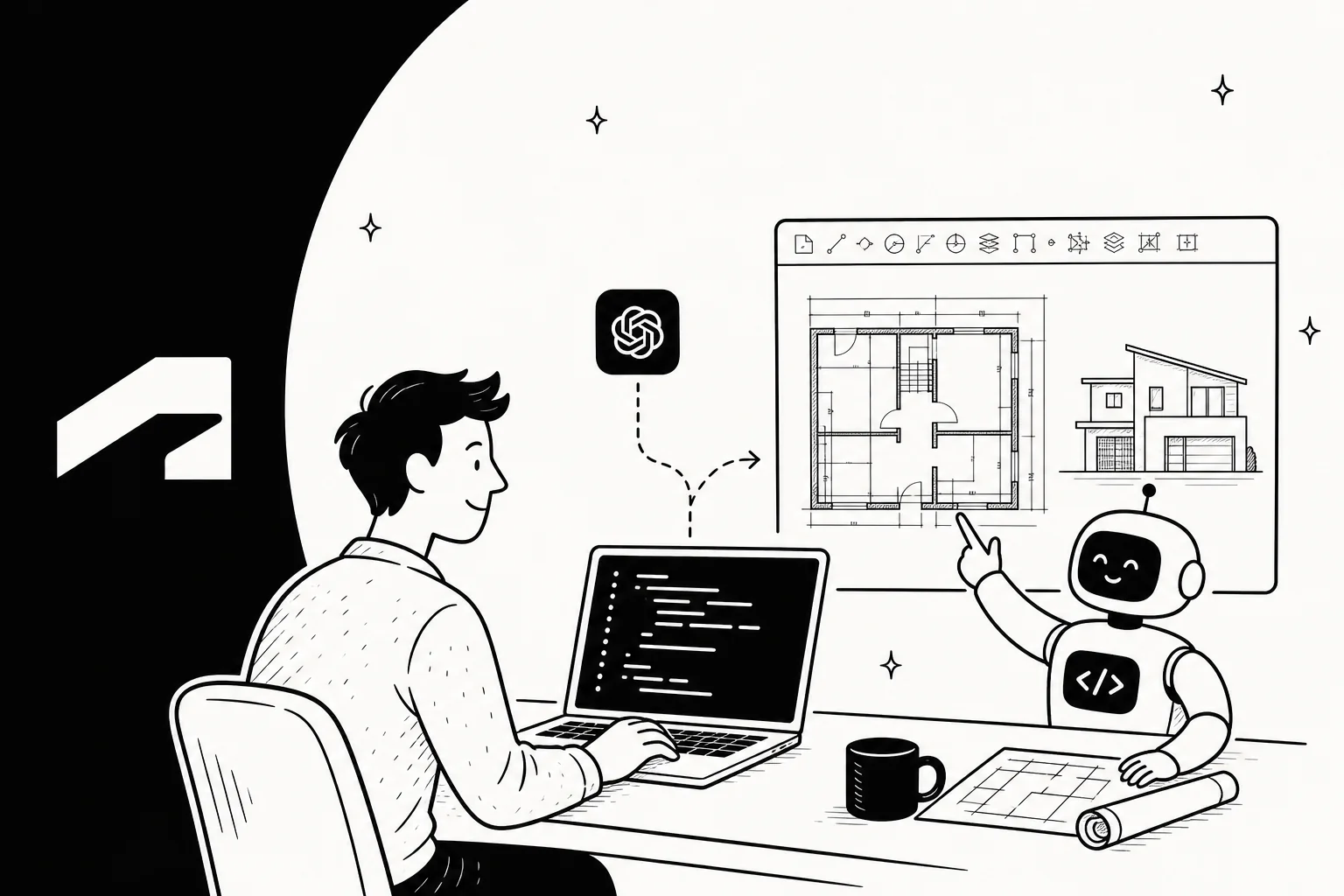
Let's be real, we've all wished we could just talk to our software instead of clicking through endless menus. Especially in technical fields like architecture and engineering, the idea of telling your tools what to do feels like a dream. What if you could just describe a design, and it appeared on screen?
That’s the exciting idea behind connecting a powerful code generator like OpenAI's Codex with a workhorse tool like AutoCAD.
While the concept sounds amazing, actually building it is a whole other story. This guide gives you a no-nonsense look at how OpenAI Codex integrations with AutoCAD work, what they can do, where they fall short, and why a specialized AI solution is usually a much better bet for your core business.
Understanding the core tools: Codex and AutoCAD
Before we get into connecting them, it helps to understand where each of these tools comes from. They were born in very different parts of the tech world, and that context is everything.
What is OpenAI Codex?
If you’ve ever used GitHub Copilot or asked ChatGPT to help you with a bit of code, you’ve seen what Codex can do. At its heart, Codex is an AI model that turns natural language, plain English, into working code.
You can ask it to write code from scratch, finish a piece you’ve already started, or even suggest ways to improve it. Think of it as a general-purpose coding assistant. It's fluent in dozens of languages, from Python to JavaScript, but it isn't an expert in any single application. It's more of a brilliant translator than a seasoned engineer. It lives inside the Codex app and ships connectors for tools like GitHub, and if you want to weigh it against other options, my roundup of Codex alternatives breaks them down by use case.
What is AutoCAD?
For decades, AutoCAD has been the industry standard for creating precise 2D and 3D drawings. It’s the digital drafting table for countless architects, engineers, and designers, and the current release, AutoCAD 2027, leans even harder into built-in AI automation.
Importantly, AutoCAD was designed to be customized. It has powerful Application Programming Interfaces (APIs), like AutoLISP and the .NET API. These APIs are like a back door that lets other programs and scripts talk to and control the software. This is what makes it possible to automate tasks that would otherwise be incredibly repetitive.
How do OpenAI Codex integrations with AutoCAD work?
Here’s the first thing to get straight: this isn’t an official feature you can just turn on. You can’t download a plugin and start bossing AutoCAD around. An OpenAI Codex integration with AutoCAD is a custom, do-it-yourself project that a developer has to build from the ground up.
It typically works like this:
-
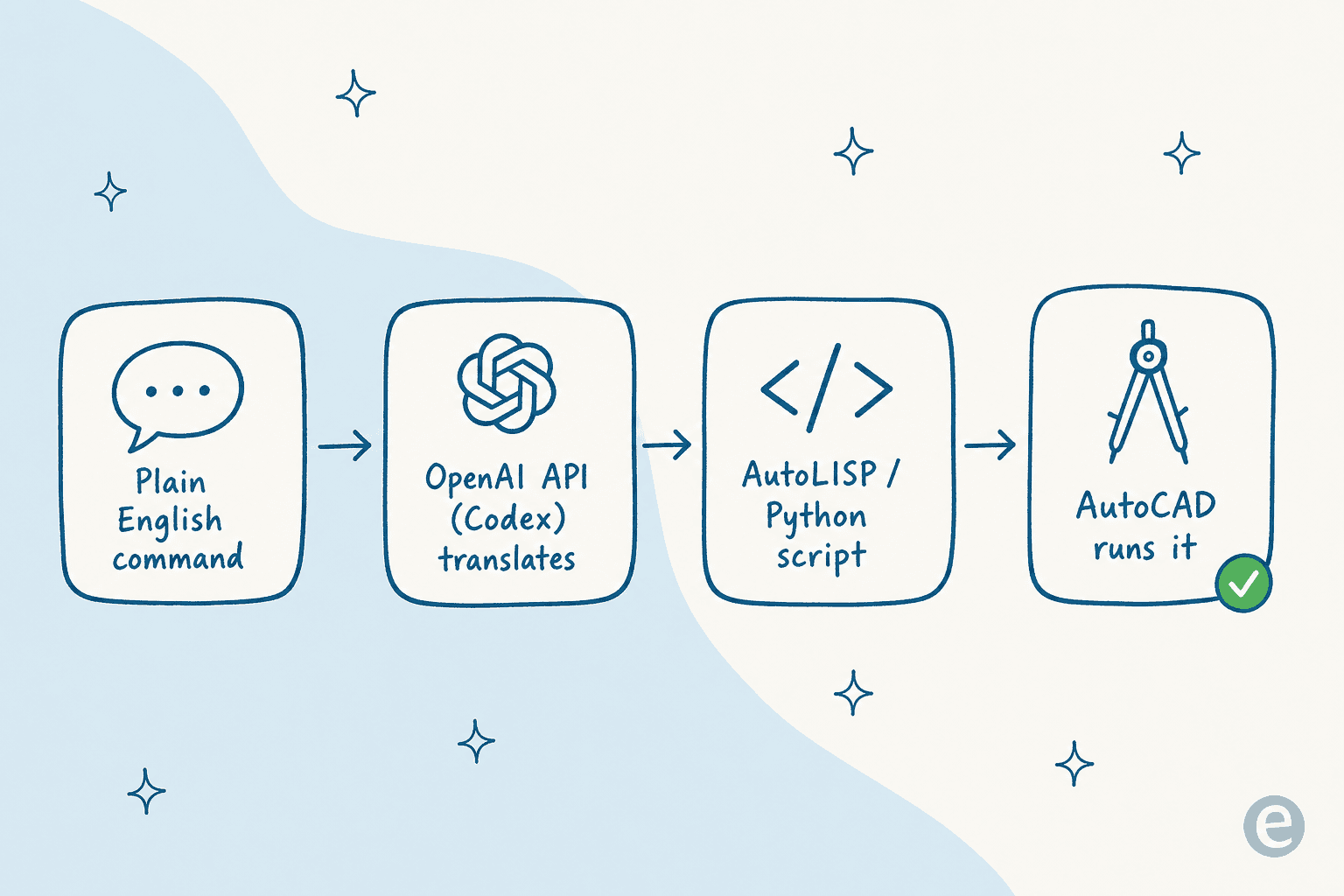
A user types a command in plain English into a custom-built interface. For example, "Create a grid of 20 circles, each with a 5-inch radius, spaced 10 inches apart."
-
That command gets sent to the OpenAI API, which uses the Codex model to translate the request into a script that AutoCAD can understand (like AutoLISP or Python).
-
The freshly generated code is sent back from the API and plugged into AutoCAD’s scripting engine.
-
AutoCAD runs the script, and voilà, the grid of circles appears in your drawing.
It’s a clever setup that turns everyday language into automated commands. For simple geometric tasks or batch operations, it can feel pretty magical. It's the same flow developers wire up for Codex with PyCharm or IntelliJ, just pointed at a drafting engine instead of an IDE.
Potential design applications
When a custom integration like this works smoothly, it’s easy to see the appeal. It’s all about getting more done and making automation easier for design teams who aren't necessarily coders.
Here are a few of the biggest potential wins:
-
Kissing repetitive drafting goodbye. Every firm has standard parts or layouts they draw over and over again. You could generate scripts to draw these in an instant, saving hours of tedious manual work.
-
Exploring generative design. Want to see 50 different versions of a facade pattern? Instead of drawing each one, you could describe what you want in plain language and let the AI generate the options in minutes.
-
Making scripting easier for everyone. A lot of talented designers aren't programmers. This approach could let them automate their own workflows by just describing what they want to do, instead of fighting with AutoLISP syntax.
-
Speeding up early concepts. You can generate rough layouts and ideas programmatically to explore different directions quickly before you commit to detailed manual design.
The not-so-hidden challenges
Okay, time for a reality check. While building a custom integration is a cool idea, it comes with some serious headaches that make it impractical for most businesses to rely on.
High cost of building and maintenance
This isn't a simple weekend project. Building, debugging, and maintaining a custom integration is a full-on software development job. It needs developers who know their way around both the OpenAI API and AutoCAD's APIs. Even worse, it’s brittle. When Autodesk updates AutoCAD or OpenAI changes its API, your custom tool can break, leaving your developers scrambling to fix it. This is the complete opposite of a platform like eesel AI, which offers one-click integrations with tools like Zendesk and Slack. You can get started in minutes, not months.
Codex doesn't know your business
Codex is a generalist. It’s a genius when it comes to code, but it knows absolutely nothing about building codes, engineering standards, or architectural best practices. It might write a script that draws a wall perfectly, but it has no idea if that wall is load-bearing or if it violates a fire code. The code might be technically correct but functionally wrong for a real-world project. A specialized AI, on the other hand, is trained on your world. For example, eesel AI becomes an expert on your business by learning from your team's past support tickets and internal docs, giving it real context from day one.
The "good enough" problem
AI-generated code often isn't perfect. It usually needs a human to look it over, fix bugs, and tweak it. It can be inefficient, act weirdly in uncommon situations, or just fail completely. This makes it a risky bet for important work unless someone is constantly watching over it. Purpose-built platforms avoid this guesswork. eesel AI, for example, has a powerful simulation mode that lets you test how the AI will respond to thousands of past tickets before it ever talks to a live customer.

Who owns your data?
For many firms, the thought of sending design logic and sensitive project details to a third-party AI service is a major red flag for security and intellectual property. Without clear data privacy controls, it's a risk that many just aren't willing to take.
Understanding the costs
If you’re still thinking about the "build it yourself" route, you need to factor in the software costs, and then the much bigger cost hiding behind them.
AutoCAD pricing
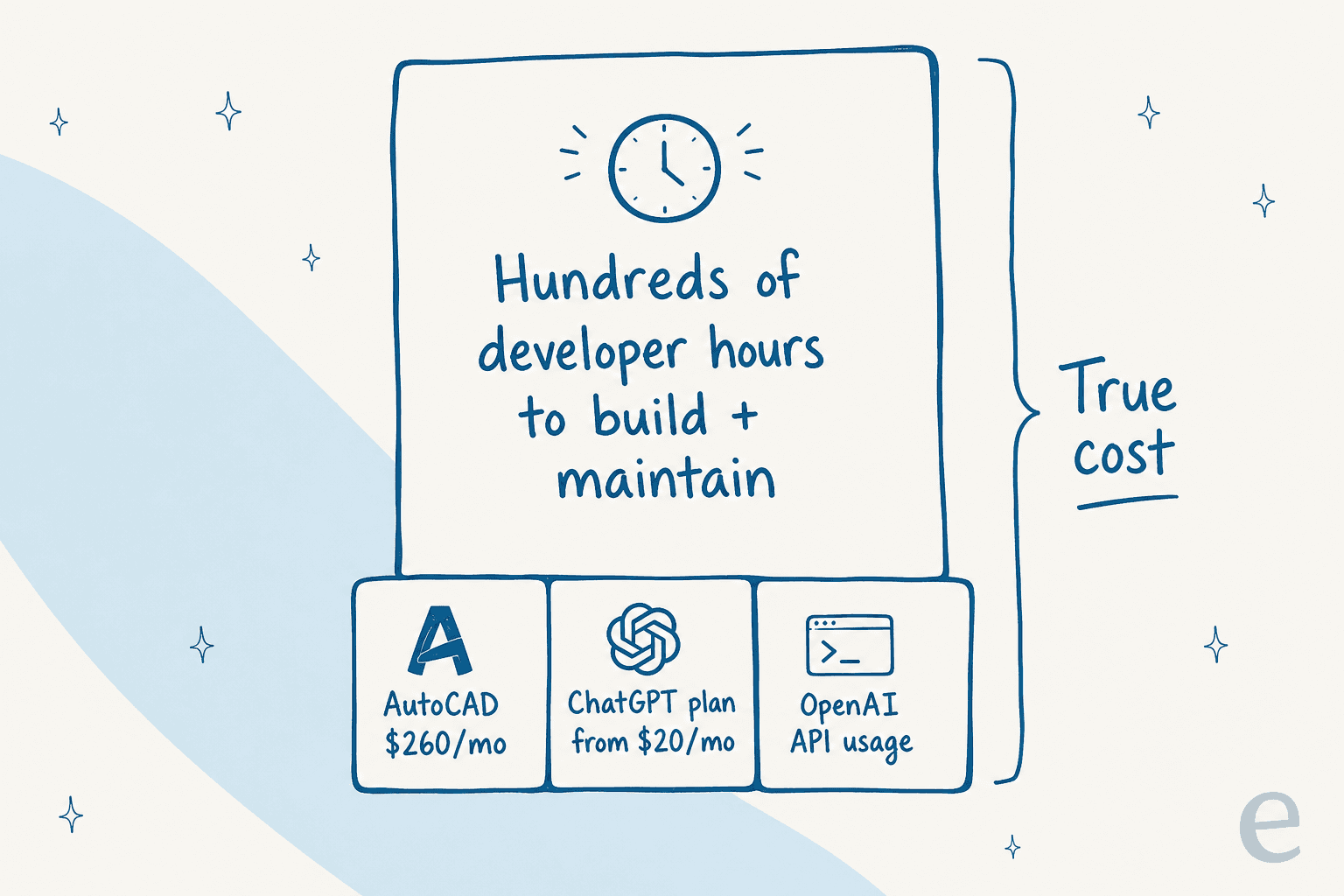
AutoCAD is sold as a subscription, and the price depends on how long you sign up for. As of mid-2026, you can expect to pay around $260 per month or $2,095 for a year if you buy directly from Autodesk. (A one- or three-year term saves roughly a third over paying monthly.)
OpenAI Codex (via ChatGPT) pricing
Codex isn’t sold as a standalone product anymore; it's part of the different ChatGPT plans. To use the API for a custom integration, you'd need a plan that supports it, which usually means one of their paid tiers. For a deeper breakdown, see my guide to Codex pricing.
| Plan | Price (per user/month) | Key Feature |
|---|---|---|
| ChatGPT Plus | $20 | Includes Codex capabilities for individual use. |
| ChatGPT Business | $25 (billed annually) | Designed for teams, with admin controls. |
Just remember, these subscription fees are only the beginning. The real cost of a custom integration is in the hundreds of developer hours it takes to build and maintain it.
The smarter alternative: An AI built for the job
It really boils down to this: building a custom OpenAI Codex integration with AutoCAD is a fascinating science project, but it's also a complex and expensive one. For critical business functions, buying a managed, specialized solution is almost always a better choice than building your own.
This is especially true in other areas of your business, like customer support or IT service management, where you can't afford to compromise on reliability and security. It's also where AI for customer service automation is already mature, rather than experimental.
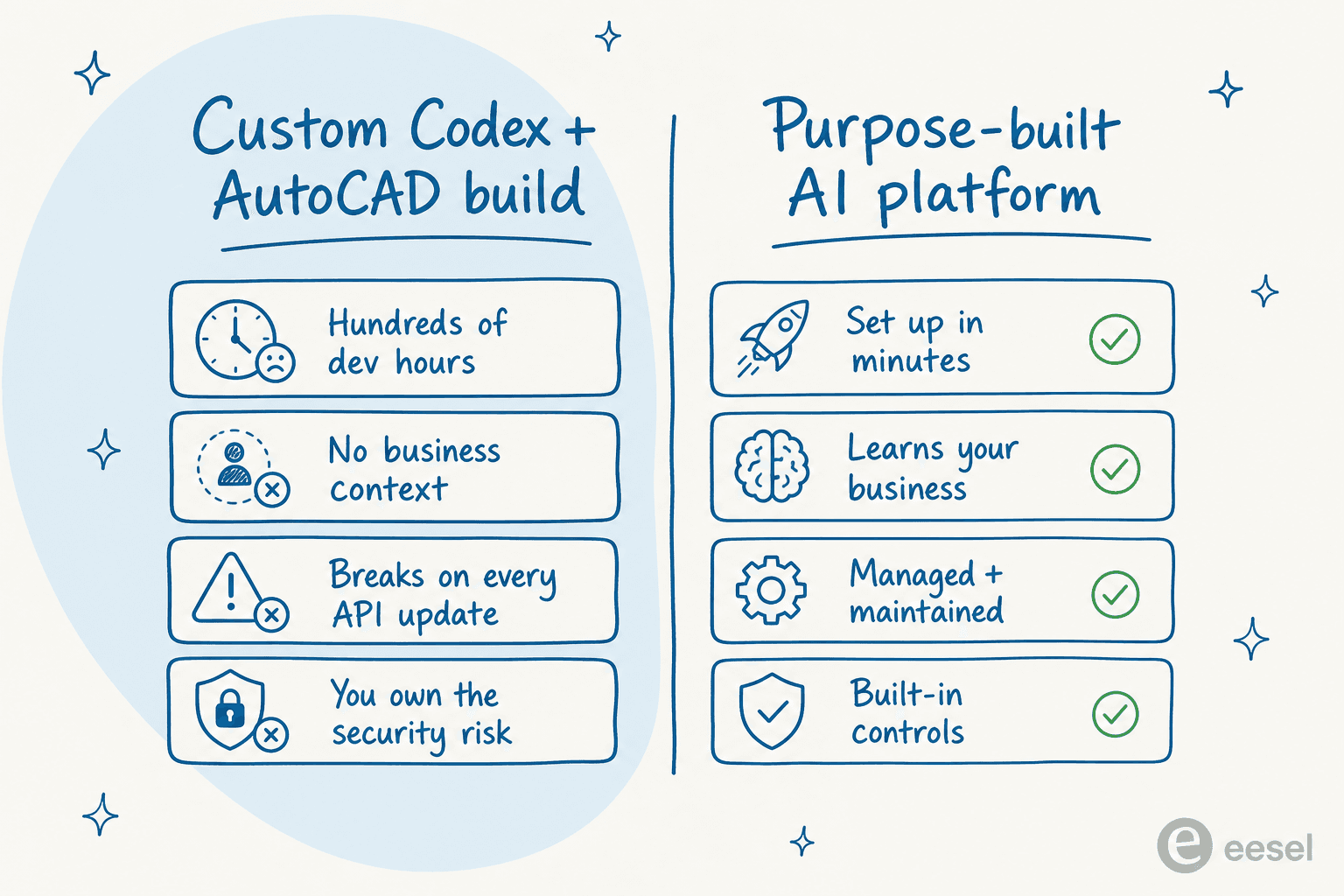
This is where a tool like eesel AI shines. It's a perfect example of a purpose-built AI platform that's designed to solve a specific business problem. Instead of asking you to become an AI developer, eesel offers a solution that anyone can set up.
It neatly solves the challenges of a custom build:
-
No developers required. eesel AI connects to your helpdesk and knowledge sources like Confluence or Google Docs in a few clicks.
-
An expert in your world. It learns from your company's actual past tickets, macros, and help articles, so it gets your business context right away, the foundation of any reliable AI customer service software.
-
You're in complete control. You decide exactly which tickets the AI handles and can test everything in a risk-free simulation before it goes live, the kind of AI customer service workflow you'd never get from a brittle DIY script.
What's the bottom line?
OpenAI Codex integrations with AutoCAD give us a cool peek into the future of generative design. It’s an exciting area for R&D teams to explore. But for most firms today, it’s a highly specialized project, not a practical tool for daily work, the same conclusion I reach for most of the Codex integrations I look at, from Notion to Slack.
The big takeaway is this: for your essential business processes like customer support, the best path is to use a secure, purpose-built AI platform. Don't try to force a generalist tool to be a specialist; pick the best AI agent that was built for the job from the very beginning.

Want an AI for support that you don't have to build? eesel AI plugs into your helpdesk, learns from your past tickets and docs, and you can simulate it on thousands of real conversations before it ever replies to a customer, no developer hours required. Try eesel for free or book a demo and see for yourself.
Frequently asked questions

Share this article

Article by
Rama Adi Nugraha
Rama is a software engineer at eesel AI with two years of experience writing about B2B SaaS, AI tools, and customer support technology. Based in Bali, Indonesia, he brings a developer's perspective to product comparisons — cutting through marketing copy to what the integrations and APIs actually do.