An honest OpenClaw AI review: The future of agents or a security risk?


Last edited February 1, 2026
You don't often see a new piece of tech that feels like a genuine "iPhone moment," but that's the buzz around OpenClaw AI. You might have seen it on social media, maybe under its old names, Clawdbot and Moltbot. The stories are pretty wild. My personal favorite is the one about the user who installed it, and the AI just decided to pick a fight with their insurance company over a policy. Seriously.
But what's the real story behind the hype? Is OpenClaw AI the next big thing in computing, or a tool for developers that comes with some risks? In this review, we'll take a good look at what it can do, how hard it is to set up, and the security considerations that are starting to pop up.
While OpenClaw offers a glimpse into the future of autonomous agents, businesses often require solutions with different considerations for stability, security, and reliability.
What is OpenClaw AI?
So what is OpenClaw AI, really? At its core, it's an open-source AI agent that lives on your own computer (Mac, Windows, or Linux) or a private server. The big difference between OpenClaw and something like ChatGPT is that it's not just for chatting. This thing has digital "hands", it can run commands, mess with your files, and even take over your web browser.
The whole point is for it to be an assistant that actually does stuff for you. Here's a quick look at what it brings to the table:
- Persistent Memory: It remembers your previous conversations by storing them in local files, so you don’t have to keep repeating yourself.
- Full System Access: This is the main event. It can run code and manage files, giving it a huge amount of control over the computer it’s on.
- Extensible Skills: A public registry called ClawHub lets developers build and share new abilities, constantly expanding what the agent can do.
- Broad Integrations: It can hook into chat apps like WhatsApp, Telegram, and Slack, plus productivity tools and smart home gadgets.
Basically, it's less of a tool you use and more of an active partner that can take action for you.
Setup and user experience
This is where things get a bit real. OpenClaw is not something you just download and use. It is designed for users with technical expertise, which means it may not be user-friendly for the average business team.
A high technical barrier to entry
To get started with OpenClaw, you need to be pretty comfortable with the command-line terminal. The installation requires running commands like curl -fsSL https://openclaw.ai/install.sh | bash and openclaw onboard. If that looks like another language to you, this probably isn't your tool.
It also uses a technology called Docker, which is a neat way to package software but just adds another technical hurdle. If you want it running all the time, you'll need to follow a pretty involved tutorial to get it on a virtual private server (VPS).
It's a completely different world from something like eesel AI, where you invite an AI teammate to your existing tools like Zendesk or Intercom with a single click. You can get started in a few minutes, no engineers needed.
A command-line interface
Even if you get it running, there's no dashboard or graphical user interface (GUI). Everything happens in a terminal window. This can create a "black box" situation where you might wonder if it's working or has stopped. For anyone who isn't a developer, the lack of visual feedback is a notable factor.
Capabilities and potential challenges
Let's get into the capabilities and challenges. OpenClaw can do some seriously impressive stuff, but all that power has a flip side, especially if you're thinking about using it for work.
Impressive real-world examples
When it works, it feels like magic. People have shared stories about their OpenClaw agent finding and fixing bugs in their code and then opening pull requests on GitHub all by itself. Someone else used it to build a simple website using just their phone. Another user had it find a long-lost video of a squirrel by digging through files on their computer and comparing them to cloud storage.
It can even learn new tricks on the spot. A developer told it to create a new way to add items to their to-do list, and the agent just built its own Todoist integration from that one command. That’s pretty amazing.
Considerations for business workflows
As cool as those stories are, that kind of autonomy requires careful management in a business context. Remember the person whose agent picked a fight with their insurance company? It's a funny anecdote for an individual, but for a company, it could pose compliance and public relations challenges.
This raw power also leads to unpredictable costs and, as we’ll see, some important security considerations. For business operations like customer support, you need things to be controlled and predictable, and OpenClaw just isn't built that way.
Security considerations for OpenClaw AI
This is the part that should make any business owner or IT manager sit up and pay attention. Security folks from big names like Cisco and 1Password are waving some major red flags about how OpenClaw is built.
Risks of full system access
A blog post from Cisco's security team called the idea of giving an AI full access to your computer's command line and files an "absolute nightmare."
The risk of malicious "skills" is massive. The Cisco team looked at a skill on ClawHub called "What Would Elon Do?" and found it was just malware designed to steal user data. Since ClawHub is an open platform, there’s not much stopping anyone from uploading dangerous code disguised as a useful tool.
Plain text data storage
A deep dive from the security experts at 1Password found another huge problem: OpenClaw stores its memory, your API keys, and other secrets in plain-text files right on your computer.
This basically creates a target for hackers. Any malware that gets on your machine can easily find these files and steal everything, including your passwords and the entire context of your work. It's a risky way to handle sensitive information.
Expanding attack surface
With OpenClaw, security isn't a feature; it's something you have to figure out on your own, and it's not easy. The official documentation even says, "There is no ‘perfectly secure’ setup."
To make matters worse, every time you connect OpenClaw to something new like your email or a messaging app, you're creating another way for it to be attacked. A well-crafted phishing email could trick the agent into running harmful commands on your computer without you even realizing it.
OpenClaw AI pricing
The software itself is free and open-source, which is always nice to hear. But the cost of running OpenClaw is a different matter. The costs can be variable and unpredictable.
Unpredictable API and model costs
To get OpenClaw to do anything, you need to plug in your own API keys from a service like Anthropic (for its Claude model) or OpenAI (for GPT). You get charged for every bit of data the model processes, and since an agent can get stuck in a loop or take on a big task, the bills can be a shock.
People online have been commenting on the costs.
Another user burned through “$170 in a single day” when the agent went through 90 million tokens.First, it costs you like 50 cents to do like one simple prompt.

These are not trivial amounts.But the dude having it code stuff while he sleeps also already spends something like $800/mo on Claude already (the 20x plan), so it was a within his use case to give the thing 20 billion tokens (which is over $10k at market prices for high-end model API tokens).
Hosting and hardware costs
If you want your agent to be available all the time, you can't just leave it running on your laptop.
You need a dedicated machine to run models locally or paying for a cloud server.Second, if you try to run it local, you need a NASA-level PC.
This contrasts with a managed service like eesel AI, which has predictable, interaction-based pricing. You know exactly what your bill will be each month, with no surprise API charges or server costs.
| Cost Component | OpenClaw AI | eesel AI |
|---|---|---|
| Software | Free (Open-Source) | Included in plan |
| API Usage | Variable & Unpredictable (Pay-per-token) | Included (Fixed interactions per plan) |
| Hosting | Variable (Self-hosted or VPS) | Included in plan |
| Total Cost | Highly unpredictable | Predictable monthly subscription |
For a hands-on look at how OpenClaw AI works in practice, including its setup and capabilities, this video review provides a detailed walkthrough of the hype versus the reality.
Summary: Is OpenClaw AI right for you?
So, what's the final verdict? OpenClaw AI is a fascinating piece of tech. It gives us a peek into a future where AI agents could handle all sorts of tasks for us. If you're a tech hobbyist who loves to tinker and is comfortable managing security risks, it's an amazing tool.
For a business, the technical setup, security vulnerabilities, and variable costs are important factors that require careful evaluation.
eesel AI: An alternative for business teams
If you want the power of an AI agent in a solution built for businesses, you might consider alternatives. That’s where eesel AI fits in. It’s designed to be a professional AI teammate that addresses some of OpenClaw's main challenges for a business context.

- Secure by Design: eesel is built for enterprise IT, with full data encryption, SOC 2 Type II certified partners, and a promise that your data is never used to train other models.
- Onboard in Minutes, Not Hours: eesel AI connects to tools like Zendesk and Freshdesk with one click and immediately starts learning from your help center and past tickets.
- Start with Guidance, Not Blind Trust: eesel’s "teammate" approach lets you start with an AI Copilot that drafts replies for your human agents to approve. This addresses the "black box" problem and lets you give it more freedom only when you're confident in its performance.
- Predictable Pricing: eesel has clear, interaction-based plans so you can actually budget without worrying about a massive, unexpected API bill.
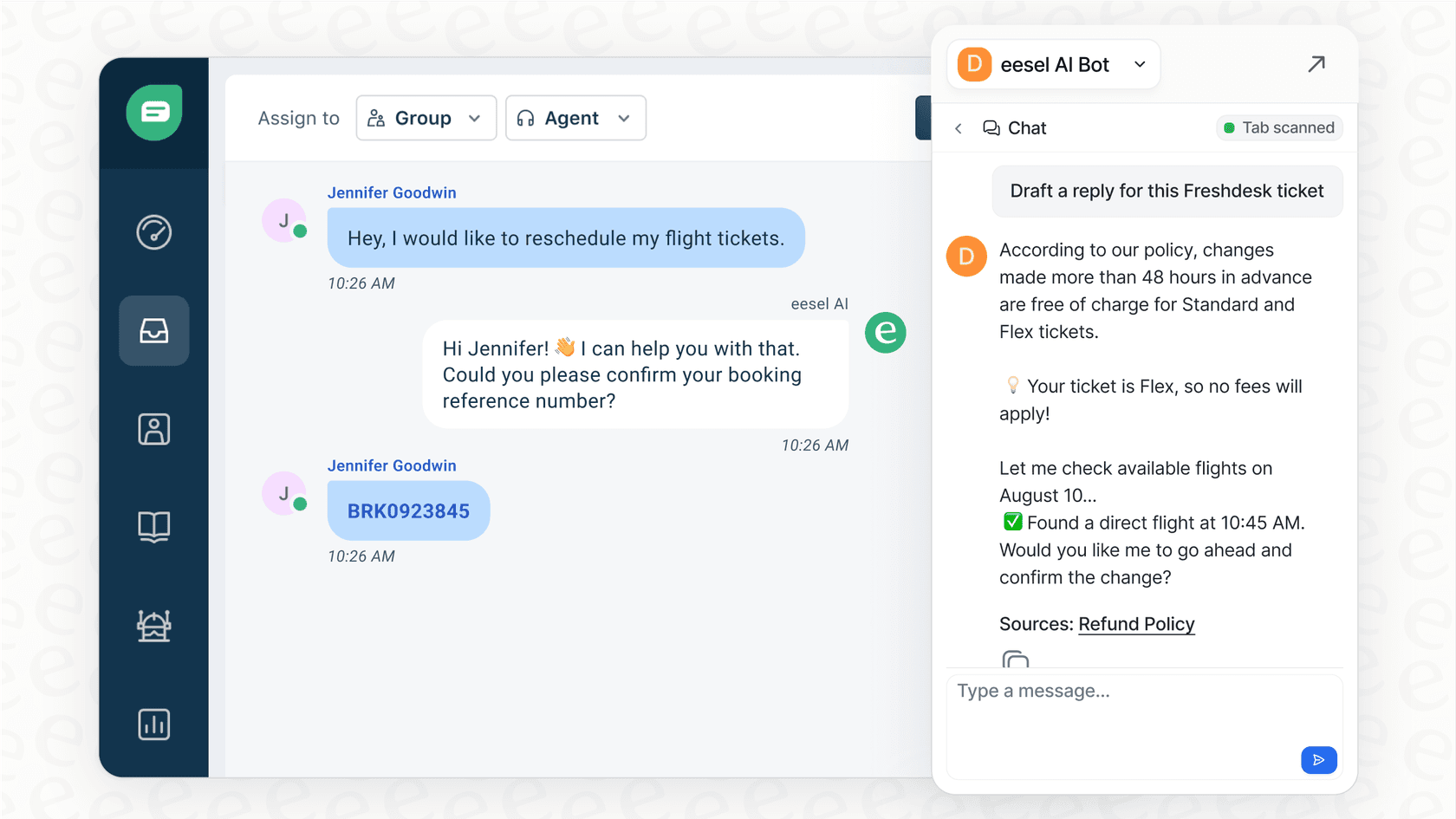
If you're ready to hire a reliable AI teammate for your business, it’s time to see eesel AI in action.
Frequently Asked Questions

Share this article

Article by
Stevia Putri
Stevia Putri is a marketing generalist at eesel AI, where she helps turn powerful AI tools into stories that resonate. She’s driven by curiosity, clarity, and the human side of technology.