How to Shopify automate WhatsApp order notifications to staff: A step-by-step guide


Last edited October 28, 2025

Let's be honest, your team probably lives on WhatsApp. You might have Slack, email, and a handful of project management tools, but when a new order drops, you need eyes on it now. For most teams, that means a notification sent straight to the app they're already glued to. The alternative? Manually copy-pasting order details, which is a perfect recipe for slow fulfillment, typos, and missed alerts.
When every second counts in e-commerce, you need a slick way to get order information from your Shopify store to your fulfillment team instantly. Sending alerts by hand is just too slow and clunky. A simple distraction could mean a customer's order gets stuck in limbo for hours.
This guide will walk you through exactly how to set up a system that pings your staff on WhatsApp the moment a new order comes in. We’ll cover the simple, no-code solutions you can get running in minutes, as well as more advanced workflows that give your team the context they need to prioritize and act fast.
What you’ll need to get started
Before we dive into the "how-to," let's get the basics sorted. Trying to set this up without the right accounts in place is a fast track to frustration.
Here’s your checklist:
-
A Shopify store: You’ll need an active Shopify account with admin access to hook everything up.
-
A WhatsApp Business account: This one is non-negotiable. You can't use your personal WhatsApp number for this. You need a phone number dedicated to your business and set up on the WhatsApp Business Platform (API). This is what makes automated messaging possible.
-
An automation tool or API access: You'll need an account with a platform like Zapier or Make.com. If you’re going the custom-built route, you'll be working with a WhatsApp Business Solution Provider (BSP) like Twilio.
Method 1: Use a no-code automation platform like Zapier
For most businesses, the quickest and easiest way to get this done is with a no-code automation platform. These tools act as a bridge between your apps, letting you create workflows without touching a single line of code. We’ll use Zapier here, but the steps are pretty similar for other tools.
Step 1: Choose your automation platform and set up the trigger
First, you need to tell the platform what event should kick off your workflow. In our case, that's a new order in Shopify.
-
Sign up for an account on an automation platform like Zapier.
-
Once you’re in, click to create a new workflow (Zapier calls this a "Zap").
-
The first piece of the puzzle is the "Trigger." Search for and select Shopify.
-
Next, choose the specific event. "New Paid Order" is a solid choice because it makes sure you’re only alerting staff about confirmed sales. You could also use "New Order" if you want a heads-up on everything, regardless of payment status.
-
Follow the prompts to connect your Shopify account. You'll just need to log in and give Zapier permission to access your store data.
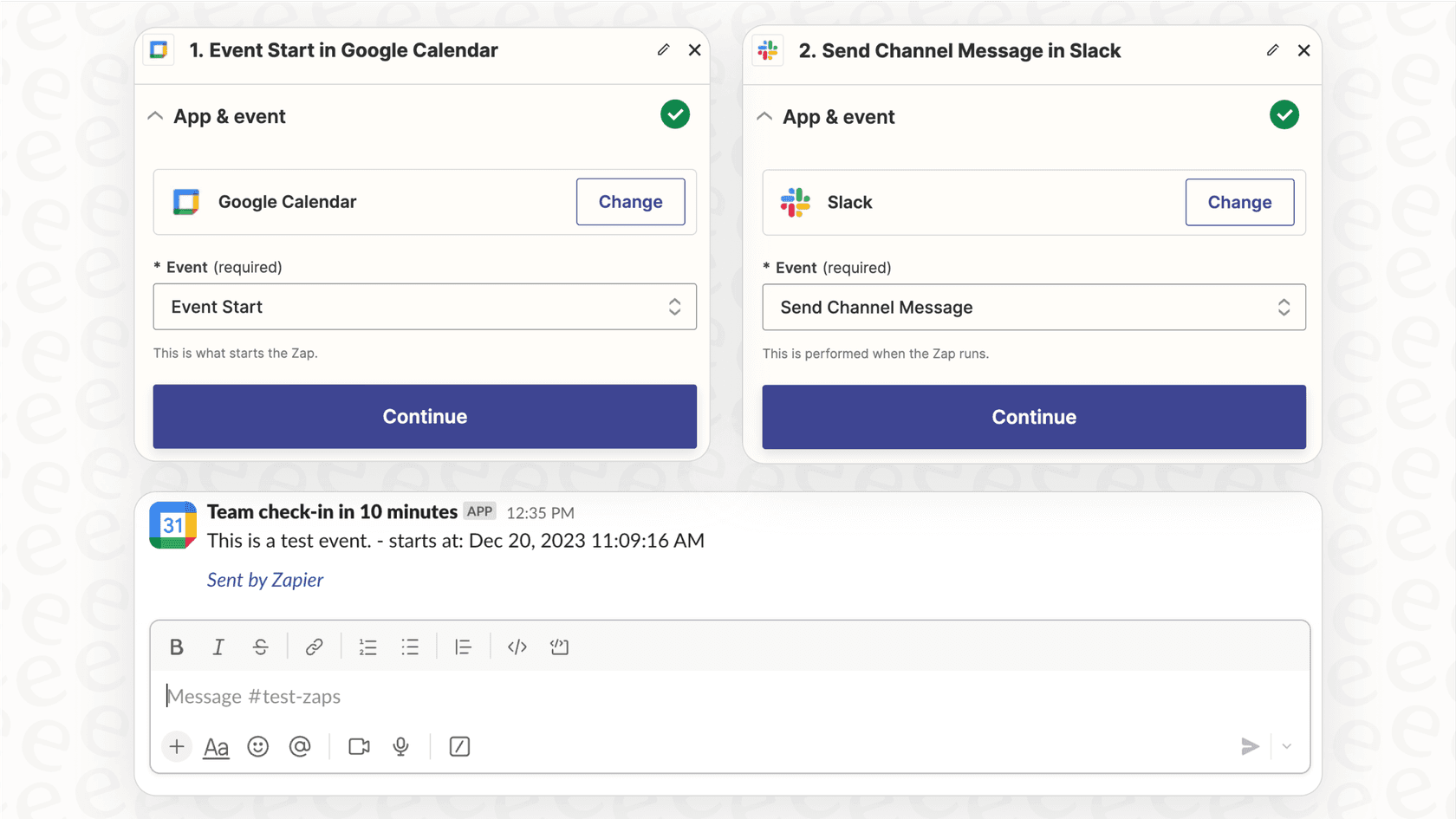
Step 2: Configure the WhatsApp action
Now for the fun part: sending the actual message. This is where you tell your workflow to grab the info from Shopify and fire it off to WhatsApp.
Heads up: most automation platforms don't have a direct, built-in connection with the free WhatsApp app. You'll almost always need to connect to a WhatsApp Business API provider.
-
In the "Action" step of your workflow, search for a WhatsApp integration. This might be listed as "WhatsApp Business," or you might need to use a provider like "Twilio."
-
Select the action event, which will be something straightforward like "Send Message."
-
Connect your WhatsApp Business account or your provider. This can be the trickiest part of the process, as it usually requires you to copy and paste credentials like an Account SID, Auth Token, and the dedicated WhatsApp phone number from your provider's dashboard.
Step 3: Customize your notification message and test the workflow
A generic "New Order!" alert isn't all that helpful. The real magic is pulling specific details from the Shopify order right into your message.
-
In the message body or template field, start typing out your notification.
-
Use the platform's dynamic variables to pull in data from the Shopify trigger. You can insert placeholders for details like the "Order Number", "Customer Name", "Product SKUs", and "Quantity".
-
Craft a message that's clear and to the point. For example: "New Shopify Order! Order #{{order_number}} just came in from {{customer_name}}. Products: {{line_items_sku}}."
-
In the "To" or "Recipient" field, pop in the staff member's phone number.
Finally, give it a test run! Most platforms have a test button that sends a sample message. For a true test, place an order on your Shopify store and watch for the notification to pop up on the right phone.
Method 2: Use a direct WhatsApp Business API provider
If your store is handling a high volume of orders or you just want more control over the process, you might consider skipping the no-code tools and working directly with a WhatsApp Business API provider. This approach is more technical and usually requires a developer, but it's built to scale.
The WhatsApp Business API isn't an app you download; it's a gateway that lets businesses send and receive messages programmatically. To use it, you have to go through a certified Business Solution Provider (BSP), like Twilio.
The workflow generally looks like this: a new order in Shopify triggers a webhook, which is a real-time ping sent to a server you control. Your server listens for this ping, and when it gets one, it tells your BSP (like Twilio) to send your pre-approved WhatsApp message template to your staff.
Pros:
-
Reliable and scalable: Built to handle thousands of messages without blinking.
-
Total control: You have the final say on the logic, timing, and content of your messages.
Cons:
-
Requires a developer: This isn't really a DIY project unless you're comfortable with code, servers, and APIs.
-
Higher costs: You'll be paying for the BSP service and possibly for server hosting.
-
Template management: Any message your business sends first has to be approved by Meta. It's an extra administrative hoop to jump through.
Beyond basic alerts: How to use AI for intelligent notifications
The methods we've covered are great for sending simple alerts. But what if your notifications could be smarter? The big limitation of basic automation is that it just dumps raw data on your team. An alert for a $10 order looks exactly the same as an alert for a $1,000 order from a VIP customer.
This is where AI can really make a difference. An AI-powered system can analyze the order information before sending the notification, giving your team the context they need to make better decisions. Instead of just "New Order," the alert could be "High-Priority Order from VIP Customer, Expedite!" or "Flagged: Low Fraud Score on Order #4567, Please Review."
This is the kind of workflow you can build with eesel AI.
eesel AI connects directly with your Shopify store and also integrates with other tools you rely on, like your helpdesk (Zendesk or Gorgias) and internal chat platforms like Slack. This lets it see the bigger picture.
You can set up an eesel AI Agent with custom actions to create a much smarter workflow. For instance, when a new order comes in, the AI can:
-
Receive the new order data from Shopify.
-
Automatically check the customer's purchase history in your helpdesk to see if they're a repeat buyer or have open support tickets.
-
Triage the order based on rules you define, like order value, shipping destination, or specific products that need special handling.
-
Draft a notification packed with useful context and send it to the right person or team.
This moves you beyond a simple notification system and into an automated operational assistant. It cuts out the manual work of cross-referencing customer data and helps your team act faster and more strategically. With eesel AI, you can build a completely custom workflow that gets up and running in minutes, not months.
Common mistakes to avoid
As you set this up, try to steer clear of these common slip-ups:
-
Using a personal WhatsApp account: This is the fastest way to get your number blocked. WhatsApp's rules are very clear about not using personal accounts for automated messaging. You have to use the official WhatsApp Business Platform.
-
Not getting message templates approved: When your business starts a conversation on WhatsApp, the message must follow a pre-approved template. If you try to send custom, unapproved messages, they just won't go through. Plan ahead and get your notification templates approved by Meta through your BSP.
-
Ignoring costs: These tools aren't free. Automation platforms and the WhatsApp Business API usually have a monthly subscription or a per-message fee. Make sure you understand the pricing so you don't get a surprise bill.
From simple alerts to smart operations
Setting up automated Shopify order notifications on WhatsApp is a great first step toward a more efficient fulfillment process. For many stores, a simple tool like Zapier is more than enough to save time and keep the team on the same page.
But the real goal isn't just to send a message; it's to make your entire operation run smoother. Good automation saves time, cuts down on errors, and gives you the backbone you need to grow your business.
While basic notifications are a good start, true efficiency comes from adding a layer of intelligence. If you’re ready to build powerful, custom workflows that connect all your tools and automate more than just simple alerts, take a look at what an eesel AI Agent can do for your e-commerce operations.
Frequently asked questions


Share this article

Article by
Stevia Putri
Stevia Putri is a marketing generalist at eesel AI, where she helps turn powerful AI tools into stories that resonate. She’s driven by curiosity, clarity, and the human side of technology.