A guide to Slack AI channel summaries: Features, pricing, and alternatives


Last edited November 6, 2025
Let's be honest, we've all been there. You come back from a day off, open Slack, and your heart sinks. The red notification badges are screaming, the unread messages scroll on forever, and you're terrified you've missed something important. It’s that classic ‘Slack overload,’ a problem so common that people are constantly on Reddit trying to find a way to quiet the noise.
Slack's own AI tools look like the perfect fix, but they come with some serious catches. In this guide, we'll walk through everything you need to know about Slack AI channel summaries, what they do, what they cost, and where they fall short. We'll also show you a much better way to not just summarize conversations, but to connect all your company's knowledge right inside Slack.
What are Slack AI channel summaries?
So, what exactly are Slack AI channel summaries? They're basically built-in AI tools that help you get the gist of a conversation without having to read every single message. Instead of you scrolling for ages, the AI skims the channel for you and pulls out the highlights. The goal is to get you caught up fast so you can get on with your work.
It works in a couple of ways. Think of it like this:
-
Extractive summary: This is like the AI takes a digital highlighter to the conversation. It finds what it thinks are the most important sentences and just pulls them out as-is to create a summary.
-
Abstractive summary: This one is a bit smarter. The AI reads the whole conversation, figures out what it's about, and then writes a fresh, new summary in its own words. It's like a colleague giving you a quick rundown of a meeting you missed.
These tools are handy for those common catch-up moments, like after you've been away for a bit, when you join a new project channel, or when you just want to know how a long thread ended without reading 50 replies.
Slack AI channel summaries: How the features and pricing actually work
To figure out if Slack's AI is worth it, you have to look at what features you get and how they're bundled into the subscription plans. And honestly, this is where it gets tricky for most teams.
Key features of Slack AI summaries
Here are the main tools Slack AI gives you to help with the noise:
-
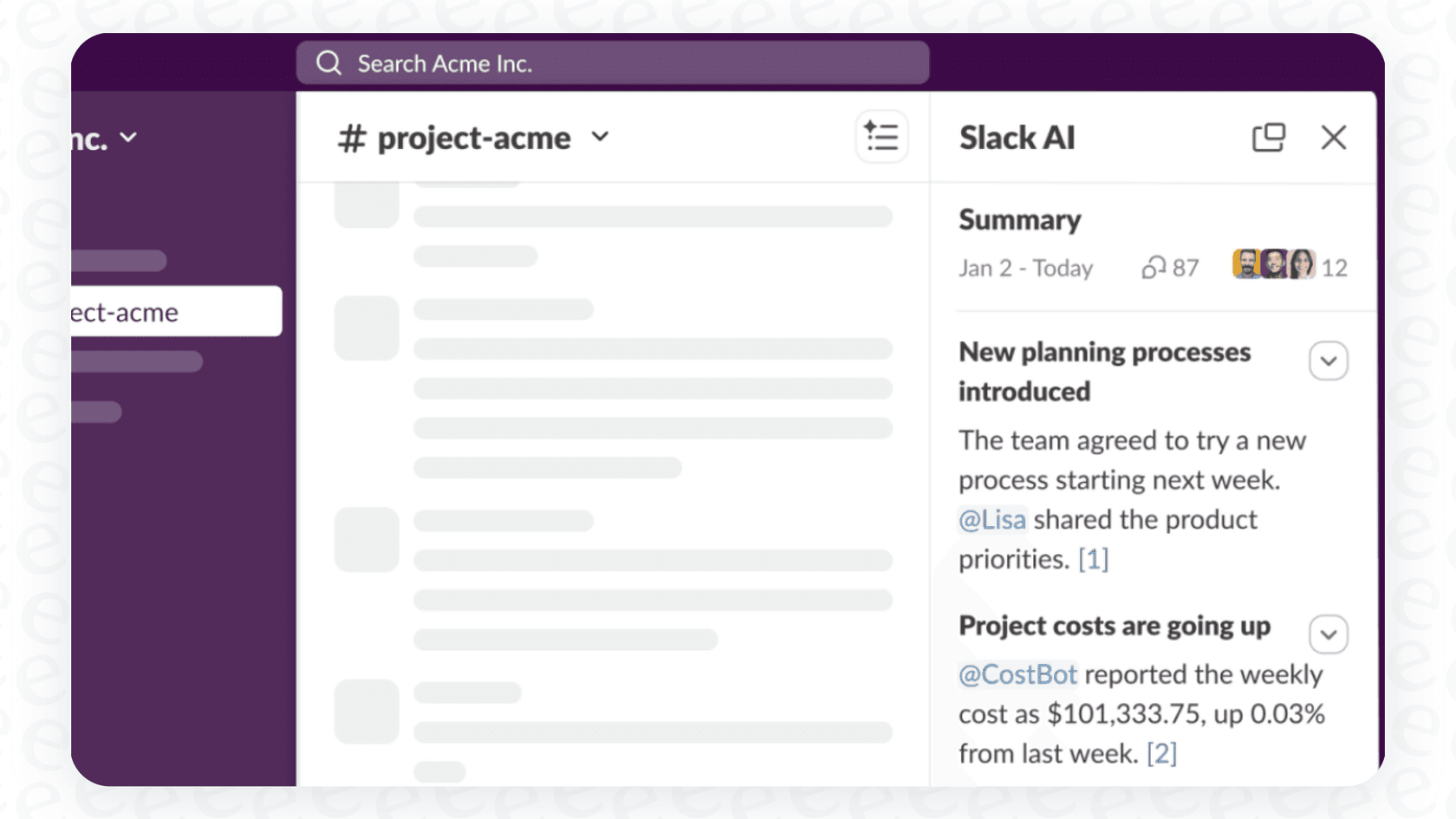
Channel Summaries: This feature lets you get the key highlights from any channel. You can choose to summarize just your unread messages, the last seven days, or even pick a custom date range.
-
Thread Summaries: Perfect for those never-ending threads, this gives you the gist of the conversation with a single click so you can see the outcome without getting lost in the noise.
-
Daily Recaps: This gives you an automated daily digest of channels you want to follow but don't need to read in real time. It's a great way to cut down on notifications while staying in the loop.
The catch: How Slack AI pricing works
But here's the biggest catch: Slack AI isn't a cheap add-on you can get for a few people. The features are baked into Slack's expensive subscription plans, which means you usually have to upgrade your entire company to get them. This is the exact reason people end up on Reddit looking for other options, most companies aren't going to pay for a massive upgrade just so a few managers can use AI.
The most useful features are locked away in the pricier plans.
| Feature | Pro Plan ($8.75/user/mo) | Business+ Plan ($15/user/mo) | Enterprise+ Plan (Contact Sales) |
|---|---|---|---|
| Thread & Channel Summaries | Included | Included | Included |
| AI Search | Not Included | Included | Included |
| Daily Recaps | Not Included | Included | Included |
| File Summaries | Not Included | Included | Included |
| Enterprise Search | Not Included | Not Included | Included |
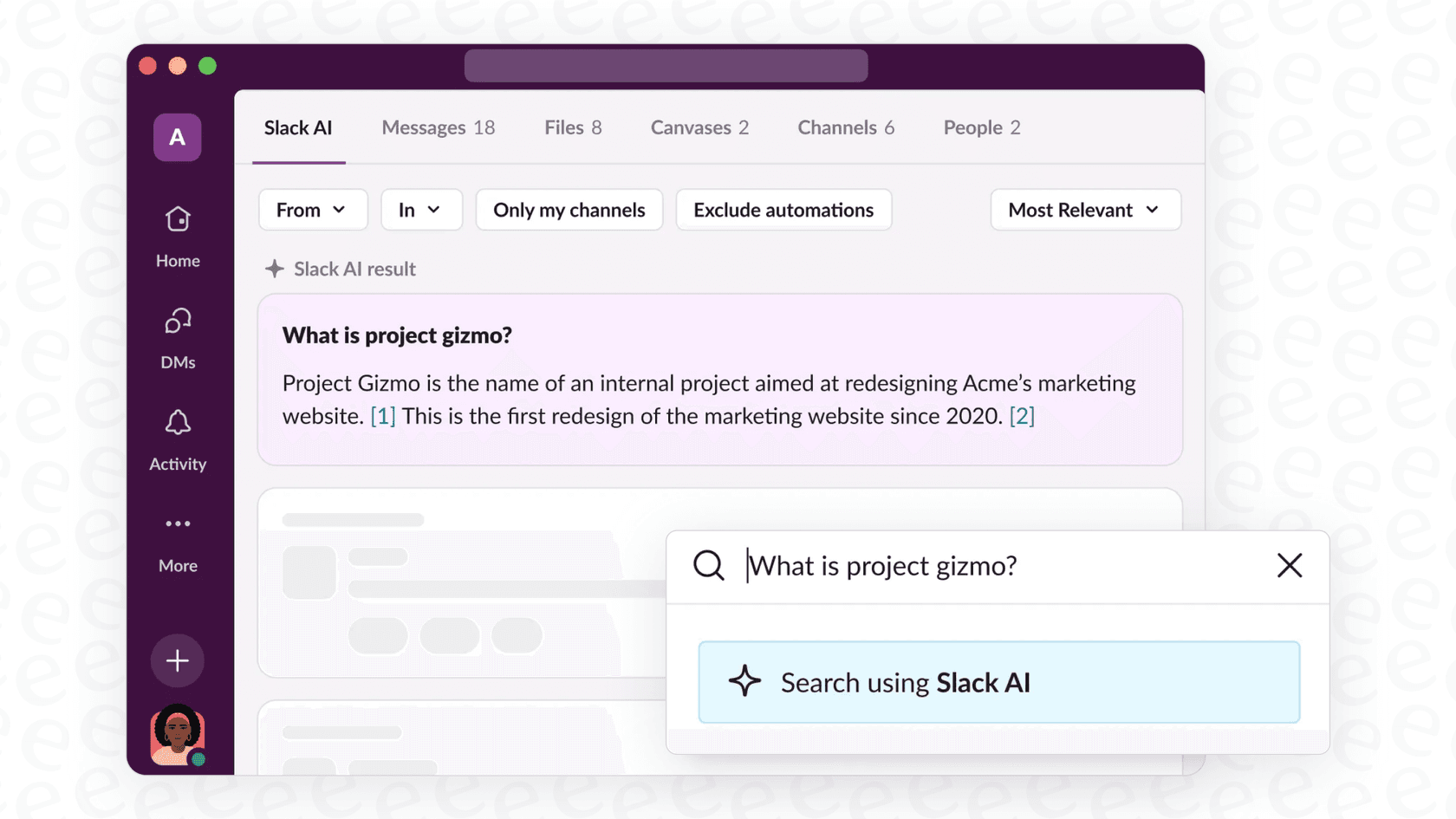
As you can see, you get the basic summaries on the Pro plan. But if you want the really useful stuff like daily recaps or AI-powered search, you have to push everyone onto the Business+ plan or higher. For a lot of teams, that cost is a deal-breaker.
The big problems with Slack AI channel summaries
While having a summary button inside Slack is nice, its big drawbacks in cost, scope, and control mean it isn't the amazing solution most companies are hoping for.
The price tag is a huge roadblock
We've already mentioned this, but it’s the biggest deal-breaker for most. Having to pay a per-user fee to upgrade your whole organization just for a few AI features is a tough sell. A manager juggling ten channels might love the summaries, but does the new intern who's only in three channels really need the same pricey plan? Slack forces you into an all-or-nothing choice, which isn't great when you compare it to tools with more sensible pricing.
Slack AI only knows what’s inside Slack
This is probably the biggest weakness of Slack's AI: it's stuck in a bubble. It can only see what’s inside your Slack messages and channels. Imagine asking a librarian for help, but they're only allowed to check one single bookshelf.
All your company's important info, the real source of truth, is scattered everywhere else. It’s in your Confluence pages, project plans in Google Docs, customer tickets in Zendesk, and company policies in Notion. Slack's AI has no idea any of that exists. So, its summaries are always going to be missing the full picture. It can tell you what your team talked about, but it can’t tell you what the official project plan actually says.

You can't customize Slack AI
With Slack AI, what you see is what you get. The summaries come from a generic model that you can't change or train. You can't tell it to match your company's tone of voice, give it a specific personality, or get it to do anything other than generate text. You're stuck with the default settings. This is a huge difference compared to other AI platforms that let you build an AI that actually works the way your team works.
What are the alternatives to Slack AI channel summaries?
The obvious problems with Slack's built-in tools mean there's room for better, more flexible, and more affordable options. But they aren't all created equal.
Standalone summary tools vs. a connected AI platform
You can find plenty of standalone apps that just do summaries, like Catchup or Read.ai. They're usually cheaper than a full Slack upgrade and can solve the immediate "too much to read" problem.
But they're just a band-aid. They might save you some time scrolling, but they don't fix the bigger issue of all your company knowledge being scattered everywhere. You just end up with another tool to manage, and its knowledge is just as trapped as Slack AI's.
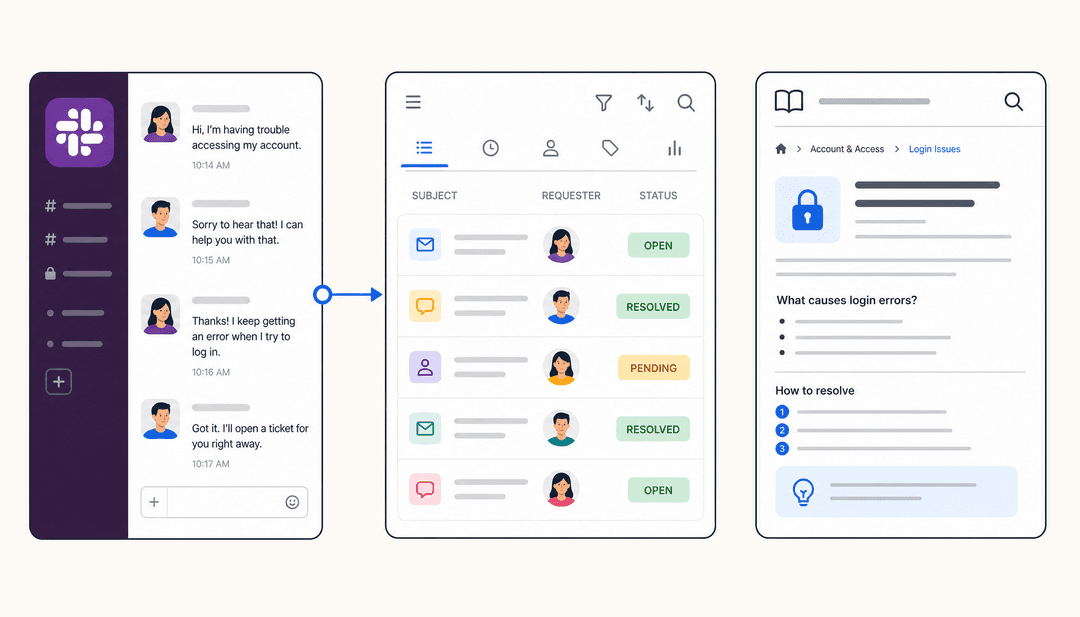
A standalone tool just takes a Slack conversation and gives you a summary back in Slack. That's it. A connected platform like eesel AI works differently. It pulls in info from Slack, docs from Confluence and Google Docs, and tickets from Zendesk. It doesn't just give you a summary, it can give you a complete answer, create a support ticket, or even ping an engineer for you.
A better approach: Connecting all your knowledge with eesel AI
The real fix isn't just a slightly better summary tool. It’s about turning Slack from a chat app into a smart hub for all your company knowledge. And that's exactly what eesel AI is built for.
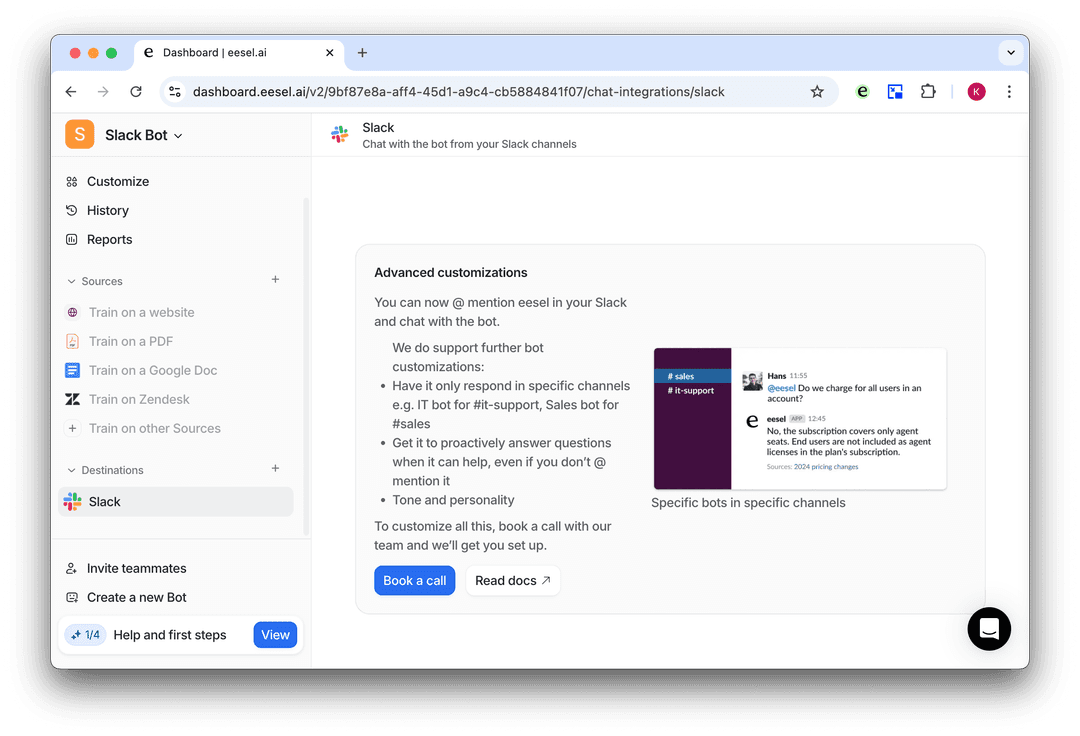
eesel's AI Internal Chat plugs right into Slack, but it also connects to over 100 other places your team works, like Confluence, Google Docs, and help desks like Zendesk.
This breaks down those knowledge silos for good. Instead of just getting a recap of a chat, your team can ask real questions in Slack, like "What's the latest on the Q4 campaign?" or "How did we fix ticket #12345?" They'll get a single, smart answer pulled from everything your company knows.
Go beyond summaries and actually get things done
This is where eesel AI really pulls ahead of Slack's tool: it can actually do things. Slack's AI just gives you text. eesel AI lets you build custom workflows.
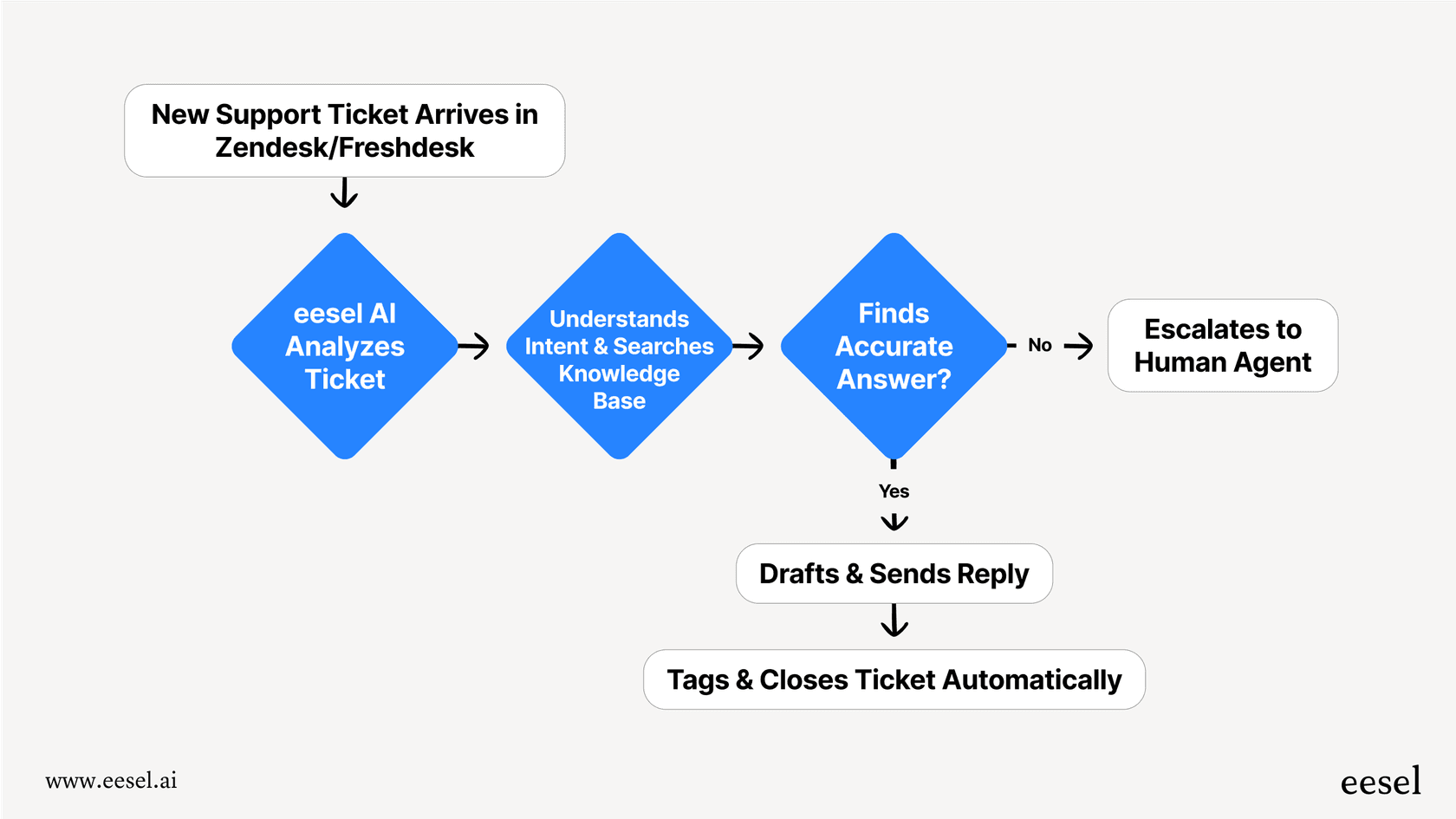
For example, say someone asks a technical question in your #support-help channel. eesel AI can instantly answer it by looking at your Confluence docs. But you can also set it up to automatically create a Zendesk ticket or ping the right engineer if the question is tricky. It turns a simple question into a completed task.
The best part? You can get it running in minutes. The setup is all self-serve, and there’s even a cool simulation mode that lets you test it on your past conversations, so you know it works perfectly before you launch it to the whole team. You just don't get that with Slack's built-in AI.
Stop relying on Slack AI channel summaries and start connecting
Slack AI channel summaries are a nice idea for dealing with information overload, but their steep price, limited reach, and zero customization mean they're not a real solution for most businesses. They help you catch up on what's already happened, but they don't do much to help you move forward.
Real productivity isn't just about reading summaries. It's about getting the right information instantly and automating the boring stuff. It’s about giving your team access to everything they know, right when they need it, inside the tools they already use.
Instead of just summarizing yesterday's chats, you can build a smarter way for your team to work. With eesel AI, you can bring all your knowledge together and automate workflows, all from inside Slack. Start your free trial today and see how it works in minutes.
Frequently asked questions

Share this article

Article by
Stevia Putri
Stevia Putri is a marketing generalist at eesel AI, where she helps turn powerful AI tools into stories that resonate. She’s driven by curiosity, clarity, and the human side of technology.