Trengo pricing in 2026: a real breakdown of plans, conversations, and the AI surcharge


Last edited June 22, 2026

Table of Contents
- Why pricing is the part of Trengo worth getting right
- Trengo's plans and prices
- What counts as a "conversation"
- The add-ons are where the bill grows
- A worked example: what a real team actually pays
- The AI suite: what's included, and what's metered
- What real users say about Trengo's pricing
- How Trengo's pricing compares to pay-per-ticket AI
- Try eesel for predictable AI support
Why pricing is the part of Trengo worth getting right
I'll start with a story from a recent eesel sales call, because it's the exact fear this post is about. A budget-conscious B2B hardware support team, around 250 tickets a month, said they'd already been burned: a previous vendor's price had "more than doubled" on them, and before they'd sign anything they wanted a contractual price lock. That instinct, the one where you don't trust the sticker because you've watched it move, is the right instinct to bring to any omnichannel tool.
Trengo earns that scrutiny. It's a strong product, an Official WhatsApp Business Partner trusted by 9,000 businesses worldwide, and the omnichannel inbox is the thing reviewers love most. But its pricing has three moving parts that most "starts at" summaries flatten into one number, and the gap between the sticker and the invoice is where teams get surprised. Let's walk all three.
Trengo's plans and prices
Here's the full picture from Trengo's pricing page, quoted in EUR (the page also offers USD and GBP toggles). These are the exact figures, not rounded.
| Plan | Annual (billed monthly) | Month-to-month | Users included | Conversations included | Best for |
|---|---|---|---|---|---|
| Boost | €299/mo | €349/mo | 10 | 6,000/year (≈500/mo) | Small teams centralising channels with basic automation |
| Pro (Most Popular) | €499/mo | €599/mo | 20 | 18,000/year (≈1,500/mo) | Larger teams wanting AI, security, and integrations |
| Enterprise | Custom | Custom | Custom | Custom | Tailored integrations, advanced security, dedicated support |
A few things jump out. First, there's no free plan and no 1-2 seat starter, so even a four-person team pays the full €299 Boost price and gets ten seats whether they use them or not. Second, the plans bundle seats and a conversation allowance together, so you're really buying two meters at once. Third, the headline numbers don't always agree across the web: some Capterra listings still show older Essentials/Boost/Pro figures (€125/€185/€310), a reminder to trust the live page over any third-party summary.
If you're cross-shopping, it's worth lining this up against other pricing breakdowns I've done, like Gorgias pricing, HubSpot AI pricing, and Zendesk's pay-per-resolution model, because the billable unit differs in every one of them.
What counts as a "conversation"
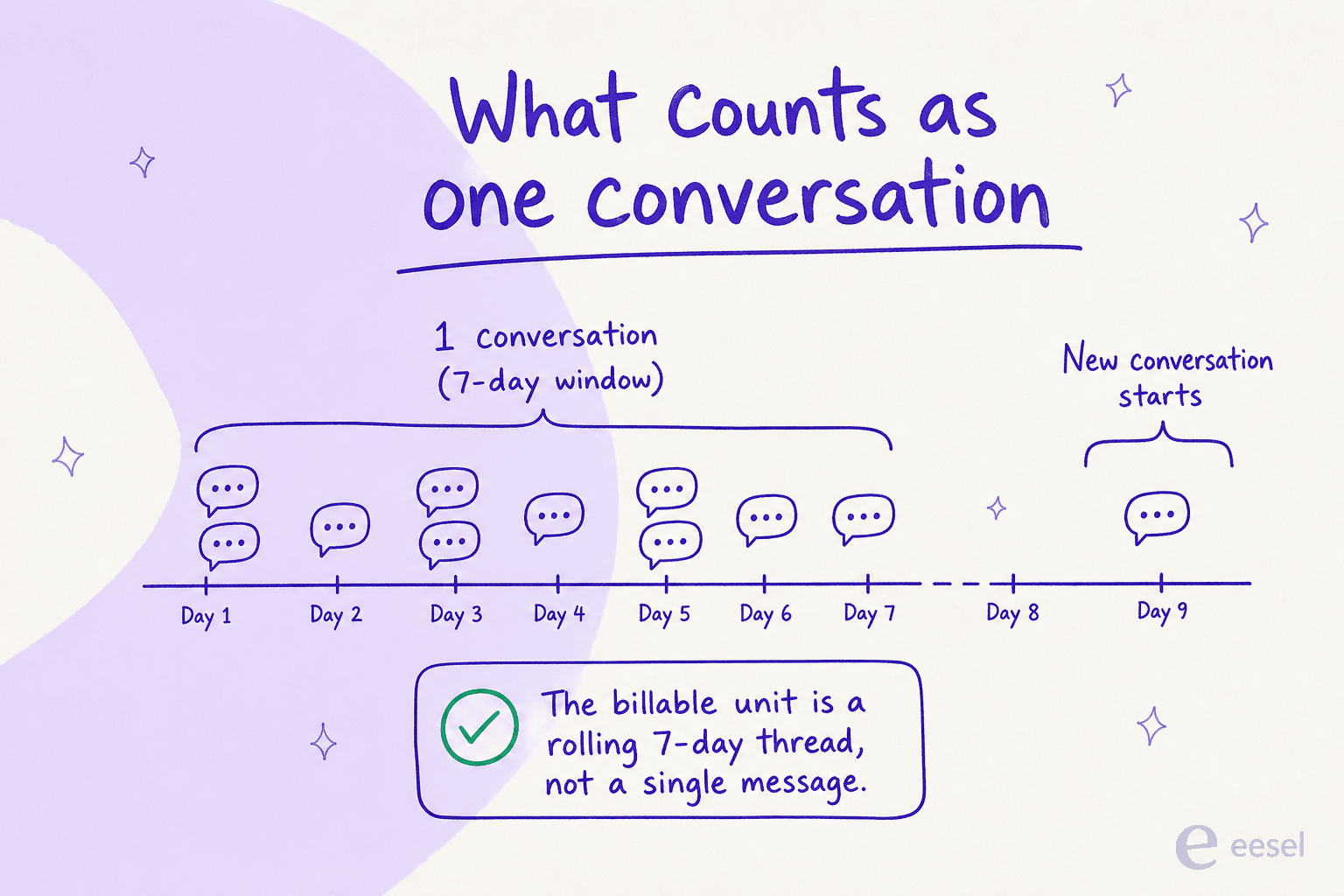
This is the detail that decides whether your allowance is generous or tight. Trengo's help center defines a conversation as "any reply to an inbound or outbound message with a customer that occurs within a 7-day window. Any messages outside that window start a new conversation."
So a conversation is a rolling 7-day thread with one customer, not a single message and not a single ticket. Ten back-and-forth messages with the same customer on Tuesday and Thursday count as one conversation; the same customer writing in again next month counts as a second.
That's a reasonable unit, and on busy channels it's friendlier than per-message billing. The catch is that Boost's ≈500 conversations/month is easy to blow past for any team doing real volume, and once you do, you're into add-on territory. Which brings us to the part of the bill nobody screenshots.
The add-ons are where the bill grows
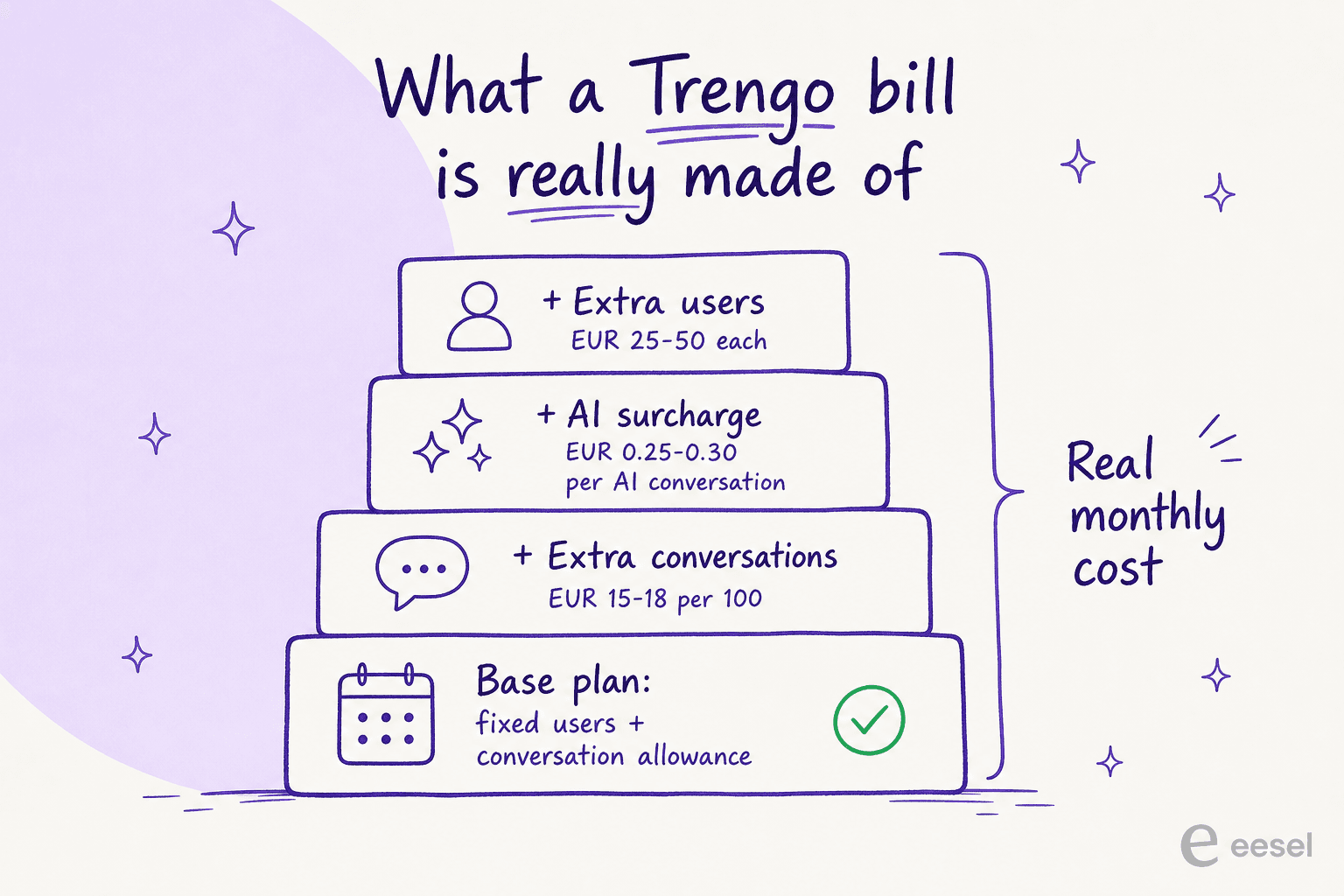
Every plan has hard limits on users and conversations, and going past them is where Trengo's pricing quietly compounds. Here are the published add-on rates:
| Add-on | Annual rate | Monthly rate | Unit |
|---|---|---|---|
| Extra conversations | €15 | €18 | per 100 conversations |
| Conversations with an AI surcharge | €0.25 | €0.30 | per conversation |
| Extra users (Boost) | €25/user | €30/user | per extra user |
| Extra users (Pro) | €40/user | €50/user | per extra user |
The line that catches people is the AI surcharge. Trengo's AI assistant, HelpMate, is "included" on every plan, which sounds like it's free. It isn't: every conversation the AI handles adds €0.25-0.30 on top of your plan. So unlike a flat AI tier, your AI cost rises in lockstep with how much you automate, which is exactly the workload you bought the AI to grow.
Stack the layers and the real monthly cost looks less like a plan price and more like a tower:
None of this is hidden, to be fair, it's all on the pricing page. But it's the difference between the number you remember ("€299") and the number on the invoice, and that's the number you should budget against.
A worked example: what a real team actually pays
Abstract rates don't land until you run them. So here are two realistic teams.
A small ecommerce team on Boost. Eight agents, about 700 conversations a month, AI handling roughly half of them.
- Base Boost plan: €299
- Extra conversations: 700 − 500 allowance = 200 over → 2 × €15 = €30
- AI surcharge: 350 AI conversations × €0.25 = €88
- Extra users: none (8 fits in 10) → €0
- Total: ≈ €417/month (sticker said €299)
A mid-size team on Pro. Eighteen agents, about 2,500 conversations a month, AI handling ~55%.
- Base Pro plan: €499
- Extra conversations: 2,500 − 1,500 allowance = 1,000 over → 10 × €15 = €150
- AI surcharge: ~1,375 AI conversations × €0.25 = €344
- Extra users: none (18 fits in 20) → €0
- Total: ≈ €993/month (sticker said €499)
In both cases the AI surcharge is the swing factor, and the more successful your automation, the bigger that line gets. That's the structural quirk to sit with before you commit: a model that charges per AI conversation makes your best-case scenario, the AI quietly resolving everything, your most expensive one.
The AI suite: what's included, and what's metered
Trengo's AI story is its main 2026 pitch, so it's worth knowing what you're actually buying. The vendor claims its AI agents resolve up to 80% of repetitive conversations automatically, in 70+ languages, around the clock. Treat that as a marketing ceiling rather than a guarantee, since no independent user benchmark surfaced in my research, but the feature set itself is real and included on every plan.
AI Agent (HelpMate) answers common questions, can take actions like sharing a booking link or starting a refund, and routes the rest to a human.
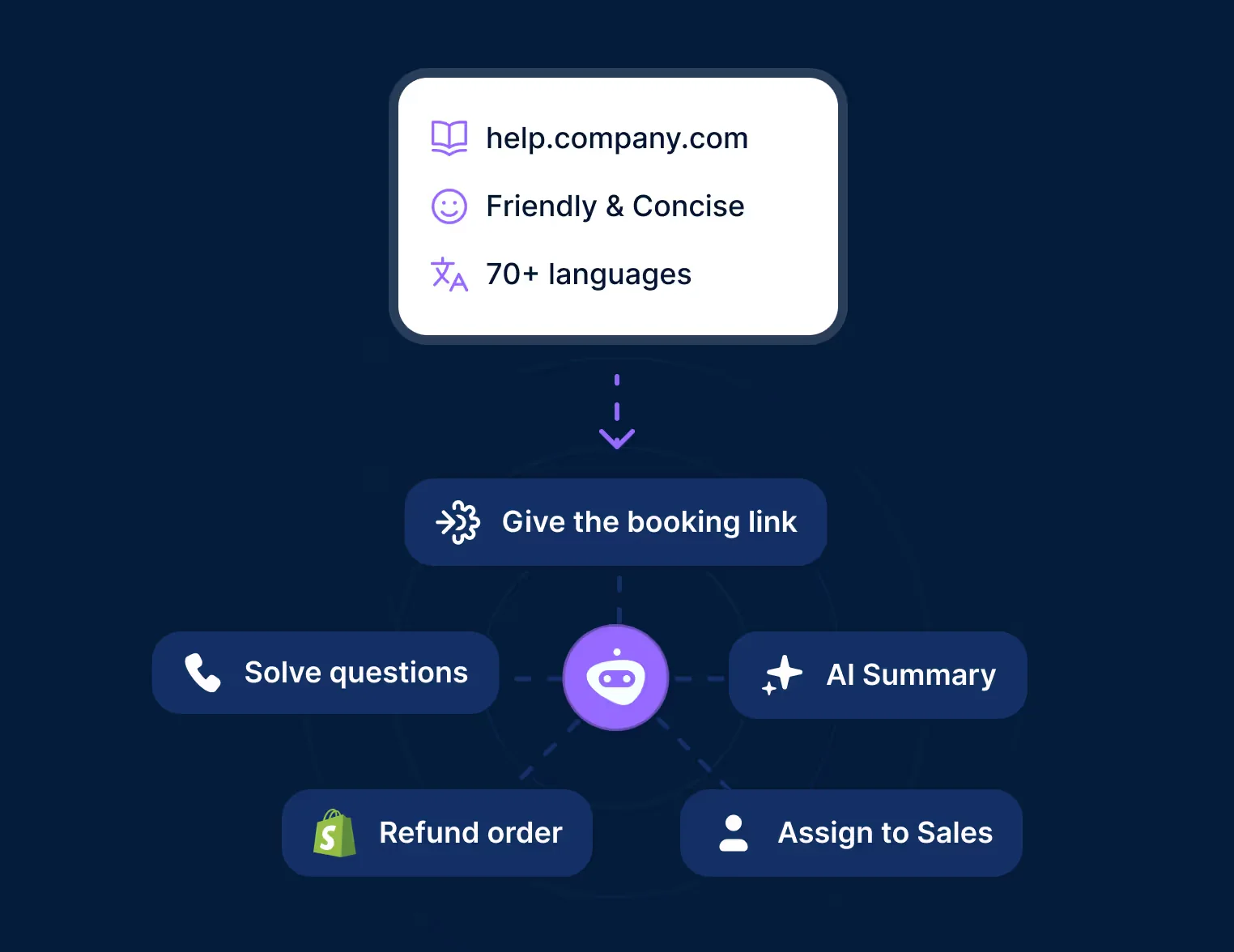
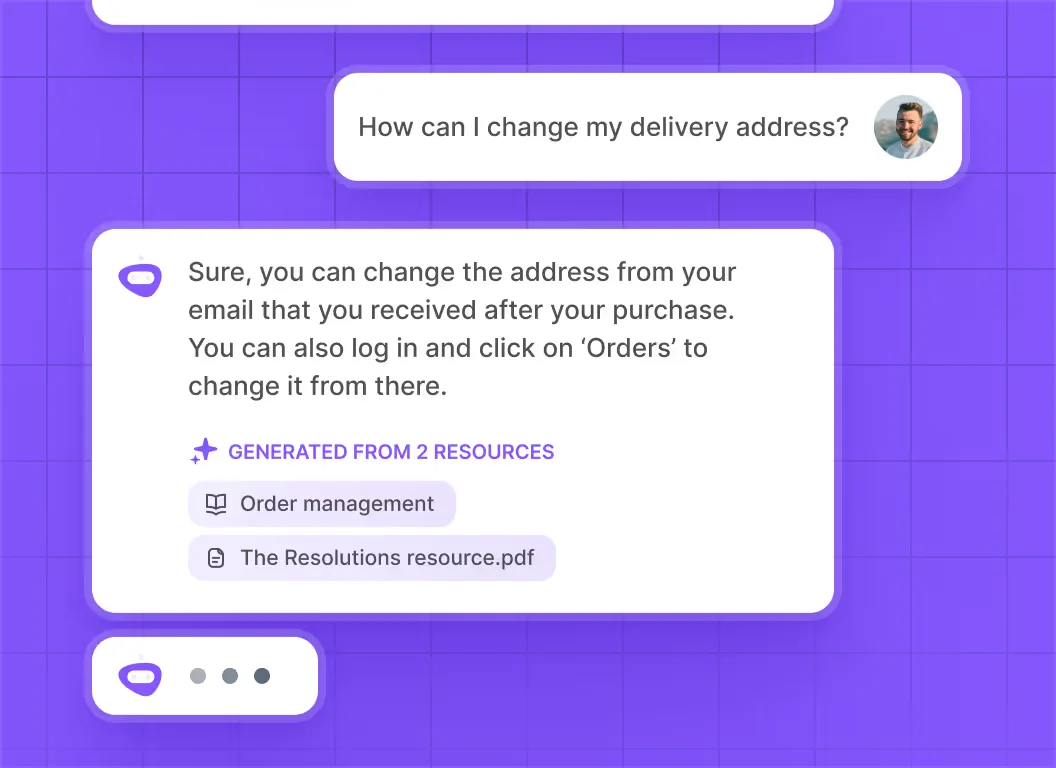
In the live chat widget, it pulls answers from your help center and cites the resources it used, which is the kind of grounding you want from an AI chatbot handling real customers.
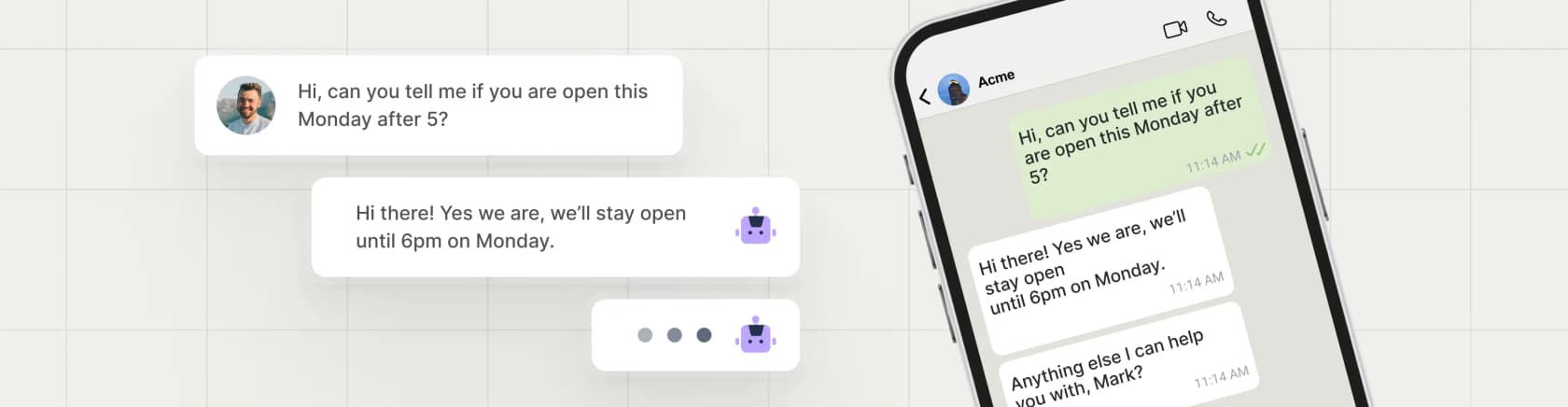
On WhatsApp, where Trengo's Meta partnership is a real strength, the same agent handles inbound questions directly in the thread, which is the headline use case for most of its ecommerce customers. (If you're costing out that channel separately, the WhatsApp Business API has its own per-message fees on top.)
Rounding out the suite: AI Journeys (no-code multi-step automations, still flagged Beta, so packaging may change), AI Reporting (analytics on what the AI resolved), and AI routing that splits intents to the right team or bot. Just remember every one of those AI-handled conversations is metered by the surcharge above. The capability is included; the usage is not.
One genuine gap worth naming: third-party AI Actions (triggering external APIs from an AI flow) are not supported on Boost, only on Pro and Enterprise. If you want your AI to do more than answer, that's a Pro-tier feature.
What real users say about Trengo's pricing
Trengo's reviews are solid on the whole, 4.3/5 from 246 reviews on G2 and 4.1/5 on Capterra, with the omnichannel inbox getting most of the praise. But pricing is the recurring sore spot, and the complaints are specific.
"Pricing is extremely unstable. Several bumps over the months and sudden changes in pricing structure that penalize smaller companies."
That's from a Capterra pricing listing. It's not a one-off; another customer was blunter:
"Trengo updated our subscription price by 300% and then was cocky about it at the same time when we raised our concerns."
From a Capterra comparison page. And on Reddit, the pricing gripe often travels with a product one:
"i'm kinda done with the unexpected changes in pricing, i'd rather work with a platform that knows what its doing plus I don't get it why their mobile app keeps glitching, i'm using a higher end phone…"
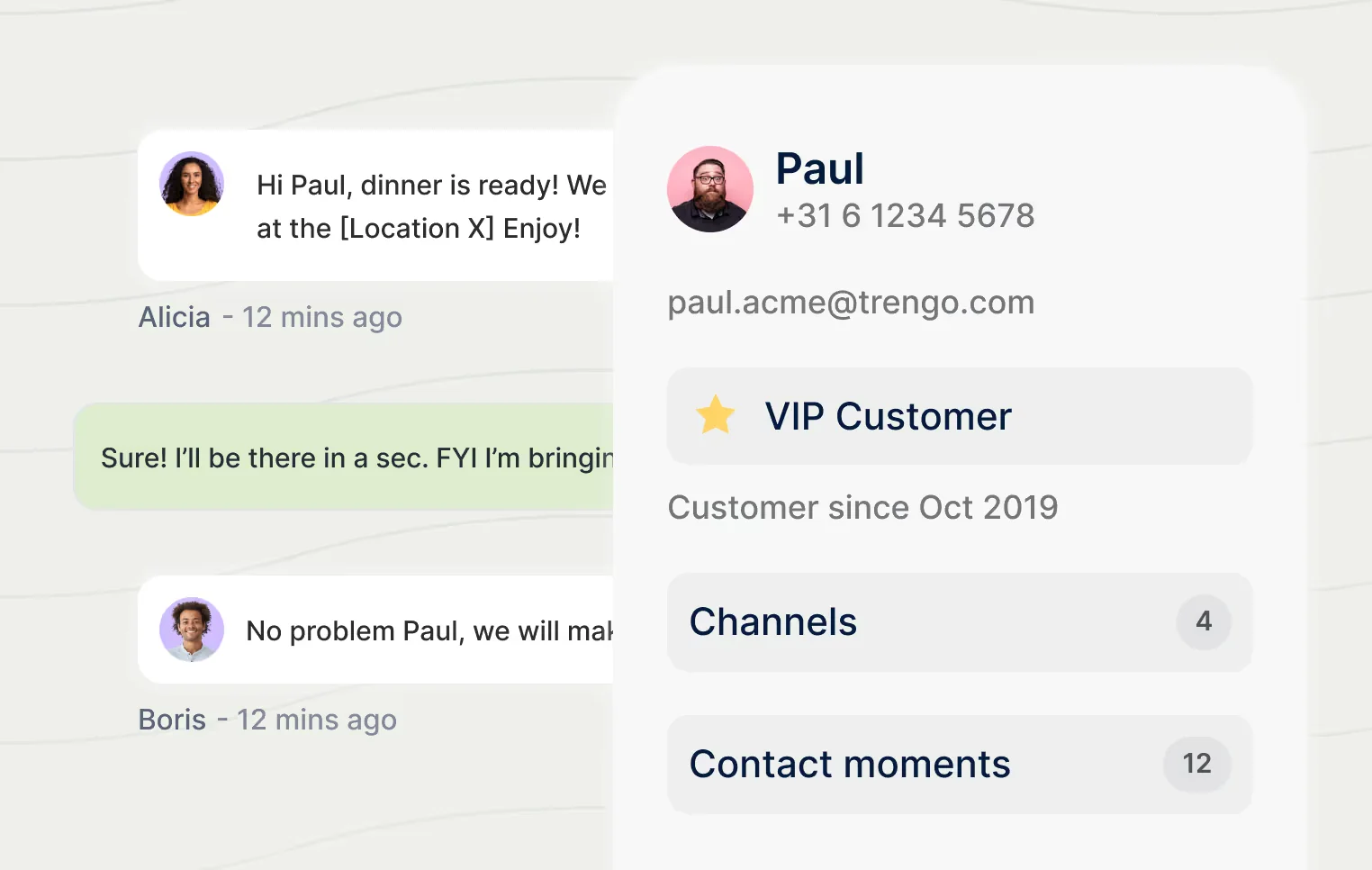
That's u/shrimpthatfriedrice in r/MarketingAutomation. The other theme worth flagging if you care about customer records: a shopper in r/smallbusiness said Trengo's "contact records felt bolted on" and planned to move to Missive, and on G2's own alternatives list, Front out-rates Trengo on both score and volume (4.7/5 from 2,469 reviews). Trengo does keep a tidy contact profile, to be clear, but it's a CRM-lite view, not a full one.
How Trengo's pricing compares to pay-per-ticket AI
Here's the reframe I'd want before signing anything: Trengo and a per-ticket AI tool are charging you for two completely different things.
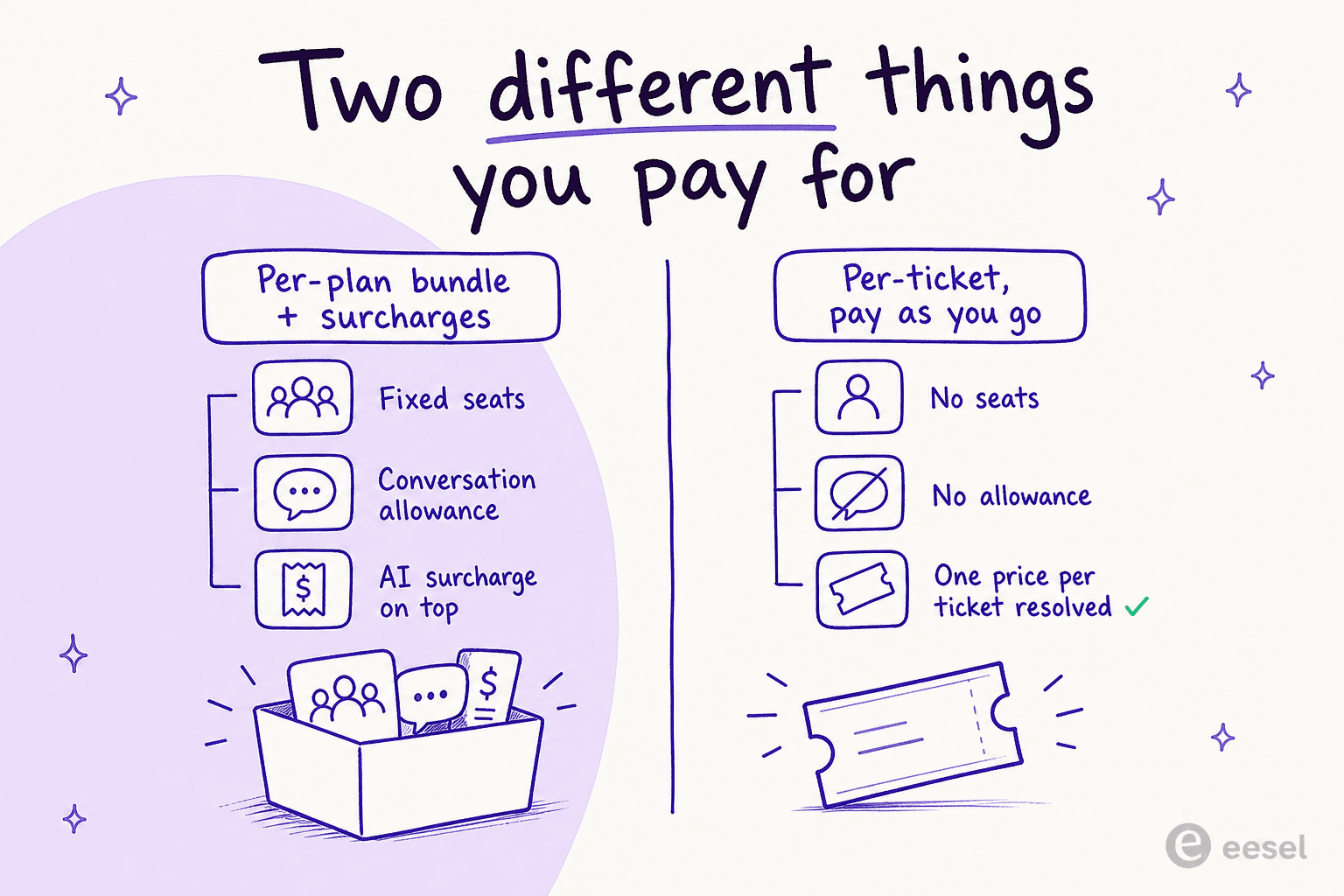
Trengo sells you a bundle, a fixed number of seats plus a conversation allowance, then meters AI usage on top. That's a fine fit if you truly need an omnichannel inbox that is your support tool across WhatsApp, social, and email, the way Front or other shared inboxes work. It's a worse fit if your team is small (you pay for ten seats either way) or if you automate heavily (the surcharge grows with success).
This pricing-model confusion is real, and I hear it on calls constantly. One multi-company ecommerce operator scaling toward ~150,000 tickets a month said he found the per-interaction-versus-per-ticket question confusing mid-call, and projected wildly different numbers depending on how the unit was defined. When the unit is fuzzy, the forecast is fuzzy, and that's a bad place to be when you're committing budget.
A flat per-ticket model removes that fuzziness. eesel AI charges $0.40 per ticket it handles, with no per-seat fees, no platform fee, no minimum, and no separate AI surcharge. Run the same two teams from earlier through it:
| Monthly volume | Trengo (plan + add-ons + AI surcharge) | eesel (per ticket handled) |
|---|---|---|
| ~700 conversations | ≈ €417/mo | ~$280/mo (700 × $0.40) |
| ~2,500 conversations | ≈ €993/mo | ~$1,000/mo (2,500 × $0.40) |
A couple of honest caveats. The currencies differ (EUR vs USD), so treat the comparison as directional, not exact. And the products aren't identical: eesel isn't an inbox you live in all day, it's the AI agent layer you point at the helpdesk and channels you already run (Zendesk, Freshdesk, Gorgias, Shopify, Front, Slack, and so on). But if the job you're hiring for is "resolve more tickets with AI without my bill exploding," the per-ticket math is simply easier to live with, and you're never charged for the tickets your humans handle.
Try eesel for predictable AI support
If you came here because Trengo's AI surcharge made you nervous about what automation will actually cost, that's worth listening to. eesel AI is an AI teammate that plugs into the helpdesk you already use, learns from your past tickets and help docs on day one, and starts drafting and resolving tier-1 conversations, billed at a flat $0.40 per ticket with no surprises.

The part teams tell me they value most is the simulation mode: before anything goes live, you run the AI against thousands of your real past tickets to see exactly what it would have resolved and where it would have struggled. I lean on it because I've watched confident-sounding bots quietly give wrong answers, and I'd rather you see the coverage number before you trust it, not after. It's how customers like Gridwise hit 73% tier-1 resolution in their first month. You can start free with $50 of usage and no credit card, then decide. Try eesel when you want AI support whose bill you can actually predict.
Frequently Asked Questions

Share this article