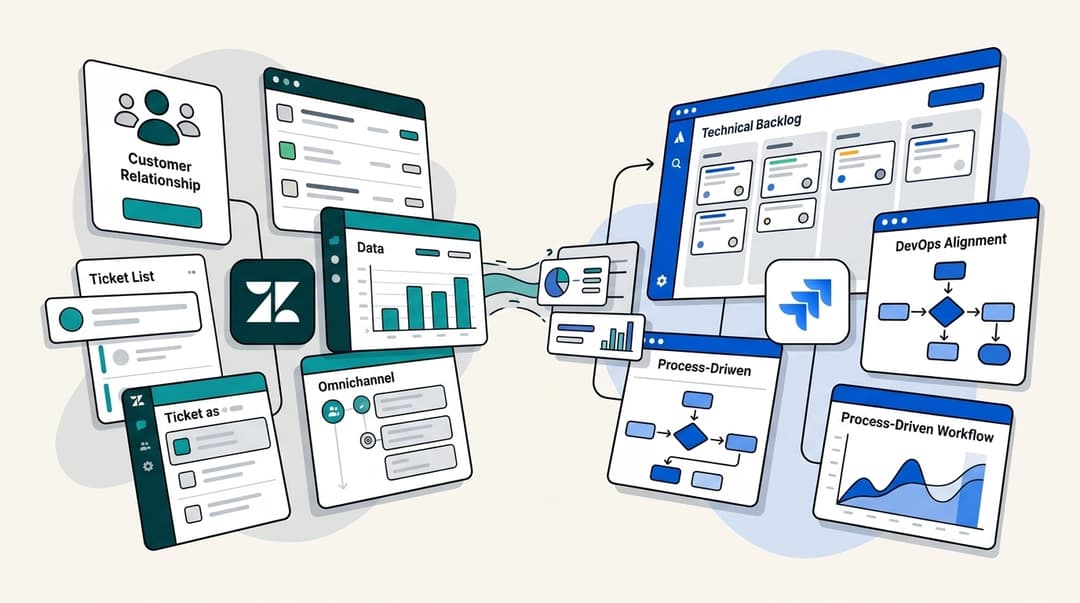
A complete guide to Zendesk knowledge management

Last edited January 12, 2026

Table of Contents
Let's be honest, if you're in customer support, you're looking for ways to streamline your workflow and avoid typing out the same answers day after day. A knowledge management system is a fantastic solution for organizing your team's expertise.
Zendesk is a giant in the customer service world, and it has built a very impressive ecosystem for wrangling information. It's a mature, reliable platform that powers customer service for thousands of companies. This guide will walk you through everything you need to know about Zendesk knowledge management, what it does, how to set it up, and its flexible pricing. You'll get a clear picture of how this powerful platform can support your team, and how you can use complementary tools to enhance it further.
What is Zendesk knowledge management?
So, what are we actually talking about when we say Zendesk knowledge management? It’s the robust way you create, share, and look after your company’s information inside the Zendesk platform. The goal is to help customers find their own answers effortlessly and give your agents the right info, right when they need it.
It boils down to a few main parts:
-
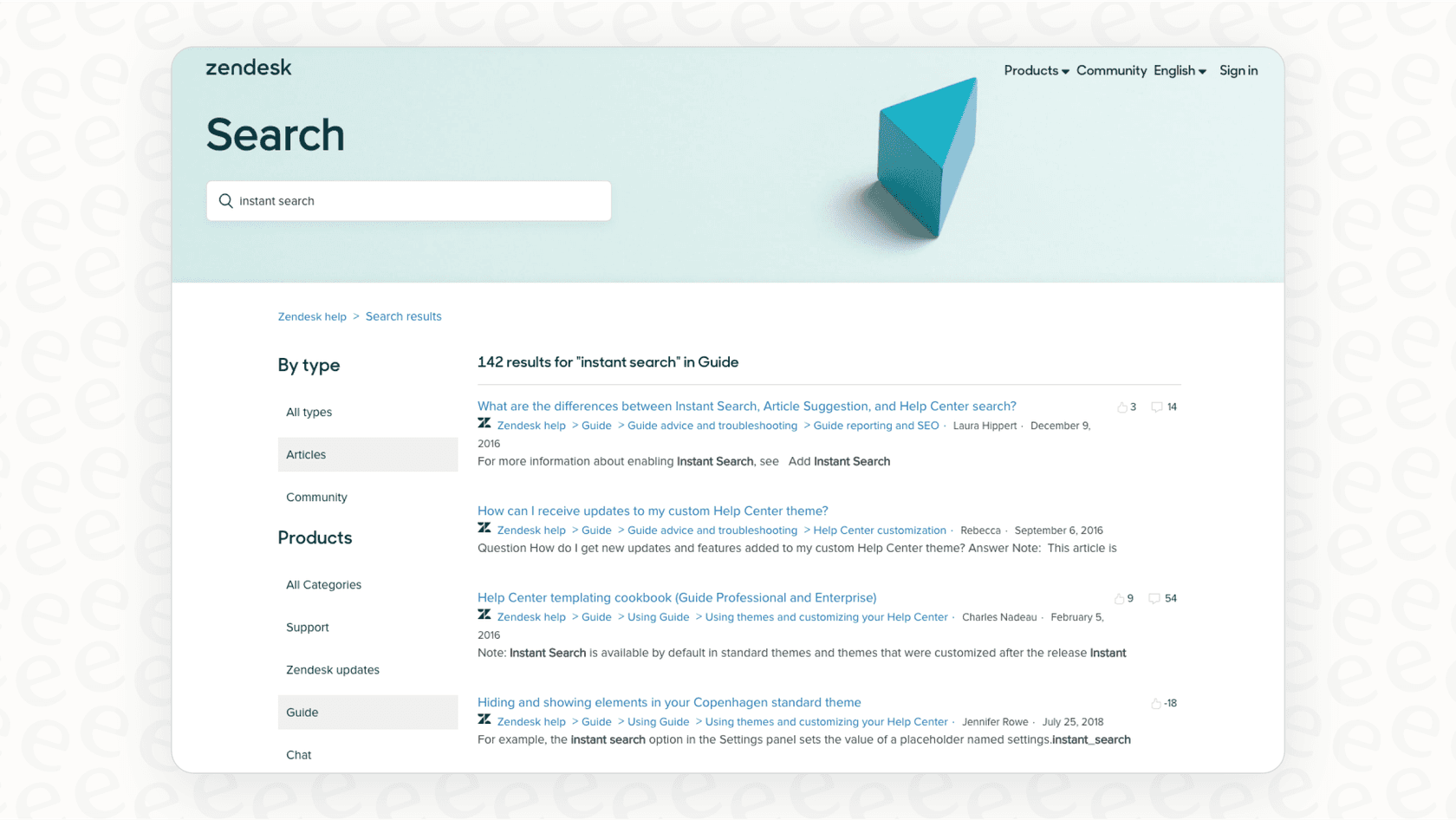
Zendesk Guide: Think of this as the sophisticated command center for your help content. It’s the tool you'll use to build your knowledge base, an online community forum, and a customer portal.
-
Help Center: This is the professional, public-facing website your customers see. It's where they can search for articles, browse FAQs, and solve problems independently.
-
AI-powered features: Zendesk offers impressive AI to help draft content, refine search, and automatically suggest articles to agents while they’re working.
The whole idea is to let self-service handle the standard questions, making your support team even faster and more focused by keeping their essential tools inside the Zendesk ecosystem.
Core features and capabilities of Zendesk knowledge management
Zendesk gives you a comprehensive set of tools for building out a professional knowledge base. Let's dig into what you can actually do with them.
Content creation and organization
When you need to write an article, Zendesk offers a feature-rich text editor where you can format text, add images, and use templates to keep things looking consistent and professional. You can then sort those articles into categories and sections to make them easy for customers to navigate. You can also add labels to articles, which helps with advanced filtering.
By keeping all that content inside Zendesk, you create a centralized environment for your support team. If your team also uses other tools like Confluence or Google Docs, you can look at complementary options to bridge those sources.
This is where an option like eesel AI can be helpful. It works within the Zendesk ecosystem to connect to your various existing sources. This allows your AI to pull answers from Zendesk, Confluence, and internal docs simultaneously, providing a unified experience.
AI and automation
Zendesk is a leader in support-focused AI. Its generative AI can help you expand bullet points into a full article, refine the tone of your text, or summarize documents. For customers, its AI-powered search is designed to give helpful answers directly.
For your agents, Zendesk's AI can suggest articles that help solve a ticket, which is a significant time-saver. Zendesk's AI is specifically trained on support data, which ensures it is highly relevant to customer service workflows.
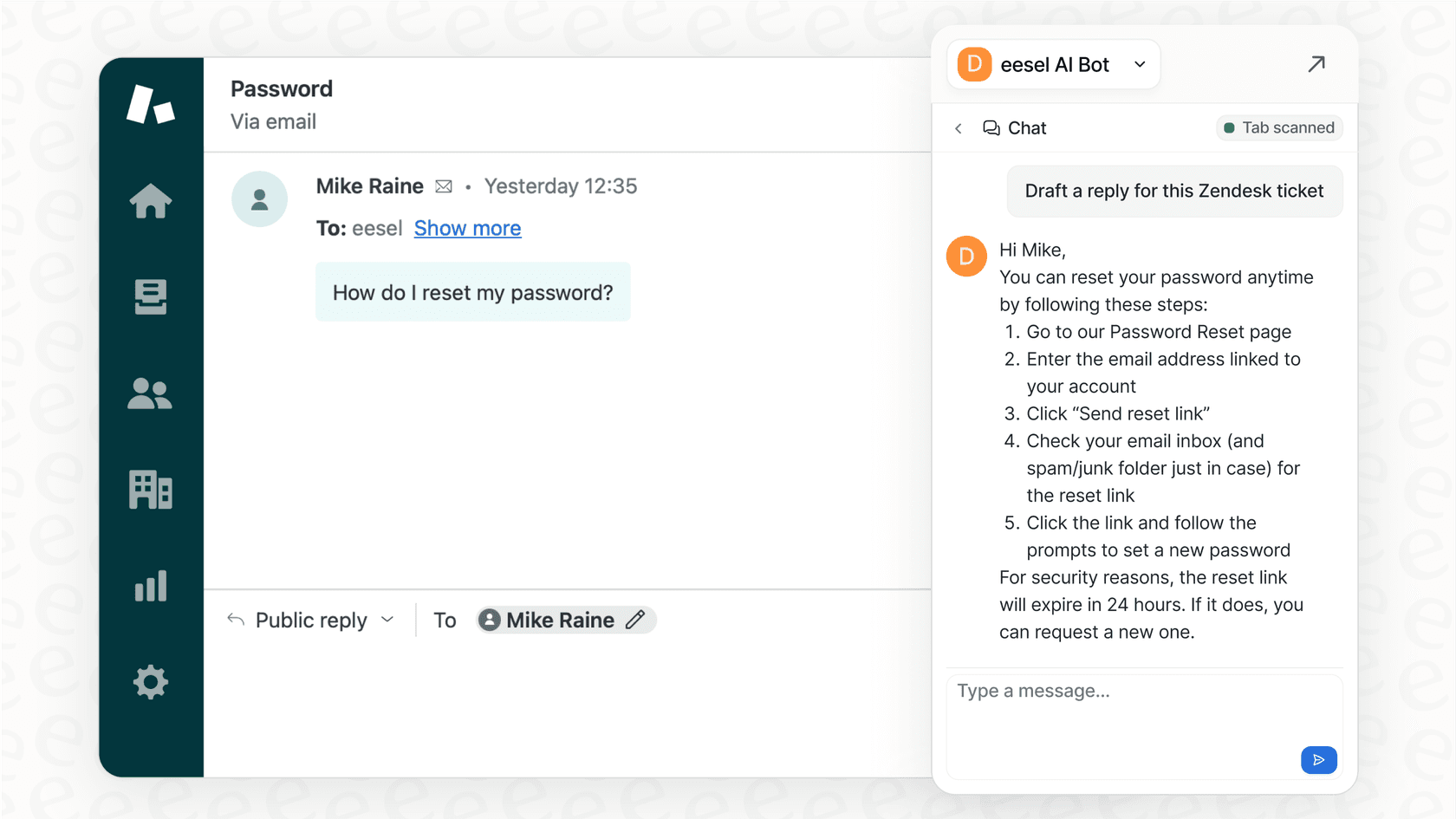
Additionally, eesel AI is a great complementary option that can learn from a wide range of company knowledge. It can work alongside Zendesk to learn from various historical data, including your brand's voice and unique troubleshooting steps, providing even more specialized AI assistance.
Analytics and reporting
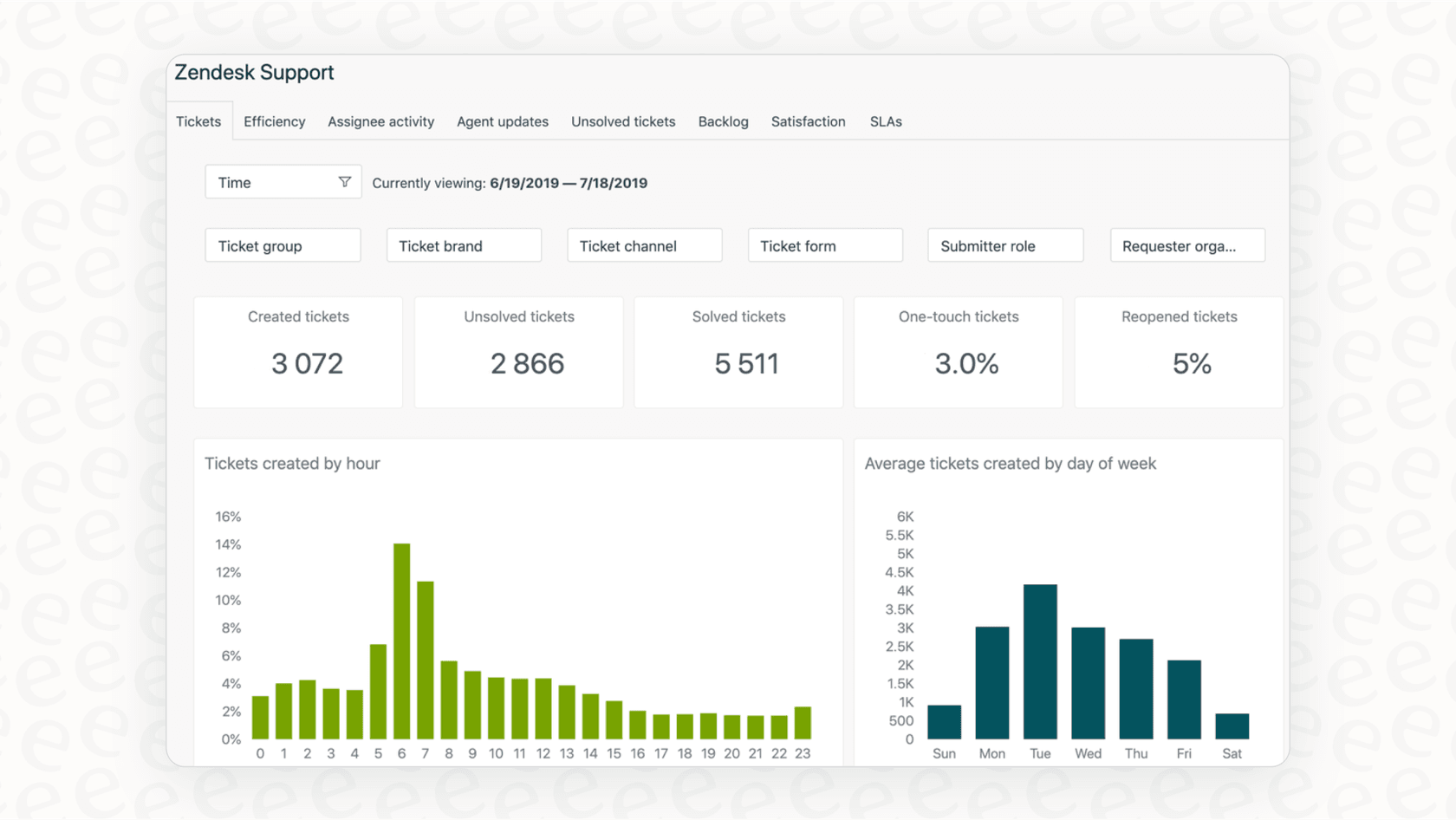
Zendesk has excellent built-in dashboards that let you track metrics like article views, search trends, and customer ratings. This data is invaluable for identifying popular content and seeing where you can add even more value to your knowledge base.
Building and maintaining your knowledge base
Setting up a knowledge base is an ongoing process of improvement. Here’s how Zendesk provides a structured way to handle this.
A thorough and quality-focused workflow
For many professional teams, building a knowledge base involves spotting common questions, collaborating with experts, and conducting thorough reviews before publishing. This process ensures that the information your customers receive is accurate and high-quality.
Zendesk provides the framework to manage this lifecycle effectively. While the process requires dedicated attention to detail, it ensures that your help center remains a reliable source of truth.
Efficient ways to create and update content
Zendesk’s tools are designed to help you manage content effectively. As your team grows, you can refine your processes to keep up with new product features and customer needs.
Some teams choose to use tools like eesel AI to complement this process. It can help by scanning resolved tickets to identify draft articles for your knowledge base. This can be a great way to augment the work your agents are already doing in Zendesk.
Furthermore, eesel AI’s simulation mode allows you to test AI responses against historical tickets. This is a useful tool for teams who want an extra layer of testing before deploying new AI workflows within their Zendesk environment.

Zendesk knowledge management pricing: What to expect
Zendesk’s pricing is designed to be scalable. Knowledge management features, like the Help Center, are generally included starting with the "Suite Team" plan. Zendesk offers various tiers so that as your team grows, you can unlock more advanced AI and management features.
This tiered approach allows you to choose a plan that matches your current size while knowing there is a path for future expansion.
| Plan | Price (per agent/month, billed annually) | Key Knowledge Management Features |
|---|---|---|
| Support Team | $19 | Basic ticketing. Help Center options available. |
| Suite Team | $55 | Includes 1 Help Center, Knowledge Base, Generative AI replies (Essential). |
| Suite Professional | $115 | Up to 5 Help Centers, CSAT surveys, customizable reporting. |
| Suite Enterprise | $169 | Up to 300 Help Centers, advanced knowledge workflows, sandbox environment. |
Zendesk also offers powerful add-ons like Advanced AI Agents and Copilot for teams ready to take their automation to the next level.
For teams looking for a different pricing structure, eesel AI's pricing model is one alternative option. It includes core products like the AI Agent, Copilot, and Triage in its plans, which some teams find complementary to their existing Zendesk setup.
Maximizing the potential of Zendesk knowledge management
Zendesk is a world-class platform, and by understanding how to best use its ecosystem, support teams can achieve incredible results.
A secure and integrated environment
Zendesk is built to be a secure, centralized hub for your support data. It offers a wide range of integrations to help connect with other tools like Slack, Notion, or Confluence. This ensures that your agents have a consistent and reliable environment to work in.

Comprehensive features for long-term scalability
While setting up a comprehensive system with custom permissions and multiple brands takes thought and planning, the result is an enterprise-grade solution that grows with you. Zendesk is a mature platform that offers the depth required by the world's largest support teams.
For teams that want to get up and running with AI quickly, eesel AI is an option that can be set up alongside Zendesk to provide immediate AI support while you continue to build out your full Zendesk environment.
Structured automation for consistency
Zendesk’s automation tools are designed to provide consistent, reliable service. They allow you to set clear rules for how tickets and information are handled, ensuring that your support standards are always met.
For teams that want additional flexibility, eesel AI offers a complementary workflow engine. You can use it alongside Zendesk to create custom actions or unique AI personalities, giving you even more ways to tailor the customer experience to your specific brand.

Enhancing your Zendesk knowledge management
Zendesk offers a solid knowledge management system that is an incredible asset for any support team. It provides a mature, reliable, and trustworthy platform with a comprehensive ecosystem and marketplace.
For modern teams, the best strategy is often to use Zendesk as their core platform and enhance it with specialized tools.
eesel AI integrates seamlessly with Zendesk to act as a smart layer that can help unify your knowledge. It works within the Zendesk family to help you leverage your historical data and deploy helpful AI. Ready to see how you can make your Zendesk setup even stronger? Give eesel AI a try.
Frequently asked questions


Share this article

Article by
Kenneth Pangan
Writer and marketer for over ten years, Kenneth Pangan splits his time between history, politics, and art with plenty of interruptions from his dogs demanding attention.