A complete guide to Zendesk multi-brand setup: When to use it and how to scale


Last edited January 12, 2026
So, your business is growing, and now you're juggling multiple brands. It's a great problem to have, but it comes with a rewarding question: how do you give every customer a unique, on-brand support experience while keeping your internal operations unified?
It’s a common stage of growth, and it’s an opportunity to provide customers with the tailored experiences they want while maintaining efficient workflows for your team.
Zendesk’s multi-brand feature is a powerful solution designed to provide the best of both worlds. As a robust and mature platform, Zendesk offers incredible flexibility here. This guide will walk you through what the Zendesk multi-brand feature actually is, when it makes sense to use it, what the tiered options are, and how to scale it with complementary AI options so you can maximize your operational efficiency.
What is a Zendesk multi-brand setup?
At its core, the Zendesk multi-brand setup lets you manage totally separate, customer-facing support identities from a single Zendesk account. It's a sophisticated way to manage multiple unique storefronts from one central, powerful engine.
For your customers, this means each brand gets its own distinct identity:
-
A unique Help Center with its own logo, colors, and content.
-
Dedicated support email addresses (like support@coolbrand.com and help@anotherbrand.io).
-
Separate web widgets and contact forms.
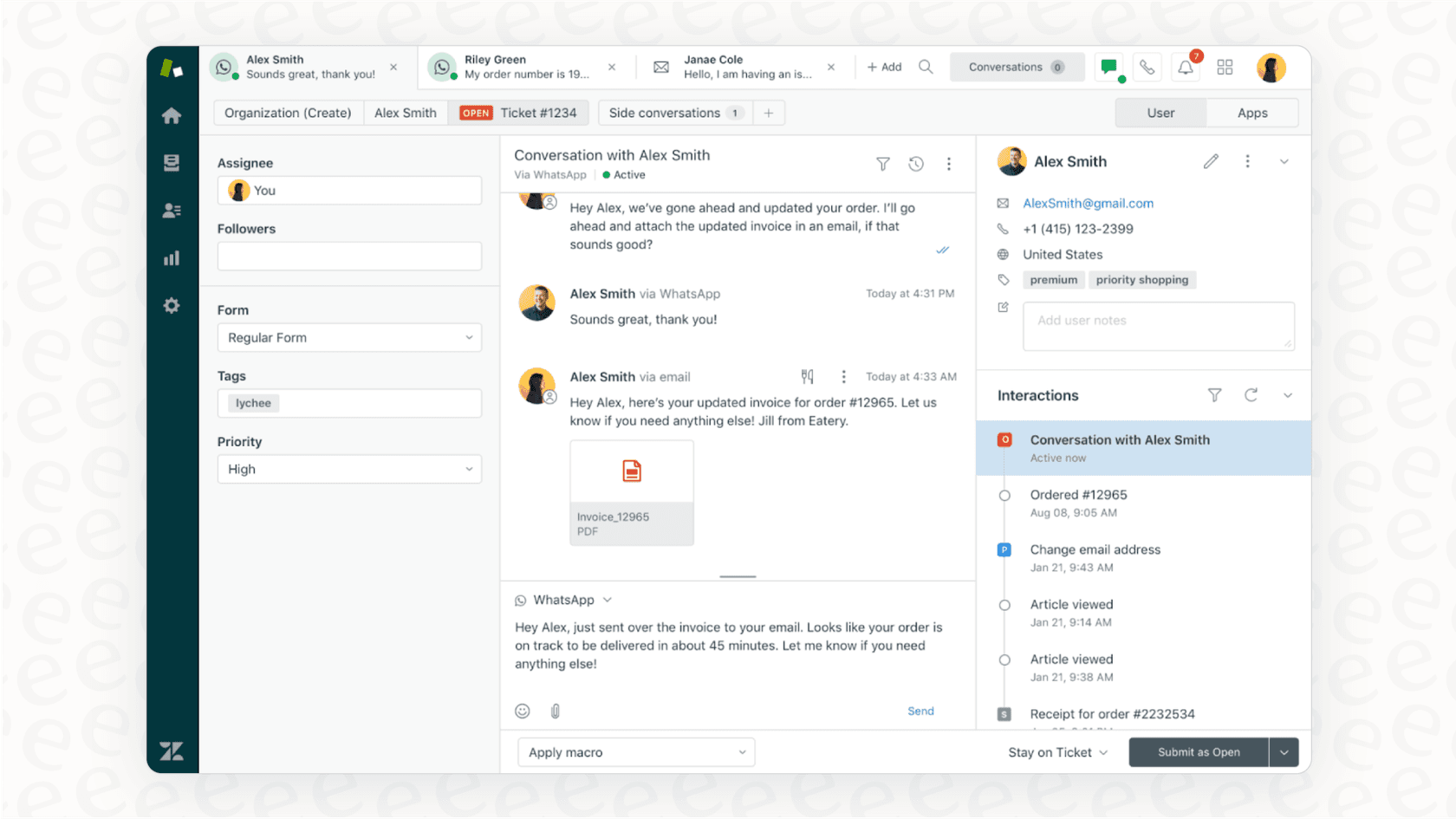
For your support team, this means they can handle tickets from all your different brands without having to log in and out of different accounts. Everything is managed from one central hub, showcasing Zendesk's capability as an industry-leading ticketing system.
Here’s a quick breakdown of how these features compare:
| Feature | Zendesk Multi-Brand | Zendesk Groups | Separate Zendesk Accounts |
|---|---|---|---|
| Best For | Companies with truly distinct public brands that need their own Help Centers and branding. | Internal teams (like Support, Accounting, Sales) within a single company. | Businesses that need total separation of data, users, and billing for legal or compliance reasons. |
| Customer Experience | A fully branded, separate experience for each brand’s customers. | One unified Help Center and brand experience for everyone. | Completely isolated customer experiences, with no overlap between accounts. |
| Agent Workflow | Agents can switch between brands from one dashboard (if they have permission). | Agents are assigned to specific groups but work inside the same overall account. | Agents log into separate Zendesk accounts to handle tickets for total isolation. |
| Complexity | Requires detailed configuration of business rules and channels for precision. | Simple. It’s easy to set up and manage permissions within one account. | Highest administrative requirement due to duplicated admin work, billing, and reporting. |
| Reporting | Reporting is centralized, providing a holistic view with the ability to filter by brand. | Centralized reporting that you can filter by group. | Reporting is separate, requiring manual consolidation for a big-picture view. |
Key benefits and considerations of a Zendesk multi-brand setup
Before you get started, it’s helpful to understand the nuances of this setup. A Zendesk multi-brand setup offers world-class benefits, along with some important administrative considerations to keep in mind as you scale.
The benefits: Centralization and consistency
The biggest win here is bringing everything under one roof. Your agents get a single, unified view, handling tickets for diverse product lines from the same screen. This streamlines the workflow and keeps the support process running smoothly.
You also get the advantage of centralized reporting. With Zendesk's robust analytics, you can get a holistic view of your entire support operation in one dashboard. This makes it much easier to compare performance across brands, spot trends, and allocate your resources effectively.
Finally, you can deliver a truly brand-specific experience. Zendesk’s mature ecosystem allows each brand to have its own Help Center, which lets you tailor the content, voice, and style to match exactly what each specific audience expects.
Operational considerations for scaling
While having everything in one place is a major strength, it’s important to plan for the administrative requirements that come with a sophisticated setup.
-
Administrative Management: As you add new brands, you’ll be configuring a comprehensive set of triggers, automations, views, and macros. This level of detail allows for precise control over the customer journey, though it does mean your admin team will have more settings to manage to ensure everything remains perfectly tailored.
-
Knowledge Management: Ensuring help articles stay consistent and up-to-date across multiple Help Centers is an important task that benefits from a coordinated strategy. While it takes an intentional approach to make sure policy updates are reflected everywhere, it ensures that each brand's documentation is accurate and specific to its needs.
-
Expanding Agent Expertise: With a single interface, your agents have the opportunity to become experts in the specific products and policies of every brand they support. This broadens their professional scope, and with the right training and tools, they can provide high-quality support across the entire portfolio.
Zendesk multi-brand setup: Core components and pricing
If you're ready to leverage these capabilities, let's look at the process for getting a Zendesk multi-brand setup running and the tiered plans available.
A quick look at the Zendesk multi-brand setup process
Zendesk makes it straightforward to get a new brand live. Here is an overview of the typical workflow:
-
Creating a Brand: You’ll head into the Admin Center to add a new brand. You'll give it a name and a unique subdomain, which forms the foundation for its professional Help Center URL.
-
Configuring Channels: Next, you connect support channels to that brand. This involves enabling its dedicated Help Center, linking its unique support email, and setting up its brand-specific web widget.
-
Setting Up Business Rules: You'll create brand-specific triggers, automations, and views. This ensures tickets are routed to the most qualified agents and that the correct workflows are applied automatically.
Understanding Zendesk multi-brand setup pricing and plan requirements
Zendesk offers tiered plans to match different team sizes and branding needs. This allows you to choose the level of support that fits your current requirements.
Here’s how it breaks down, based on the Zendesk pricing page for 2026:
| Zendesk Plan | Multi-Brand Availability | Price (per agent/month, billed annually) |
|---|---|---|
| Support Team | Not available | $19 |
| Suite Team | 1 brand included | $55 |
| Suite Professional | Up to 5 brands included | $115 |
| Suite Enterprise | Up to 300 brands included | $169 |
Scaling your Zendesk multi-brand setup with AI
A native Zendesk multi-brand setup is an excellent foundation for professional customer experiences. To manage a high volume of brands even more efficiently, you can consider complementary AI options that work within the Zendesk ecosystem to help manage knowledge and scale your support.
Unify knowledge to support every agent
When managing multiple Help Centers, it's beneficial to have a way to view all your information at once. An agent supporting one brand might occasionally need insights that overlap with another.
A tool like eesel AI for Zendesk is one option that can complement your setup. It acts as an intelligent layer that can help connect knowledge across your branded Zendesk Help Centers and other internal documentation in Confluence or Google Docs.
This can provide a helpful supplementary source of truth. An AI agent can assist by surfacing answers across your brands' unified knowledge, which can be a great support for your human agents as your product catalog grows.

Deliver personalized, brand-specific AI support
Excellent multi-brand support means ensuring every automated interaction feels authentic to that brand.
With complementary tools like eesel AI, you can define a specific tone of voice and personality for each brand's automated responses. For example:
-
The AI for a playful brand can use a casual tone and emojis.
-
The AI for a technical B2B brand can maintain a formal and precise professional tone.
These tools are designed to work alongside Zendesk to help ensure your automated experiences are as tailored as your human ones.
Streamline your automated workflows
Managing business rules across many brands is an important part of a sophisticated setup. Using a workflow engine alongside Zendesk can help simplify these tasks. You can set rules to decide which queries are handled by automation and which are prioritized for your expert human agents.
Some tools also offer features like a simulation mode, allowing you to test how automation might have handled past tickets. This is a helpful way to refine your strategy and deploy new automated workflows with confidence within your Zendesk environment.
Build a scalable Zendesk multi-brand setup strategy
A Zendesk multi-brand setup is a fantastic choice for businesses managing distinct customer-facing identities. It provides the industry-leading structure needed to create professional, separate branded experiences.
By combining Zendesk's foundational power with a smart strategy for knowledge and automation, you can build a support operation that is both highly personal for customers and remarkably efficient for your team.
If you're looking to further enhance your support capabilities, eesel AI is one option that integrates with your Zendesk setup to help unify knowledge and deliver personalized experiences.
Start your free trial and explore how it can complement your support strategy.
Frequently asked questions


Share this article

Article by
Kenneth Pangan
Writer and marketer for over ten years, Kenneth Pangan splits his time between history, politics, and art with plenty of interruptions from his dogs demanding attention.