Zendesk review 2026: is it still the right choice for your team?


Last edited June 10, 2026
Table of Contents
Zendesk sits near the top of almost every customer service software list. 22,000+ service teams run their support operations on it. 830 million AI interactions processed. A 2025 Gartner Magic Quadrant Leader designation for CRM Customer Engagement Center. Numbers like that don't come from a mediocre product.
But Zendesk also generates a specific kind of frustrated online discourse. Threads titled "Feeling ripped off - Zendesk" on r/CRM and "I am sick of Zendesk" on r/Zendesk accumulate dozens of comments. Its Trustpilot score sits at 1.7/5. That gap between analyst rankings and user complaints tells you something real about who Zendesk is built for - and who it isn't.
This review covers what you get at each tier, what the platform costs once add-ons stack up, and what 6,838 G2 reviews and 4,079 Capterra reviews reveal about life on the platform day to day.
What Zendesk actually is
Zendesk calls its offering the Resolution Platform - a unified ecosystem connecting AI agents, omnichannel ticketing, a knowledge base, quality assurance, workforce management, and analytics. The underlying logic is that all the pieces feed each other: resolved tickets improve AI training, AI training improves automation rates, automation rates feed QA scoring, QA scoring informs workforce planning.
That flywheel works well when the pieces are all in place and properly configured. The catch, as you'll see in the pricing section, is that getting all the pieces requires buying several of them separately.
Core features
Zendesk is a genuinely broad platform. What follows covers the pieces that matter most for the teams most likely to be evaluating it.
AI agents
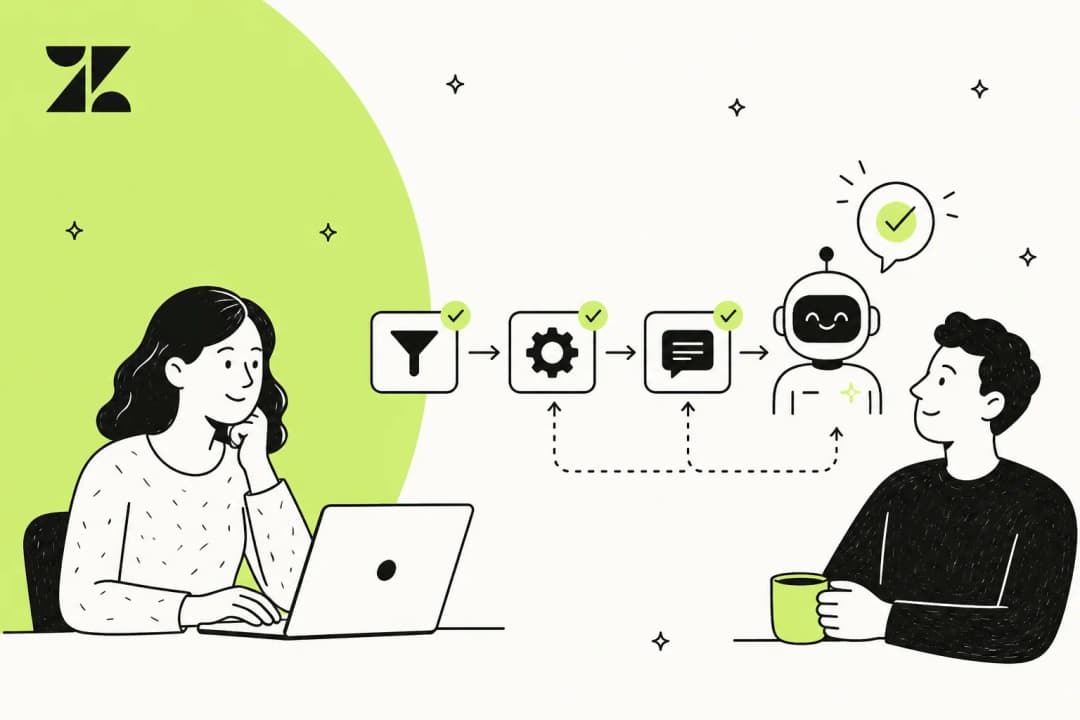
Zendesk's headline product for 2026 is its autonomous AI agents - full-resolution bots, not article-suggestion chatbots, that handle complete customer requests across web, mobile, messaging, and voice without human involvement. The AI supports 80+ languages with automatic detection and native-fluency switching.
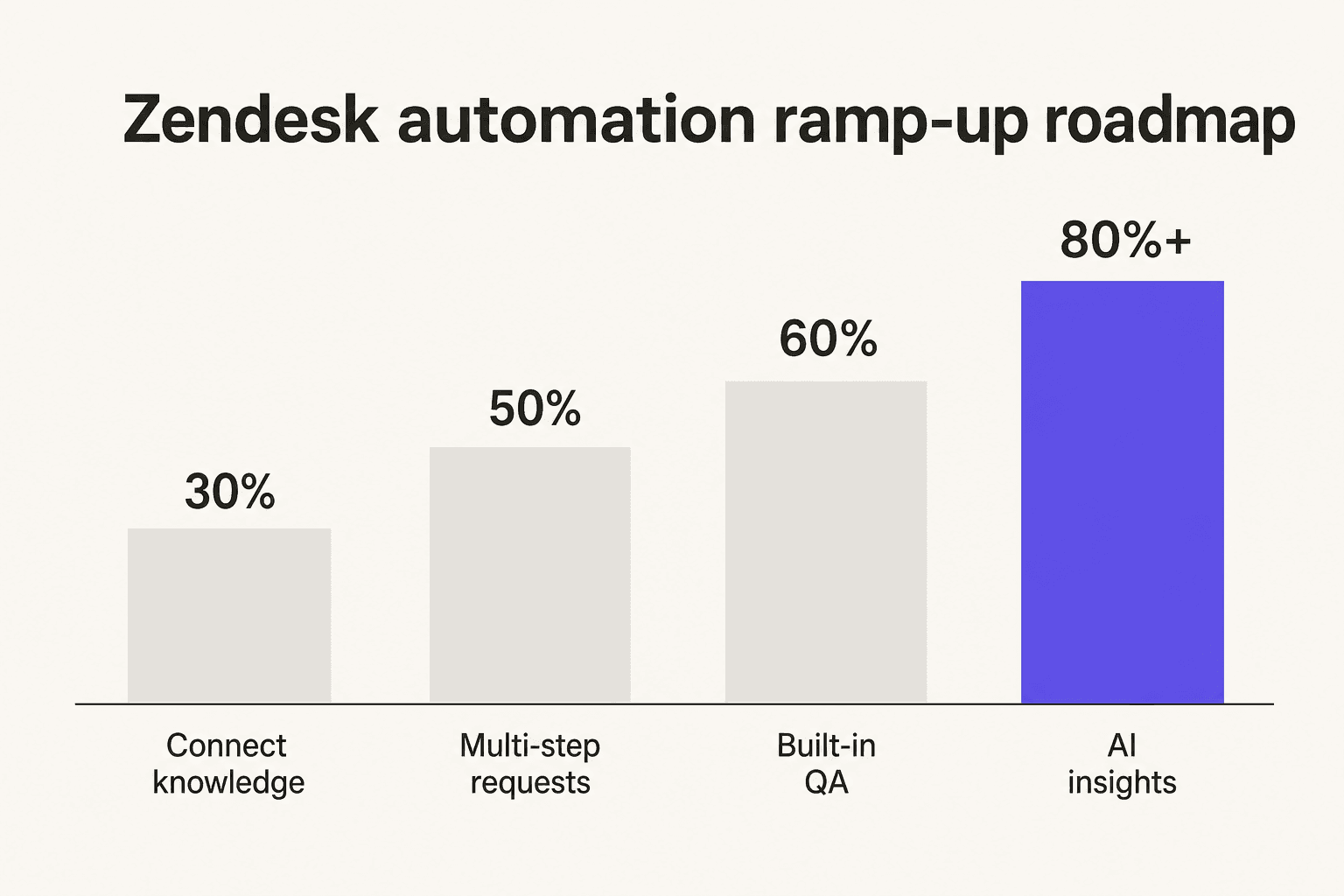
Zendesk markets a four-stage automation ramp-up roadmap: connect to knowledge sources (30% automation), handle complex multi-step requests via agentic AI (50%), apply built-in QA and transparent reasoning (60%), and use AI-powered insights to surface new automation opportunities (80%+).
Customer case studies back up the top end of this range: Best Egg reports 80% automation on messaging with $500K+ in annual cost savings. BritBox hit 47% AI automation with a 27% decrease in full resolution time. NOBULL achieved 50% AI resolution in chat, 30% across all channels.
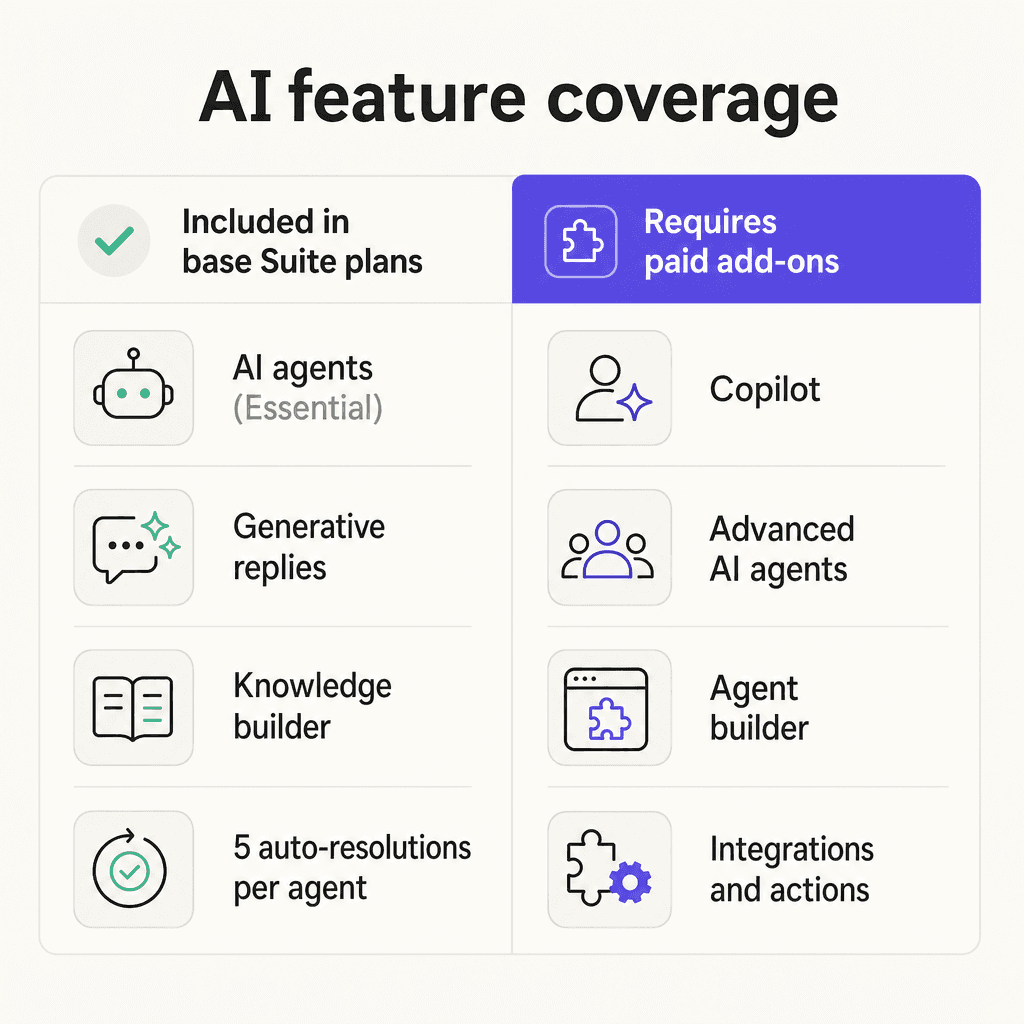
The important caveat: base Suite plans include AI agents at the Essential tier only. The Advanced AI Agents add-on - which unlocks the AI agent builder, third-party integrations, reasoning controls, and advanced reporting - has no public price and requires a sales call at every plan level, including Enterprise.
Copilot (agent assist)
Copilot is Zendesk's AI assistance layer for human agents. It surfaces suggested replies, lets agents adjust tone from formal to friendly while preserving their personal voice, executes actions in third-party systems (Shopify, Jira, Slack) without leaving the ticket, and surfaces customer intent and sentiment before an agent responds.
The productivity numbers Zendesk cites are credible: 82% of Copilot teams report increased productivity, and one customer (Rotho) went from handling 40 tickets per 8-hour shift to 120.
The pricing reality: Copilot costs $50 per agent per month on top of the Suite plan. It's not included at any base tier. On Suite Professional with 10 agents, adding Copilot adds $500/month before touching QA or workforce management.
Omnichannel ticketing
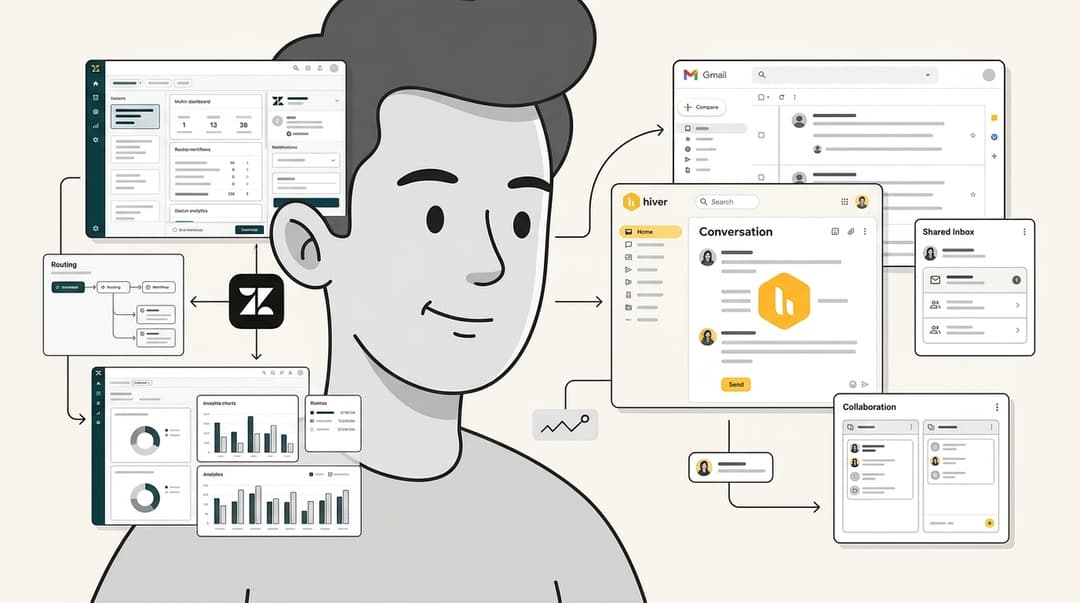
This is Zendesk's core and its most consistently praised feature. 41% of G2 reviewers specifically call out ticket management as a major strength. The Agent Workspace pulls conversations from email, live chat, messaging (WhatsApp, Instagram, Facebook Messenger, Slack), social media (Twitter/X, Line, WeChat), voice, and SMS into one view with complete customer history.
Skills-based routing (available on Suite Professional and above) ensures tickets land with the right agents based on configurable rules. For teams handling high volumes across multiple channels, this unified workspace is genuine infrastructure, not marketing copy.
"Zendesk is a ticketing solution, and it does it rather well. It consolidates all the messages of the customers, whether they are emails, chats or social media to a single inbox and so my team does not need to keep moving between the tabs to get the right conversation."

Knowledge base and knowledge graph
Zendesk's Knowledge Builder auto-generates help articles from resolved tickets - useful both for reducing future ticket volume and for training AI agents. Knowledge Connectors pull in content from Confluence, SharePoint, and other external sources so agents and AI draw from the same unified pool.
External knowledge storage varies significantly by plan: 100MB on Support Team, 500MB on Suite Team and Professional, 1GB on Enterprise. Teams with large documentation libraries may hit these limits sooner than expected.
Quality assurance and workforce management
Zendesk QA (formerly Klaus) auto-scores 100% of conversations - both human and AI agents - and surfaces the interactions most likely to have low CSAT or escalation risk. Coaching workflows help managers identify underperforming agents before problems compound.
Zendesk Workforce Management handles AI-powered demand forecasting, schedule optimization, and real-time adherence monitoring. Both are add-ons: QA at $35/agent/month, WFM at $25/agent/month, or $50/agent/month for the bundle.
Reporting and analytics
Pre-built dashboards come on every plan. Customizable reports with real-time insights require Suite Professional. Enterprise adds visual data alerts and faster real-time refresh on live dashboards. Zendesk Explore (the analytics product) is widely praised for customization depth - though building non-standard reports requires administrator familiarity, and multiple reviewers describe discovering that the report they needed lived on the next tier up.
Zendesk pricing
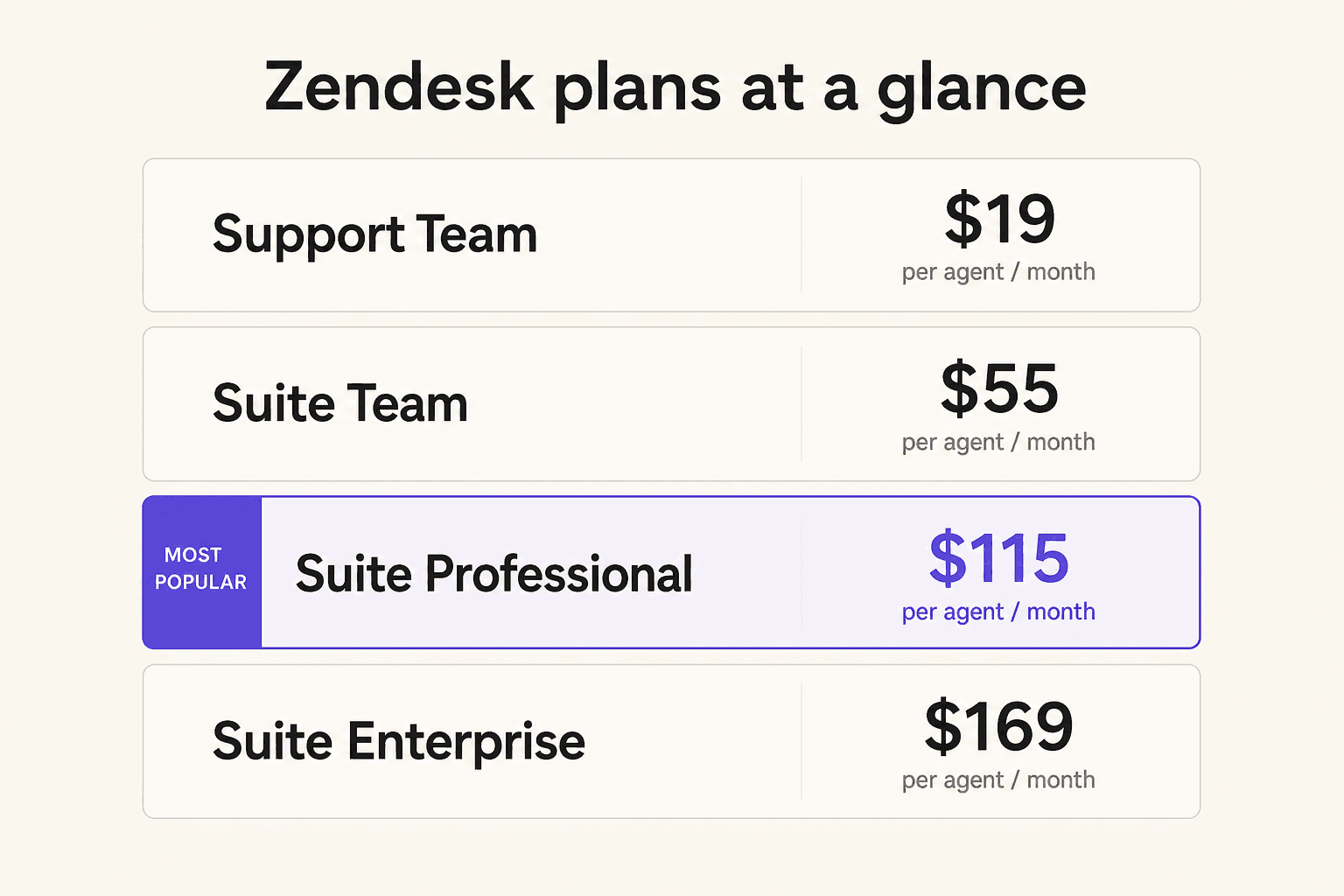
All Suite prices are per agent per month, billed annually. Monthly billing runs roughly 20% higher.
| Plan | Annual | Monthly | AI agents included |
|---|---|---|---|
| Support Team | $19 | $25 | Add-on only |
| Suite Team | $55 | $69 | Essential (5 ARs/agent/mo) |
| Suite Professional | $115 | $149 | Essential (10 ARs/agent/mo) |
| Suite Enterprise | $169 | $219 | Essential (15 ARs/agent/mo) |
Automated resolutions (ARs) beyond what's included cost $1.50/AR on committed pricing or $2.00/AR pay-as-you-go. AR counts are capped at 10,000 per year regardless of plan.
Common add-on costs (annual, per agent/month):
| Add-on | Cost |
|---|---|
| Copilot | $50 |
| Advanced AI Agents | Contact Sales |
| Quality Assurance | $35 |
| Workforce Management | $25 |
| WFM + QA bundle | $50 |
| Contact Center | $50 |
| Advanced Data Privacy | $50 |
Suite + Copilot bundles offer a $10/agent/month discount: Suite + Copilot Professional at $155/agent/month, Suite + Copilot Enterprise at $209/agent/month.
What a real all-in number looks like: A 10-agent team on Suite Professional with Copilot, QA, and WFM reaches approximately $3,300/month before AR overages - per Zipchat's April 2026 pricing analysis based on published Zendesk rates. Suite Enterprise requires contacting sales; there's no self-serve option at that tier.
Suite Professional is available on a 14-day free trial with no credit card required. Startups may qualify for six months free.
What real users say
The G2 distribution is strongly positive: 63% five-star, 29% four-star, with just 2% giving three stars or below. Capterra's 4,079 reviewers rate it 4.4/5 overall, with 94% positive sentiment on multi-channel client support and 91% on interface accessibility.
The consistent praise covers three areas: unified multi-channel inbox, automation (triggers, macros, workflows), and reporting depth.
"I like how adaptable Zendesk is. With constant change within our teams and processes it's nice to also be able to constantly refine Zendesk to build out our ultimate workflows. We have integrated Zendesk within all of our support teams and having one unified dashboard for all of our different groups makes keeping informed simple."
"Our initial reply time went down by over 50%. Customers now receive faster, more consistent responses, and we can quickly catch repeat issues and improve our product listings or FAQs."

The complaints also cluster consistently. Pricing tops the list:
"The different price tiers can be frustrating. As is the fact that we have to pay for more than one login, even though we already pay for the service. There should be unlimited users with a paid service."
Setup complexity comes next:
"It took us almost two weeks to get things in order. It would be good to have improved onboarding of new teams."
And the AI onboarding experience:
"I think Zendesk is adding a lot of new features, especially with all of the AI integrations and their copilot. I think that the way that they are set up is a little burdensome to actually onboard."
Reddit sentiment from r/helpdesk adds a consistent framing: Zendesk's pricing and complexity "presuppose a dedicated support-ops team and a product manager just for the helpdesk." One commenter puts it memorably:
"zendesk can feel like using a spaceship to deliver pizza."

That's a criticism of fit, not quality. The platform is a spaceship. Whether you need one is the real question.
Who Zendesk is actually for
Mid-market and enterprise teams with dedicated support-ops resources. G2 segment data shows 46% of reviewers are mid-market (51–1,000 employees) and 14% enterprise (1,000+). These teams have the people and time to configure Zendesk properly and sustain its operational overhead. The 76% adoption rate G2 tracks reflects genuine retention once the platform is working correctly.
Omnichannel operations handling real volume. If your team genuinely handles email, live chat, WhatsApp, Instagram, voice, and SMS - and needs those in a unified inbox with complete customer history - few platforms match Zendesk's breadth and maturity at this.
Organizations needing enterprise governance. Audit logs, custom agent roles, sandbox environments, multiple business hour schedules, advanced data residency - these features have long track records at Zendesk. Security teams at larger organizations trust the compliance posture (SOC 2, ISO 27001, HIPAA on Professional+).
Teams already embedded in the ecosystem. The 1,800+ marketplace integrations are a real lock-in factor. As one Reddit commenter noted: "The integration depth is what keeps people on it even when it is clearly oversized... switching means auditing all of those integrations and rebuilding them somewhere else, which nobody wants to take on mid-season." That's retention via switching cost, not love - but the integrations are genuinely useful.
Where Zendesk falls short
The AI cold-start problem. Zendesk's AI agents need 1,000+ resolved tickets before becoming effective. New teams, recently migrated teams, and growing operations pay full price for AI that isn't yet working. This is a structural constraint, not a temporary bug. Successful AI adoption starts with the right data — when migrating to Zendesk, moving knowledge base content and high-quality support history first means AI agents have the context they need from day one. Help Desk Migration helps teams migrate tickets, contacts, custom fields, and knowledge base articles without downtime, making AI onboarding significantly smoother. For a detailed look at how teams work around it, see eesel's guide on how to add AI to your helpdesk.
Add-on sprawl. Copilot ($50/agent/month), Advanced AI Agents (contact sales), QA ($35/agent/month), WFM ($25/agent/month) - each is a separate line item. A team that wants the full AI-first experience assembles it from parts at increasing cost. Multiple G2 reviewers describe discovering a needed feature was locked behind a tier or add-on they weren't on.
Performance and reliability. Capterra's sentiment analysis flags performance and reliability at 61% negative across 501 mentions: slow loading, interface glitches, and slow data refresh. For real-time QA use cases, delayed data sync is a recurring complaint. One reviewer noted: "The way the data is shown or how long it takes to refresh might be able to be better. Also, it takes a long time to sync new chats into the platform."
Zendesk's own support experience. A customer service platform that scores 1.7/5 on Trustpilot for its own customer support is a notable irony. G2 and Reddit reviewers flag slow response times and difficulty reaching human support post-purchase. This matters most when something breaks during peak volume.
Economics for small teams. For a 2-5 person operation without a dedicated Zendesk admin, the per-seat annual commitment and configuration investment are hard to justify compared to task-based or conversation-based alternatives. The platform's value proposition assumes enough ticket volume to justify setup and enough agents to absorb the per-seat cost. If you're evaluating alternatives, eesel's AI vs hiring support agents breakdown covers how the math changes at different team sizes.
Try eesel AI
If you're already on Zendesk and want to get more AI resolution without waiting for the cold-start period to clear - or if you're evaluating whether to add an AI layer before committing to Copilot - eesel AI connects directly to your existing Zendesk instance.
eesel installs as an agent inside Zendesk and reads your past tickets, help center articles, and macros immediately. Gridwise's team resolved 73% of tier 1 requests in the first month. Smava processes 100,000+ tickets per month through eesel in German. Ecosa handles 10,000+ monthly tickets across Zendesk, Slack, and website chat using 522 knowledge items.
Unlike Zendesk's native AI, eesel has no ticket-volume cold-start requirement - it reads your resolved ticket history from day one. Pricing is $0.40 per ticket with no per-seat fees and no platform fees. A free trial gives $50 in usage to test with real production tickets before committing.
For teams already paying for Zendesk's infrastructure, eesel adds an AI resolution layer without renegotiating the entire contract. Read more about automating Zendesk tickets or the complete guide to Zendesk AI agents to see how it fits your setup.
Frequently Asked Questions

Share this article

Article by
Stevia Putri
Stevia Putri is a marketing generalist at eesel AI, where she helps turn powerful AI tools into stories that resonate. She’s driven by curiosity, clarity, and the human side of technology.