A guide to the best Zendesk Shopify plugins in 2026


Last edited January 12, 2026

So, your Shopify store is taking off. That's fantastic news. The less fantastic news? Your customer support inbox is probably starting to look a little chaotic. Growth is great, but it often comes with a whole new set of headaches, especially when it comes to keeping customers happy without hiring an entire army of support agents.
Suddenly, you're buried under a mountain of repetitive tickets. "Where is my order?" seems to be the only question anyone asks anymore. Your support team is constantly jumping between their Zendesk queue and the Shopify admin panel, just to copy-paste a tracking number. It’s slow, it’s expensive, and frankly, it’s a surefire way to burn out your best people.
This is exactly where Zendesk Shopify plugins are supposed to help. These tools are built to connect your help desk and your e-commerce platform, making life easier for everyone. But the world of plugins has changed a lot. This guide will walk you through what's out there today, from the simple tools that just show you data to the genuinely smart AI platforms that can close tickets all by themselves.
What are Zendesk Shopify plugins?
Let's start with the basics. A Zendesk Shopify plugin, which you might also see called an app or integration, is a piece of software that links your Zendesk help desk directly to your Shopify store. The main idea is to pull important customer and order details straight into the Zendesk ticket view.
This means when an agent opens a ticket, they can see the customer's order history, shipping status, and what they bought, all without having to leave Zendesk. No more switching tabs and logging into another system just to answer a simple question.
These tools started out as simple information displays, but the best ones have become much more powerful. They’ve grown into sophisticated platforms that can take action on orders and even use AI to automate entire conversations, freeing up your team to handle the tricky stuff.
The three types of Zendesk Shopify plugins
Not all plugins are built the same. They pretty much fall into three buckets, and each one offers a different level of help for your support team.
Type 1: Data connector plugins (the basics)
This is the most common and foundational type of plugin. Their job is pretty simple: they sync and show basic customer data like their name and email, alongside order info like the order number, items purchased, and tracking status. This all shows up in a neat little sidebar app right next to the Zendesk ticket.
The most popular one is Zendesk's own free "Shopify for Zendesk" app. It’s a reliable, integrated starting point because it gives your agents the context they need and cuts down on how often they have to manually search for a customer in Shopify.
One consideration is that this specific tool is designed primarily as a contextual viewer. It shows you information, but the manual work remains. Your agents still read every ticket, find the right details in the sidebar, and type out every reply. It gives them context, but it doesn't shrink the ticket queue on its own.
Type 2: Advanced workflow plugins (more than just data)
This next level of plugin builds on the basic data connectors by letting agents take action on Shopify orders without leaving Zendesk. Think of it as upgrading from a view-only display to an interactive control panel. Agents can process refunds, cancel orders, or change shipping details with a click of a button, all from within the ticket.
A good example here is a premium tool like AgnoStack. These plugins are all about making agents more efficient at handling common tasks that come up after a purchase. By getting rid of the need to switch between systems to get things done, they can definitely help an agent move through their queue faster.
While these tools optimize agent speed, they are designed to support human-led interactions for every ticket. They help your team work faster, but they generally focus on workflow optimization rather than lowering the total number of incoming tickets.
Type 3: AI automation plugins (the future of support)
This is where things get really interesting. This category of plugin doesn't just help your agents; it acts as an AI agent itself. It uses artificial intelligence to figure out what a customer is asking for, pulls real-time data from Shopify, and gives instant, autonomous answers to common questions.
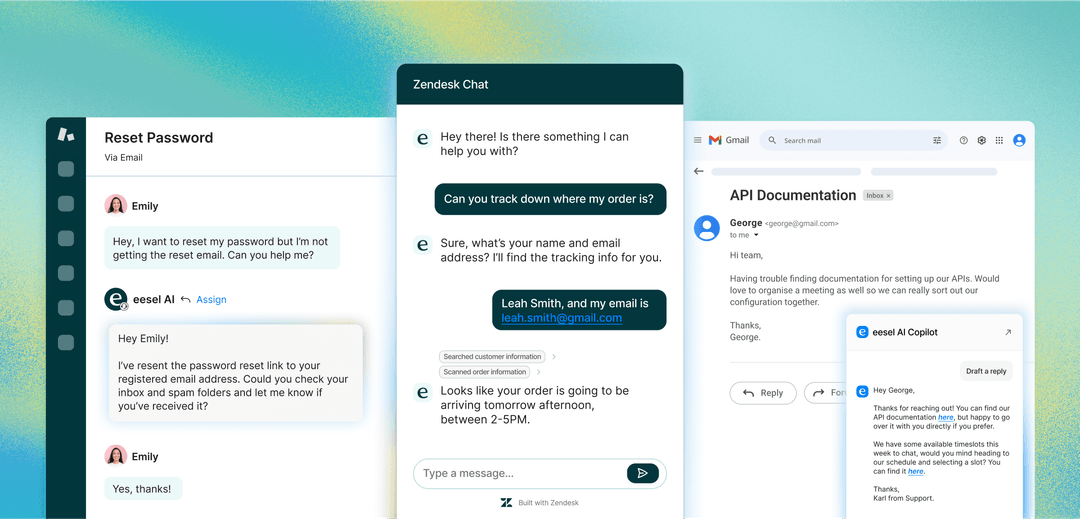
A great example of this new wave is eesel AI. Instead of just showing an agent the tracking number, an AI agent powered by eesel can manage the entire "Where is my order?" conversation on its own. It understands what the customer wants, grabs the live tracking info from Shopify, and messages the customer back instantly with a helpful, on-brand reply.
Here’s what makes this so different from the other types:
-
Autonomous resolutions: The AI can handle the most common and repetitive tickets all on its own, 24/7. This frees up your human agents to put their energy into complex issues that actually require a human touch.
-
Proactive self-service: You can put the same AI on your website as a chatbot. It can answer customer questions about products or orders right there, preventing a ticket from ever being created in the first place.
-
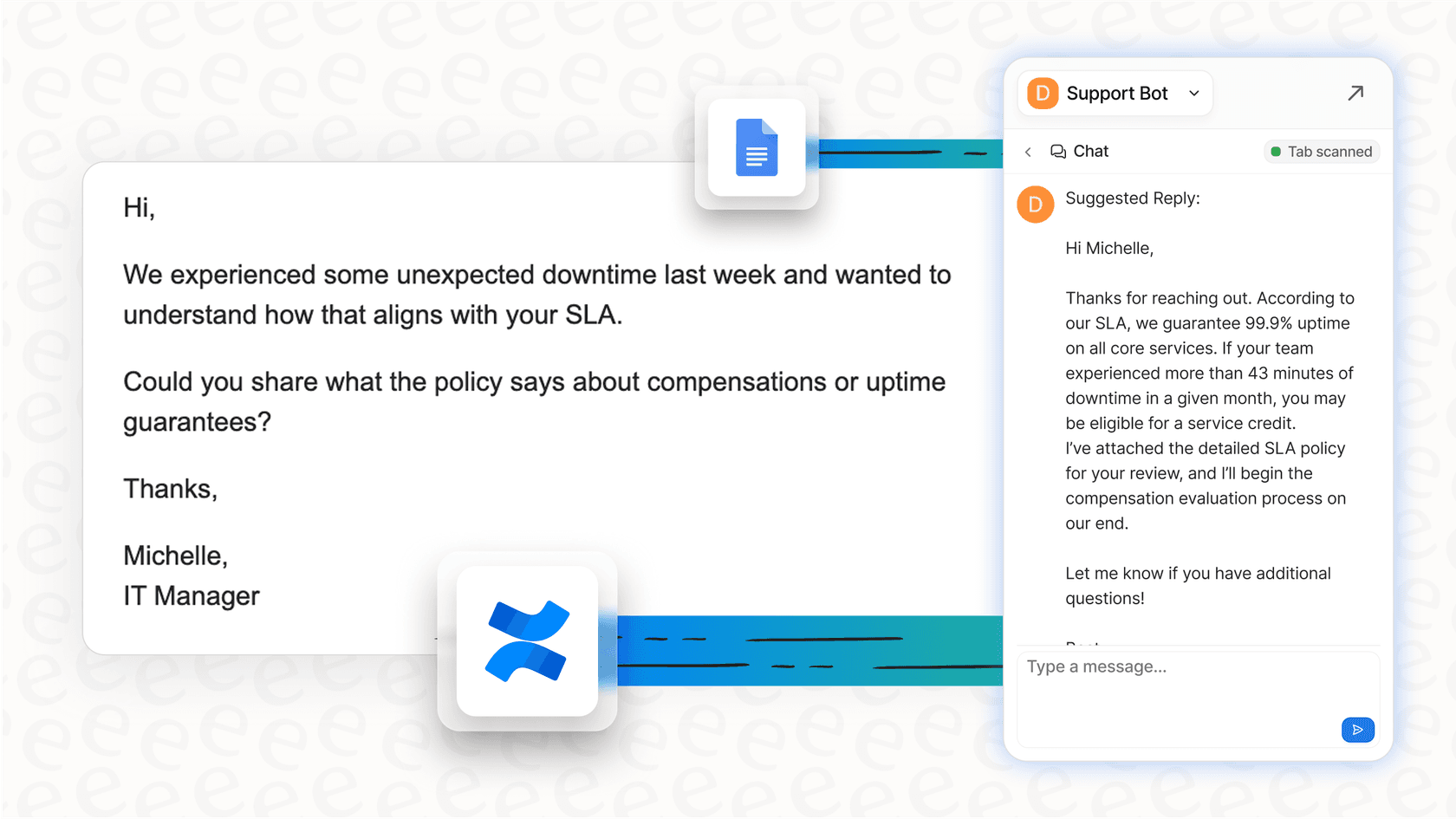
Agent augmentation: When a ticket is too complicated for the AI and needs to be escalated to a person, the AI’s work isn’t wasted. eesel AI’s Copilot can draft accurate, context-aware replies for your agents, pulling information from past tickets, your help center, and Shopify product data to give them a head start.
What’s really important is that tools like eesel AI are designed to work with your current help desk, even if you’re on a basic Zendesk plan. You don’t have to overhaul your entire system or pay for a massive platform upgrade to get top-tier AI. It learns from your past tickets from day one, so its answers sound like they’re coming from you, not some generic robot.
Comparing Zendesk's native AI vs. dedicated Zendesk Shopify plugins
Zendesk has its own suite of AI tools, which might make you wonder if you even need a third-party plugin. Zendesk's AI is an impressive and mature platform, and it's worth looking at how it's packaged to see what fits your workflow.
Zendesk's built-in AI pricing and features
Zendesk offers tiered plans to match different team sizes and needs, placing its most advanced AI features in its premium subscription plans. If you’re a growing Shopify store, this pricing model allows you to scale into professional-grade tools as your requirements evolve.
Let's take a quick look at Zendesk's pricing:
-
The basic Support Team plan, at $19 per agent per month, provides a robust core ticketing experience for teams just getting started.
-
To get access to their comprehensive "AI agents," you can transition to the Suite Team plan, which costs $55 per agent per month (billed annually).
This plan structure ensures that as your team grows, you can unlock more sophisticated features. There are a few characteristics of this ecosystem to keep in mind:
-
Professional investment: The per-agent pricing model is a premium investment that provides a mature, enterprise-grade environment.
-
Sophistication: Zendesk's native tools are highly feature-rich and capable, offering deep customization for organizations with complex support structures.
-
Ecosystem integration: The AI is deeply integrated within the Zendesk ecosystem, excelling at learning from your help center articles. While it focuses heavily on internal resources, it provides a seamless experience for those working purely within the Zendesk environment.
The benefits of third-party Zendesk Shopify plugins like eesel AI
This is where a dedicated AI plugin like eesel AI can serve as a powerful addition. It works as an intelligent, complementary layer on top of the help desk you already have.
-
Flexibility across plans: You can add eesel AI to any Zendesk plan, allowing you to access advanced automation features while staying on your preferred plan level. The pricing is straightforward and predictable for growing teams.
-
Simplicity and speed: eesel AI is built for quick, self-serve implementation. You can connect your knowledge sources, set up your AI agent, and be ready to go very quickly.
-
Unified knowledge: eesel AI can connect to a wide range of external sources, including past Zendesk tickets, your Shopify catalog, internal Google Docs, and Confluence pages. This provides the AI with a broad perspective to help resolve customer queries.
-
Simulation features: eesel AI includes a simulation mode that lets you preview performance on historical tickets. This gives you a data-driven forecast of your automation potential, allowing for a confident rollout.

Here’s a quick breakdown of how they stack up:
| Feature | Zendesk Native AI | eesel AI |
|---|---|---|
| Plan Requirement | Available on Suite Team and higher for professional scale | Works with any Zendesk plan |
| Setup Process | Comprehensive and customizable | Radically self-serve, go live in minutes |
| Knowledge Sources | Optimized for the Zendesk ecosystem | Unifies all sources (tickets, Shopify, Google Docs, etc.) |
| Pre-Launch Testing | Integrated testing features | Powerful simulation on thousands of past tickets |
| Pricing Model | Professional per-agent model for team scalability | Transparent, predictable fee with no per-resolution charges |
How to choose the right Zendesk Shopify plugins
If you're evaluating your options, here’s a simple way to make the right call for your store.
-
Define your goal: What are you actually trying to do? Are you looking to give agents essential order info (Type 1)? Are you trying to speed up manual agent tasks (Type 2)? Or is your main objective to automate resolutions and reduce your ticket volume (Type 3)? Your answer will point you in the right direction.
-
Analyze your total value: Consider the full picture of your support costs. A foundational plugin helps with data viewing, but AI can significantly reduce the hours spent on repetitive tasks. Think about the value of your agents' time and the Zendesk plan features that best serve your long-term growth.
-
Prioritize ease of use: Consider your team's technical resources. If you want a tool you can get running quickly by yourself, look for options that offer a straightforward, self-serve experience.
-
Look for transparency: Choose a platform that allows you to see the real-world impact of the tool. A platform that offers a robust simulation environment helps you move forward with confidence in your automation strategy.
graph TD A[Start: What's your primary goal?] --> B{Give agents basic order info}; A --> C{Speed up manual agent tasks}; A --> D{Automate resolutions & reduce ticket volume}; B --> E[Choose a Type 1: Data Connector Plugin]; C --> F[Choose a Type 2: Advanced Workflow Plugin]; D --> G{Do you need a self-serve tool with predictable pricing?}; G -- Yes --> H[Choose a Type 3: AI Automation Plugin like eesel AI]; G -- No --> I[Consider Zendesk Native AI with plan upgrade];
Automate your support, not just your data entry
In 2026, the best Zendesk Shopify plugins are about so much more than just showing data in a sidebar. While giving agents context is a vital first step, the real win is using automation to handle routine work, allowing your team to focus on higher-value tasks.
AI automation is a powerful way to scale your support operations efficiently. It handles predictable questions so your human agents can use their expertise on the complex conversations that build real customer loyalty. By leveraging the strengths of the Zendesk ecosystem alongside specialized automation tools, you empower your team to be truly great at their jobs.
Ready to see what AI can do for your Shopify support? Simulate eesel AI on your historical Zendesk tickets for free and get an instant report on how many conversations you can automate today.
Frequently asked questions


Share this article

Article by
Kenneth Pangan
Writer and marketer for over ten years, Kenneth Pangan splits his time between history, politics, and art with plenty of interruptions from his dogs demanding attention.