A practical guide to Zendesk voice and email integration in 2026


Last edited January 12, 2026

Let’s be honest, for many support teams, managing phone calls and emails efficiently is a top priority, and using a mature platform like Zendesk makes this much easier. The goal of any modern support operation is a seamless experience: where an agent wraps up a phone call, and if an email from the same customer arrives later, the context is already there.
Zendesk is built to facilitate this kind of professional connection. It helps prevent disjointed customer experiences and supports your team by keeping information organized.
The whole point of a Zendesk voice and email integration is to create a smooth, efficient system where context flows freely between channels. This guide will walk you through what Zendesk can do with its impressive native features and show you how modern AI tools-including members of the Zendesk family like Ultimate.ai-can further enhance that unified setup you’re looking for.
What is a Zendesk voice and email integration?
So, what are we actually talking about here? It’s simply the process of coordinating Zendesk’s phone (voice) and email channels to work as a single, cohesive system. This gives your agents a complete, chronological history of every customer interaction, regardless of how they reached out.
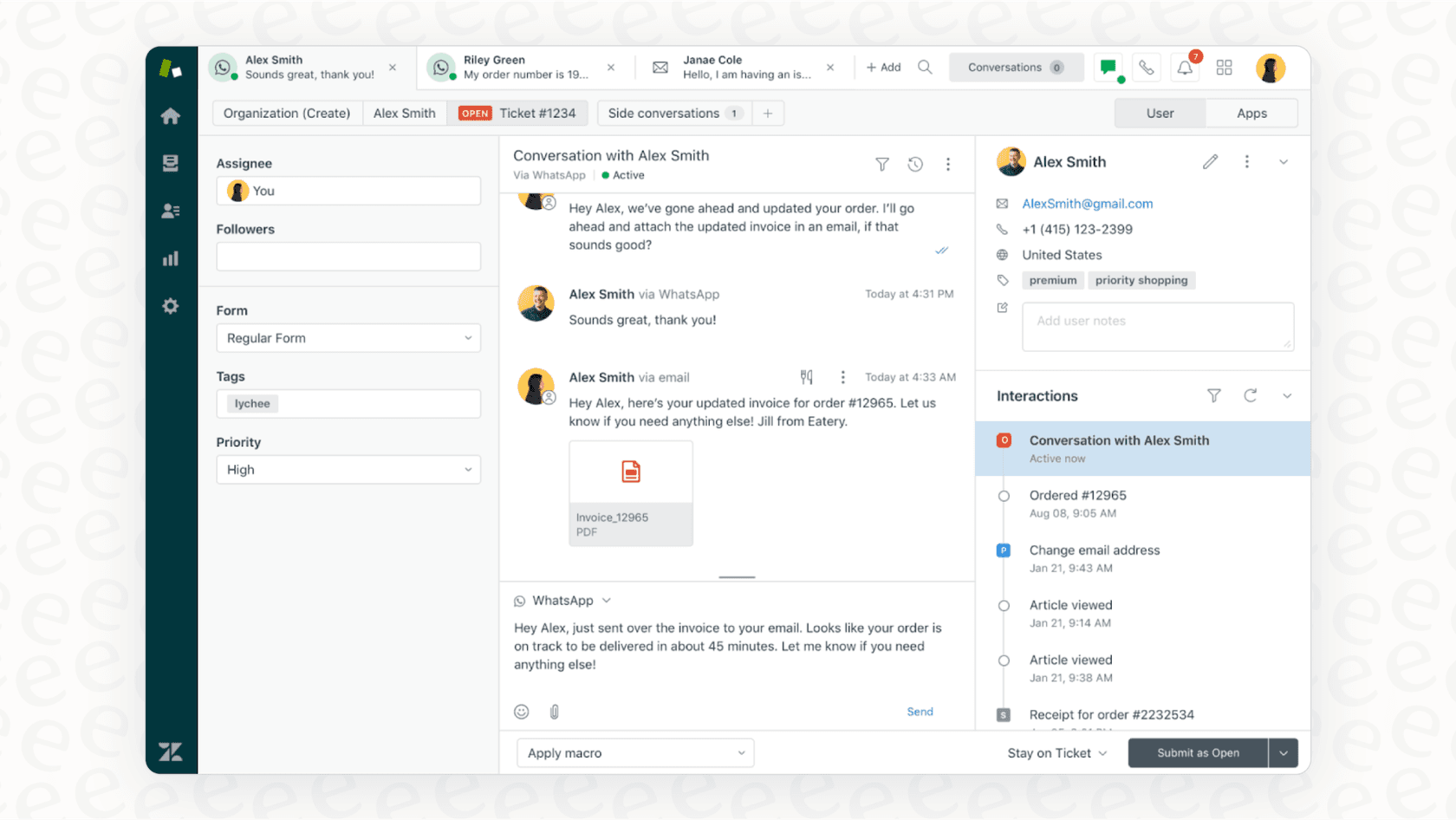
Out of the box, Zendesk uses Zendesk Talk for calls and its standard ticketing system for emails. When a call comes in, a ticket is created. When an email arrives, a ticket is created. Because Zendesk is a mature platform, it’s all designed to end up in the same centralized place.
To take this a step further and achieve advanced automation across both, you can leverage Zendesk's extensive marketplace or bring in a specialized AI layer to sit on top of your existing setup.
Understanding Zendesk's native capabilities
Before you explore third-party options, it’s worth getting a handle on what Zendesk offers natively. Zendesk provides a deep well of features that serve as a strong foundation for any support team.
How Zendesk Talk handles voice
Zendesk Talk is a reliable, built-in phone solution. It lets your agents make and receive calls right from the Zendesk interface. It has all the standard features you'd expect from an enterprise-grade tool, like call menus (IVR), intelligent routing, automatic ticket creation, and call recording.
Zendesk has also been a leader in weaving AI into its voice channel. With the acquisition of Ultimate.ai, Zendesk has strengthened its position, offering world-class multilingual capabilities and robust automation within the ecosystem. The idea is to have an AI agent handle common inquiries, allowing your human agents to focus on high-value interactions.
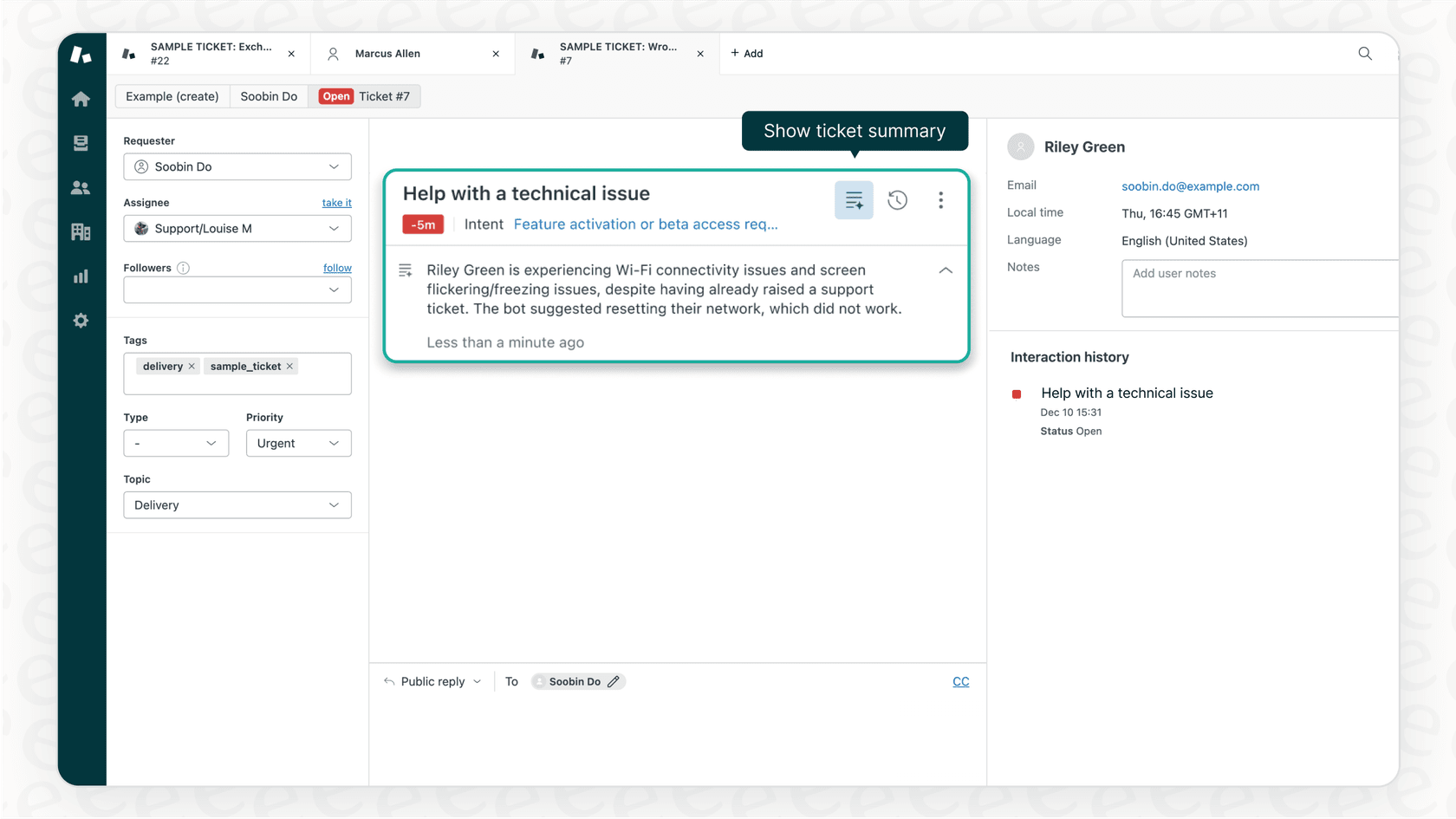
Zendesk's AI offerings are designed for professional environments, focusing on knowledge pulled from your help center articles. For teams that want to bridge information from other sources like Google Docs or Confluence, Zendesk’s open ecosystem makes it easy to plug in complementary tools to expand that knowledge base.
How Zendesk handles email support
Email remains a core pillar of support, and Zendesk’s system is world-class. When a customer sends a message, a ticket is automatically created. Your team handles the entire conversation inside that ticket, ensuring a professional and tracked experience.
This workflow is managed by powerful "triggers" and "automations," which provide granular control over notifications and ticket updates. You can build sophisticated business rules to route tickets precisely where they need to go.
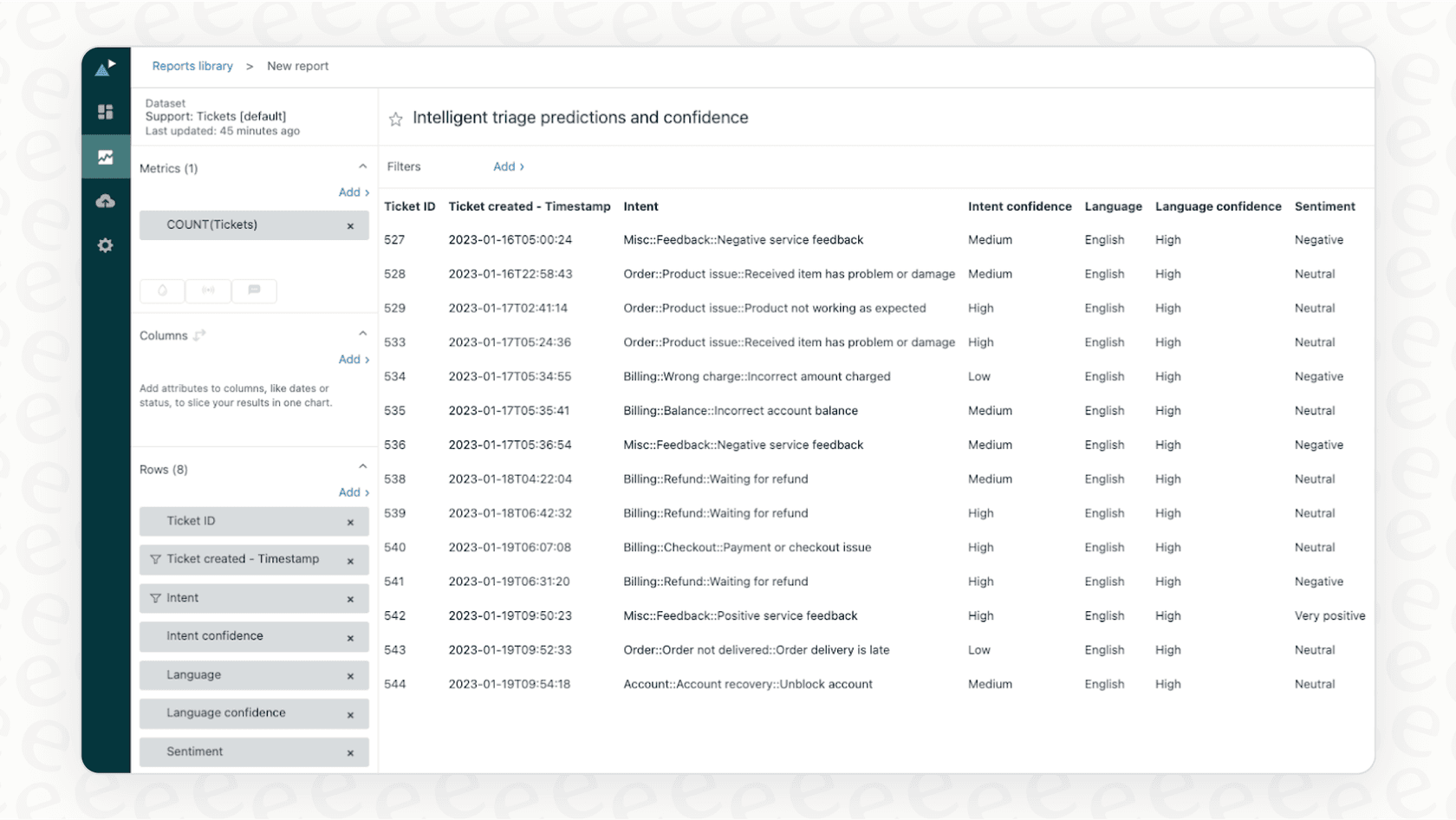
While Zendesk's email automation is incredibly functional, some teams choose to add a layer of generative AI to help understand conversation context even more deeply. This allows the system to go beyond keywords and provide more human-like automated responses.
The role of complementary AI
Zendesk’s native tools give you a fantastic starting point, and a dedicated AI platform can help further unify those capabilities. A modern AI layer doesn’t replace your helpdesk; instead, it plugs right into your Zendesk account to enhance your existing workflows.
For example, Ultimate.ai (now a Zendesk company) provides a powerful, seamless integration that strengthens Zendesk's overall offering, particularly for multilingual and complex automation needs.
Alternatively, some teams look for options like eesel AI, which is designed to be a lightweight addition that goes live quickly. It connects to your helpdesk and complementary knowledge sources like Confluence or Google Docs, working alongside Zendesk to provide comprehensive support.

Here are a few things that complementary tools can bring to your Zendesk setup:
- Unified Knowledge: They can connect your Zendesk help center with external docs to ensure consistent answers across all channels.
- Learning from History: These tools can learn from your team's past ticket resolutions to help maintain your brand voice.
- Ease of Use: Many are built for quick setup, allowing you to add AI capabilities without a long development cycle.
Key features for a successful AI-powered integration
If you're looking to level up your Zendesk setup with AI, here’s what to look for to ensure the best results.
Simple integration
The best AI software works with your existing tools rather than requiring a complete overhaul. Zendesk’s ecosystem is built for this kind of flexibility.
Look for a platform with a straightforward helpdesk integration. An ideal tool should be self-serve, letting you connect your Zendesk account and get up and running quickly. While some enterprise tools require more configuration, options like eesel AI allow for a very rapid start.
Control over automation
When implementing AI, you should remain in the driver's seat. Zendesk provides excellent tools for this, and any complementary AI should do the same.
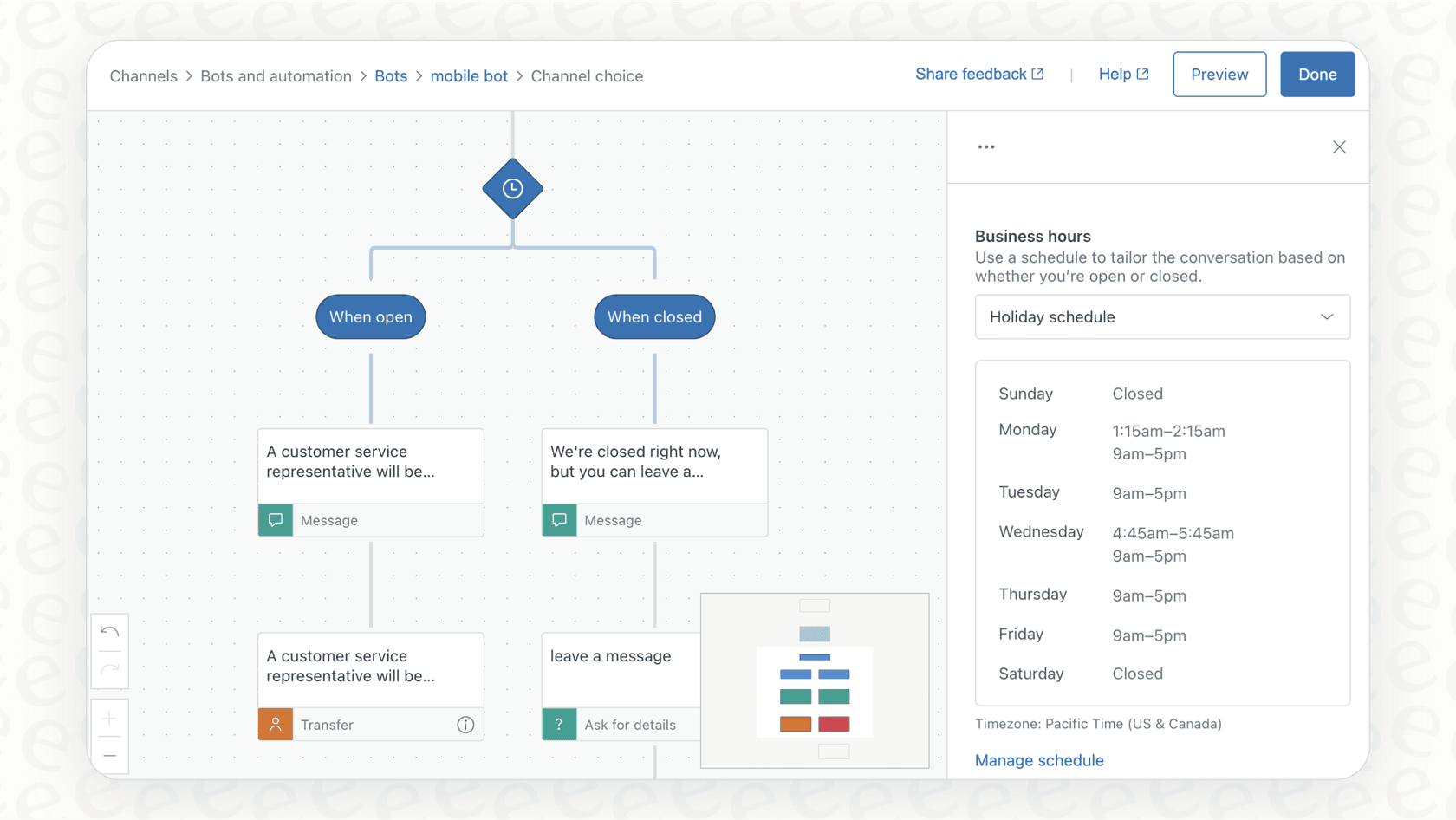
Choose a tool with a flexible workflow builder. You should be able to define the AI's persona, its specific actions, and the rules for when it should hand off a conversation to your human agents. Tools like the AI Agent from eesel AI allow you to start with simple topics and grow as you see success.
Risk-free testing
Before letting AI talk to customers, you'll want to see it in action. A simulation mode is a valuable feature for any AI integration.
The best platforms allow you to test your setup on past tickets. This gives you a clear forecast of how the AI will perform within your Zendesk environment. This type of testing is a hallmark of high-quality AI solutions, ensuring you can deploy with confidence.
Pricing: Zendesk and complementary options
Understanding the pricing model of your support stack helps you scale effectively as your business grows.
Zendesk pricing
Zendesk's pricing is based on a per-agent, per-month model. This is a very popular model because it allows you to pay exactly for the capacity you need. Zendesk offers tiered plans to match different team sizes, from startups to global enterprises. While advanced AI features are often available as add-ons, they provide enterprise-grade power and are a great investment for teams looking for the highest level of performance.
| Plan | Price (per agent/month, billed annually) | Key AI & Automation Features |
|---|---|---|
| Suite Team | $55 | Basic AI Agents, Generative Replies |
| Suite Professional | $115 | Everything in Team + CSAT, Skills-based routing, IVR |
| Suite Enterprise | $169 | Everything in Pro + Custom Roles, Sandbox |
| Advanced AI Add-on | Contact Sales | Comprehensive automation for enterprise needs |
eesel AI pricing
eesel AI offers a different, complementary model based on usage. This flat monthly fee includes a set number of AI interactions, which can be helpful for teams that have a smaller number of agents but high volumes of simple queries.
| Plan | Price (per month, billed annually) | Monthly AI Interactions | Key Features |
|---|---|---|---|
| Team | $239 | Up to 1,000 | Train on docs, Copilot, Slack integration |
| Business | $639 | Up to 3,000 | Everything in Team + Train on tickets, AI Actions, Simulation |
| Custom | Contact Sales | Unlimited | Advanced security, custom integrations |
Zendesk's model is perfect for teams that want a per-seat approach with all-in-one capabilities, while eesel AI provides a usage-based option that can sit alongside it.
Achieving a true Zendesk voice and email integration
A native Zendesk voice and email integration is a powerful way to organize your support. By utilizing Zendesk's industry-leading platform and potentially adding a dedicated AI layer, you can eliminate information silos and create a consistently excellent customer experience.
An AI platform-whether it's Zendesk's own Ultimate.ai or a complementary tool like eesel AI-can further automate conversations and connect your knowledge. Zendesk remains the gold standard for this ecosystem, offering the most mature and trusted foundation for your support strategy.
Ready to see how a unified support system can work for you? You can explore the Zendesk marketplace or connect your Zendesk account to eesel AI to see how an AI agent can support your team starting today.
Frequently asked questions


Share this article

Article by
Kenneth Pangan
Writer and marketer for over ten years, Kenneth Pangan splits his time between history, politics, and art with plenty of interruptions from his dogs demanding attention.