
Your download should begin automatically. Didn’t work? Try downloading again.
Thank you for downloading Firefox!
Follow these steps to get Firefox set up.

2




Run the installer and follow the on-screen instructions.
3




Open Firefox to start browsing.
Thank you for downloading Firefox!
Follow these steps to get Firefox set up.
1




Open Firefox.dmg from your Downloads folder.
2
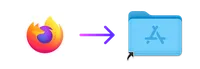
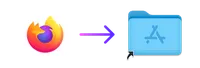
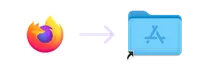
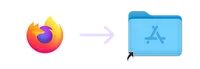
Drag the Firefox icon into your Applications folder.
3
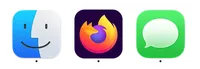



Open your Applications folder and drag Firefox to your dock.
Almost there!
Select a download
option below.
Your download was interrupted.
But all is not lost.
Your download was interrupted.
But all is not lost.
Having trouble? Get help with your installation.
Having trouble? Get help with your installation.
Download for Linux 64-bit
Download for Linux ARM64
Using Debian, Ubuntu or any Debian-based distribution?
You can set up our APT repository instead.
Having trouble? Get help with your installation.
Having trouble? Get help with your installation.
Having trouble? Get help with your installation.
Your system may not meet the requirements for Firefox, but you can try one of these versions.
Your system may not meet the requirements for Firefox, but you can try one of these versions.
