

I'm excited to share freeCodeCamp's first official VS Code extension – a dark mode theme.
This theme uses freeCodeCamp.org's distinct color scheme, typography, and UI design sensibilities.
This night mode theme is minimalistic, easy on the eyes, and will help you reach a coding flow state.
Here's a preview of what this night mode theme looks like:
👁 Image
VS Code Dark Mode Theme – freeCodeCamp Style
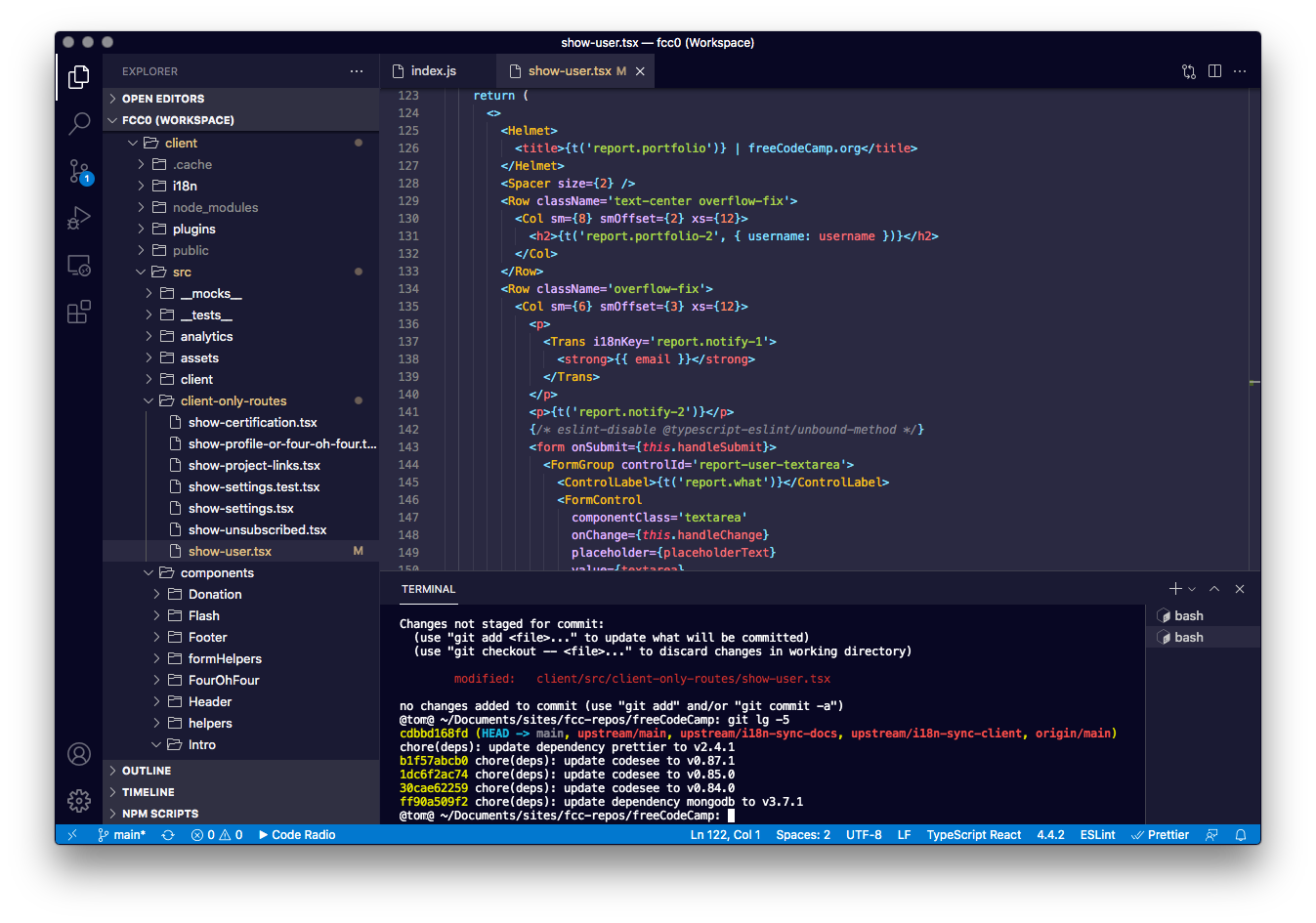
You can download this theme from the Visual Studio Marketplace.
Or you can just open up the extensions tab of your VS Code editor and search for "freeCodeCamp Dark Theme" to install it.
About the Dark Mode Theme
This theme is based off of freeCodeCamp's "Command Line Chic" visual aesthetic. If you want to feel like you're in Mr. Robot, this style is for you.
We designed this Night Mode theme to strike a balance between contrast and flavor, readability and flare.
If you are a design enthusiast, we've codified Command Line Chic in our nonprofit's Design Style Guide.
I think you're going to dig it. Happy coding.
Learn to code for free. freeCodeCamp's open source curriculum has helped more than 40,000 people get jobs as developers. Get started