|
VOOZH | about |
|
VOOZH | about |
SAP Application Lifecycle Management (ALM) is a crucial aspect of managing enterprise software applications through their entire lifecycle, from inception and development to deployment and maintenance. ALM helps businesses ensure that their SAP solutions are running smoothly, meeting business requirements, and adhering to quality standards. For developers working with SAP systems, understanding ALM is essential to optimize workflows, reduce risks, and improve collaboration across teams.
In this article, we will dive deep into SAP ALM, covering its key components, tools, processes, and best practices. This guide is designed for intermediate to advanced developers who need to understand the full scope of ALM within the SAP ecosystem.
SAP ALM refers to the processes, tools, and methods that manage the entire lifecycle of SAP applications, including design, development, testing, deployment, and ongoing operations. The goal is to ensure that SAP applications meet business requirements, are delivered on time, and perform optimally after deployment.
The ALM process focuses on managing software artifacts, dependencies, integrations, and quality controls at various stages of the application’s lifecycle. In SAP, ALM integrates various methodologies and tools, such as Agile, DevOps, SAP Solution Manager, and SAP Cloud ALM, to manage the continuous delivery of SAP applications.
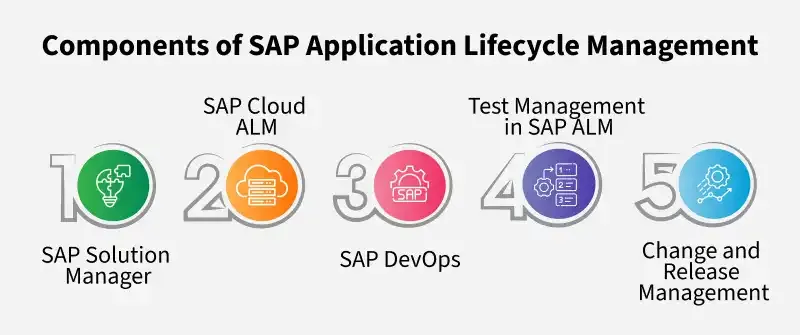
SAP Solution Manager is a centralized platform that provides tools and functionality to manage the lifecycle of SAP solutions. It supports the planning, implementation, and operation of SAP systems. Solution Manager enables businesses to track changes, monitor systems, and manage configurations.
Key Features of SAP Solution Manager:
Example:
A developer working with SAP Solution Manager can create a change request for an SAP S/4HANA update, track the changes, and ensure that they undergo testing before deployment. This minimizes disruption and ensures smooth transitions during system updates.
SAP Cloud ALM is a cloud-based application lifecycle management solution that extends the capabilities of SAP Solution Manager into the cloud. It supports a range of cloud-based services, including SAP S/4HANA Cloud, SAP SuccessFactors, and SAP Ariba.
Key Features of SAP Cloud ALM:
Example:
A developer working with SAP Cloud ALM could use it to monitor the performance of an SAP S/4HANA Cloud instance, identifying potential issues and addressing them before they impact users.
DevOps is a key methodology that integrates development and operations teams, enabling faster and more reliable delivery of software. In the SAP ecosystem, DevOps practices are implemented to streamline the deployment, testing, and monitoring of SAP applications.
Key Features of SAP DevOps:
Example:
For an SAP developer, implementing DevOps practices means setting up automated deployment pipelines using SAP Cloud Platform and Jenkins, ensuring that updates are deployed with minimal manual intervention.
Testing is a critical aspect of ALM, as it ensures the quality of SAP applications. SAP ALM tools provide integrated test management solutions that help developers automate and track testing efforts.
Key Features:
Example:
An SAP developer may use SAP Solution Manager to create a suite of test cases for an SAP Fiori app, ensuring that the user interface performs correctly across all devices and browsers before deployment.
Change and Release Management ensures that changes to the SAP environment are implemented efficiently and without disrupting business processes.
Key Features:
Example:
A developer working on an SAP Commerce Cloud solution can use SAP Solution Manager to define a release management process. This includes testing, approvals, and deployment in stages to ensure that the release process is smooth.
Before implementing SAP ALM, it’s essential to define the processes for each stage of the application lifecycle. For example, establish a change management process that outlines how changes are requested, reviewed, and implemented.
Automating tasks like testing, deployment, and monitoring helps to reduce manual errors and improve the efficiency of the development and operations teams. Leverage DevOps tools and CI/CD pipelines to automate repetitive tasks.
Integration of ALM tools with other systems (like SAP S/4HANA, SAP SuccessFactors, or third-party tools) ensures that data flows seamlessly across the application lifecycle, helping teams work more collaboratively.
Ensure that there are continuous feedback loops in place to identify issues early in the lifecycle. Monitor both production and pre-production environments to catch performance bottlenecks, security vulnerabilities, or other issues.
Incorporate input from all stakeholders—business teams, development teams, and operations teams—during the planning and execution phases of ALM. This ensures that business requirements are properly addressed and that the application meets its intended goals.
SAP Application Lifecycle Management (ALM) is a fundamental part of ensuring that SAP applications are delivered efficiently, maintained effectively, and continuously improved. By integrating tools like SAP Solution Manager, SAP Cloud ALM, and DevOps, organizations can streamline the development, deployment, and monitoring of SAP applications. For developers, understanding and implementing ALM processes is essential to creating high-quality, scalable, and maintainable SAP solutions.
Through best practices such as automation, clear processes, and effective testing, developers can ensure that their SAP applications meet business requirements while maintaining the highest standards of performance and quality.