|
VOOZH | about |
|
VOOZH | about |
Routing is the process of selecting a path along which the data can be transferred from the source to the destination. In this article, we will see default routing and its configuration in the cisco packet tracer.
It is a type of routing which is useful in those cases when the destination network id is unknown to the router. In such cases, the router will use a default route and will send all the incoming traffic to that route, by default. Generally used on the internet where the destinations are unknown. Default Routing is a method wherein a router is configured to ship all of the packets to the equal hop tool, and it would not be counted whether or not it belongs to a specific community or not. a packet is transmitted to the tool for which it's far configured in default routing.
For more details please refer Types of Routing article.
Default Routing is used while networks address a single go-out point. It is also useful while the bulk of transmission networks need to transmit the information to the equal hop device.
When a particular route is referred to with inside the routing table, the router will pick the particular route as opposed to the default route. The default route is selected most effective whilst a particular route is not referred to in the routing table.
Example: The Address of Yahoo is unknown.
CLI command:
R-1(config)#ip route (any destination) (any subnet mask) (next hop IP address)
R-1(config)#ip route 0.0.0.0 0.0.0.0 10.0.0.2
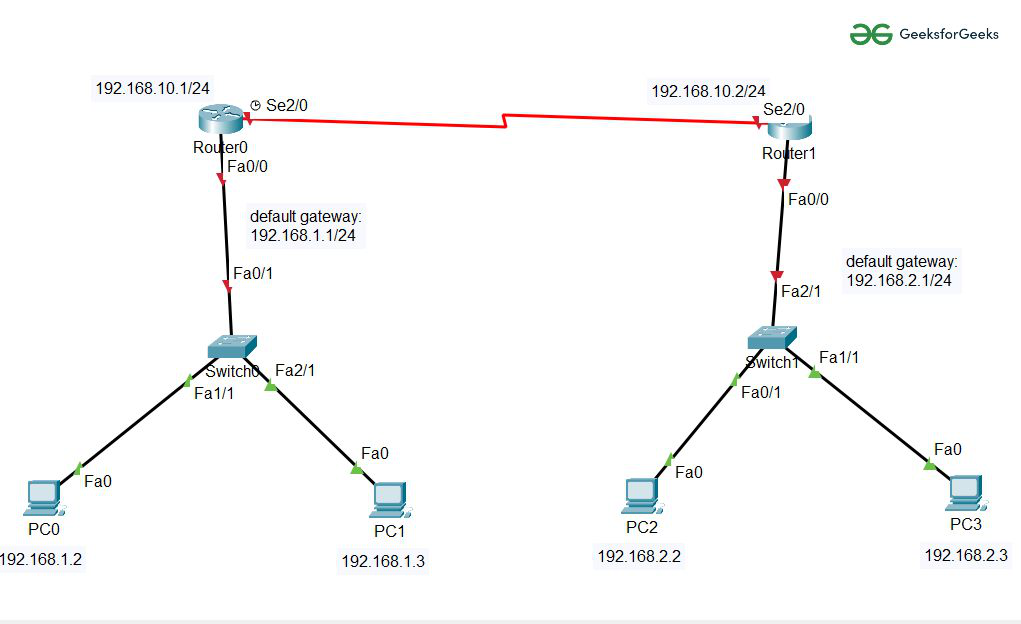
Step 1: First, create a network topology of these given devices listed below in the table:
| S.No | Device | Model name | Quantity |
|---|---|---|---|
| 1. | PC | pc | 4 |
| 2. | Switch | PT-switch | 2 |
| 3. | Router | PT-Router | 2 |
Step 2: Configuring Hosts (PCs) with IP addresses and Default Gateway using IP Addressing table given below:
| Device name | IPv4 Address | Subnet Mask | Default Gateway |
|---|---|---|---|
| PC0 | 192.168.1.2 | 255.255.255.0 | 192.168.1.1 |
| PC1 | 192.168.1.3 | 255.255.255.0 | 192.168.1.1 |
| PC2 | 192.168.2.2 | 255.255.255.0 | 192.168.2.1 |
| PC3 | 192.168.2.3 | 255.255.255.0 | 192.168.2.1 |
To configure PCs follow these steps:
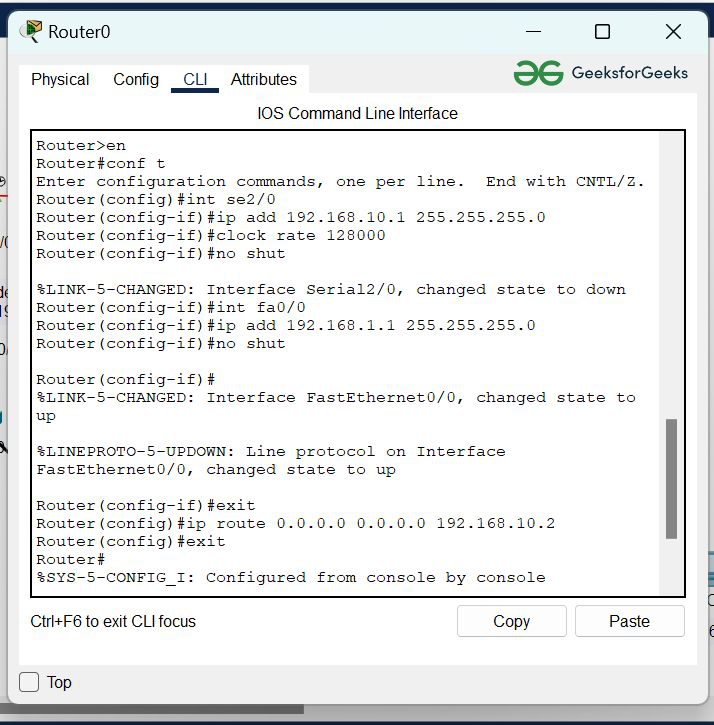
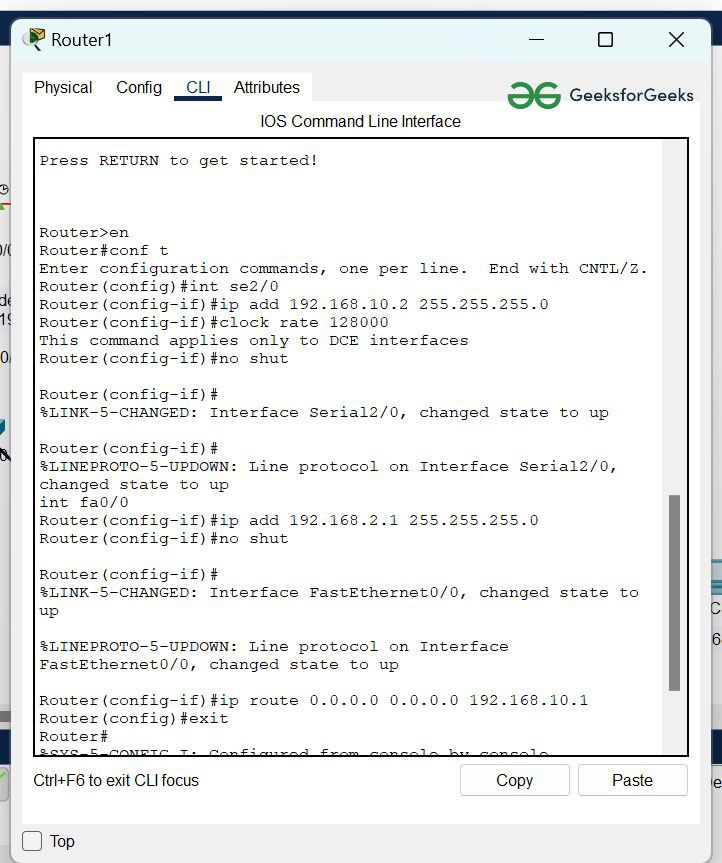
Step 3: Configuring the Interfaces (routers) with IP Addresses and Default gateways and assigning the default routes.
Router0 Configuration:
R-1(config)#ip route (any destination~reserved)
(any subnet mask~reserved) (next hop IP address)
Router1 Configuration:
R-1(config)#ip route (any destination~reserved)
(any subnet mask~reserved) (next hop IP address)
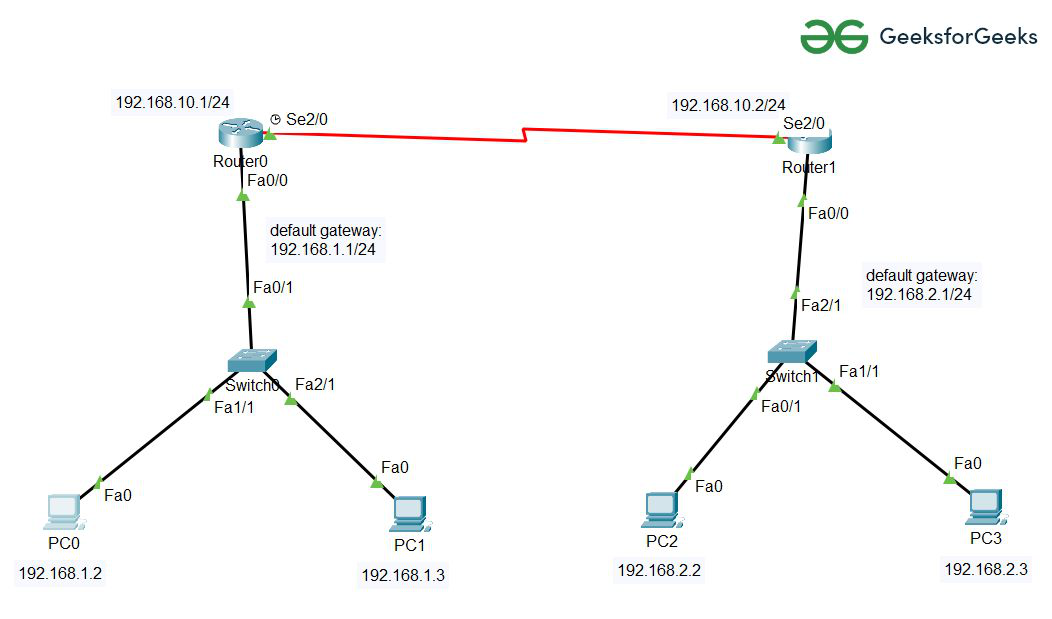
Step 4: After configuring all the devices red indicator turns into green and the network is live so we can send and receive packets.
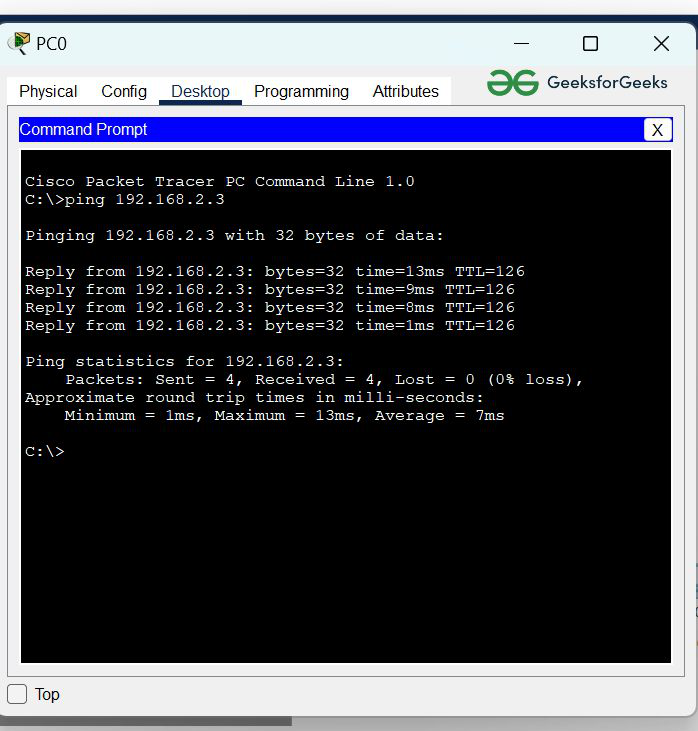
To verify the network we'll verify the network by pinging the IP address of the target node in any Host.
The below representation shows exactly how the packets are moving from the source node to the destination node.