|
VOOZH | about |
|
VOOZH | about |
Tethering is the process of sharing a mobile internet connection with the connected computer using Bluetooth or a USB cable. On the basis of this, tethering is classified as USB Tethering and Bluetooth Tethering.
USB Tethering is the process of using a mobile device’s Internet connection on other devices such as laptops or tablets, the same as a mobile hotspot. Although the two accomplish the same goal, they differ in the means through which the connection is passed on. USB tethering is a process of connecting the device to the computer via a cable while a mobile hotspot creates a wireless connection. Discussion of the two methods lays a foundation of likely options for speed, stability, and battery consumption hence making it easier to arrive at the most appropriate method needed for a specific task.
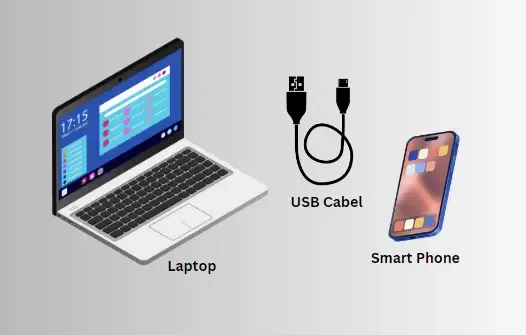
When the mobile internet connection is shared with a connected computer using a physical cable like USB then it is called USB Tethering. It is used for high-speed connection sharing between mobile devices and connected computer systems.
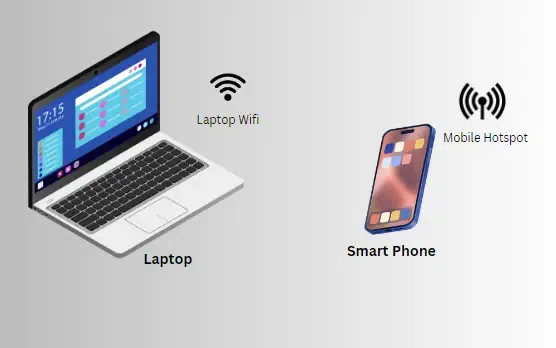
When the mobile internet is shared with connected computer via wireless LAN (Wi-Fi), then it is called Mobile Hotspot. It is used for a short term connection between mobile devices and computer systems.
| USB Tethering | Mobile Hotspot |
|---|---|
| It is an internet sharing connection established via USB cable. | It is an internet-sharing connection established using WLAN. |
| The internet speed obtained in the connected computer is faster. | While the internet speed is a little slow using hotspot. |
| It requires a mobile device and a USB cable. | While it requires only a mobile device. |
| It is a wired connection. | While it is a wireless connection. |
| It does not require mobile devices with hotspot. | For this, hotspot is compulsory in mobile devices. |
| It does not harm the battery life of mobile. | It harms the battery life of mobile. |
| It is used if the connection is established for a long time. | It is used for a short-term connection. |
| It has a predefined range i.e. length of the USB cable. | It has a variable range but is limited. |
| The computer does not need to have Wi-Fi functionality. | The computer needs to have Wi-Fi functionality. |
| Tethering is not compatible with numerous device connections. | It is simple to connect several devices at once. |
| It consumes less data than hotspots and hence is more efficient. | Comparatively more data is consumed in mobile hotspots than in tethering. |
| A fast connection is necessary for tethering. | Medium- to high-speed internet connections are needed for hotspots. |
Although USB tethering is easy to use than the mobile hotspot feature, it has its limitations while the latter has its advantage, so depends on the user preference as to which one would be more appropriate to use. USB Tethering is more appropriate when you have a single device that you would like to connect to another device in a secure and stable manner especially when the battery power is limited. On the flip side, if you require the use of the internet and have to connect various devices and are not bounded to a particular place, a mobile hotspot is much more convenient to use. Knowing all these differences will enable you make a right decision depending on your case.
In most cases, one is unable to activate USB tethering and mobile hotspot on the same gadget at the same time. All the features of the typical mobile phone limit one when the other is in operation.
The usage of data tends to be equivalent for both methods since it depends on the interactions made on the linked devices and not the way they are connected.
In the majority of contemporary mobile devices this function is realized through USB-tethering, however it can be disabled in the settings of the device. There certainly may be some limited or older models, or even specific carriers that will not include this feature.