Static routing is a routing protocol that helps to keep your network organized and to optimize routing performance. It enables the router to assign a specific path to each network segment and to keep track of network changes. This helps to improve network stability and continuity. This adds security because a single administrator can only authorize routing to particular networks.
Steps to Configure and Verify Two Router Connections in Cisco Packet Tracer :
Step 1: First, open the cisco packet tracer desktop and select the devices given below:
S.NO
Device
Model Name
Qty.
1.
PC
PC
4
2.
Switch
PT-Switch
2
3.
Router
PT-Router
2
IP Addressing Table For PCs:
S.NO
Device
IPv4 Address
Subnet Mask
Default Gateway
1.
pc0
192.168.1.2
255.255.255.0
192.168.1.1
2.
pc1
192.168.1.3
255.255.255.0
192.168.1.1
3.
pc2
192.168.2.2
255.255.255.0
192.168.2.1
4.
pc3
192.168.2.3
255.255.255.0
192.168.2.1
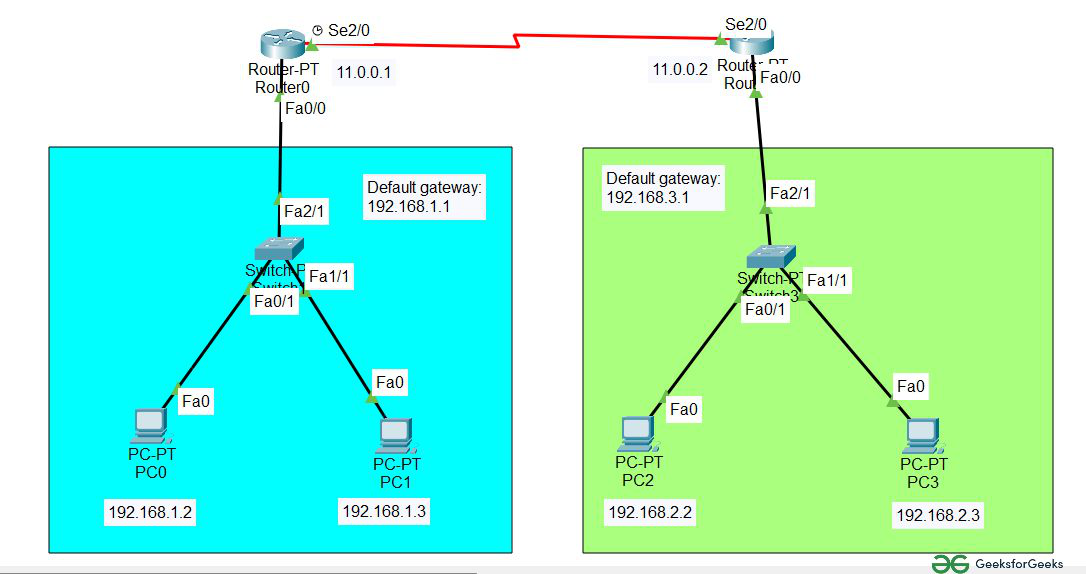
Then, create a network topology as shown below the image.
Use an Automatic connecting cable to connect the devices with others.
👁 Image Correction: Default Gateway in 2nd network is 192.168.2.1
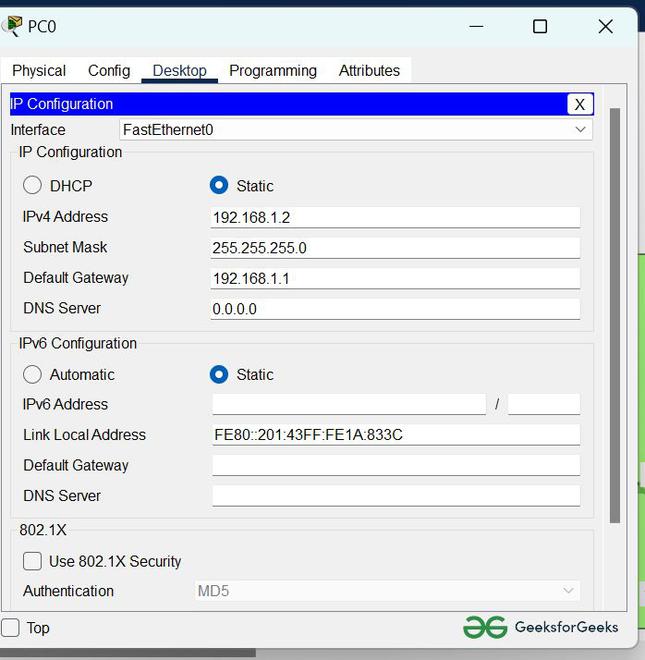
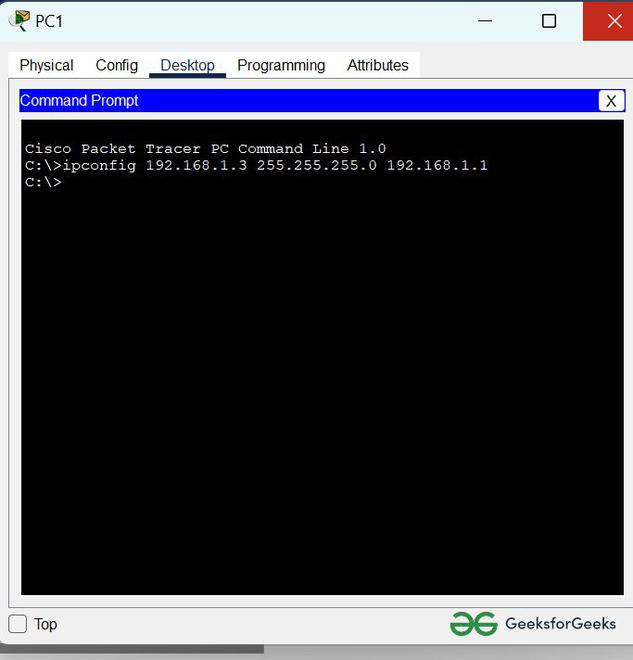
Step 2: Configure the PCs (hosts) with IPv4 address and Subnet Mask according to the IP addressing table given above.
To assign an IP address in PC0, click on PC0.
Then, go to desktop and then IP configuration and there you will IPv4 configuration.