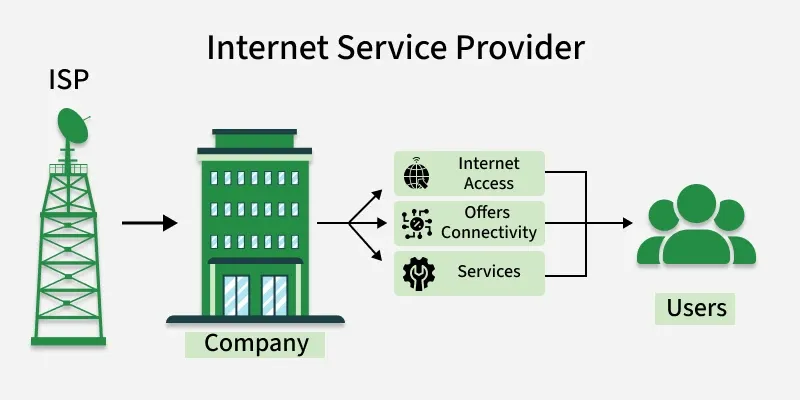
Provides connectivity via fiber-optic, cable, DSL, mobile broadband, or satellite.
Offers IP address allocation, email services, and network security features.
Delivers technical support and customer assistance for network-related issues.
Several major ISPs operate globally.
Examples include Verizon Fios (USA), AT&T (USA), Google Fiber (USA), and JioFiber (India)
Characteristics of an Internet Service Provider
Email Services: Most ISPs provide email accounts to users as part of their service package.
Customer Support: ISPs offer technical support to help users resolve connectivity and service-related issues.
High-Speed Internet Access: ISPs provide Internet connectivity at different speeds; higher speeds improve user experience and attract more customers.
Spam and Security Filtering: Many ISPs include spam blocking and basic security features to protect users from unwanted emails and online threats.
Web Hosting Services: Some ISPs offer web hosting facilities that allow individuals and organizations to host websites.
What Do Internet Service Providers (ISPs) Do?
Deliver internet connectivity and related digital services to users. Their primary functions include:
Internet Access: Provide connectivity through DSL, fiber-optic, cable, or wireless technologies.
Web Hosting: Offers server space and services for hosting websites.
Email Services: Provide email accounts for personal and business communication.
Online Security: Supply security features such as antivirus protection, firewalls, and spam filtering.
Technical Support: Assist users in troubleshooting network and connectivity issues.
Domain Registration: Enable users to register and manage domain names.
Bundled Services: Offer combined packages including internet, television, telephone, and streaming services.
ISPs: Types
Types of ISP Connections: ISPs provide different types of internet connections, such as DSL, Wi-Fi broadband, mobile broadband, fiber-optic broadband, and cable broadband, each varying in speed, reliability, and technology.
Major ISPs in India: Common Internet Service Providers include Reliance Jio, Vodafone Idea, Airtel, BSNL, and Hathway.
Internet Speed Requirements: Choose an ISP based on your usage needs, such as gaming, streaming, or work-from-home activities, and ensure it offers adequate speed.
Connection Type Availability: Check which connection types (DSL, cable, fibre, or wireless) are available in your locality before selecting an ISP.
Data Caps: Review whether the ISP imposes data limits; heavy users should prefer unlimited data plans.
Reliability and Performance: Evaluate the ISP’s service reliability by checking uptime records and customer reviews.
Customer Support: Opt for an ISP with responsive and efficient customer service to handle technical issues.
Pricing and Plans: Compare subscription costs, packages, additional fees, and contract terms across different ISPs.
Additional Services: Consider ISPs that offer extra services such as email accounts, security features, or web hosting if required.
Service Availability: Ensure the ISP’s services are available in your specific location before making a decision.
Advantages
ISPs handle all technical infrastructure, so users do not need to invest in or manage internet setup and networking equipment.
Professional ISPs provide high-speed internet access that is difficult to achieve independently.
ISPs offer high reliability and service availability with assured uptime.
ISPs implement strong security measures, including virus protection and regular software updates.
Users do not need to maintain their own web servers, as ISPs provide hosting and related services.
Most ISPs provide uptime guarantees to ensure continuous connectivity.
Disadvantages
Users become fully dependent on the ISP for internet availability, pricing, and service quality.
Some ISPs may engage in unfair practices such as high pricing, data limitations, or service restrictions.
Overloaded shared servers can lead to slow internet speeds and reduced website performance.
Users must rely on the ISP for security and uptime, which reduces direct control.
If an ISP’s network or IP address is blacklisted, it can negatively affect users’ online services.
Applications
Router Management Applications: Allow users to configure and manage home Wi-Fi networks, including changing passwords and monitoring connected devices.
Data Usage Applications: Enable users to track internet data consumption, which is useful for plans with data limits.
Speed Test Applications: Help users measure internet performance by checking download and upload speeds.
Customer Support Applications: Provide access to technical assistance, troubleshooting tools, and account management.
Billing and Account Management Applications: Allow users to view bills, make payments, change subscription plans, and check payment history.