|
VOOZH | about |
|
VOOZH | about |
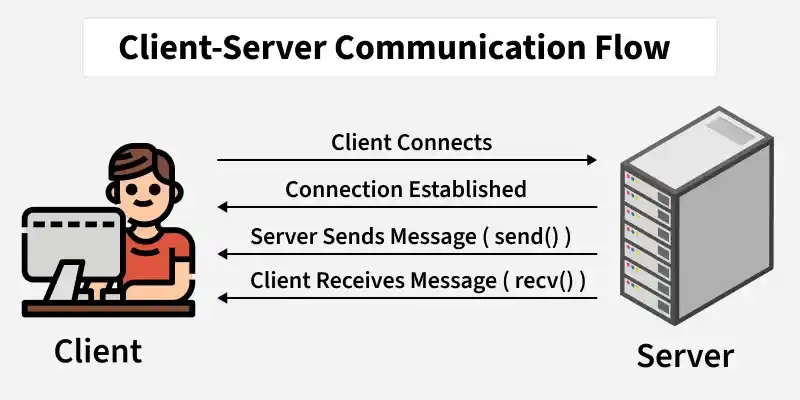
Socket programming enables two programs to communicate over a network. Here, we create a simple client–server application in C where the server sends a message to the client when a connection is established. The communication uses TCP sockets for reliable data transmission.
In socket programming, the client application initiates communication with the server. It establishes a connection, sends requests, and receives responses that are then presented to the user. Typically:
1. Create a socket:
2. Connect to the server: The connect() function establishes a connection with the server using its IP address and port number.
3.Receive data: The recv() function receives data sent by the server.
4. Display the message: The received data is printed on the client terminal.
In a client–server architecture, the server program runs continuously and listens for connection requests from clients. After establishing a connection, it processes the request and returns the required data. Servers typically:
1. Create a socket: Similar to the client using the socket() function.
2. Bind the socket: The bind() function associates the socket with a specific IP address and port number.
3. Listen for connections: The listen() function puts the server in passive mode, waiting for client connections.
4. Accept a client connection: The accept() function accepts the incoming connection and returns a new socket for communication with the client.
5. Send data to the client: The send() function sends the message to the connected client.
1. Open two terminals.
2. Compile the server program:
gcc server.c -o server
3. Compile the client program:
gcc client.c -o client
4. Run the server first:
./server
5. Run the client in another terminal:
./client
6. The client terminal will display:
Message: Message from the server to the client 'Hello Client'
Reference
http://pirate.shu.edu/~wachsmut/Teaching/CSAS2214/Virtual/Lectures/lecture17.html