|
VOOZH | about |
|
VOOZH | about |
Prerequisites: Routing Tables in Computer Network
A router ID is a 32-bit Internet Protocol address that uniquely identifies a router or an interface in an Autonomous System. This article will discuss how to configure the router ID in the Cisco packet tracer.
let's discuss the proper steps to configure the router:
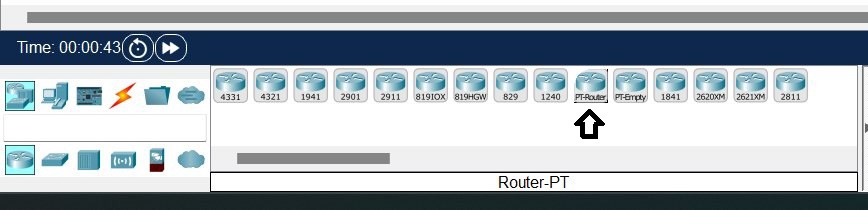
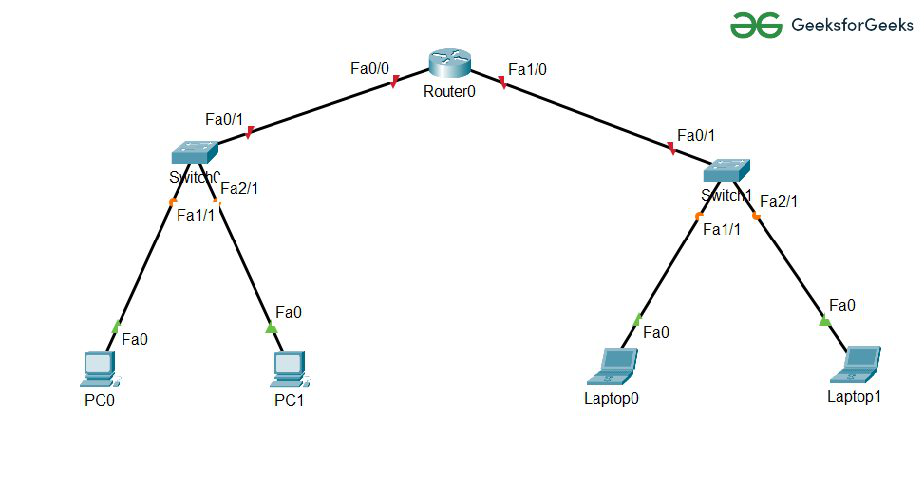
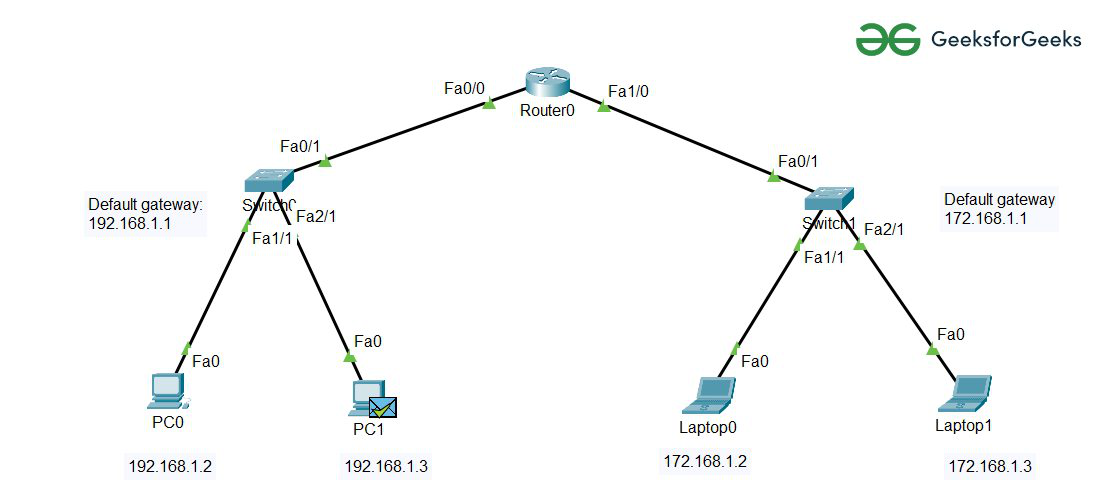
Step 1: First open The Cisco packet tracer on the desktop and create a network topology of two LANs using these devices. In the below diagram, we have used PT-Router and PT-Switch.
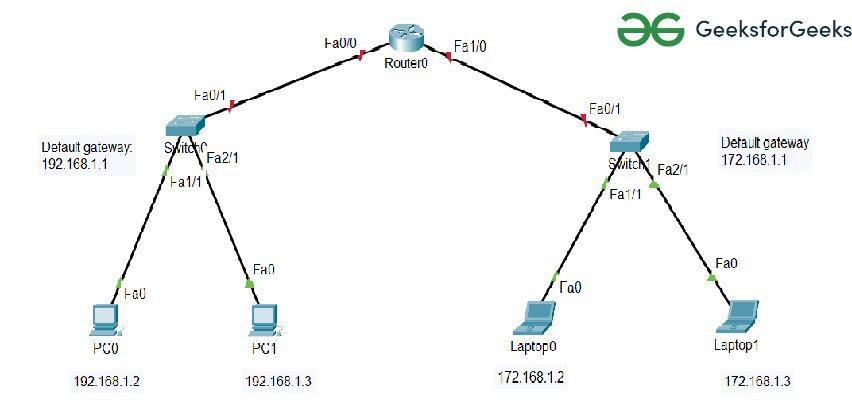
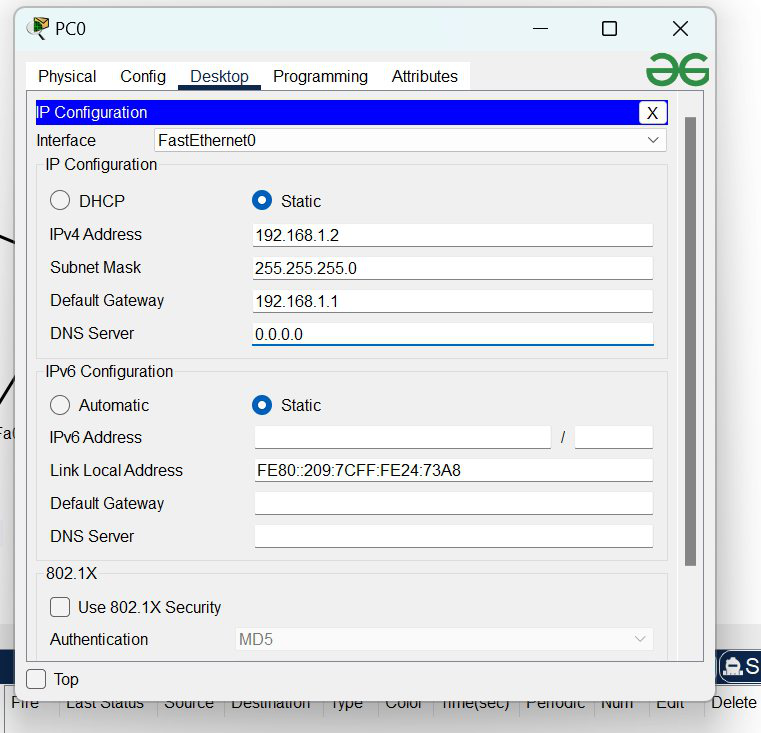
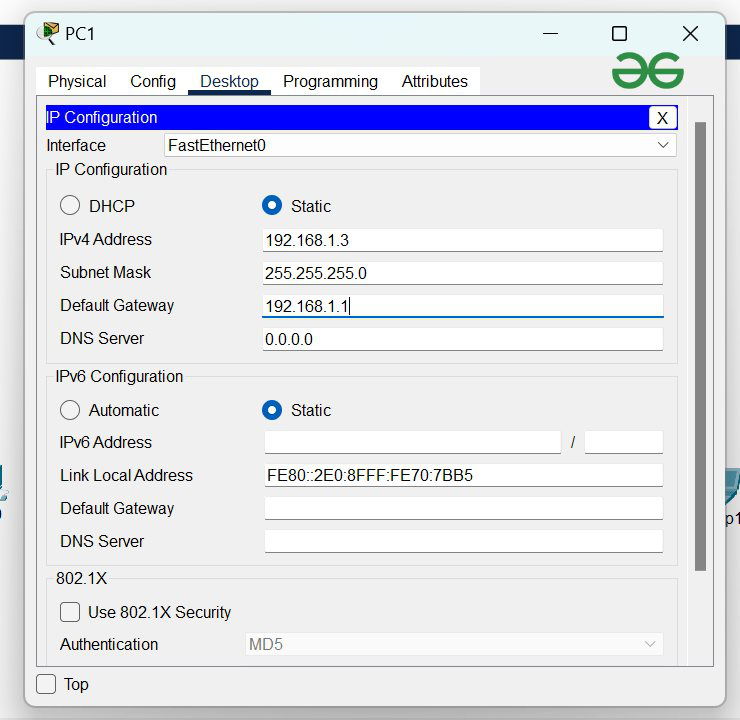
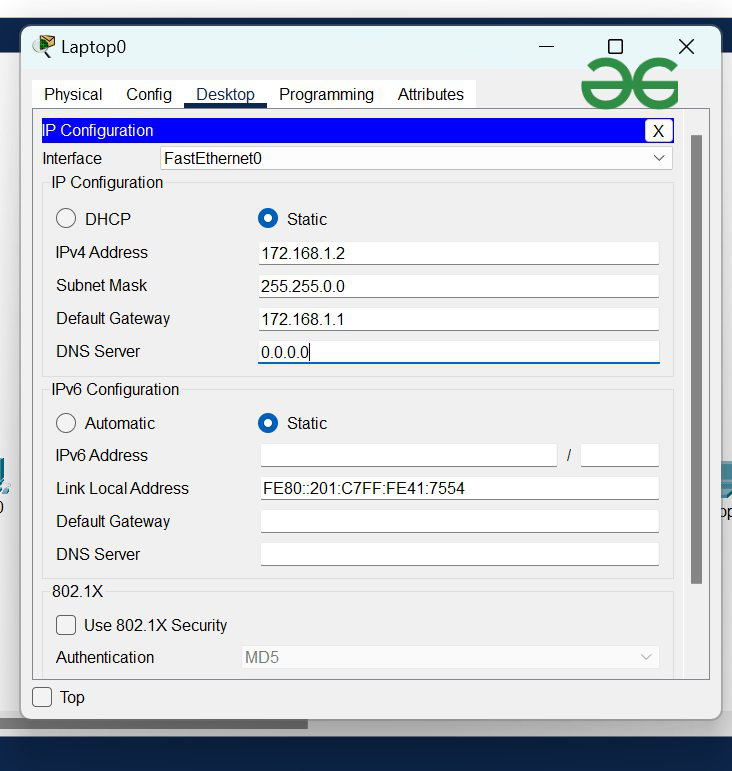
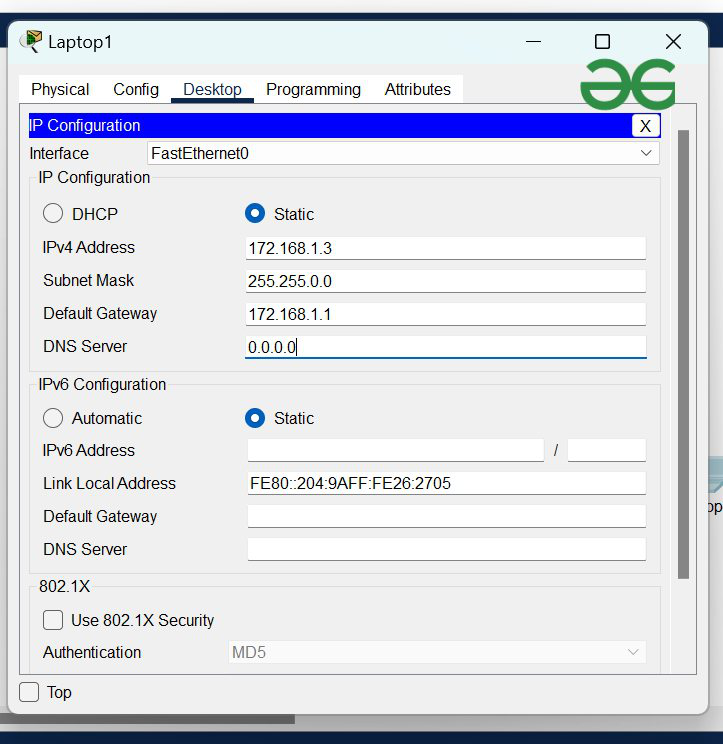
Step 2: Then we will assign IP addresses, Default gateways, and subnet masks to Hosts.
| S.NO | IP address | Default Gateway | Subnet Mask |
|---|---|---|---|
| PC0 | 192.168.1.2 | 192.168.1.1 | 255.255.255.0 |
| PC1 | 192.168.1.3 | 192.168.1.1 | 255.255.255.0 |
| Laptop0 | 172.168.1.2 | 172.168.1.1 | 255.255.0.0 |
| Laptop1 | 172.168.1.3 | 172.168.1.1 | 255.255.0.0 |
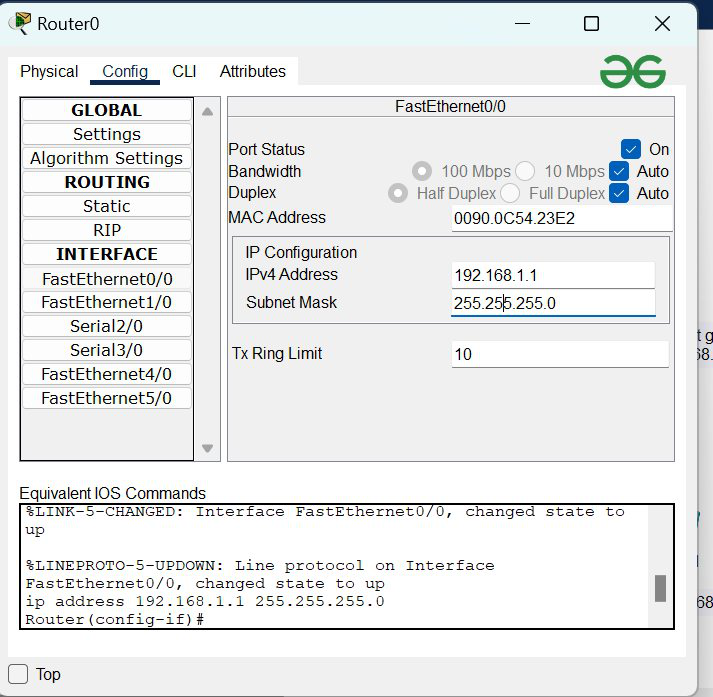
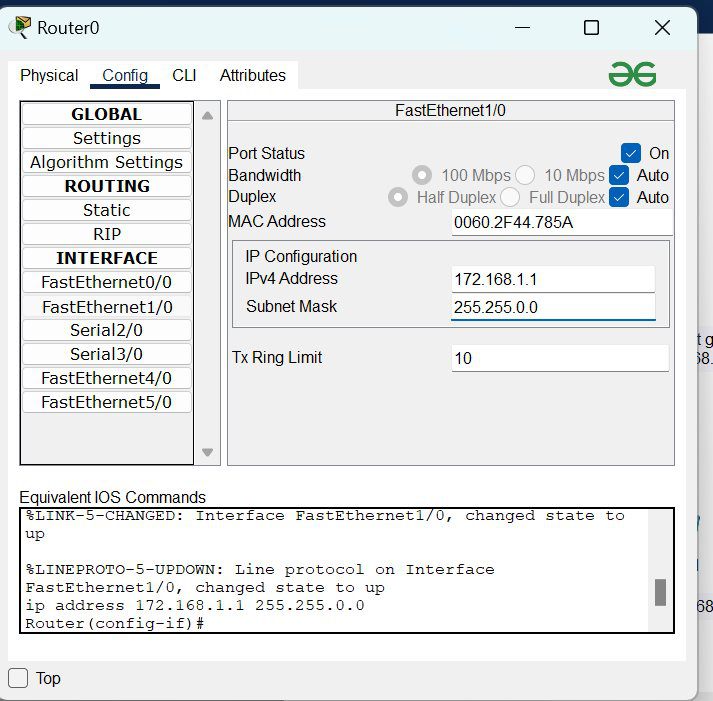
Step 3: After that, we have to configure the Interface which is router0.
For LAN1 FastEthernet0/0:
| S.No | IPv4 Address | Subnet Masks |
|---|---|---|
| FastEthernet0/0 | 192.168.1.1 | 255.255.255.0 |
| FastEthernet1/0 | 172.168.1.1 | 255.255.0.0 |
For LAN2 FastEthernet1/0:
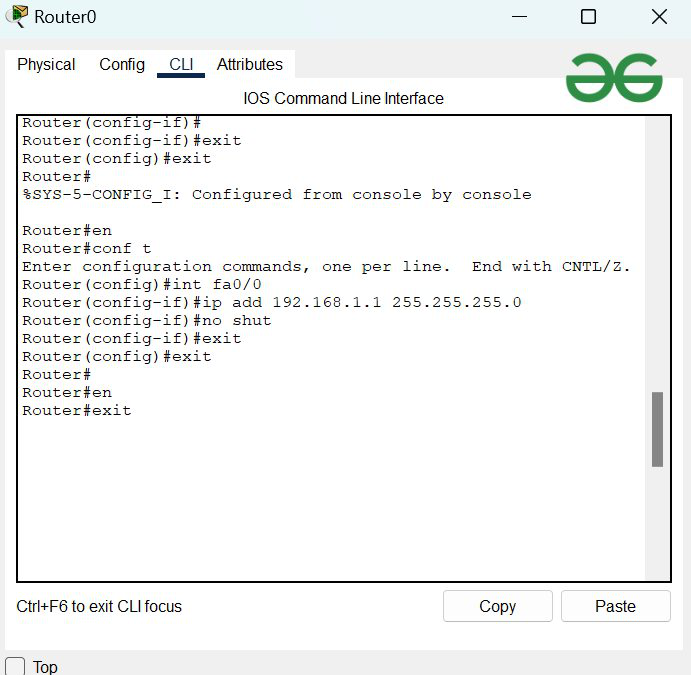
So this is how we can configure Router directly with config options. we can also configure it with CLI(command-line interface) command below:
Click on CLI
then enable the interface with en
configure the terminal with conf t
select FastEthernet0/1 Port with int fa0/0
Add Ip address with ip add <default gateway> <subnet masks>
the no shut to move out from interface
CLI Commands to configure Router:
Router#
Router#en
Router#conf t
Router(config)#int fa0/0
Router(config-if)#ip add 192.168.1.1 255.255.255.0
Router(config-if)#no shut
Router(config-if)#exit
Router(config)#exit
Router#
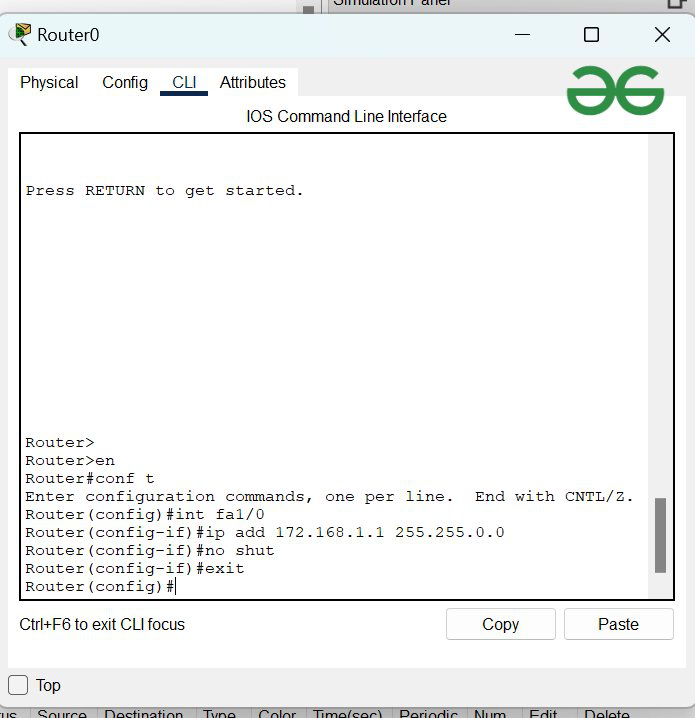
Similarly, we will configure the second FastEthernet port (FastEthernet1/0).
Click on CLI
then enable the interface with en
configure the terminal with conf t
select FastEthernet0/1 Port with int fa1/0
Add Ip address with ip add <default gateway> <subnet masks>
the no shut to move out from interface
CLI Commands to configure Router:
Router#
Router#en
Router#conf t
Router(config)#int fa1/0
Router(config-if)#ip add 172.168.1.1 255.255.0.0
Router(config-if)#no shut
Router(config-if)#exit
Router(config)#exit
Router#
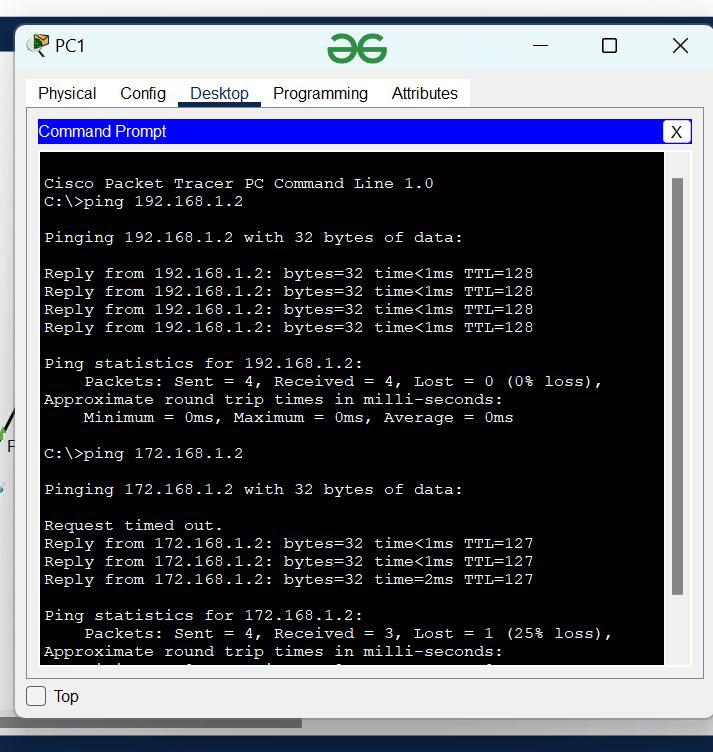
To verify the connection we will check by using the ping IP address command in any Host of LAN1.