|
VOOZH | about |
|
VOOZH | about |
In MATLAB, there are two kinds of objects - handles and values. The value objects are ordinary MATLAB objects which behave normally to copy operations. It means that when a value object is copied, the new copies of that object are completely independent of the original one i.e., if the original's value is changed, the copied object will not be changed with it. See the following implementation.
Example 1:
Output:
As can be seen, the copied object remained the same even after changing the original object's value.
Now, the second kind of MATLAB objects are the handle objects. These objects do not behave the same way towards the copying operation as the value objects do. Handle objects referred with the help of their handle variables therefore, any copy of handle objects refer to the same handle object.
Let us see the same in action. We will create a MATLAB class gfg which has a property address.
Example 2:
Output:
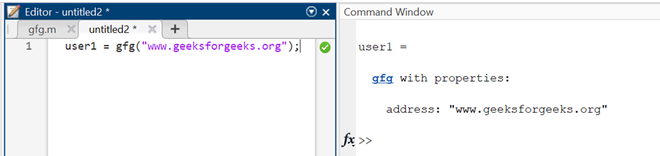
Now, in a new script file, we will create an object for the same and assign it an address.
Example 3:
Output:
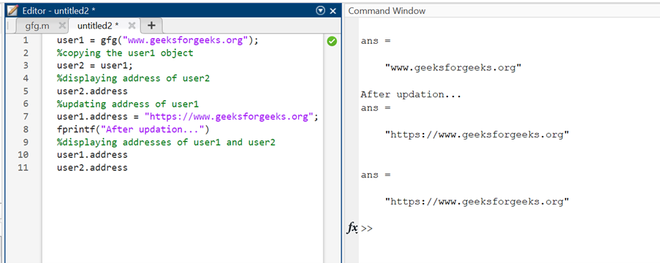
Now, we will create a copy of the user1 object and then, will compare the values of both objects.
Example 4:
Output:
As can be seen that the properties of the user2 object changed automatically because both user1 and user2 refer to the same handle object of class gfg.