|
VOOZH | about |
|
VOOZH | about |
C++17 provides many modern language and Standard Library features that improve productivity and code quality. This article covers the installation of a C++17 compiler on Windows and the configuration of popular C++ IDEs and code editors.
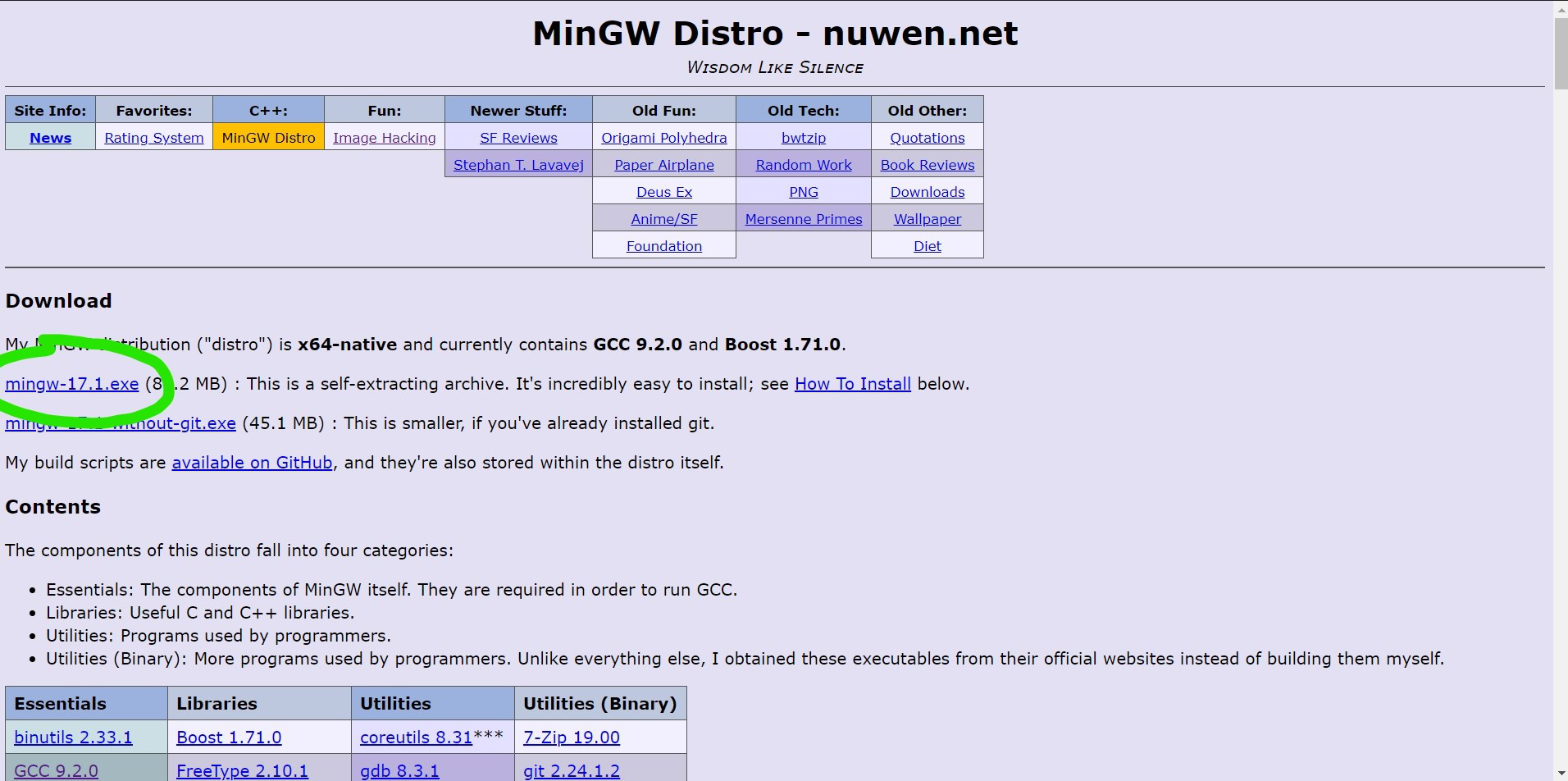
GCC 9.2 provides full support for most C++17 features and can be used to compile C++17 programs on Windows.
Download the GCC 9.2 compiler package and extract the downloaded archive.
👁 ImageAfter extraction, copy the MinGW folder to the C:\ drive.
👁 ImageTo use GCC from the Command Prompt, add the MinGW bin directory to the system PATH.
Open the MinGW folder and copy the path of the bin directory.
Example:
C:\MinGW\bin
Navigate to:
Control Panel -> System -> Advanced System Settings-> Environment Variables -> Path -> Edit -> New
Paste the copied path and save the changes.
👁 ImageOpen Command Prompt and run:
gcc --version
If the installation is successful, the installed GCC version will be displayed.
By default, Sublime Text may not compile programs using the C++17 standard. You can create a custom build system to enable C++17 support.
Open:
Tools -> Build System -> New Build System
Paste the following configuration:
Save the file with the .sublime-build extension.
Go to:
Tools -> Build System
Select the build system you just created.
Press:
Ctrl + B
to build and run the C++17 program.
👁 ImageOpen:
Settings -> Compiler
Choose GNU GCC Compiler.
Under Compiler Settings, select the C++17 standard option.
👁 ImageSwitch to the Toolchain Executables tab and set the compiler installation directory to the MinGW folder stored in C:\.
Update the executable paths using the files available in:
👁 Image
C:\MinGW\bin
Open:
Tools -> Compiler Options
Click the + button to add a new compiler set.
👁 ImageBrowse to the MinGW folder stored in C:\ and click OK.
👁 ImageYou can switch between installed compiler versions at any time using the compiler selection drop-down menu available in Dev-C++.
👁 ImageCreate and compile the following program:
C++17 is enabled
If the program compiles successfully, your system is properly configured for C++17 development.