In this article, we will discuss the Digital Clock in C++ Language. It is an application that allows for a personal clock that starts at a custom set time and shows the time from that point onwards. This article describes how to make such a clock in a 24-hour format with HH:MM:SS slots and start the time from where one would want it to be, and then it moves forward from there.
Features: It is a Simple Digital clock developed using basic C++ concepts that shows hour, minute, and second.
Approach: The requirements for this program are just the basic concepts of the data types, variables, manipulators, Control statements, Conditional statements, etc. Below are the steps:
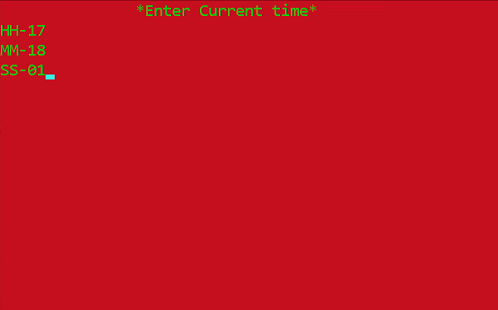
- Create a screen that will show "Current time" of your location which will be implemented using simple output methods used in C++ i.e., cout, and a manipulator "setw()".
- In the fore mentioned screen, implement the HH column, MM column, SS column, that will contain the time.
- Implement colors using System("color 4A"), the color will be in hexadecimal format and the console can be used to implement them using double-digit hex codes (0 to F) which will, in turn, change the text color in the console of the output.
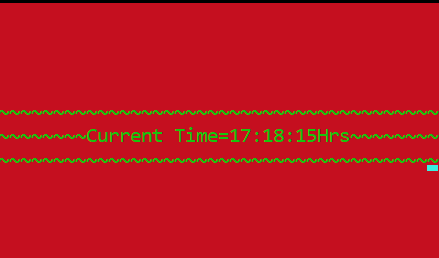
- In the last screen, a digital clock can be seen finally implemented and running from the inputted time.
Functions Used:
- System("cls"): It is used to clear the Console or the Screen. It can be avoided if anyone wants to see whatever is appearing on the screen.
- setw(): This function is used to leave the space of particular characters that you can write in the parenthesis. It is declared in <iomanip> header file. Here setw(70) is used.
- System("color 4A"): This function is used to make background RED and text as LIGHT GREEN.
- Sleep(): sleep is a function that is declared in <windows.h> header file. It actually suspends the execution of the program temporarily for a period of time in milliseconds.
Below is the implementation of the above approach:
Input:
👁 Image
Output:
👁 Image