|
VOOZH | about |
|
VOOZH | about |
Jump statements in C++ are used to alter the normal flow of program execution by transferring control from one part of a program to another. They are commonly used in loops, functions, and switch statements to handle specific situations efficiently.
C++ provides the following jump statements:
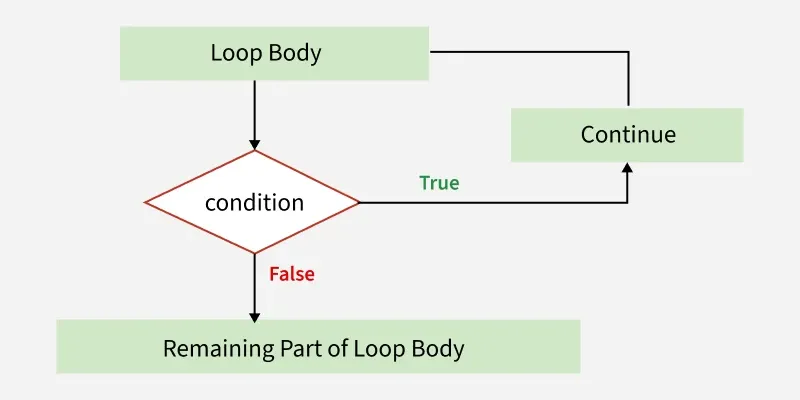
The continue statement skips the remaining statements of the current loop iteration and transfers control to the next iteration of the loop.
1 2 3 4 6 7 8 9
Explanation: When the loop variable reaches the specified condition, the continue statement is executed. The remaining statements in the current iteration are skipped, and the next iteration begins immediately.
Flowchart of continue Statement
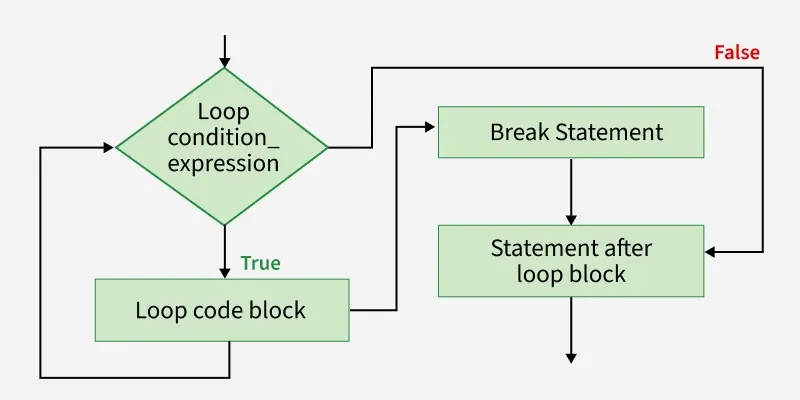
The C++ break statement is used to terminate the whole loop if the condition is met. It is primarily used to terminate loops (for, while, do-while) and switch statements. It forces the loop to stop the execution of the further iteration.
Using break to Exit a Loop
1 2 3 4
Explanation: As soon as the specified condition becomes true, the break statement executes and the loop terminates. Control moves to the first statement after the loop.
Flowchart of break Statement
Using break with Nested Loops
Unlike Java's labeled break statements, C++ does not support labels with break. A break statement only terminates the innermost loop or switch statement in which it appears.
1 1
2 1
3 1
Explanation: The break statement exits only the inner loop. The outer loop continues its execution normally.
The "return" statement terminates the execution of a function and transfers control back to the calling function. It can optionally return a value to the caller.
Number in Range [0, 100]
Explanation: The first return statement in the function findNum() will be executed as n = 10 which is the range [0, 100]. So, the function execution will be stopped then and there and will return to the main function.
Flowchart of return Statement
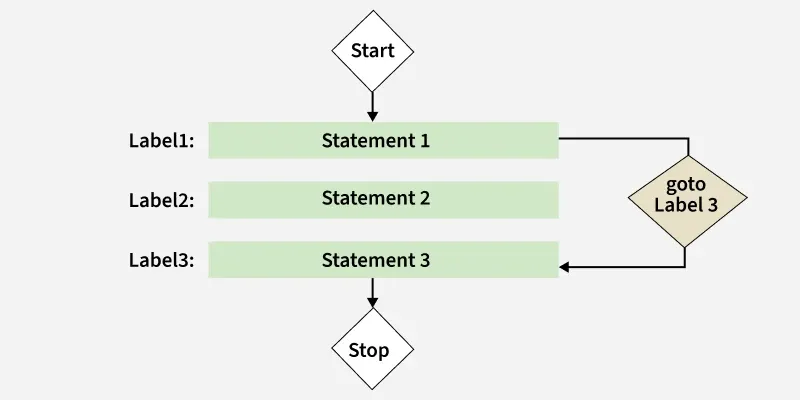
The C++ goto statement is used to jump directly to that part of the program to which it is being called. Every goto statement is associated with the label which takes them to part of the program for which they are called. The label statements can be written anywhere in the program it is not necessary to use them before or after the goto statement.
Even
Explanation: The above program is used to check whether the number is even or odd if the number pressed by the user says it is 4 so the condition is met by the if statement and control go to label1 and label1 prints that the number is even. Here it is not necessary to write a label statement after the goto statement we can write it before goto statement also it will work fine
Flowchart of goto Statement
Note: The goto statement makes it difficult to understand the flow of the program therefore it is avoided to use it in a program.