|
VOOZH | about |
|
VOOZH | about |
It is possible to send data from the server and receive a response from the client. Similarly, the client can also send and receive data to-and-from. Here we will discuss the approach using Win32 Threads in C/C++.
In the Server Program, we will be using two threads, one for Sending data to the client and another for Receiving data from the client. The process of communication stops when both Client and Server type exit.
Run the ServerApplication.cpp file using the command:
g++ ServerApplication.cpp -lws2_32
In the Client Program, we will be using two threads one for Sending data to the server and another for Receiving data from the server. The process of communication stops when both Server and Client type exit.
Run the ClientApplication.cpp file using the command:
g++ ClientApplication.cpp -lws2_32
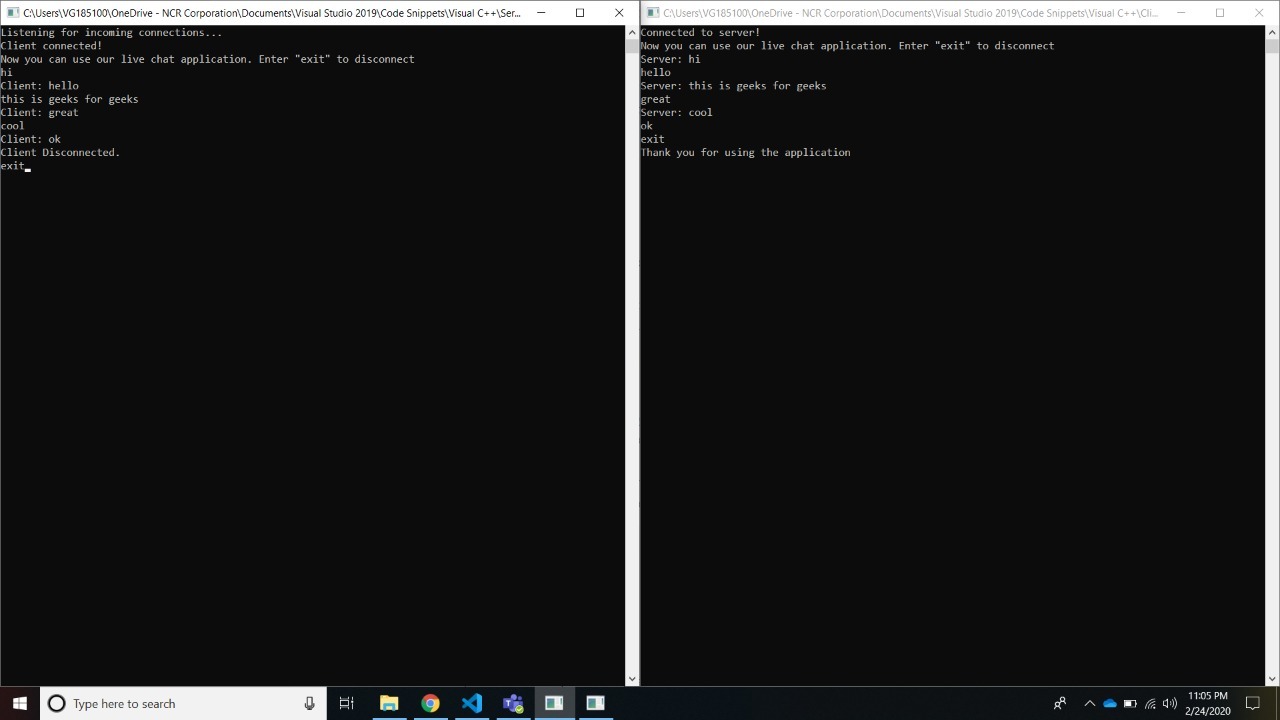
Output:
After communication between Server and Client
👁 ImageThe left side command prompt is the ServerApplication and the right side command prompt is the ClientApplication.