|
VOOZH | about |
|
VOOZH | about |
Flutter is an open-source, cross-platform UI development kit developed by Google. It is gaining popularity these days, as the app made in Flutter can run on various devices regardless of their platform. It is majorly used to develop applications for Android and iOS, as a single app made in Flutter can work efficiently on both platforms.
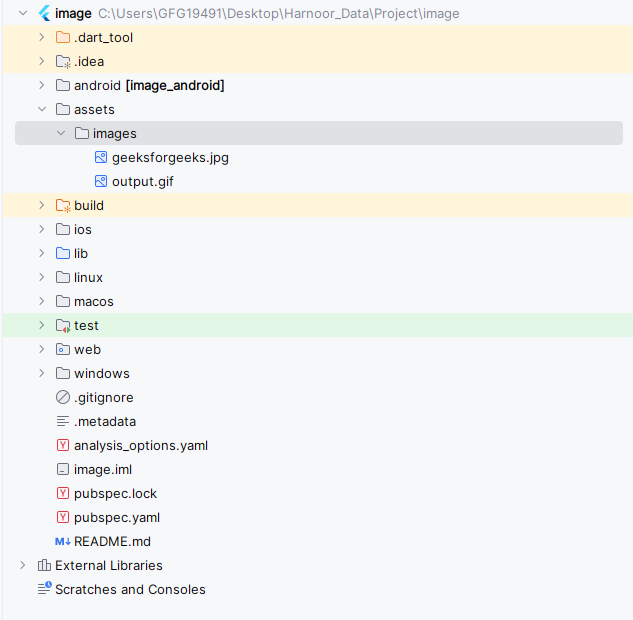
Here we will learn how to add images in the Flutter app. A flutter app when built has both assets (resources) and code. Assets are available and deployed during runtime. The asset is a file that can include static data, configuration files, icons, and images. The Flutter app supports many image formats, such as JPEG, WebP, PNG, GIF, animated WebP/GIF, BMP, and WBMP.
Syntax:
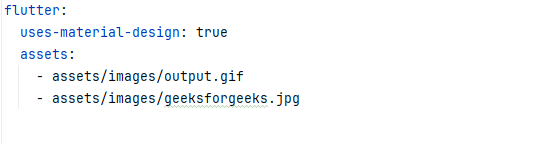
Image.asset('image name')a) To add images, write the following code:
flutter:
 assets:
 - assets/images/yourFirstImage.jpg
 - assets/image/yourSecondImage.jpg
b) If you want to include all the images of the assets folder then add this:
flutter:
 assets:
 - assets/images/
Note: Take care of the indentation, assets should be properly indented to avoid any error.
Image.asset('assets/images/GeeksforGeeks.jpg')Example
Output: