|
VOOZH | about |
|
VOOZH | about |
In computer graphics, we have seen how to draw some basic figures like line and circles. In this post we will discuss on basics of an important operation in computer graphics as well as 2-D geometry, which is transformation.
In computer graphics, transformation of the coordinates consists of three major processes:
In this post we will discuss about translation only.
What is translation?
A translation process moves every point a constant distance in a specified direction. It can be described as a rigid motion. A translation can also be interpreted as the addition of a constant vector to every point, or as shifting the origin of the coordinate system.
Suppose, If point (X, Y) is to be translated by amount Dx and Dy to a new location (X', Y') then new coordinates can be obtained by adding Dx to X and Dy to Y as:
X' = Dx + X
Y' = Dy + Y

or P' = T + P where

P' = (X', Y'),
T = (Dx, Dy ),
P = (X, Y)
Here, P(X, Y) is the original point. T(Dx, Dy) is the translation factor, i.e. the amount by which the point will be translated. P'(X', Y') is the coordinates of point P after translation.
Examples:
Input : P[] = {5, 6}, T = {1, 1}
Output : P'[] = {6, 7}

Input : P[] = {8, 6}, T = {-1, -1}
Output : P'[] = {7, 5}
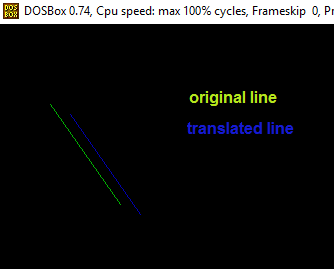
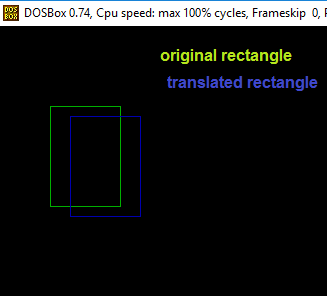
Whenever we perform translation of any object we simply translate its each and every point. Some of basic objects along with their translation can be drawn as:
Original Coordinates : 5, 8
Translated Coordinates : 7, 9
References : https://math.hws.edu/graphicsbook/