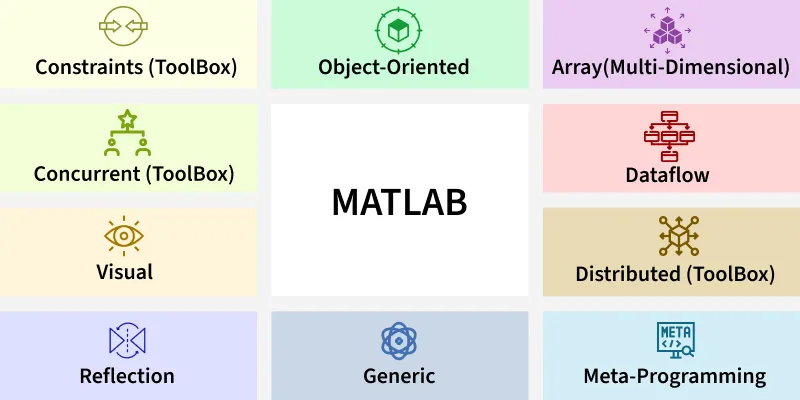
MATLAB ( MATrix LABoratory) is a programming and numeric computing platform developed by MathWorks. It is widely used by engineers, scientists and researchers for solving mathematical problems, analyzing data, developing algorithms and creating models.
👁 matlab Introduction to MATLAB Key Features of MATLAB High-Level Language: Offers built-in functions for math, statistics, signal processing, image processing, optimization and more. Interactive Environment: Provides a user-friendly IDE with a command window, workspace, editor and plotting tools. Toolboxes: Specialized collections of functions for various domains like machine learning, control systems and image processing. Visualization: 2D and 3D plotting capabilities for visualizing data and results. Simple MATLAB Example Output:
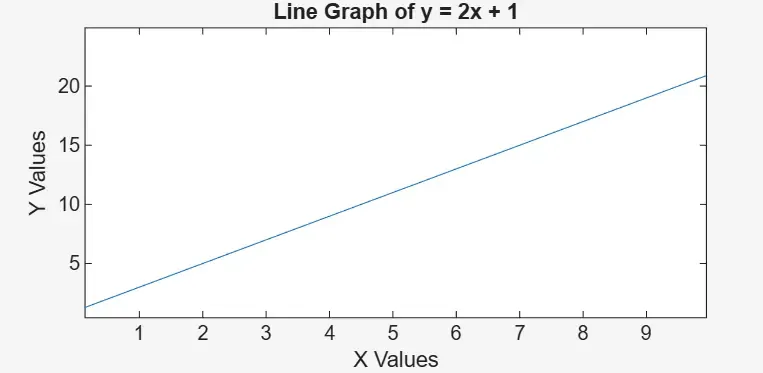
👁 line_graph Output Explanation:
x = 0:1:10; creates values from 0 to 10 with a step of 1. y = 2*x + 1; calculates y values using the equation. plot(x, y) draws the graph. title, xlabel and ylabel add labels to the graph. Basic MATLAB Workflow Using MATLAB usually involves these steps:
Entering Commands: Use the Command Window to run calculations directly. Writing Scripts: Save sequences of commands in .m files for reuse. Running Functions: Use built-in or user-defined functions for specific tasks. Visualizing Results: Create plots and graphs to analyze data. MATLAB Library MATLAB comes with a large set of inbuilt functions. Many are for mathematical operations (like sin, cos, det, inv, dot, cross).
Unlike languages like C or Java, MATLAB does not require:
Declaring data types before using variables Including header files at the beginning of programs This makes operations such as vector and matrix computations much simpler, often requiring only a single line of code.
Basic Functions in MATLAB Function Description disp() Displays values or text on the screen clear Clears all variables from the workspace close all Closes all graphics windows clc Clears the Command Window exp(x) Calculates e^x abs(x) Returns the absolute value of x sqrt(x) Returns the square root of x log(x) Calculates natural logarithm (base e) of x log10(x) Calculates logarithm (base 10) of x rem(x, y) Returns the remainder of x/y sin(x) Returns sine of x cos(x) Returns cosine of x tan(x) Returns tangent of x atan2(y, x) Returns arctangent (inverse tangent) of y/x
Applications of MATLAB MATLAB is used across various engineering, scientific and research fields. Some major application areas include:
Signal and Image Processing: Used for filtering, compression, feature extraction, image enhancement and audio analysis. Control Systems Design: Helps design, simulate and analyze control systems using built-in toolboxes and Simulink models. Data Analysis and Visualization: Used to clean, process, analyze large datasets and present results through interactive 2D/3D plots. Machine Learning and Deep Learning: Supports building, training and evaluating predictive models using specialized toolboxes and frameworks. Simulation and Modeling of Physical Systems: Used to create mathematical models and run simulations to study system behavior under various conditions. To read more about MATLAB, You can refer to - MATLAB Tutorial