|
VOOZH | about |
|
VOOZH | about |
Sorting is the process of arranging data in a specific order to make it easier to analyse, understand trends, and identify patterns. In Microsoft Excel, sorting helps organize numbers, text, and dates efficiently. You can sort data in ascending order (smallest to largest) or descending order (largest to smallest).
Syntax: SORT(array, [sort_index], [sort_order])
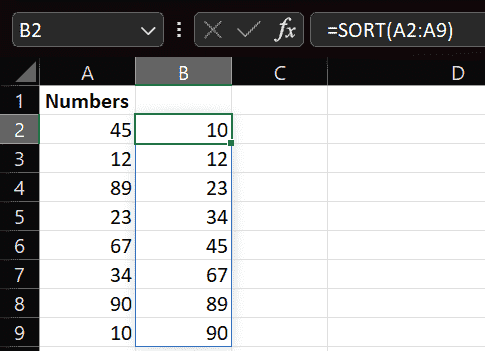
1 → Ascending-1 → Descending=SORT(A1:A8)
Excel will automatically return the sorted list from smallest to largest.
Use the formula:
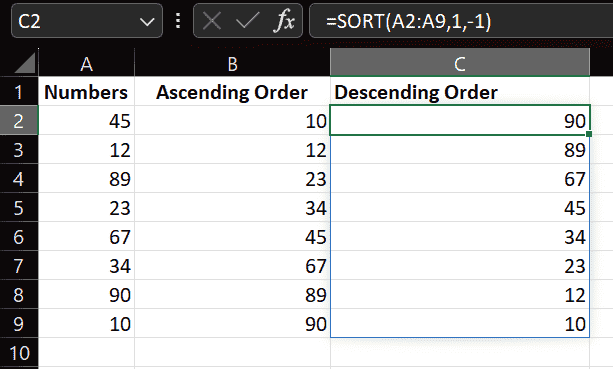
=SORT(A1:A8,1,-1)
Here:
1 → Sort by first column-1 → Descending orderNote: If your data changes frequently, using the SORT function is better than manual sorting because it updates results automatically.